
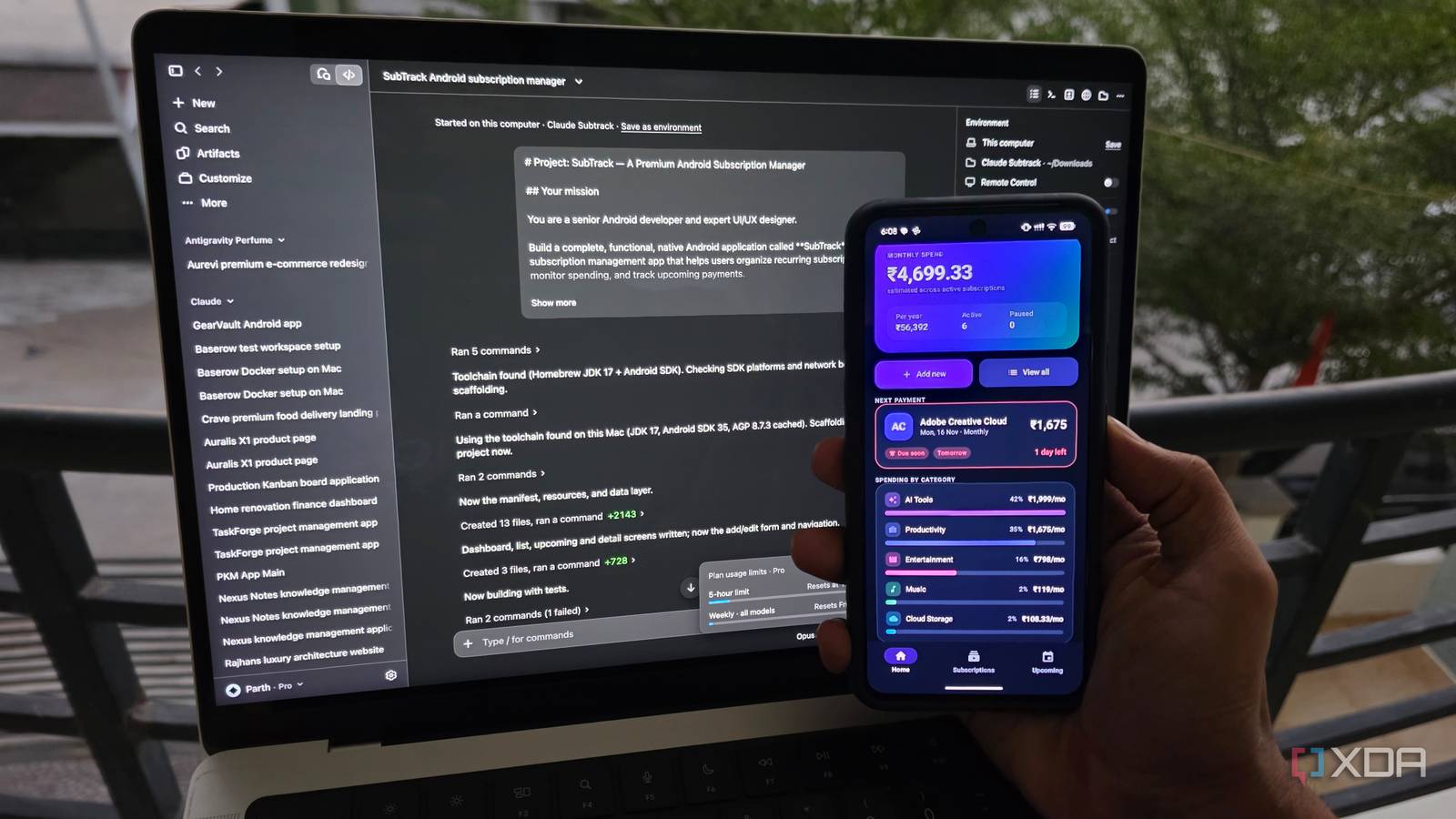
Published Nov 16, 2026, 7:30 AM EST Parth, a seasoned tech writer, wields the keyboard (or pen) with finesse to unravel the intricacies of both Windows and Mac operating systems. He has covered evergreen content on mobile devices and computers for multiple publications over the last six years. You can find his work on AndroidPolice, GuidingTech and TechWiser. Whether it’s demystifying system updates, deciphering error codes, or exploring hidden features, Parth’s prose guides readers through the binary maze. When not immersed in tech jargon, you’ll find him sipping chai, pondering the next software review, and occasionally indulging in a friendly debate about mechanical keyboards. It’s one thing for an AI coding tool to generate a beautiful interface in a few minutes, but building an Android app that actually works is a different challenge altogether. So, I picked three popular contenders: VS Code, Claude Code, and Google Antigravity. I gave each tool the same app idea and identical instructions to deliver. I wanted something polished, functional, and worthy of the Google Play Store. And by the end of this experiment, the differences were impossible to ignore. A word about the prompt Let’s set the rules For this experiment, I decided to build SubTrack, a subscription management app that helps users keep track of recurring payments without juggling multiple services. The idea was to create something I could actually use, with a polished dashboard, monthly and yearly spending insights, upcoming renewal dates, categories, and the ability to add, edit, or delete subscriptions. To keep things fair, I decided to use the default AI assistants in all three tools: GitHub Copilot in VS Code, Opus 5.5 in Claude Code, and Gemini 3.8 in Google Antigravity. Each received the exact same detailed prompt and a strict 60-minute deadline. There were no additional prompts, follow-up instructions, or manual code fixes. After that, I installed the generated APKs on my Pixel 8 and put them through the same real-world tests. VS Code Copilot nailed the basics, not UX I kicked off the experiment with VS Code and GitHub Copilot, and the results were quite respectable. Copilot managed to put together a functional subscription manager with a neat, clean interface, and a dark theme that looked easy on the eyes. The dashboard was well-organized, and I could access the essential features without digging through complicated menus. At first glance, it looked like a promising start. However, the more I explored the app on my Pixel 8, the more I noticed some questionable UX decisions. For instance, the floating + icon and the Add subscription button overlapped at the bottom of the screen. It was an obvious design oversight that should have been caught during development. The New Subscription menu also felt rather basic, with uninspiring form elements and little attention to visual polish. That said, Copilot nailed the fundamentals. The core subscription management features worked as expected, and I didn’t encounter any major functional roadblocks. My biggest complaint was the overall presentation. Better button placement, consistent alignment, refined spacing, and a more thoughtful layout could have made this app feel more premium. Copilot delivered a solid foundation, but it wasn’t quite Play Store material yet. Claude Code It delivered the prettiest interface Claude Code was easily the most impressive of the three when it came to UI design. The app looked polished, modern, and visually appealing, with an excellent dark theme, attractive cards, and a dashboard that felt like it belonged in a premium subscription manager. The core features also worked as expected, so I had little to complain about on the functionality front. However, I expected better attention to detail from Claude. For starters, it placed a + icon in the top-right corner, which isn’t convenient on tall smartphones like my Pixel 8. There was another Add button on the dashboard and a third one on the Subscriptions screen. It felt repetitive. I also expected Claude to use recognizable service icons instead of generic placeholders. Even the Add Subscription menu was rather ordinary and lacked the polish of the main dashboard. These aren’t dealbreakers, but they kept an otherwise excellent app from feeling truly complete. Google Antigravity handled several of these finer details much better. Google Antigravity Finally got everything right Gemini turned out to be a clear winner in my experiment, and it wasn’t a close contest. While Claude Code impressed me with its visual design, Antigravity managed to strike the perfect balance between UI and UX. The interface looked polished and thoughtfully designed, without any of the awkward button placements or alignment issues I faced with Copilot and Claude Code. What impressed me most was how naturally everything worked. Tapping the Add button opened a beautiful bottom sheet instead of taking me to another generic form. The same thoughtful approach carried over to individual subscription entries, where a contextual menu slid up from the bottom with relevant actions. It felt intuitive and perfectly suited to one-handed use on my Pixel 8. Antigravity also paid attention to smaller details, such as using recognizable service icons for subscription entries instead of generic placeholders. These touches made SubTrack feel like a proper Android app rather than another AI-generated prototype. With just a couple of minor tweaks and final release checks, I would be comfortable putting this app on the Play Store. I found my coding champion I went into this experiment expecting three capable AI coding tools to deliver similar results, but testing their APKs on my Pixel 8 told a different story. Copilot built a functional app but struggled with basic UX decisions. Claude Code raised the bar with its beautiful interface, although some design choices left me scratching my head. Antigravity (powered by Gemini) was the only tool that consistently got the little things right.
I challenged VS Code, Claude Code, and Google Antigravity to build an app in an hour, but only one was fit for the Play Store
Full Article
Original Source
Read the full article at Xda-developers →KhanList aggregates and links to publicly available news content. We do not host full articles from third-party sources. Always verify important information with original sources.