
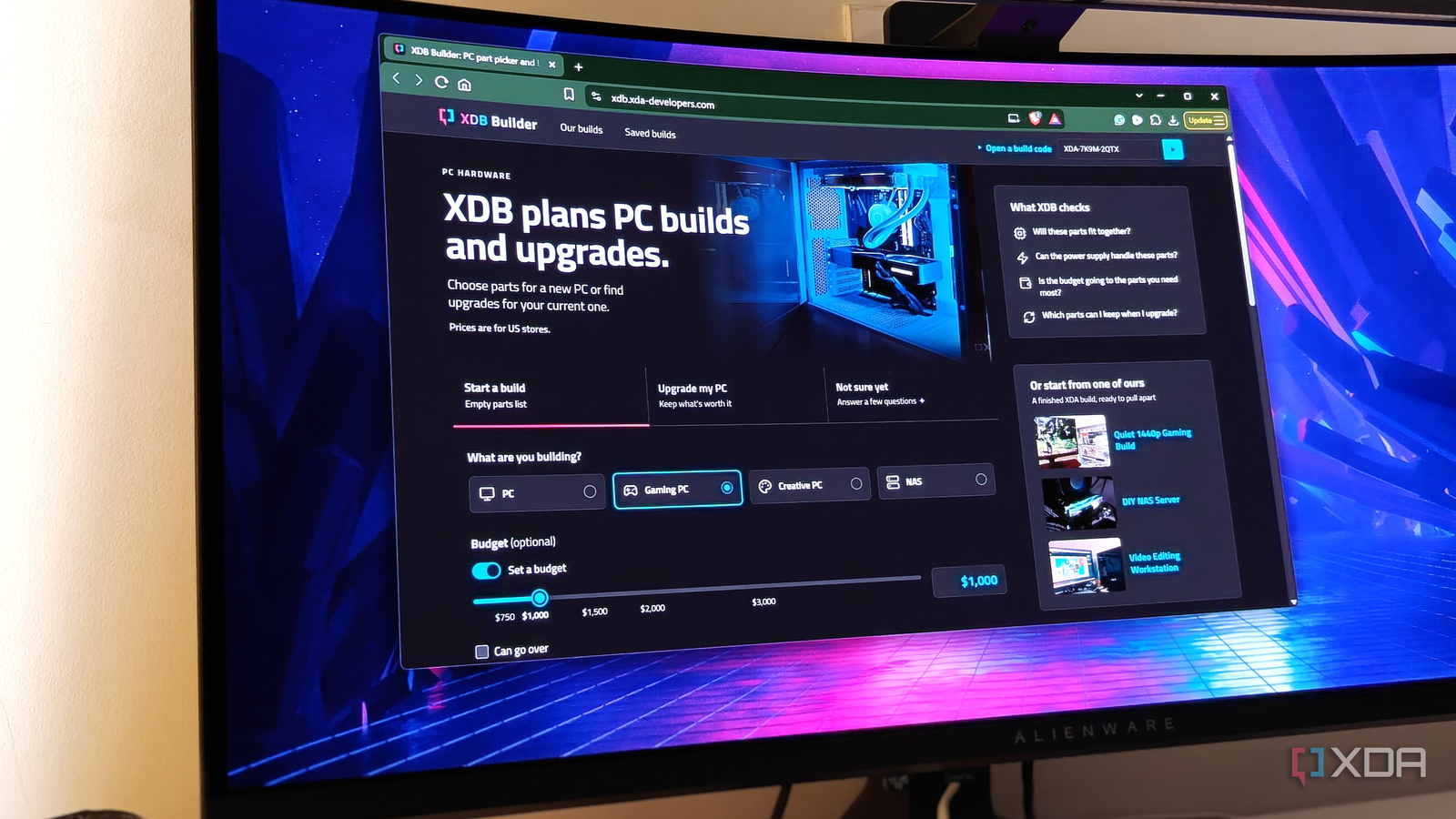
Published Nov 3, 2026, 12:00 PM EST After a 7-year corporate stint, Tanveer found his love for writing and tech too much to resist. An MBA in Marketing and the owner of a PC building business, he writes on PC hardware, technology, and Windows. When not scouring the web for ideas, he can be found building PCs, watching anime, or playing Smash Karts on his RTX 3080 (sigh). PC building has, more or less, come to a standstill for the past 12–14 months, ever since the AI overlords took all the RAM and storage for themselves. Not just RAM and SSDs; even graphics cards weren't spared from the drastic price hikes. PC builders and those looking for upgrades alike shelved all plans to buy PC hardware, waiting for things to get back to "normal." It's appropriate that XDA has come out with a PC building tool called XDB Builder. It's meant to help beginners and experts alike plan their PC builds and upgrades, whether it's just a regular PC or meant for gaming, creative work, or NAS usage. You can set a tight or flexible budget for a fresh build or choose your existing configuration for upgrade suggestions. There's a lot more to unpack in XDB Builder, so I decided to play around with it, asking it to build a gaming PC for $1,000. That's not an easy task in this market, so I was curious to find out what our new tool came up with. It wasn't perfect, but it got most of it right and, most importantly, managed to stick to my defined budget. The challenge: Building a $1000 gaming PC in this economy A fitting exercise for our spanking new tool The Start a build tab of XDB Builder is straightforward. You choose the type of PC you want to build, the budget, and how much the tool is allowed to go over the budget. So, I selected Gaming PC, moved the slider to $1,000, and added a maximum budget of $1,100 to allow the tool some room to maneuver. $1,000 used to be more than enough for a budget gaming PC, but this market has turned that on its head. If I were building a $1,000 gaming PC in this economy, I would pick a DDR4 build to save on RAM costs, using something like the Ryzen 5 5600X (or 5600). The GPU being the most important component, I'd probably pick an RTX 5060 at the very least. It's an 8GB graphics card, but that's not a big problem for 1080p gaming, even in 2026. I'd make cuts elsewhere, such as picking 16GB of DDR4 RAM over 32GB, and buying a cheaper case and cooler. Storage costs are also inflated right now, so if it were up to me, I'd go with a 1TB Gen4 NVMe SSD. Whether you go with AM4 or LGA 1700, the motherboard won't put a huge dent in the budget. Cheaping out on the power supply isn't recommended, even in desperate times, so I'd still go with an 80+ Gold PSU with at least 650W of capacity. With my own build in mind, I proceeded to check what XDB Builder would come up with. The build: A more-than-decent showing, all things considered A few misses didn't change the performance or quality of the build XDB Builder gives you the choice to choose your own parts from its massive database, or you can ask it to suggest one. Naturally, I chose the latter, ready to judge its choices. At first, I was surprised to see the Intel Core i5-14400F as the foundation, as I was fully expecting it to go AMD, just like I would. However, after checking benchmarks, the 6-core Intel chip beat the Ryzen 5 5600 and 5600X in most of the games. So, not a bad start, I'd say. Seeing the Intel Arc B570 on the list for over $400 definitely hurt, and I naturally clicked on the Manage button next to it so I could hopefully swap for a stronger card without spending more. The RTX 5060, which would have been my choice for this build, is priced at $500 right now, so I picked the Radeon RX 7600 for around $400. It's slightly faster than the Arc B570, and with no Arc B580 cards to be found, the RX 7600 8GB was a decent compromise. Considering AMD's FSR 4 suite is now available on the RX 7000 cards, the upscaling performance is better than what we get with Intel's XeSS. The RAM choice on the list was fine — a little over $100 for 16GB of 4000MT/s DDR4 RAM is what we can expect in this economy. I would probably go for Oloy over Mushkin at that price, but that's just a personal preference. The SSD department is where I changed the Gen3 drive to a Gen4 model, since the price difference was negligible ($159 vs $146). The motherboard, case, and PSU picked by the tool were great, balancing brand familiarity, feature support, and affordability. The 750W power supply might be a tad expensive for this build, but the additional headroom would come in handy for future upgrades. The cooler decision, however, could have been better had the tool picked the Thermalright Peerless Assassin 120 for $7 more. A PC builder's take on XDB Builder A great start that will only grow into a better platform In a nutshell, XDB Builder did a decent job of building a $1,000 gaming PC. It did go over budget slightly, but only because I had allowed a $100 buffer. It picked a great CPU for the price, chose a DDR4 platform instead of DDR5, and rightly went with 16GB of RAM. The GPU choice could have been better, but my replacement didn't change the performance by a whole lot. Besides, the tool is still learning and will improve over time. I even swapped in an RTX 5060 for $500 and asked the tool to Find a build that fits, and it returned with a build that cost under $1,100. The case was cheaper, and the Gen3 SSD was back, but it had also picked a Rosewill 550W PSU, which was cutting it close. The trade-offs weren't deal-breakers, but I would still choose a better PSU, even on a tight budget. XDB Builder can reduce the doom and gloom surrounding PC building Planning a PC build in this market can be nerve-wracking. There just aren't any easy decisions to be made. XDB Builder can at least be your brainstorming partner to help get your plan off the ground. You can save your build and share it with friends or online for feedback and assistance. And you don't even need to have a fixed goal in mind before using the tool. You can use the Not sure yet tab to answer a few simple questions and see what the tool cooks up. Gigabyte GeForce RTX 5060 Windforce OC
I challenged our new tool to build a gaming PC for less than $1,000, and it surprised me with the results
Full Article
Original Source
Read the full article at Xda-developers →KhanList aggregates and links to publicly available news content. We do not host full articles from third-party sources. Always verify important information with original sources.