
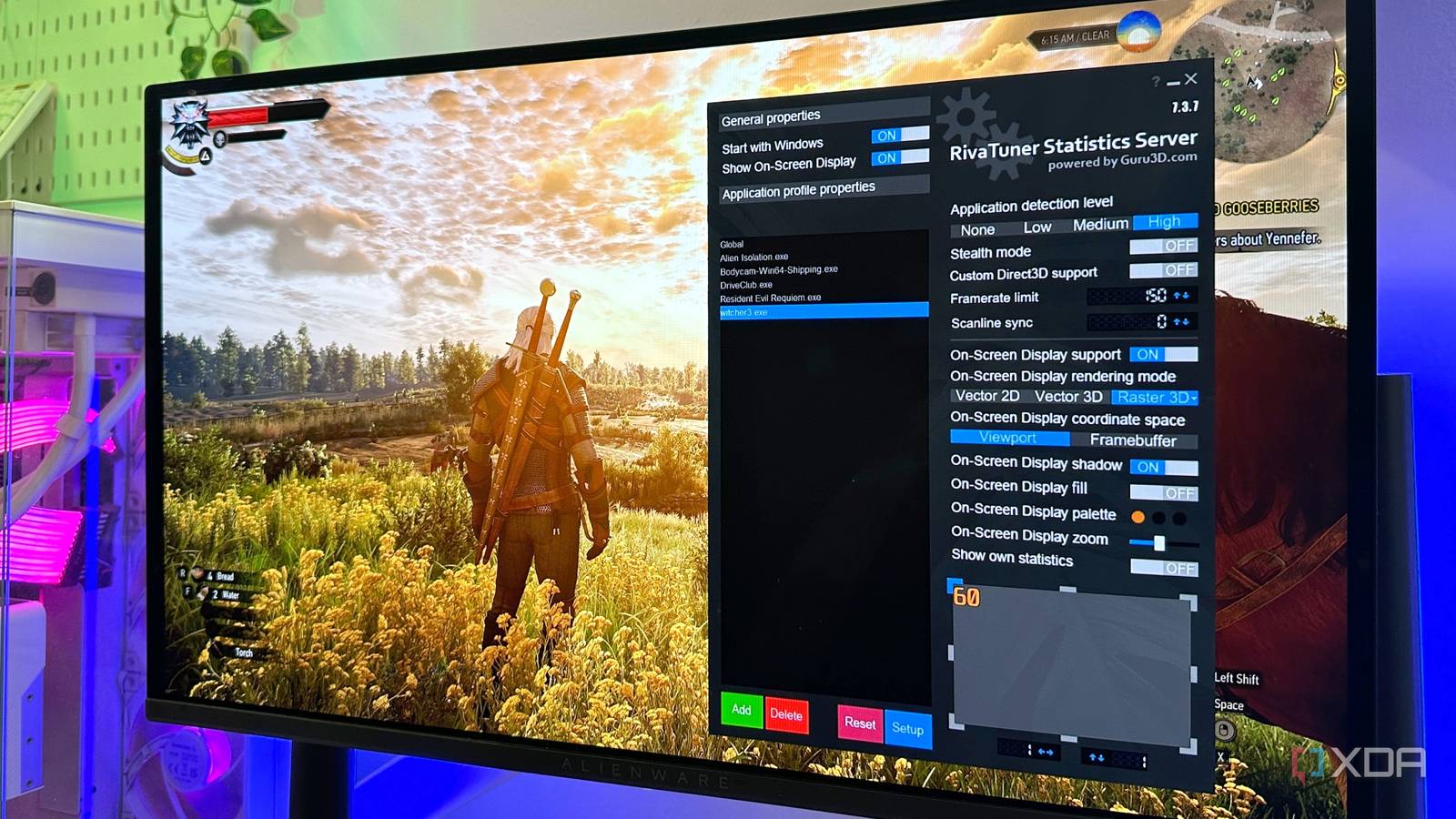
Published Nov 17, 2026, 3:00 PM EST Gaming has been Samarveer’s greatest passion, and the Literature graduate in him takes immense joy in dissecting games for their themes, messages, and impact. Samarveer holds a deep appreciation of gaming, and considers the platform to be the most immersive and impactful across all media. He can be found engaging with gaming communities online, always ready to debate the finer points of ray tracing or itching to write an 8-page collegiate thesis on any game that impacts him emotionally. For years, I treated the FPS counter as the simplest measure of how well a game was running. If the number went up, things would be better. If it dipped, I noticed. And when I had enough GPU headroom, I saw little reason to deliberately hold my frame rate back. When my PC could push 150 or 180 FPS, I saw no reason to settle for a "smaller" number like 120 FPS, after all. And yet, even at high frame rates that were past the 120 FPS territory, I occasionally saw some AAA titles stutter. These stutters are few and far between, but nothing is quite as immersion-breaking as losing half your frame rate for a split second. Turns out, capping my frame rate was the answer, even if the cap for each game was almost half of what my monitor's refresh rate supports. There's even a good reason for it, and I could finally see it in the numbers once I looked beyond the FPS counter. Each game on my PC gets its own framerate cap A few frames are a fair sacrifice for a smoother experience On my 240Hz display and RTX 4070 Ti, I don't always see many of my games touching 240 FPS. It's only when I'm playing classic PC games I grew up with that I actually see anything north of 200 FPS, which is why I've set a global 237 FPS cap across my PC games through RTSS, which comes bundled with MSI Afterburner. The most important part, however, is that this global cap isn't really doing anything in most of my games. Instead, I look at the average FPS a game can sustain, and set a per-game framerate cap comfortably below that number. A game averaging 96–97 FPS gets a 90 FPS cap, while another averaging 115 FPS might get 100 FPS. That small amount of breathing room makes a bigger difference than the FPS counter suggests. An uncapped game can bounce between different frame rates constantly, even when its average looks perfectly healthy. Those fluctuations mean frames aren't necessarily arriving at consistent intervals, which is where the occasional micro-stutter creeps in. This is why I care more about frametime consistency than chasing the highest possible average FPS. I'd rather have 90 frames arrive evenly than have the game swing between 80 and 110 while proudly displaying a higher average. The number is smaller, but the experience can feel considerably smoother. All my games now run smoother The FPS counter is only half the story I used CapFrameX to compare each game before and after applying my RTSS cap, with equal-length runs in the same scene and the GPU-bound titles doing the heavy lifting. These aren't numbers I pulled from an on-screen overlay either; they're from the captured data after each run, which gives a much better picture of what the frames were actually doing. The average FPS numbers going down is normal, since that's the entire point of the exercise. The consistency with how those frames arrive, though, is what changed. The average frametime drops into a much tighter range, while frametime standard deviation also falls in the games where the cap makes the biggest difference. GeForce RTX 4070 Ti + Ryzen 5 7600X + 32GB DDR5 RAM at 6000 MHz Game Preset State Avg. FPS 1% Low FPS 0.1% Low FPS Adaptive STDEV PC Latency GPU Load (%) The Witcher 3 Remastered RT Ultra, 1440p Uncapped 166 FPS 43 FPS 15 FPS 6.0 ms 72 ms 95% The Witcher 3 Remastered RT Ultra, 1440p Capped 150 FPS 82 FPS (91%) 51 FPS (+240%) 3.1 ms (halved) 76 ms 83% Bodycam Ultra, 1440p Uncapped 211 FPS 92 FPS 69 FPS 3.8 ms 73 ms 87% Bodycam Ultra, 1440p Capped 180 FPS 93 FPS 58 FPS 3.0 ms 83 ms 75% I'm not necessarily getting more frames by capping the game; I'm getting fewer opportunities for the frame rate to suddenly fall off a cliff. The shrinking gap between average FPS and the 1% low is particularly useful here because it puts a number on something I can actually feel while playing. Bodycam and The Witcher 3: Wild Hunt Remastered felt better with their framerate caps in place. A higher uncapped average looks great in a benchmark, but a tighter frametime graph is what makes camera movement and traversal feel consistent. My FPS counter might complain about the smaller number, but my eyes certainly don't. Why I don't use Nvidia App for per-game caps RTSS still feels better when I get specific It's understandable to question why I didn't use the Nvidia App and impose a global frame limit on my games, since I could do the same thing there and even have the framerate cap working at the driver level. The problem, however, is that I can actually feel a difference between the two. With the same cap, RTSS consistently gives me more even frame delivery, particularly in games that are already pushing my GPU close to its limit. That's important because I'm not using a frame cap simply to hit a particular number. I'm using it to keep the GPU from constantly running flat out and to make frame delivery more predictable. Nvidia's limiter is perfectly usable if you want a simple, driver-level solution, but RTSS gives me tighter control over the behavior I actually care about — frametime consistency. Of course, there is a perfectly valid reason to stick with the Nvidia app. It doesn't require another app sitting alongside your games, and some anti-cheat systems, too, are happier without third-party overlays or frame limiters involved. In fact, Nvidia's driver-level framerate cap is actually faster since it meters frames earlier. It is, however, less consistent." RTSS, on the other hand, enforces limits via API/renderer hooks and the overlay after frames leave the game's renderer, which often results in tighter frame pacing but can add a small additional latency compared with driver-level limiters. For me, though, RTSS has earned its place because the difference isn't really visible in an FPS counter. It's visible when I stop thinking about the frame rate altogether and the game simply feels smoother. Less really is more sometimes I don't think there's anything inherently wrong with chasing higher FPS. I still want my games to run as fast as my hardware can reasonably push them, and I'll happily take 180 FPS over 120 when both feel equally smooth. But I've stopped assuming that the bigger number automatically means the better experience. Sometimes, giving the GPU a little less to do is exactly what makes a game feel better. Sadly, none of this shows up particularly well in a screenshot. A benchmark can tell me that I've sacrificed 15 or 20 FPS, but it can't tell me whether those remaining frames feel more consistent. After seeing the difference for myself, I find it much harder to go back to treating the FPS counter as the final word on performance. MSI Afterburner MSI Afterburner is one of the best overclocking software with many extra features to monitor your PC's performance.
I cap my frame rate with RTSS, and my games feel smoother than at a higher FPS
Full Article
Original Source
Read the full article at Xda-developers →KhanList aggregates and links to publicly available news content. We do not host full articles from third-party sources. Always verify important information with original sources.