
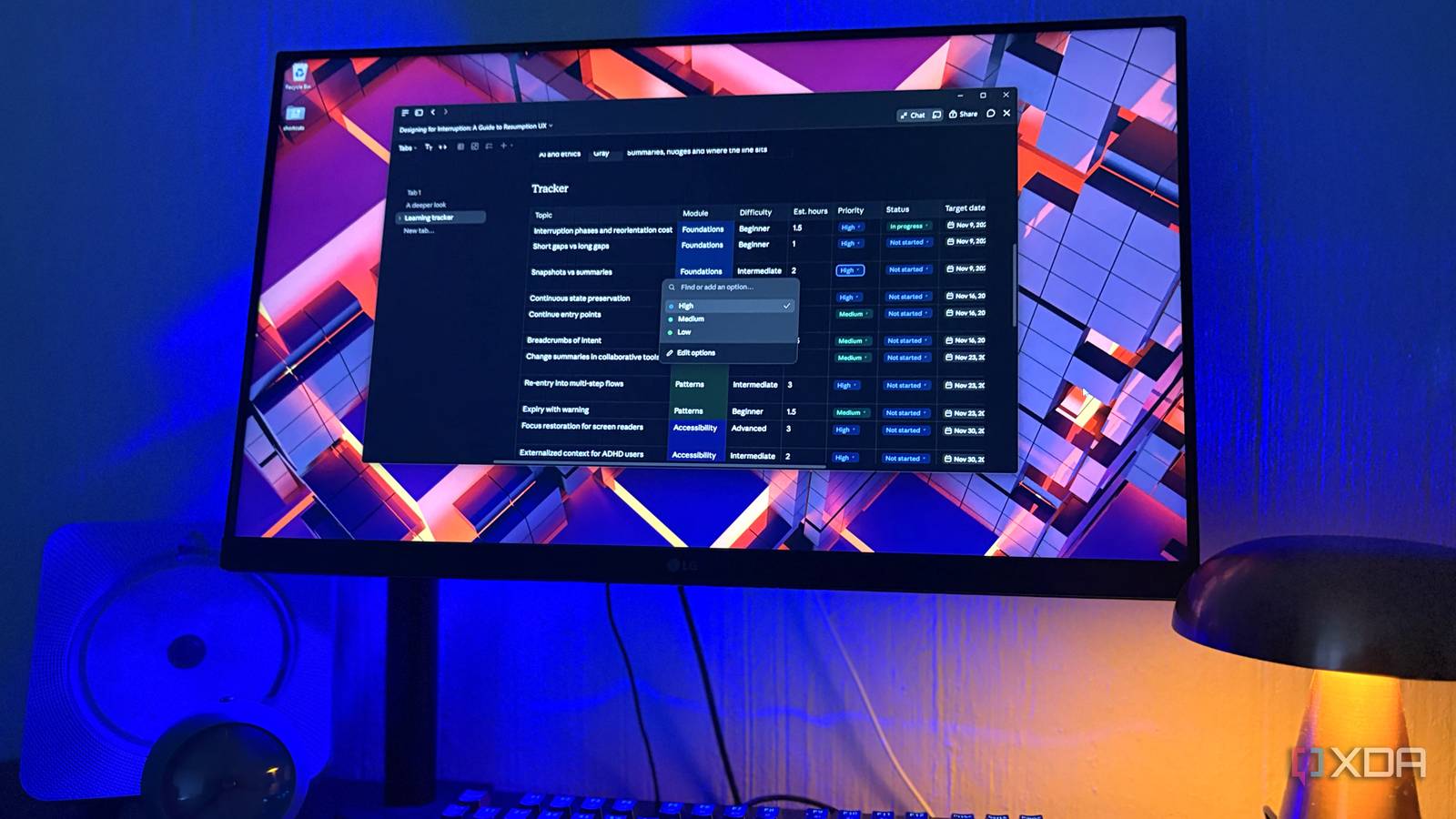
Published Nov 3, 2026, 10:30 AM EST Nolen began their writing career in 2019, with three years dedicated to editing the Creative section at MakeUseOf. Their expertise lies at the crossroads of technology and creativity, covering areas like photography, video editing, and graphic design. Outside of work, you'll often find Nolen diving into a good book, writing their own stories, or playing video games. Notion has always been a bit needy about being online. Your pages load from its servers and offline access depends on which pages downloaded to your device ahead of time. Just the other day, when I opened the desktop app to dig up some old pages, none of them were clickable, even my settings weren't clickable, I was completely shut out. A force reload explained it eventually - the app was out of date, and Notion wasn't going to show anything until the client got upgraded. Most of the docs that lived in that account have been migrated to Obsidian anyway, but there are still parts of it that I miss. Notion really does give you a lot of options in the way of custom setups and personalized dashboards. Claude got its own document editor in September called Claude Docs, and Projects have been around a lot longer than that. Between the two, moving the whole workspace over seemed like it might work. It's still an online-only system, but all those notes live somewhere offline and locally for me regardless, and Claude is my main work system now, so it just made sense to try and replicate a Notion-style system in Claude. Projects became the new workspace Every chat starts out already briefed Before I get into Claude Docs, I have to start with Projects because this is what lays the foundation, and without them this PKM-style setup wouldn't work. Workspaces and their hierarchies are how Notion organizes everything, with the pages nested inside them. Claude doesn't have workspaces, but its Projects are the perfect stand-in. A Project is a separate space with its own chat history, and you can upload files to it (Claude calls this project knowledge) and give it instructions. Every new chat you open inside it starts with those files and instructions already loaded. The chats can't see each other's conversations though, which can get a little frustrating especially since I've gotten so used to Claude's cross-chat memory. But each Project does build its own memory the more you use it, so it keeps those memories contained to the sessions you have in it. My setup was an attempt to copy the old Notion sidebar, more or less, with one project per area of my life. So I've got one for design, another for health topics, another for article tracking, and so on. Getting my old notes in was the easy bit, all I had to do was upload my folders and files to the project knowledge base. And then the project instructions actually act as my templates now. For example, my journal template in Notion gave every new page the same headings, so in Claude Projects that involves one line in the instruction which gives me a similar outcome because it applies to every session and doc I create in that project. Getting the Notion feel back with Claude Docs The page tree just looks a little different now Claude Docs is Anthropic's rich-text editor, and every doc you make saves to your Claude account under the Artifacts tab instead of downloading as a file. But you can still export the file locally or even copy everything as Markdown, so this actually slots perfectly into my Obsidian workflow too. Hitting the slash pops up that same block menu you get in Notion, and frankly every other PKM-style app, with every insert and formatting option you could need. Tables are probably where most of my Notion time went, and it's super easy to replicate in Claude. Yes, they're not databases, but the cool thing is that you've got the AI right up in the table or anywhere you need in the Doc, so you can just prompt it to create rules and interactive formulas for you. There's no need to manually manage databases anymore because all it takes is plain language prompts. The nesting function is also easy to recreate. In Claude Docs, you can have multiple tables in one Doc, and you can have multiple subtabs under a tab. In practice, the Project is the top level, and docs come out of the chats inside it, with tabs doing the nesting from there. This is pretty much Notion's pages-within-pages function. Moreover, I like to link tabs and Docs in other tabs and Docs by hitting @, which is sort of its own backlinking system - though you can also just copy a chat's link and hyperlink it on text in the doc. The @ command also lets you tag invited members and Claude itself when you want to involve the AI at that part of the doc. Where Claude comes in to help You can edit Docs without even opening them Notion has its own AI, but the full version needs a paid plan. I'm already paying for Claude so this is really the only AI I need in my docs. In Claude Docs, the AI is the same Claude you're already chatting with, and it also already knows your entire project, plus whatever else is in your system prompt, project instructions, project memory, and knowledge base. I start by giving Claude my notes or telling it to fetch specific notes from my knowledge base, then resynthesize them into a doc. From there, I just @ Claude anywhere in the doc if I want to add specific points. But this is far from the most useful case… I created a dashboard by prompting it in the chat box. Claude can generate charts, diagrams, and graphs, and insert them into the doc. There aren't features for these graphics in the doc's formatting options, you can only get them by prompting Claude. But the cool thing is that Claude can strategically space them out in the doc, and all of them are entirely interactive. This is how I create dashboard-like pages with Claude Docs, similar to how I used to manually create them in Notion, except now I don't have to spend an eternity keeping everything updated by hand; all it takes is a prompt. Asking for pages instead of building them from scratch Claude Docs plus Projects are a match made in heaven for productivity workflows, and if you're juggling PKM apps in addition to AI tools, there's really no need to keep both. Claude's workspace tools have become so elaborate that they almost entirely replicate note-taking and personal management app functions. I also consistently export my docs in open formats like PDF and Markdown so I have them locally on my drive, and can easily pop them into my Obsidian vault as well.
I cancelled Notion and moved all my notes, docs, and projects into Claude
Full Article
Original Source
Read the full article at Xda-developers →KhanList aggregates and links to publicly available news content. We do not host full articles from third-party sources. Always verify important information with original sources.