
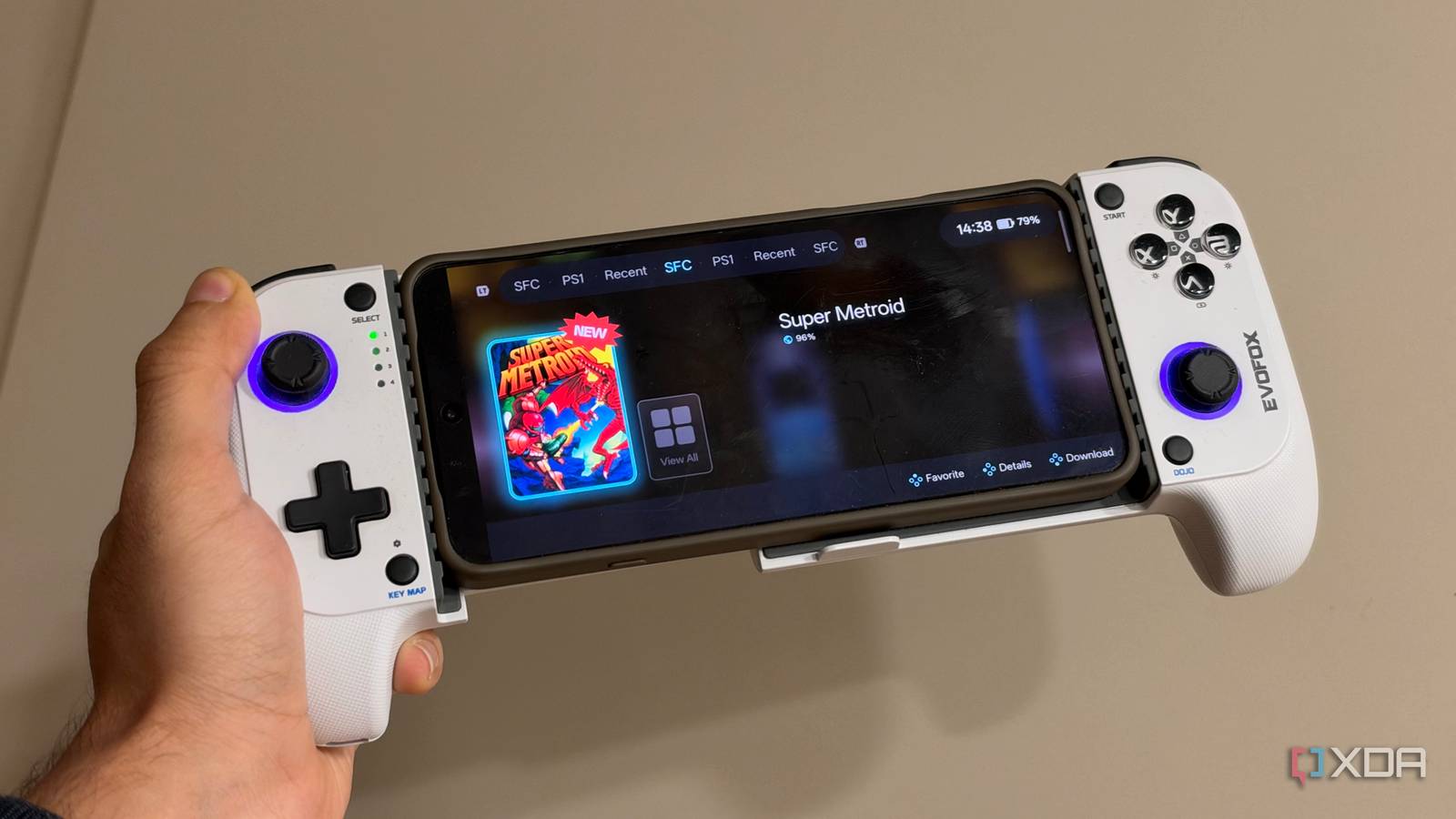
Published Nov 13, 2026, 7:30 AM EST Dhruv Bhutani has been writing about consumer technology since 2008, offering deep insights into the personal technology landscape through features and opinion pieces. He writes for XDA-Developers, where he focuses on topics like productivity, networking, self-hosting, and more. Over the years, his work has also appeared in leading publications such as Android Police, Android Authority, CNET, PCMag, and more. Outside of his professional work, Dhruv is an avid fan of horror media spanning films and literature, enjoys fitness activities, collects vinyl records, and plays the guitar. I've been into retro gaming for almost two decades at this point. Call me a hoarder, but my full game library stretches over 15000 titles across multiple devices, and finding something to play shouldn't involve remembering which NAS, hard drive, or SD card I stored it on. Maintaining separate libraries has also meant dealing with duplicates and syncing save files across devices. I've wanted one spot to manage my entire game library without giving up the emulators and devices I already use. That's where RomM steps in. This free self-hosted ROM manager turns my sprawling collection into one searchable library. Combined with Tailscale, I can access that library from practically anywhere. RomM makes sense of my sprawling retro gaming collection One central library and automatic metadata management Organization tends to be the biggest problem when it comes to managing an oversized game library. Different emulators follow their own folder structures, and you might tweak them over time. While some handhelds and frontends use artwork to make browsing easier, others are simpler and file name-based. The fact of the matter is that once a collection crosses a certain threshold, remembering where everything is becomes surprisingly difficult. I use RomM on my NAS to tackle this problem by acting as the central repository for my game collection. Instead of maintaining separate catalogs on every device, I just have to point RomM towards my existing ROM folders using the standard roms / platform schema and let it scan them. RomM is able to pull individual games from the folders, sort them by platform, and build a searchable interface around the games that I can access via the browser. The most important part of a setup like this is metadata handling, and RomM does a brilliant job of it. The app connects to external databases like IGDB for granular information, though you've got a few options to work with, including ScreenScraper, LaunchBox, and MobyGames. I've got it set up with IGDB and faced no trouble getting granular metadata for all my titles and systems. Talking about systems, it shouldn't come as a surprise that RomM supports practically everything under the hood. The app can track titles across 400 platforms, multi-disk games, translations, and even manuals. As far as organizing and tracking games goes, RomM is as comprehensive as it gets. But pure organization was not my only goal. Tailscale lets me connect back to my entire library no matter where I am Argosy makes downloading games and syncing saves effortless Now, having tens of thousands of games in one single dashboard is useful, but I'm rarely playing on one device. At home, I might pull up an old classic on my Mac, while out and about, I tend to use a telescopic controller with my smartphone. Basically, my gaming hardware depends on what I'm playing and where I'm playing. Keeping identical ROM collections on every handheld means duplicating storage. Meanwhile, RomM supports in-browser emulation, but that only works for older, slower-paced titles. You can expect good performance all the way up to 16-bit consoles and reasonable support even for PS1 titles. This is where my NAS and Tailscale setup comes together. To start with, I run RomM at home on my NAS. I've also installed Tailscale on my NAS, and the devices I want to access it with get attached to the same tailnet. This means that, for all practical purposes, my phone thinks it's on the same local network as my NAS. This means that, on one hand, I don't need to expose my RomM installation and game collection on the internet. But it also means that I'm no longer locked to my home network for accessing these files. From here, I use RomM's companion applications to browse my collection and download individual titles when I need them. There are a few ways to achieve this, but I prefer the first-party Argosy app. This is an Android companion app which is designed for gaming handhelds, but works just fine with any Android phone. The app connects to your RomM server, syncs the library, and lets you download games on demand. So you can see exactly where your ROM is, and if you're in the mood to play the game, just tap a button to get going. This setup has an additional benefit. Using a combination of RomM and Argosy gives you save synchronization. Argosy supports this with the likes of RetroArch, which means you can be playing a game on your handheld or phone and Argosy will sync across the save state, allowing you to continue your progress back at home. One collection, multiple devices and easy gaming When looking for ways to consolidate my gaming setup between my phone and home setup, I wasn't looking for a new emulator to mess around with, nor did I need another frontend. I wanted an organization tool that could integrate well with other apps. RomM takes that specific approach and gives you what's effectively a central catalog. If you have a sizable retro gaming collection, RomM is my current top recommendation. It takes the organizational headache out of managing thousands of games, and pairing it with Tailscale makes the entire setup much simpler to work with. Romm Romm is a self-hosted game library manager that lets you browser your retro game collection with a Plex-like library.
I built one dashboard for 15,000 games across five devices, and now I can find where every game lives
Full Article
Original Source
Read the full article at Xda-developers →KhanList aggregates and links to publicly available news content. We do not host full articles from third-party sources. Always verify important information with original sources.