
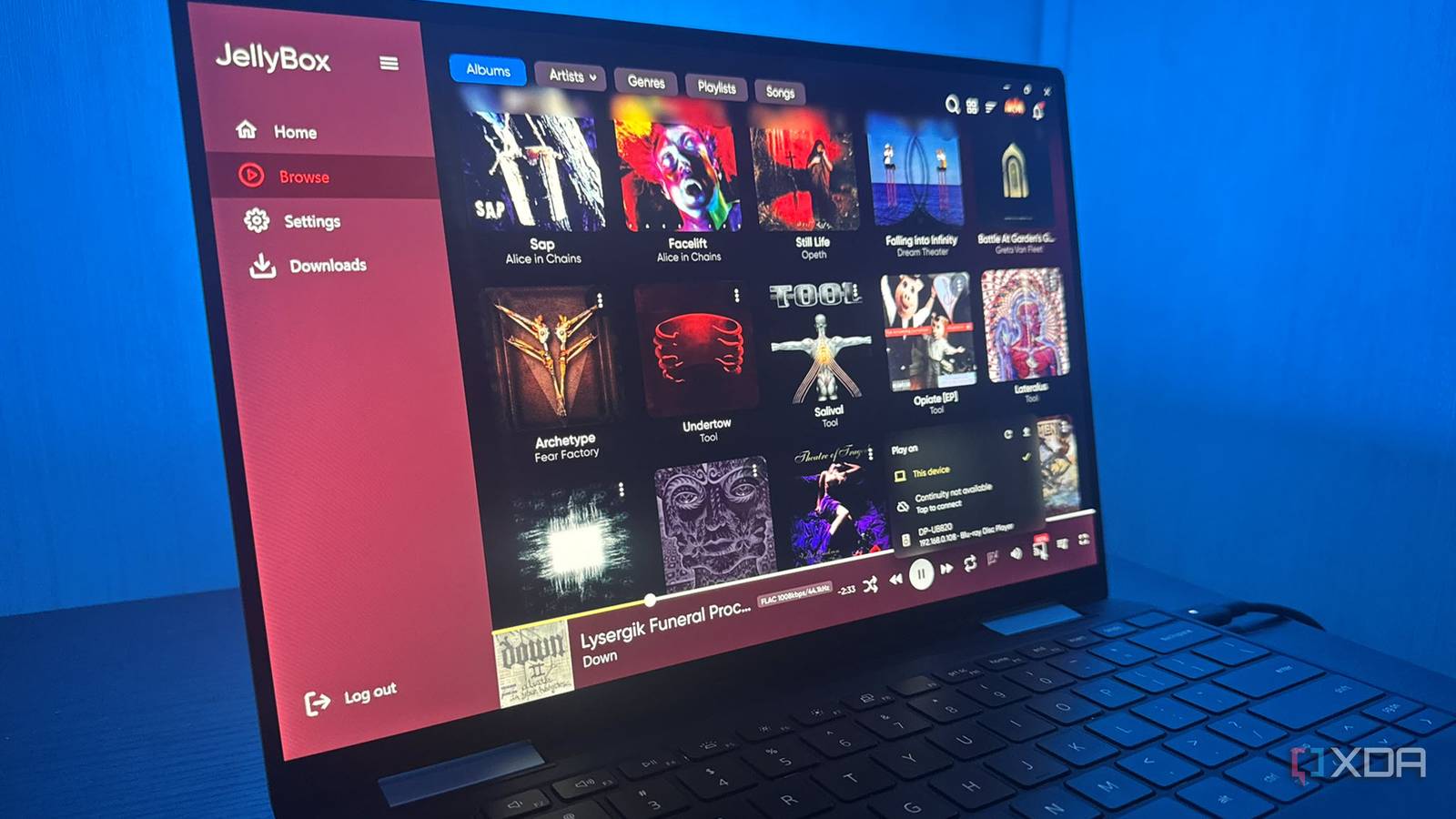
Published Nov 8, 2026, 8:31 AM EST Based in rural Minnesota, Brian Burgess worked in IT for 10 years before finding his passion for writing about consumer technology. Brian earned his degree in computer and network technology in 2000. He held various IT positions, including help desk support, router installations for IBM, database administration, and other associate network administration roles. He's been a personal technology journalist for 18 years and has written thousands of articles about Microsoft products and services, Android, iOS, streaming, and more. He has written for notable tech sites including XDA, InformationWeek, How-To Geek, Byte, groovyPost, and others. When he is away from the keyboard, you will hear him playing guitar, working outdoors, and watching Star Trek. After ripping my CDs to lossless files and noticing better audio quality, I built a self-hosted, Spotify-like service using my ripped music files and Jellyfin. Now I can stream the files everywhere in my home, and it's one of the best audio quality upgrades I've made. I can sort through the music I own from any screen and listen through any connected speakers. I have a sound system in two different rooms in my home, and I especially like listening to music through the main system in my living room. I can select albums from the big screen. I also like to listen on the go with the Jellybox app, which makes my lossless audio mobile. Ripping old CDs to perfection and ditching MP3 files Lossless FLAC format for better sound and preservation I was tired of streaming music services that don't offer the best audio quality. While lossless streaming from services like Tidal, Apple, or Amazon sounds better, the higher tiers cost more, and one problem remains: I don't truly own my music. Bands' and artists' music seems to vanish from music streaming services more than titles disappear from video streaming. I had most of my CD collection ripped as MP3 files more than 20 years ago, and I decided to undertake a project to re-rip them all to lossless format. The audio sounds superior to the extreme compression of MP3s. It lets me host my own lossless albums as my own streaming service by loading them on my Jellyfin server. Plus, I can keep a digital archive of master copies I can use wherever I want. Self-hosting the music I already own feels great and lets me arrange and manage my library how I like. Just like movies or shows, I can stream the audio to any screen or device. Re-ripping a large CD collection takes a while, but once I got into it, I perfected my ripping workflow. Since my CDs are digitized, I can put files on another device or drive I connect to a Pi as a separate jukebox. A music-specific client for self-hosted CDs It's a streaming app for music I actually own What I love about the Jellybox app is that it focuses on music files on my media server. Jellyfin apps come in all variations. Some clients like Findroid or Streamyfin are video-first and present your movies and shows in a phenomenal way. Then there are the official clients and third-party apps like Moonfin, which display all the media on your server. At that point, though, it may be worth dialing into the server directly. With everything in one place, narrowing down albums, bands, and artists can be inconvenient. But Jellybox only shows your music collection, and it looks and feels like a native music streaming app you'd expect. It can generate smart playlists based on your listening history; playback and navigation are straightforward; I can search my library, and more. It displays album covers and background art on screens where I have it installed. I can view song lyrics served via the Synced lyrics plugin from LRCLIB. I also appreciate that it displays a file's full bitrate while playing. It also adds easy remote access to your library. All without port forwarding, reverse proxies, or VPNs. All it takes is installing a plugin that provides direct, end-to-end encrypted access to your server without changing a single router setting. Plus, once it's set up, it knows whether I'm home or away and switches automatically. It's nice having that remote connectivity without much hassle. Listening at home or on the Go Better music streaming made simple Listening to my CD-quality music at home is straightforward; I can listen directly from my server drives or through the Jellybox client. The app is available on multiple platforms, so I use whatever is most convenient at home. The Continuity feature pays off here because I can pause a song on my Mac in one room and pick up from the same spot on my PC or phone in another room. The feature also lets me control playback on other devices remotely. I just needed to sign in to a Jellybox Link account to enable it. The remote listening feature is great when I am out running errands around town. Other times, I want to take my CD rips with me. Another useful tool is downloading albums for offline listening. It's perfect for phones with limited data plans, in areas with shoddy reception, or on a plane. However, for limited data plans or scarce connectivity, you can dial down the FLAC stream to 320Kbps or less. Ripping CDs was the hard part, but the app made my finished library portable Even with a solid workflow, ripping CDs gets tedious since I have a large collection. But the ripping software let me send the lossless files straight to my server, and once they were available, the open-source Jellybox app made my music collection portable. It's nice to have a music service with quality audio that I own and control. Plus, I don't have to worry about annoying monthly fees just to hear songs. Jellybox
I built a self-hosted Spotify for my lossless CD rips, and this open-source app made it portable
Full Article
Original Source
Read the full article at Xda-developers →KhanList aggregates and links to publicly available news content. We do not host full articles from third-party sources. Always verify important information with original sources.