
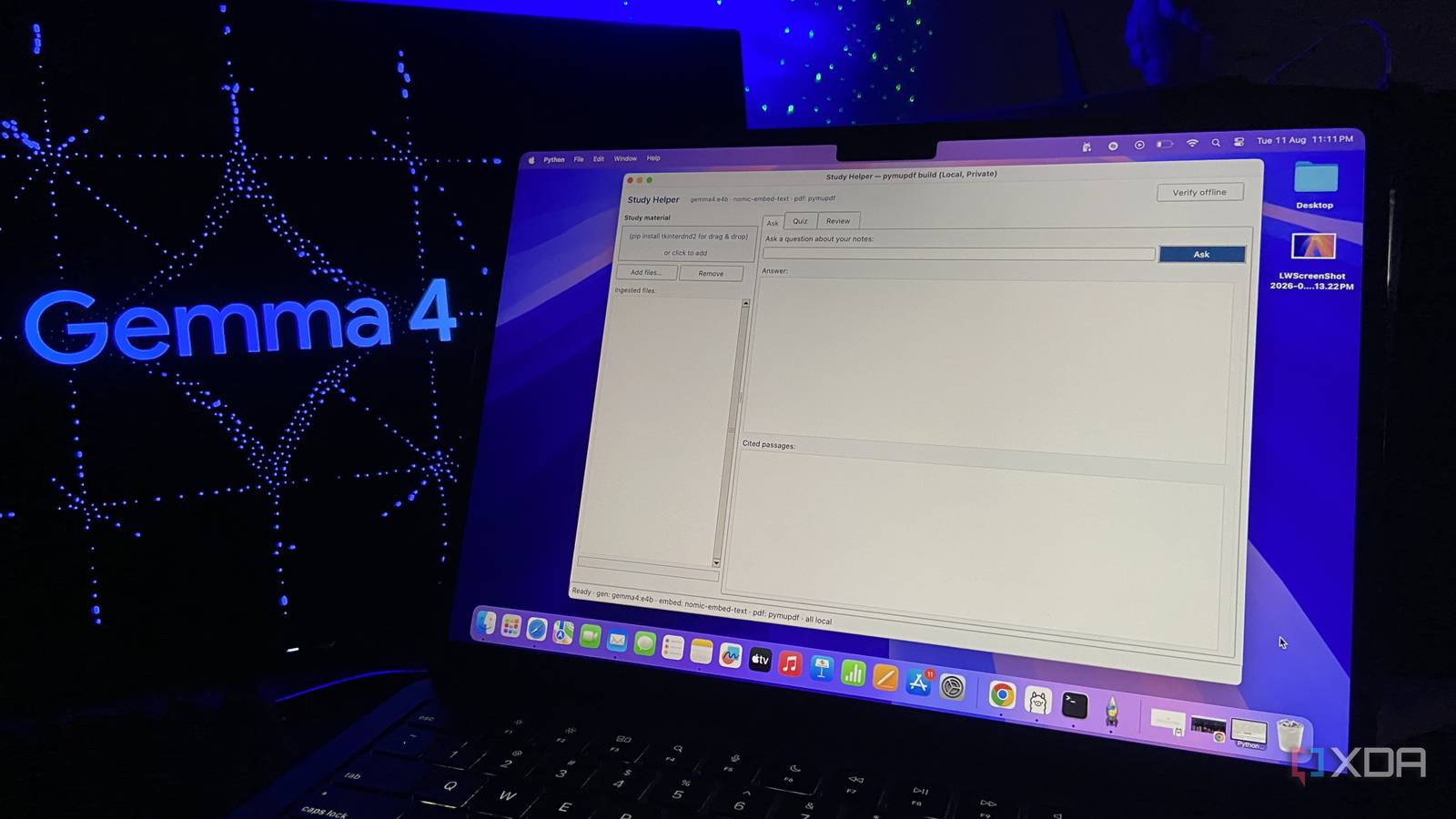
Published Aug 12, 2026, 10:30 AM EDT Abhinav pivoted from a career in banking to pursue his first love in writing. Even while working full-time, he continued contributing as an editor-at-large, a role he has held for more than 7 years. A lifelong tech enthusiast who has built three gaming and productivity powerhouse PCs since 2018, his passion for technology keeps him closely following the semiconductor industry, from NVIDIA and AMD to ARM. His MSc dissertation explored how artificial intelligence will reshape the future of work, reflecting his curiosity about the wider social impact of emerging technologies. If you're not using AI to study, chances are, you might feel like you're straggling behind the rest of your cohort one way or the other. And, you might just be right. Even setting aside everything else LLMs can do in 2026, they are, at the very least, some of the best tools ever built for indexing and analyzing your course material. The problem is that cloud-based LLMs hallucinate, and they do it quite often. They invent facts as they go, and sound completely confident doing it. When you're still learning a subject, a model that feeds you half-truths woven with plausible lies is a risk to your grades. What you instead want, is a model that runs offline and reasons only over the material you give it, leaving you in charge of what goes in and what comes out. The best part is, it can run entirely on your laptop and be with you on the go. Credit: You only need two small models to build it And both run on the laptop you already own A dependable study assistant needs two things to function, the first of which is a capable, reliable and lightweight open model. For this, I went with Google's Gemma 4 E4B, which is an open model with 8B parameters, which takes up just about 9.6GB of space on a storage drive. It does all the talking, which means when you ask a question, Gemma 4 E4B is the model that responds. The clever part of Gemma 4 E4B is the fact that, although it stores 8 billion parameters, its per-layer embedding design means only around 4.5 billion are effectively in play during inference, so it stays snappy on a laptop without giving up any of its capabilities. However, on its own, it has the same flaw as any other LLM, which means it'll happily invent a reply when it can't find an answer for your question. That's why the second model matters as much as it does. Nomic's embedding model, named nomic-embed-text, doesn't write anything, and its only job is to turn text into numbers that capture meaning, so that the tool can find the relevant information in your notes that relates to the question that you ask. When taken together, the two are small enough to run on a mid-range laptop. Because everything happens on the machine, none of your notes make the journey to the cloud, and everything's available locally. What does the 'Study Assistant' do? It helps you study, and when you're done, it quizzes you The first thing you need to do to get it up and running is feed your own material. You can drag a lecture's PDF, an online module's PowerPoint slides, or your own notes onto the "drag-and-drop" window. From here, the tool reads the file, breaks it into passages, and puts them away so it can be found later. You can even drop in a whole semester's worth of notes at once. Now, the utility is up and running. You can type a question the way you'd ask a professor or a classmate, and the assistant pulls the relevant passages and answers from them, also showing you which page each claim came from so you can check its work. The second, and my personal favorite, is the quiz function. You can point it at a file, tell it how many questions you want, and it writes them from your own material. When you've written your own responses to the questions, it intelligently evaluates your answers based on data you've shared with the model. It tells you what you've gotten right, and provides you with feedback on what you didn't. What is it made out of, and what makes it work? Five free tools that each do their jobs I've made this tool with a handful of open-source parts, each of which handles a single job. Once you see what each one does, it makes a lot more sense. The first and foremost is Ollama, which runs the two models (Gemma 4 E4B and nomic-embed-text) and lets the rest of the app talk to them. Ollama is what keeps everything strictly local. When you drop in a PDF, PyMuPDF is the one doing the reading. It pulls the text off each page, and a short clean-up step tidies up the mess that PDFs usually leave behind (that I had to add later), so the page numbers and broken lines don't end up in the notes. These notes themselves need to be searchable and indexable, and ChromaDB is what makes it possible. It stores your material in a form that the tool can search by meaning rather than keyword, so, any question about "mitochondria" still finds the passage that says, "powerhouse of the cell." The fun part is, you don't need to build it all by yourself, and you're not disqualified from using it just because you can't code in Python. You can describe this setup to any capable open model, have it generate the script for yourself piece after piece, and run the result from PowerShell on Windows (or Terminal on Mac and Linux). A private tutor on your laptop The study assistant is lightweight, private, helps you get through the coursework quicker, and gets you better prepared for your tests. That being said, it is only one of the things a model like Gemma 4 can do once it's running on your machine. It can be a study assistant, a citation assistant, and many other things once you've understood what it can do.
I built a private AI study assistant that runs entirely on my laptop
Full Article
Original Source
Read the full article at Xda-developers →KhanList aggregates and links to publicly available news content. We do not host full articles from third-party sources. Always verify important information with original sources.