
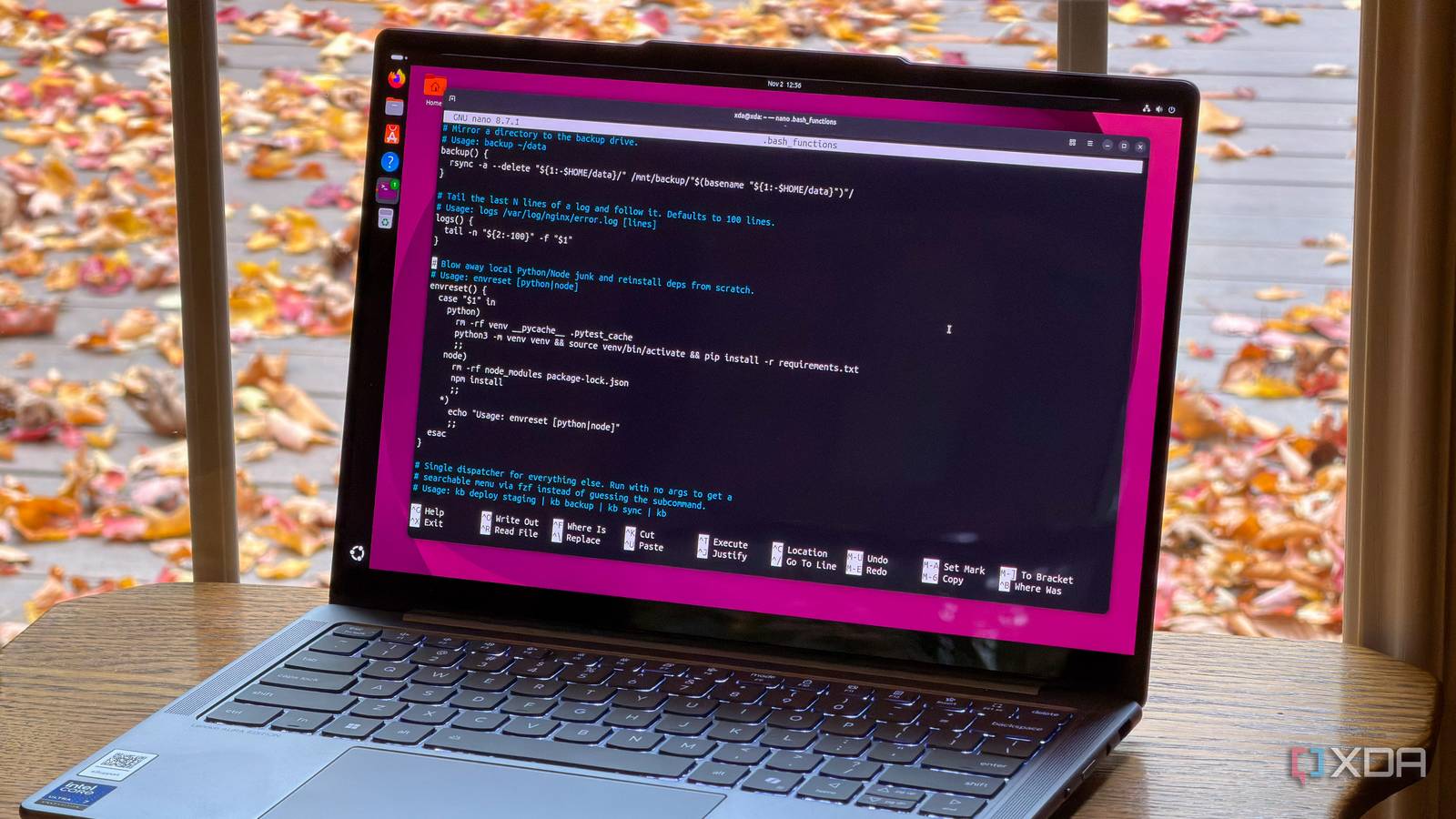
Published Nov 3, 2026, 1:00 PM EST Korbin is a Linux system administrator who spends most of his time in a terminal figuring out how things actually work. Over the last decade he's written hundreds of articles about Linux configuration, troubleshooting weird problems, and using open-source tools in the real world. He also works a lot with Windows systems and networking, especially in mixed environments where things don't always behave the way the documentation says they should. Writing things down is how he makes sense of it all and hopefully saves someone else a few hours. For a long time, most of my edits to .bashrc were small shortcuts for switches I used constantly and didn't want to type every time, like ls -la. It also contained a handful of git aliases and some chained commands that I'd turned into functions. These were nice to have, and I mistakenly thought that was nearly all the convenience I'd be able to extract from making aliases. The main thing that was holding me back from creating more aliases was that a lot of the routine work I do can't benefit from shortcuts that just point to static commands. Sometimes I need to do things in a specific order, or a command needs to take certain arguments that vary between runs. I finally addressed that problem by tying everything in my alias system to functions. Now, I can access any of them with the same two-letter command, kb, which I named after my own initials simply because it's fast to type and impossible to forget. Aliases are only useful to a certain point Functions are better when you need to add logic Aliases come in handy, but they're extremely simple. All they really are is string substitution. A common one that almost everyone knows is ll, which the shell expands to ls -la before running the command. It's great for saving a few keystrokes, but not that useful when you need to add something, like a condition or argument, that changes the behavior. Functions, on the other hand, are like mini Bash scripts that allow us to insert logic into a command or sequence of commands. They're dynamic because calling them from different directories or under different conditions can change the result. My project launcher is a good example of this: proj() { cd ~/dev/"$1" && source venv/bin/activate && tmux new -s "$1" } I can't tell you how many times I manually typed out each of those commands before I finally put them in a function. Now all I need to do is type proj and one argument (budget, in this case) to change directory to the right project, activate its virtual environment, and open a new tmux session under the same name. At this point, I've accumulated a few dozen functions just like that which cover all the most common parts of my workflow. I have one for backups, file transfers, SSHing into different hosts, and even one to download a video from YouTube, among many others. I keep all my custom aliases and functions in a separate .bash_shortcuts file, which I source at the top of .bashrc. I find that it keeps everything more portable and organized that way. A dispatcher helped me clean up my aliases Now it doesn't matter if I forgot what I named something The problem with having more than 40 aliases and functions is that I inevitably forget what I named some of them. That's especially true for the handful that I only use every couple of weeks. The solution to that problem is my two-letter dispatcher, which routes arguments through a case statement like this: kb() { case "$1" in deploy) ./deploy.sh "$2" ;; backup) rsync -a ~/data/ /mnt/$2/ ;; sync) git pull && git push ;; *) echo "Unknown command: $1" ;; esac } The code above is just a simplified example so you can get an idea of how it works. So, if I were to type kb backup external, it would have rsync send files from my data directory to the external hard drive I have mounted. There are two reasons why I like having a dispatcher for all these aliases. First of all, I don't need to worry about collisions with actual commands. So, I can use words like deploy, backup, and sync, and since they're prefixed with "kb," they won't conflict with any similarly named commands in my system's PATH. The other reason is that I can easily search for an alias that I'm having trouble remembering. Typing kb by itself pipes the list of subcommands into fzf (fuzzy search), so I have a searchable list of the aliases whenever I forget one. Here's what that looks like, placed right above the aforementioned case statement: kb() { if [ -z "$1" ]; then local cmd cmd=$(printf "deploy\nbackup\nsync\nenvreset\n" | fzf --prompt="kb > ") [ -n "$cmd" ] && kb "$cmd" return fi # case statement } If an argument is not provided, it'll be caught by that function first, which gives me a list of aliases to choose from. I can pick the one I'm looking for, and it'll drop it right into the case statement below. Overkill? Probably, but it has saved me a surprising number of times. Shortcuts are a double-edged sword Try to remember the commands behind the aliases After using my set of aliases and functions long enough, I find myself forgetting some of the actual commands they're meant to simplify. This is most evident when I'm on a new machine, and I start calling my custom aliases out of muscle memory, only to be met with an error in the Bash prompt. Sometimes, I have to think for a minute about how to type out the long sequence of commands I can usually recall in only a few keystrokes. It's not a big concern, though, since all the aliases and functions are in a neatly organized plaintext file that I can easily consult at any time. It's not like I'm going to remember every Linux command all the time, anyway. Sometimes, it's helpful to have notes, and I just think of my .bash_shortcuts file as an extension of that. Manually typing everything is too dang slow Being able to type "kb" instead of 30 characters is a lot faster, but that's not the main reason I like it. I got tired of having to go through the same routine of executing three or four commands every time I was ready to do some work. Conjuring complex functions in mere seconds is like automating the most tedious part of using the terminal.
I built a Linux command alias system that handles my entire workflow, and now I type two characters instead of thirty
Full Article
Original Source
Read the full article at Xda-developers →KhanList aggregates and links to publicly available news content. We do not host full articles from third-party sources. Always verify important information with original sources.