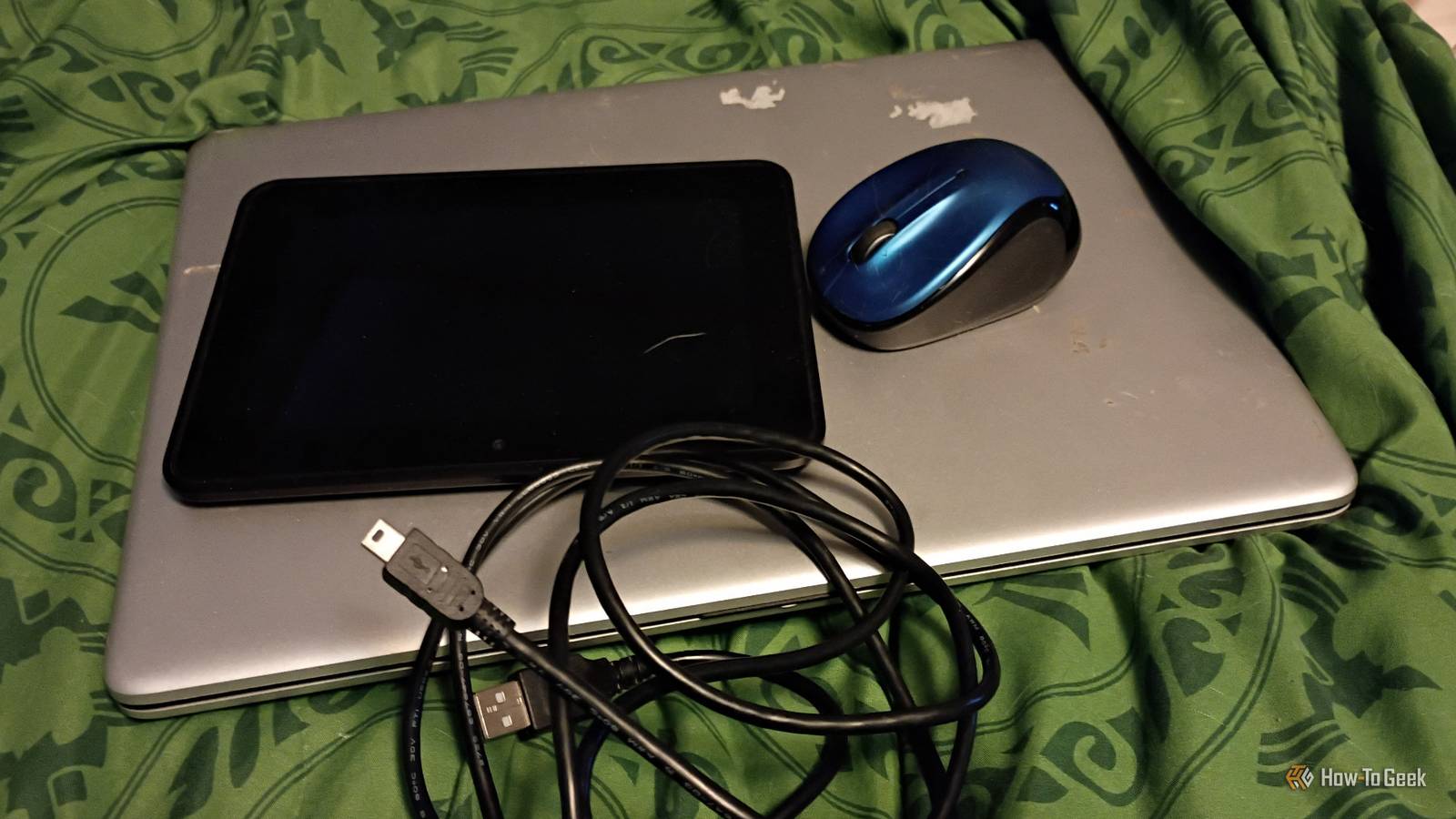
Published Aug 7, 2026, 8:30 AM EDT Former radio and TV guy (I Heart Radio and PBS). Now a writer, researcher, and musician who writes about the absurdity of our modern world and other offbeat topics. Specializes in weird music, the old web, retro video games and tech, and researching strange, yet interesting things. His work has appeared in Vice, Tedium, Star Trek.com, Today I Found Out, Typebar, SyFy Wire, and How To Geek. Currently working on a variety of music, web, and writing projects. Visit him on the web at https://djbuckfreelance.neocities.org/. Putting a home lab together doesn't have to be expensive or take up a lot of space. Over the years, I've managed to collect, scavenge, and re-purpose old devices to the point where I can run most of my projects without spending a dime. Today, I'll tell you about my scavenged setup and the most important apps I run on it. Repurposing unused gear doesn't cost a thing If you have some gear lying around, you might as well use it in your lab Credit: David J. Buck / How-To Geek The total cost of my current setup was roughly $28. Right now, I have a reclaimed laptop (free, but I had to put a new OS on it and some detail cleaning), 3 tablets (all cast-offs my family didn't want), a modded Fire Tablet ($15 via Craigslist), and 2 Motorola Moto Gs (free; one was given to me by a friend and the other was a promo for adding a new phone line with my carrier). I also collect stray cables whenever possible. You never know when you'll need a DVI-to-VGA cable, extra power supplies, an angled HDMI adapter, or any number of micro and mini USB cables. They usually don't cost me anything, but I did have to buy an adapter for an old Logitech mouse($9). Aside from that, I have an oscilloscope I found in my garage, some repurposed music equipment that I've had forever, my modded Nintendo 3DS XL (I traded a bike for it over a decade ago), and I commandeered my son's NAS for extra storage power. I bought a $5 USB drive to use exclusively for holding different Linux installation ISOs. I use the laptop to test different operating systems Using VirtualBox and QEMU for experiments I've been using VirtualBox for years to relive my childhood, check out programs I never got a chance to see, and do weird things like try to play modern Homebrew NES games on ancient emulators. I love a good virtual machine. When I first started using them, it was more of a nostalgia thing. But I realized early into my home lab days that they could serve a better purpose: to test out unique software, check out older encyclopedias/learning materials, using software that no longer exists (I'm making something with Flash this year), and to try out different Linux distros or other operating systems. I've been using them predominantly for Linux over the past few months. I've successfully managed to create a virtual machine running Fedora in QEMU and one with Arch (which required a lot more work, but it was worth it). Just for kicks, I tested out an old version of Red Hat and, of course, I have a Windows 2000 machine that I use for nostalgic stuff like visiting modern sites on Netscape Navigator and playing Where in Space is Carmen Sandiego?. Phyphox unlocks a sensor array from a mobile device Quick testing to learn more about the world Phyphox is one of those apps that make sense for a home lab. I have it installed on a Motorola Moto G, an old Samsung phone, and a tablet. I use the audio sensors and tests to learn about my environment and collect data. But there are many more tests you can do with the software. With the software, I can test everything from measuring the luminance of light to barometric pressure, and even acceleration. Put the phone outside during the buildup to a storm or on the dashboard while you take a short drive and see what type of information you can get while learning about physics along the way. A simple yet incredibly vital tool David J. Buck/How-To Geek Emailing, Google Drive, and transferring photos via a USB cable are all fine (if time-consuming) methods of syncing photos or files across devices. But for my home lab, I always use Syncthing. Instead of a cloud service or paying for a subscription, I can just sync all of my markdown files, programs, images, and scripts between all of my different machines using this program. My home lab experiments would be much more frustrating without it in my toolbox. Termux and RVNC are ideal for most of my Android experiments My two most important tools for Android Credit: David J. Buck/How-To Geek A great deal of my home lab time is spent modding or working with Android devices. To do this, I rely on Termux and Android Studio (more on this in a moment). Termux is a Linux terminal emulator that lets you do quite a few things you'd probably never thought about doing with your phone. You can even install a Linux distro and use the RVNC app to access its desktop GUI. I've used these apps frequently and intend to keep using them for a long time for new and fascinating projects in the future. I'm learning to develop with Android Studio and NESmaker One for apps and ADB, the other for retro games Credit: David J. Buck / How-To Geek I've always wanted to make an NES game and an Android app. Back in 2018, I received a copy of the software with the idea that I would make my dream 8-bit retro style game. Since then, I've been working on developing it very slowly. Because NESMaker is a Windows-only utility, I keep Windows on my home lab laptop so I can run applications like it without cluttering my Linux machine. I've also been using Android Studio for quite some time to work on developing an app. I'm fascinated by how Android works, and I've learned a lot about it by using Android Studio. The software also allows you to check your ADB devices and comes with ADB software, so it's easier to debug your device if you want to go that route. I've used it to debug some issues on my phone and access Android Auto when my head unit stopped working to test whether it was a hardware or software issue (it turned out my head unit was dead). But the most useful feature I found is the ability to run an Android emulator in Windows or Linux. I'll use it often to test apps or to see if older versions of apps that I've saved still work properly. It's such versatile software, I can't imagine a home lab without it. My budget home lab is also expanding As I add more scavenged, salvaged, and carefully budgeted items to my home lab, I look forward to adding more gear over time. I'll be doing something interesting with an Arduino board soon and some cool Raspberry Pi stuff is also on the horizon. Whether I buy new items or continue scavenging discarded parts, I'll keep conducting home lab experiments (on a budget) for a long time to come.
I built a home lab for $28 using scavenged gear, and these apps make it work
Full Article
Original Source
Read the full article at Howtogeek →KhanList aggregates and links to publicly available news content. We do not host full articles from third-party sources. Always verify important information with original sources.