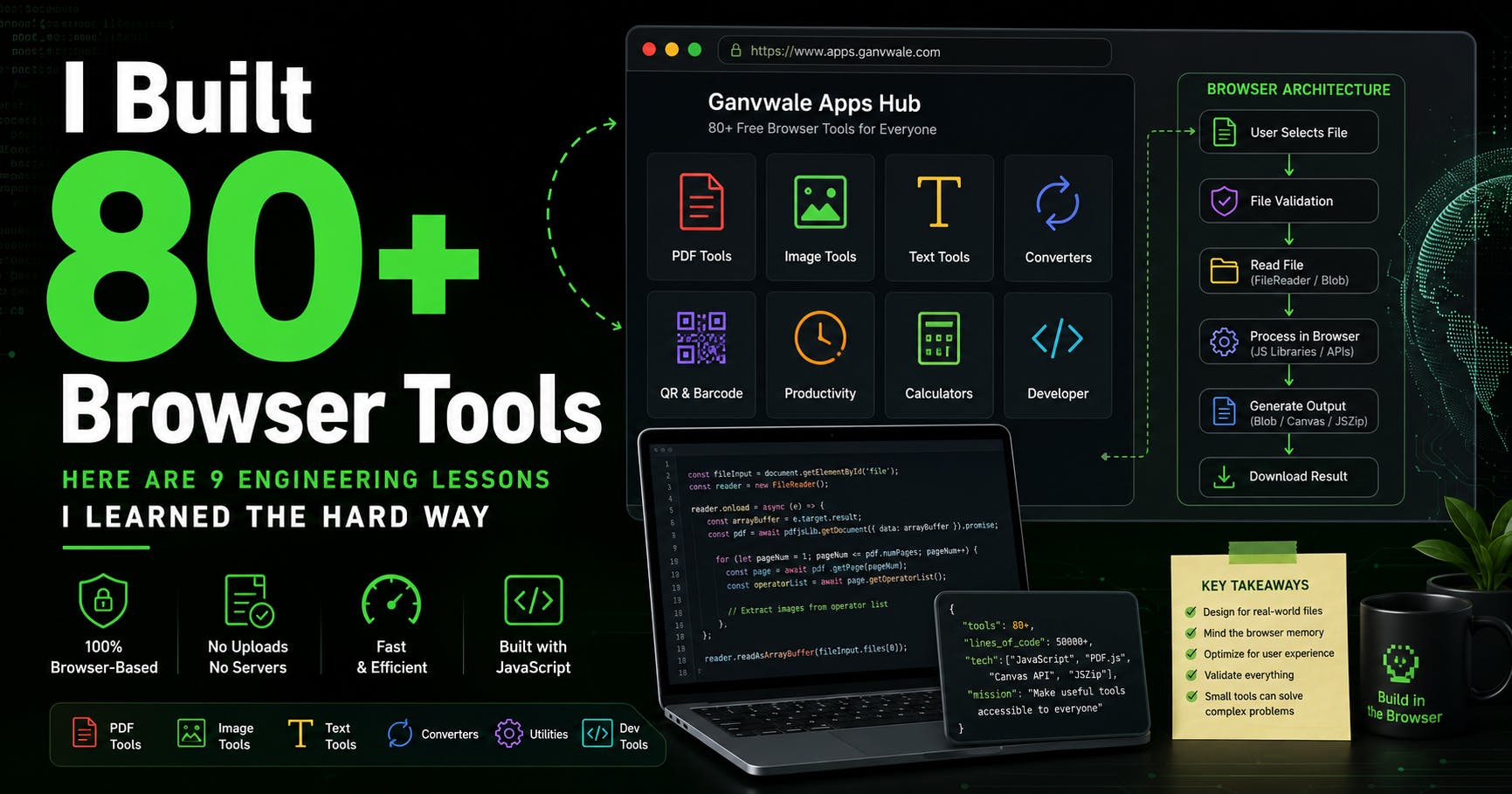
A file converter looks easy until someone uploads a 200-page PDF.An image compressor looks finished until a 12 MB phone photo freezes the browser. A word counter looks like ten lines of JavaScript until users paste formatted text, emoji, line breaks, and content copied from Word. Over the last several months, I have been building small browser-based utilities. PDF tools. Image converters. Text utilities. Calculators. QR and barcode tools. File-processing utilities. At some point, I stopped counting individual projects and realized I had crossed 80 tools. I expected to learn more JavaScript. I did. What I did not expect was how much these small applications would teach me about browser memory, dependency decisions, file formats, failure states, user interfaces, and performance engineering. Large applications make architectural complexity obvious. Small tools hide it behind one button. Upload. Convert. Download. The interface can contain three actions while the code behind them deals with megabytes of binary data, unsupported browser APIs, worker failures, memory pressure, and files created by software you have never tested. Here are nine lessons I learned while building more than 80 browser utilities. 1. "Runs in the Browser" Is an Architecture Decision, Not a Feature Label When I started building file utilities, I had a simple architectural question. Does every uploaded file need to reach a server? The standard file-processing architecture is familiar: User ↓ Upload file ↓ Application server ↓ Temporary storage ↓ Processing service ↓ Generated file ↓ Download There is nothing inherently wrong with this architecture. For some workloads, it is the correct solution. But it creates responsibilities. The server needs to accept potentially large uploads. Temporary files need a lifecycle. Processing capacity needs to scale. Concurrent conversions can create CPU and memory pressure. You also need to decide when user files are deleted. For several of the tools I wanted to build, modern browser APIs and JavaScript libraries could perform the work locally. That gave me another architecture: User selects file ↓ Browser reads file ↓ JavaScript processes data ↓ Browser generates result ↓ User downloads result The server is no longer part of the primary file-processing path. Initially, I thought of this mainly as a privacy advantage. It is. But the larger engineering lesson was that moving work to the client does not remove infrastructure constraints. It relocates them. Your server CPU problem becomes a user's CPU problem. Your server memory limit becomes browser memory pressure. Your controlled runtime becomes Chrome, Firefox, Safari, mobile browsers, older laptops, and devices you have never seen. Client-side processing is not "free processing." It is distributed processing on hardware you do not control. That changed how I thought about every tool I built afterwards. 2. A Successful Demo File Proves Almost Nothing I made this mistake several times. Build the feature. Create a small test file. Run the tool. It works. Ship it. Then a real document exposes every assumption in the implementation. A PDF created by Microsoft Word may behave differently from a scanned PDF. A file generated by a browser print dialog may have a different internal structure. A PDF exported by a design application may contain unusual fonts, image masks, or drawing operations. Images have similar problems. A clean 500 KB JPG is not representative of: a 15 MB phone photograph, a transparent PNG, an animated WebP, an AVIF image, a file with EXIF orientation, or an incorrectly named file extension. One lesson from software testing applies perfectly here: The happy path demonstrates functionality. Edge cases demonstrate reliability. My test matrix gradually became more aggressive. For a PDF tool, I started asking: What happens with one page? What happens with 200 pages? What happens with a password-protected file? What happens with a scanned document? What happens if the PDF contains no extractable text? What happens if the file is technically valid but unusually structured? What happens if processing fails at page 87? For image tools: Very small image? Very large image? Transparent image? Incorrect extension? Unsupported format? Extreme aspect ratio? Image copied from a phone? File with metadata? Already highly compressed image? This changed my development workflow. I no longer consider "the conversion worked" sufficient. I want to know how the tool fails. 3. Browser Memory Became My Invisible Infrastructure Limit The browser makes memory-heavy code surprisingly easy to write. Consider this: const reader = new FileReader(); reader.onload = () => { const base64 = reader.result; }; reader.readAsDataURL(file); Convenient. Now create previews for 50 large images. Store every Base64 string in an array. Keep every canvas alive. Process several files simultaneously. Generate output copies. Suddenly, a small browser utility has a serious memory problem. I encountered this while working on image and PDF processing. My early implementations often followed a pattern like this: Read all files ↓ Convert everything to Base64 ↓ Store results ↓ Create all previews ↓ Process everything ↓ Generate downloads It was easy to reason about. It was also wasteful. I gradually moved toward Blob objects and object URLs where possible. Instead of: const preview = canvas.toDataURL("image/png"); image.src = preview; I preferred patterns such as: canvas.toBlob((blob) => { const objectUrl = URL.createObjectURL(blob); image.src = objectUrl; }, "image/png"); And cleanup became part of the implementation: URL.revokeObjectURL(objectUrl); I also started explicitly releasing temporary Canvas resources after processing. Conceptually: canvas.width = 0; canvas.height = 0; The exact memory behaviour depends on the browser and garbage collector, but the broader principle is useful: Do not keep large resources reachable longer than the workflow requires them. This sounds obvious. It is surprisingly easy to violate when building a UI around file previews. 4. Parallel Processing Is Not Automatically Faster for the User JavaScript developers love Promise.all. I do too. When I had multiple files or PDF pages to process, the obvious implementation looked like this: await Promise.all( pages.map(processPage) ); On a small workload, this can feel extremely fast. Then I tested larger files. Imagine 150 PDF pages being processed. Each operation may temporarily create: page objects, rendering data, operator lists, pixel buffers, Canvas elements, Blob objects, and preview resources. Starting everything at once can dramatically increase peak memory. The alternative is boring: for ( let pageNumber = 1; pageNumber Then: library.doMagic(file); This is productive. It also creates a risk. When the library works, the abstraction feels perfect. When it fails, you need to understand what the abstraction is hiding. I experienced this while working with PDF processing. Rendering a PDF page using PDF.js is straightforward. But extracting image resources required understanding page operators and image objects at a deeper level. The library did not become less useful. I needed a better mental model of what it was doing. Now, before using a major dependency, I try to answer: What problem is this library solving? Is it parsing, rendering, or converting? Does processing happen synchronously? Does it use a Web Worker? What large objects does it create? How does it represent output? What happens when processing fails? Is the API stable? Can I debug below the primary abstraction? A dependency should reduce implementation work. It should not eliminate understanding. There is a common idea that small utilities are beginner projects. A calculator. A word counter. An image converter. A PDF tool. Some of them absolutely can be beginner projects. But the scope of the interface does not define the depth of the engineering. A word counter can be: text.split(" ").length; Until you ask: What is a word? How are multiple spaces handled? What about line breaks? What about tabs? What about punctuation? What about emoji? What about languages without spaces between every word? An image resizer can be: context.drawImage(image, 0, 0, width, height); Until you ask: Should aspect ratio be preserved? What happens to transparency? How is EXIF orientation handled? Should upscaling be allowed? What output format should be used? How should a 20-megapixel image be previewed? A PDF tool can be: const pdf = await getDocument(file).promise; Until a 300-page document enters the browser. Building these utilities taught me to distrust the phrase: It's just a simple tool. Simple for whom? The best utilities often hide complexity from the user. That is the job. After building enough utilities, I noticed a recurring architecture. User Input ↓ File Validation ↓ Capability Checking ↓ File Reading ↓ Core Processing ↓ Result Validation ↓ Preview Generation ↓ Output Packaging ↓ Download ↓ Resource Cleanup Not every tool uses every stage. But thinking in stages made debugging much easier. If a conversion fails, I can ask: Did validation fail? Did the browser fail to read the file? Did the processing library reject the content? Was the output empty? Did preview generation fail? Did ZIP generation fail? The UI may still show: Upload → Process → Download Internally, the workflow is a pipeline. Once I started treating small utilities as processing pipelines, the code became easier to reason about. Why I Kept Building Them I originally started building these tools because I wanted practical utilities that could solve small, specific problems. Eventually, I organized them into a project I call Ganvwale Apps Hub. The collection now includes browser-based PDF, image, text, productivity, and developer-oriented utilities. If you are curious about the project, the collection is available on Ganvwale Apps Hub: https://www.apps.ganvwale.com/ That is the only project link I want to include here because the more interesting part of this experience was not the number of tools. It was the repeated engineering pattern. Every new utility forced me to answer a slightly different version of the same questions: What data am I actually processing? Which assumptions am I making? What happens with a large input? What stays in memory? How does the application fail? What does the user see when it fails? And which part of this process genuinely needs a server? Those questions are useful far beyond browser utilities. What I Would Do Differently If I Started Again I would create the processing pipeline abstraction much earlier. I would build a shared error taxonomy before building dozens of separate error messages. I would establish file-signature validation utilities early. I would track and clean object URLs through one shared resource manager. I would create a reusable progress-state model. I would test with large files before polishing the interface. Most importantly, I would measure memory behaviour earlier. Developers often start performance work after an application becomes slow. With client-side file processing, I now think memory behaviour should be considered during the first architecture discussion. The browser is not an unlimited execution environment. Final Thoughts After building more than 80 browser tools, my biggest lesson is that software complexity does not correlate neatly with the number of buttons on the screen. Some of the most interesting problems I encountered were hidden behind interfaces containing one upload field and one button. A simple tool can still involve: binary file structures, memory management, concurrency decisions, browser compatibility, search algorithms, resource cleanup, dependency internals, and error design. The user should not need to understand any of that. They should upload a file. Click a button. And get the expected result. But as engineers, understanding the complexity behind that simple interaction is where much of the interesting work happens. I am still building these utilities, and I am still finding new ways for "simple" files to break my assumptions. If you have built client-side file-processing software, I would be interested in one thing: What was the strangest file or browser edge case you encountered?
I Built 80+ Browser Tools. Here Are 9 Engineering Lessons I Learned the Hard Way
Full Article
Original Source
Read the full article at Hackernoon →KhanList aggregates and links to publicly available news content. We do not host full articles from third-party sources. Always verify important information with original sources.