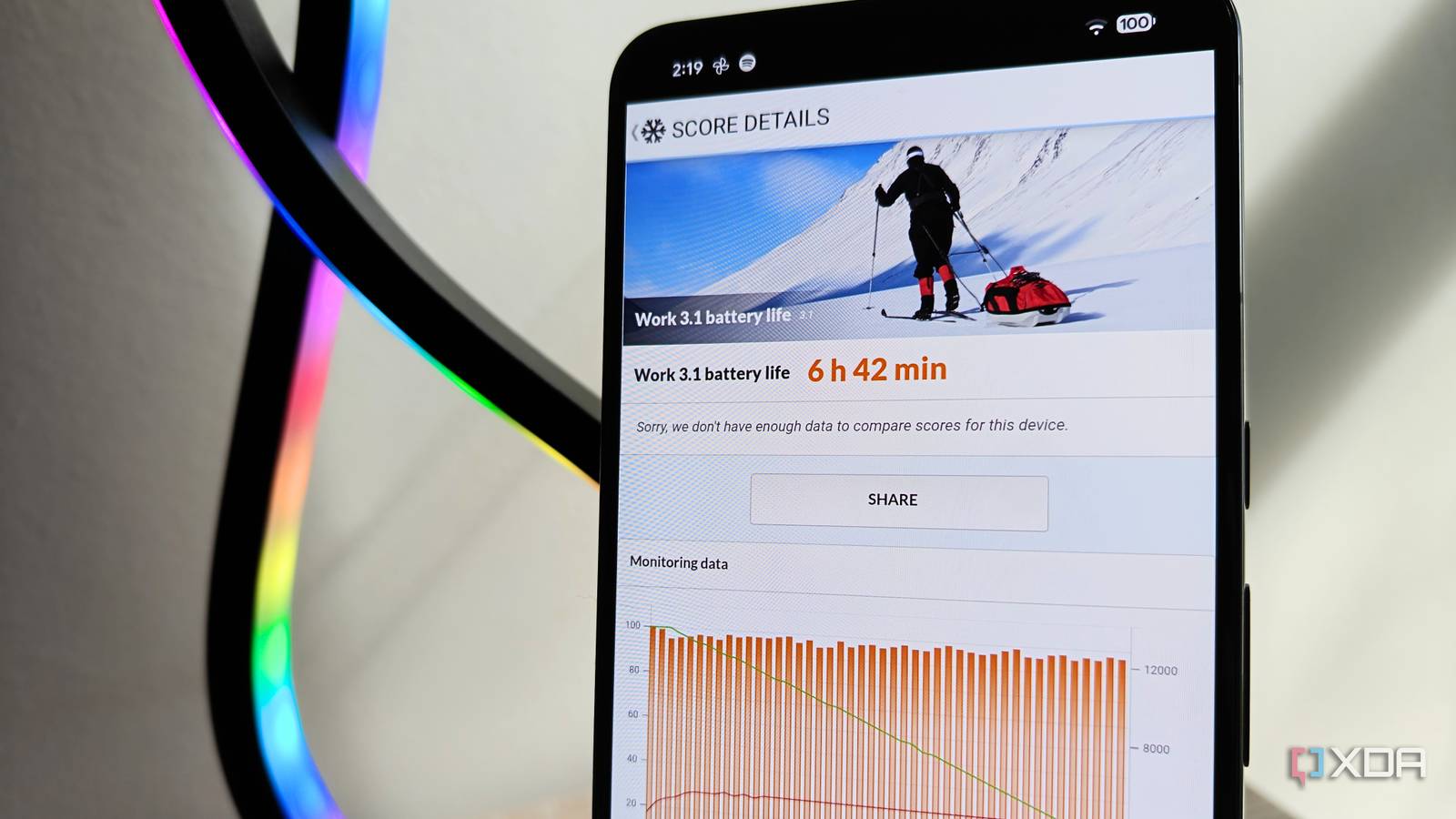
Published Aug 14, 2026, 4:00 PM EDT Megan is a Software Writer at XDA Developers who has been writing about consumer technology since 2016. With a postgraduate degree in New Media journalism, she has always been passionate about diving deep into topics and writing about them in a way that makes them easier to understand for everyday consumers. She runs her own blog called Tech Valkyrie and has contributed to Tom's Guide and Android Authority. She also worked at MakeUseOf as a Lead Editor. In her spare time she plays video games and geeks out about the latest tech. When it comes to saving battery on your Pixel smartphone, it's difficult to figure out exactly which settings will have the biggest results. And with the recent Pixel battery drain issues, more people are looking for ways to save battery life than ever before. Tired of broad recommendations that never panned out, I decided that I wanted to test out which recommendations actually led to more screen-on time. And some settings I had doubts about turned out to have more of an impact than I expected. Figuring out what actually saves battery can be tricky So I decided to benchmark it When it comes to measuring battery life, it can be difficult to accurately determine what's really having an impact because so many variables are at play. We use our devices differently each day, and you may see vastly different battery life depending on what you do. We may also underestimate how much a specific setting is affecting our battery. But to measure the impact of settings beyond just vibes, I decided to use a benchmarking app to measure screen-on time. The app in question is PCMark for Android, since I regularly use it when reviewing smartphones. While there is always some variation in results, it's much more consistent than measuring battery life based on my daily usage. So I set my Pixel to 100% brightness with my preferred settings enabled and got a baseline of how long the device lasted. PCMark runs it through the same loop of tasks until the battery reaches 20%, recording the time it took to reach this level. The baseline was around 5 hours 48 minutes. Once I had established this, I played with different settings to see which ones had the most impact. I tested the usual suspects and some novel tips I went beyond the most obvious I trawled forums and Reddit to see what advice people were giving each other to increase the battery life on their Pixels. The most consistent was to turn off AOD if it was enabled. However, I feel like this is a tip that most people would know — especially since many users avoid enabling it in the first place. Other suggestions included enabling battery saver, but I feel like this is a last resort rather than something someone could use daily. Technically, airplane mode and using your device at minimum brightness could also help save battery, but you wouldn't expect someone to use their phone like this constantly. So, I decided to test recommendations you can have in place permanently without losing too much in the process. I looked at Pixel features you can disable to extend battery life. This included reducing the screen resolution and the display's refresh rate. I experimented with the Enhanced HDR brightness toggle to see if that had any effect. But I also tried out some recommendations I was a little more skeptical about, like turning off Wi-Fi scanning, Bluetooth scanning, and Auto-switch to mobile network. While using a benchmarking app helps to get a more reliable measure of how these settings affect battery life, there are some drawbacks. I couldn't measure the effect of switching to dark mode because PCMark for Android's app only supports light mode. I also couldn't really measure the effect of the Adaptive Battery setting, since I was running one app for a certain period of time rather than switching between a variety of apps over a longer period. Only certain settings made a big difference Some results were a bit surprising So, what did the benchmark results reveal? Overall, no single setting increased screen-on time by more than an hour. The setting that made the least impact was switching off Enhanced HDR brightness. The results for the benchmark weren't meaningfully different. Screen resolution also played less of a role in battery life than I expected. Switching from Max resolution to High resolution only increased the battery by about 15 minutes. The most impactful change was disabling Smooth display, which decreases the screen's refresh rate to 60Hz. This added about 40 minutes to the battery life. The other most impactful settings were ones I didn't expect: the combination of tweaks to network and device scanning. Disabling Bluetooth and Wi-Fi scanning, along with Auto-switch to mobile network, added around 30 minutes to the phone's battery life. I eventually combined all these tweaks to achieve a score of 6 hours 42 minutes — which adds just under an hour to the baseline. Considering I had the phone at 100% brightness for all the tests, and benchmarking includes a constant screen-on state, you'd likely get significantly more time during normal usage. Device tweaks you can live with If you're not too fussed about refresh rate, and don't need Wi-Fi scanning to improve location accuracy, then these settings can help you add a significant chunk of time to your Pixel's battery life. They don't require major changes or disabling core services on your device, but you can also combine them with other battery-saving tips to get the most out of your Pixel.
I benchmarked every Pixel battery hack I could, and these are the ones that actually work
Full Article
Original Source
Read the full article at Xda-developers →KhanList aggregates and links to publicly available news content. We do not host full articles from third-party sources. Always verify important information with original sources.