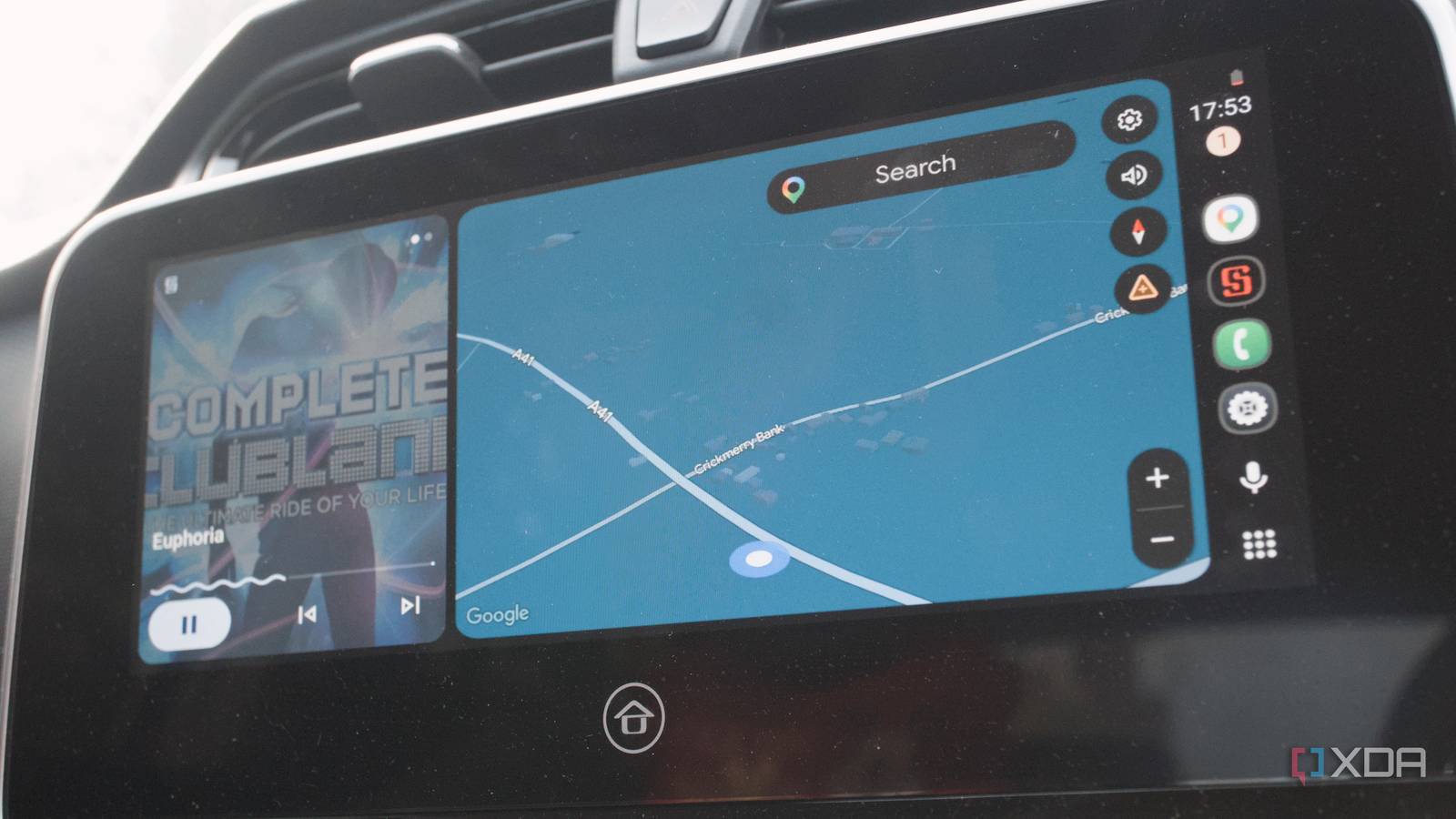
Published Aug 9, 2026, 8:30 AM EDT Richard is the PC Hardware Lead at XDA and has been covering the technology industry for almost two decades. He's been building PCs since young, and when not creating content, you can often find him inside a chassis somewhere. I love using Android Auto for all journeys, be it quick trips to the local store or visits to distant family members. Regardless of where we're travelling to, I always enjoy having Google's in-car entertainment system running from my phone. The issue I had with my truck is that it didn't support Android Auto wirelessly. Actually, scratch that; it had no Android Auto support. Apple CarPlay was present, but I managed to spend just $50 to transform my Android experience, which is less than a full tank of fuel. Android Auto is superior to most car infotainment There's simply no competition, which is terrible for car owners Credit: I've long enjoyed native Android Auto and Apple CarPlay support. All cars I've owned since passing my practical driving test had full support for both platforms. Interestingly, over the course of a decade, I've owned four cars, starting with a cheap and cheerful Seat Ibiza and ending up with a Cupra Formentor with a 0-60 time that would rival some serious muscle. Moving to the country almost required me to switch to a truck. It came in handy as soon as we bought our first home and has done ever since. From cutting up and transporting logs that fell next to the road to taking heaps of junk to the household waste facility, it has more than paid for itself in work alone. What wasn't so great about the vehicle is the in-car entertainment support. The built-in system is barebones. There's not even satnav, but this is a blessing more than anything. It means the large tablet display boots up quickly and doesn't need to do anything other than handle the output of whatever our phones have to project. The issue is, it only supported CarPlay ... and wired at that. Android Auto was non-existent. According to some owners, it is possible to add support for Google's OS, but it involves a software update that only dealers can process, and I don't reside near one. So, I decided to check Amazon, and there are some kits that promise to create wireless links to the infotainment screen, so long as Android Auto or CarPlay support is present. Since I had CarPlay support, we were good to go. Before picking up the dongle, I had my reservations. These wireless dongles have a reputation for being unreliable at best, and the reviews showed as much. Still, I was intrigued, so I bought one for around $50. Using a $50 USB adapter for wireless AA It's a seamless experience, using wireless Android Auto over CarPlay The device I bought is the Carlinkit CP2A Pro. What this thing does is take an Apple CarPlay connection between the device itself and the head unit in my truck. It then makes it possible to use wireless Android Auto or Apple CarPlay, acting like a projector middleman, because that's all your phone is doing in these modes. It works seriously well. So well in fact, that I find this setup more reliable than my previous vehicles with native support. Getting everything up and running took no time at all. After turning the EV on and disconnecting my phone from the infotainment system, plugging in the CP2A Pro offered a new way to connect. IT's displayed as a CarPlay connection within the head unit because that's essentially what it is. An Android or iOS device connects to the Carlinkit hub, which runs Android itself. This data is then sent through to the head unit. The device showed up as an available Bluetooth connection on the Galaxy S23 Ultra, and as soon as that completed the handshake, Android Auto automatically started. All I needed to do was select Android Auto on the head unit, and we were in! Music started playing through Symfonium through the stereo, and I was greeted by the familiar home screen. There's no noticeable lag, and I didn't encounter any issues that would prevent me from comfortably using this over native Android Auto. Bringing old tech into the 21st Century Fusing together the best of old and new I've not only added Android Auto support to my vehicle, but made it so I can reliably use it without needing the phone to be continuously tethered to my car. If there's one caveat with wirelessly projecting your phone's display, it would be battery drain, since you're no longer required to be plugged in. I found my truck's USB ports to be too slow to keep the battery from draining. A full tank of gas these days costs a small fortune, but thankfully there's a cheap and reliable way to improve your in-car entertainment system. Gone are the days of relying on wired connections only. Also, it doesn't matter if you have Android Auto or Apple CarPlay. So long as one or the other is present, these dongles should work without any trouble. All this for $50 and a small amount of lag? Count me in. What's more is the Carlinkit device ensures I have the same distraction-free interface to my phone with navigation and media front and center. I much prefer this route of using an older platform with very few bells and whistles that can do more harm than good and bringing it up to a modern standard. It provides more control, is actually relatively affordable, and is something I can maintain and service. Carlinkit CP2A Pro Brand Carlinkit Output USB-A, USB-C Cable Included Yes CONNECTOR USB-A, USB-C Color Black Transform your car with the ability to connect your phone wirelessly for Android Auto or Apple CarPlay.
I added wireless Android Auto to an old car for less than a tank of fuel
Full Article
Original Source
Read the full article at Xda-developers →KhanList aggregates and links to publicly available news content. We do not host full articles from third-party sources. Always verify important information with original sources.