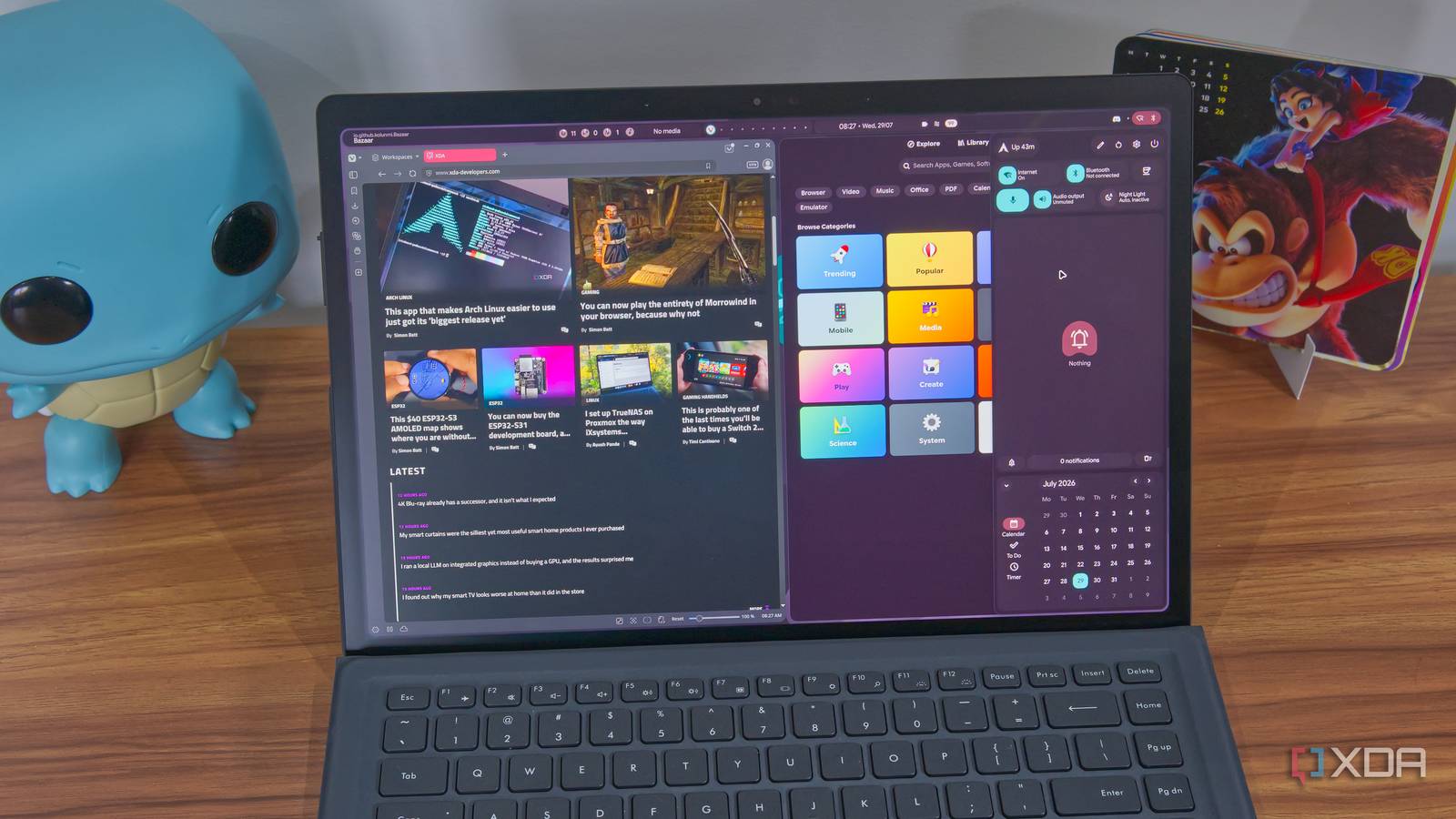
Published Aug 3, 2026, 9:00 AM EDT João has been covering the tech world for over 7 years, with a heavy focus on laptops and the Windows ecosystem. I also love all things tech and videogames, especially Nintendo, which he's always happy to talk about. Prior to joining XDA in 2021, he worked at Neowin: https://www.neowin.net/news/poster/jo%C3%A3o-carrasqueira/ Ever since I first ventured into the world of Linux, I've heard a good bit about the Hyprland desktop, but I've never had enough curiosity to try it. That finally changed recently, especially with a distro called Nitrux adopting Hyprland as the default desktop. I thought this might make it easier for a beginner, and I wanted to try it. Suffice it to say I was wrong. Nitrux didn't feel nearly as intuitive as I'd hoped, and I ended up switching to Arch instead. However, I'm still going back to one of the more popular desktops. Nitrux made the experience confusing Hyprland, but not quite how you'd expect it I'm aware that Hyprland is a desktop that requires a lot of manual configuration, so I was worried about starting it from scratch with an Arch system, knowing I'd have a rough time getting started. However, Nitrux didn't really make things easier. As someone accustomed to a more typical desktop paradigm, things were fairly confusing from the get-go. Just installing Nitrux was a challenge since I didn't know how to run the installer. Interestingly, Nitrux ships with Vicinae, a launcher that I do love, and I was happy to use it once I realized it was an option. But I had other issues. Hyprland is supposed to be customizable from a single configuration file, and searching for said file, I actually found a handful of different files with the same name. However, the first two I found couldn't be modified, and it was only on my third try that I found the file that actually allowed me to change the display scaling. Even then, however, I wasn't done, because the changes I made would reset upon rebooting the system. Nitrux is also an immutable system, and it's supposed to support user-space apps from sources such as Flatpak and AppImage files, but there's no handler for Flatpak out of the box. There's an option to install Bauh, a software manager that does pull from Flathub, but the UI isn't great and it works poorly with Hyprland's tiling. Worse still, after installing Bazaar, I realized I wasn't able to use it to install other Flatpak apps anyway, so i was seemingly stuck with Bauh. All of this just drove me away, and I figured I'd try Hyprland on Arch. I realized that while Hyprland is complex, it has a wiki that actually seems much more robust compared to Nitrux's documentation. Much like Arch, I figured I'd get further by just doing some reading and starting from a cleaner slate. It's actually better to start from scratch The freedom to do what you need Setting up Arch with Hyprland was easier than I had expected, mainly because, as I've mentioned, the Hyprland wiki does help. When I used archinstall to set up my Arch installation, I simply chose Hyprland as the default profile and I added a couple of extra packages, most notably Vivaldi, which did come in handy for the early setup process. I also added Flatpak and Bazaar as a frontend, and they actually worked, unlike on Nitrux. Hyprland always sounds complicated, but the desktop does generate a basic config file out of the box so you have some functionality, and there's a short tutorial and checklist to help you ensure you have the basic components you need. You just need to launch the terminal and install the recommended packages. From there, if you have the patience, you can set everything up manually, but I admittedly wasn't sure where to start. Keep in mind, the desktop is completely bare by default. Even after you install a wallpaper provider and the top menu bar, nothing is set up automatically and you're just looking at an empty screen. It's entirely up to you to get the bits and pieces you need for a functional experience, so it's not something I'd recommend a beginner do. Thankfully, the Hyprland Wiki is there to help. Hyprland can be very complicated, but the wiki has a page dedicated to popular configurations available for the desktop. If you have no idea where to start, you can just download and install one of these themes, and it will pull all the configuration files and packages to provide the desktop experience you chose. And it truly is a whole desktop experience. Hyprland is so highly configurable that these different configurations can result in completely different experiences in terms of widgets and the UI elements you see. I went with one called illogical-impulse, which you can find on GitHub, and it has a lot of UI elements based on Google's Material Design. It looks great, and it's very functional, though there's still a learning curve if you want to make the most of it. Why I'm going back to KDE The learning curve is a bit much Setting up Hyprland is definitely a challenge for a newcomer, and that alone should probably deter most users from trying it unless you want to get deep into the customization aspect. If you've heard the term "ricing" online, it's very often referring to Hyprland due to how heavily customizable it is, but it takes a lot of work to get it where you want it, so it's not for everyone. That's part of the reason I can't stick with Hyprland. I did what I needed to make it functional, but I don't feel like I'm fully in control of the experience because there's so much I need to learn. I had a good time with what I got to experience but I feel like I'd be out of my depth if anything stopped working. I'm not even sure I can install another desktop experience without breaking anything, considering all the configuration files that have been created by this one. But perhaps the biggest reason I can't really stay on Hyprland is something I knew even before I went into this experiment: it's a completely tiled desktop. I can float individual windows, but I generally prefer floating as the default, and Hyprland always defaults to tiling, which isn't for me. Hyprland is better than I thought, but I'm not ready for it I started this experiment thinking I would enjoy Hyprland more in a pre-configured environment like Nitrux, but it turns out that the freedom provided in a distro like Arch is what really makes it worth using, and it's not as complicated as I thought it might be going in. However, there is still a learning curve, and it's a bit too much for me to make Hyprland my new default. Still, I came away with a much more positive impression than I expected, and I may end up revisiting Hyprland later and trying different custom configurations. If you're already familiar with Linux and you know your way around, it's at least a fun experiment, even if you don't stick with it. Hyprland
Hyprland's biggest strength is also why I'm switching back to KDE
Full Article
Original Source
Read the full article at Xda-developers →KhanList aggregates and links to publicly available news content. We do not host full articles from third-party sources. Always verify important information with original sources.