
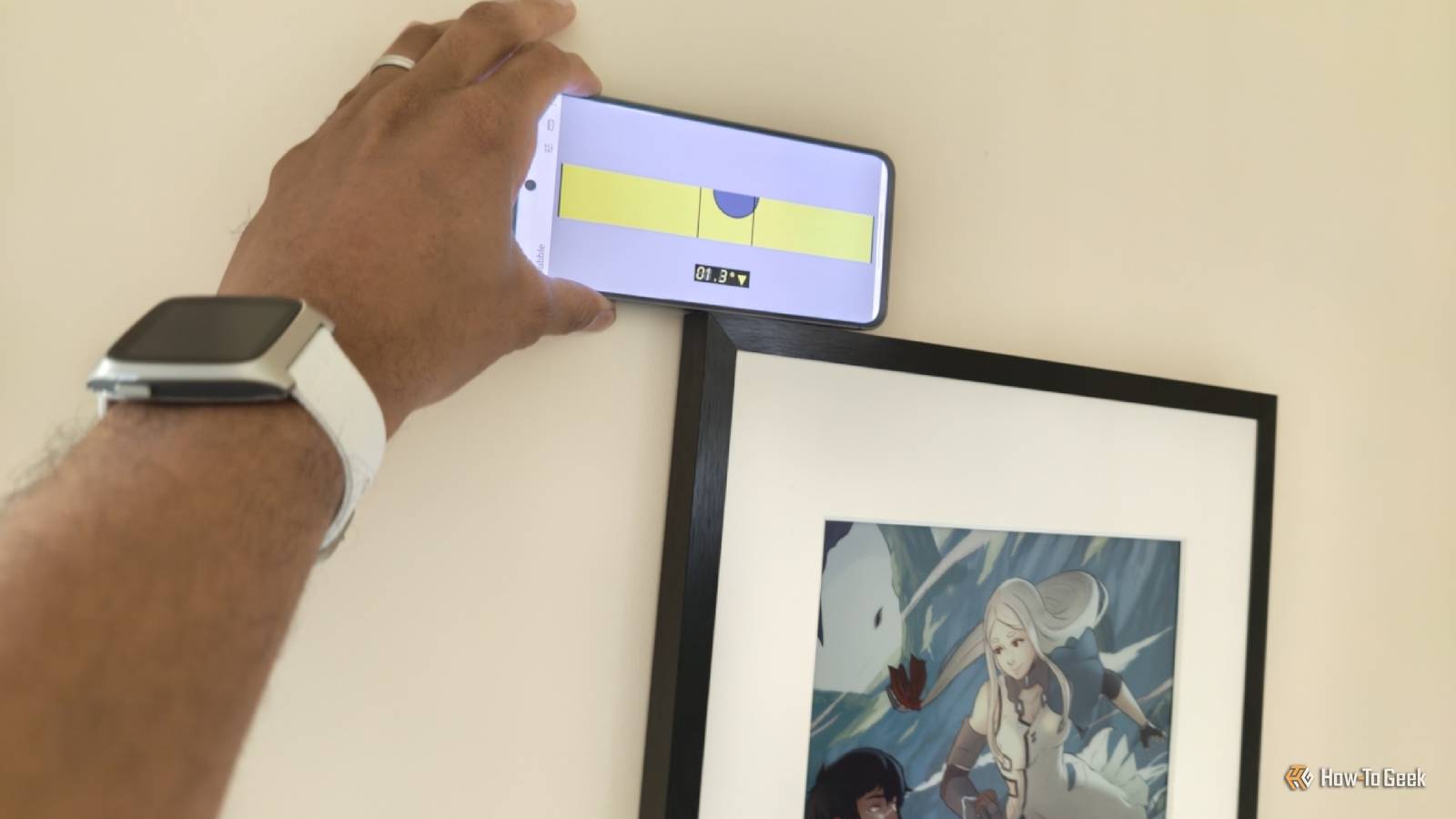
Published Aug 31, 2026, 5:00 PM EDT Bertel is a lifelong tech enthusiast with over a decade of experience writing thousands of articles about Android devices, Linux, and more. Before joining the How-To Geek team, Bertel wrote for the likes of MakeUseOf, MakeTechEasier, and Android Police—at the latter he wrote over 3,500 articles. He delights in helping others decide which tech to bring into their lives... and which tech to do without. Bertel graduated from the College of William and Mary in 2012 with degrees in History and Government. He has spent his entire career as a tech journalist covering Android, Linux, wearables, smart home devices, and more. Whether it's your main phone or not, statistically speaking, there's a good chance you have access to a Samsung Galaxy phone—one that can be the ideal multi-tool for your inner DIYer. Even if you don't, any other Android phone will work just as well. There are no shortage of apps in the Play Store with identical names, all promising to be the one and only app you need for the job. Most come with ads, may track you in some way, or require a pro version for the full set of features. To avoid all that, I'll show you how to get the job done using only free and open source tools, so go ahead and download F-Droid before we get started. Let's turn your phone into a ruler Your smartphone can be an accurate way to measure small objects Credit: Bertel King / How-To Geek We're not going to have to be particularly creative to come across an Android app that can function as your ruler. Just open F-Droid and search for an app named Ruler. Better yet, here's a link. This Ruler app immediately displays inches on the right side of your screen and centimeters on the left. There's no setup required, and it loads up right away. I've also verified, using a tape measure, that the measurements are accurate, at least on my Samsung Galaxy S24 FE. Before you rely on this tool extensively, it's worth double-checking the accuracy on your specific device. If things are off, you can fix the problem by tapping the menu button in the top right and selecting "Calibrate." You can then measure a line that appears on-screen to help the app make the necessary adjustments. Use your phone as a protractor Sometimes you need to measure angles, not length Credit: Bertel King / How-To Geek If you need a protractor, you can find that within the same Ruler app. Just access the sidebar and go to Settings > Angle Measure. This "angle measure" feature is off by default, but you can enable it by telling the app to measure degrees or radians. Then, a protractor will appear on the left side of your screen. The protractor will appear on top of the ruler on the left-hand side, resulting in an illegible mess. Be sure to disable this ruler when using the protractor. Turn your phone into a level Always know if that picture frame is perfectly straight Credit: Bertel King / How-To Geek I personally reach for a level more often than a protractor, and using my phone saves me from having to reach for a level at all. To do this, I need a different app, one by the name of Bubble. When you first launch Bubble, you will likely see a big yellow circle with a purple circle floating around inside. This orientation is ideal when you need to lay your phone down on a flat surface, such as a lopsided side table you're trying to fix. For picture frames, it's better to turn your phone sideways. The on-screen level will transform from a circle to a rectangle, like the levels you're most likely to see at a hardware store. Convert any kind of measurement No more searching for the answer online I don't know offhand how many millimeters are in an inch or how many liters equate to a gallon, and I usually turn to the web for the answers to these questions. Turns out, there's a much better way. Converter NOW will not only do a faster job, but it will do a better one. If I know I have two gallons of water, this app can simultaneously tell me how many liters, pints, and quarts this translates to. In fact, when I enter a measurement of volume, there are over two dozen conversations displayed at once, from tiny fluid ounces and teaspoons all the way up to cubic yards and barrels. Converter NOW currently handles 20 categories of measurements, including length, area, time, currencies, speed, and fuel consumption. Scan paper documents Don't bother fixing that broken printer For those times when you need to send in a copy of a physical document, it's no longer necessary to purchase or dig out a dedicated printer. That's another job that a Samsung Galaxy phone can handle quite well. For this, we'll download the MakeACopy app. MakeACopy is a surprisingly robust and polished open source app superior to many of the apps I remember needing to pay for in the past. It will take a photo of a document and provide you with precise controls for making sure the resulting image is properly cropped. There is even OCR support built in for recognizing text. If you need a copy, rather than just a scan, there's nothing stopping you from sending the resulting PDF or JPEG to a printer. Your smartphone is the most versatile tool in your home Smartphones really can do it all. I'm writing these words on one, using a combination of voice dictation and gesture swiping. Yet even as someone who has replaced my PC with a smartphone, I'm still routinely surprised by just how many tools these devices can replace.
How I turned my Galaxy phone into a pocket toolbox for measuring, leveling, scanning, and more
Full Article
Original Source
Read the full article at Howtogeek →KhanList aggregates and links to publicly available news content. We do not host full articles from third-party sources. Always verify important information with original sources.