
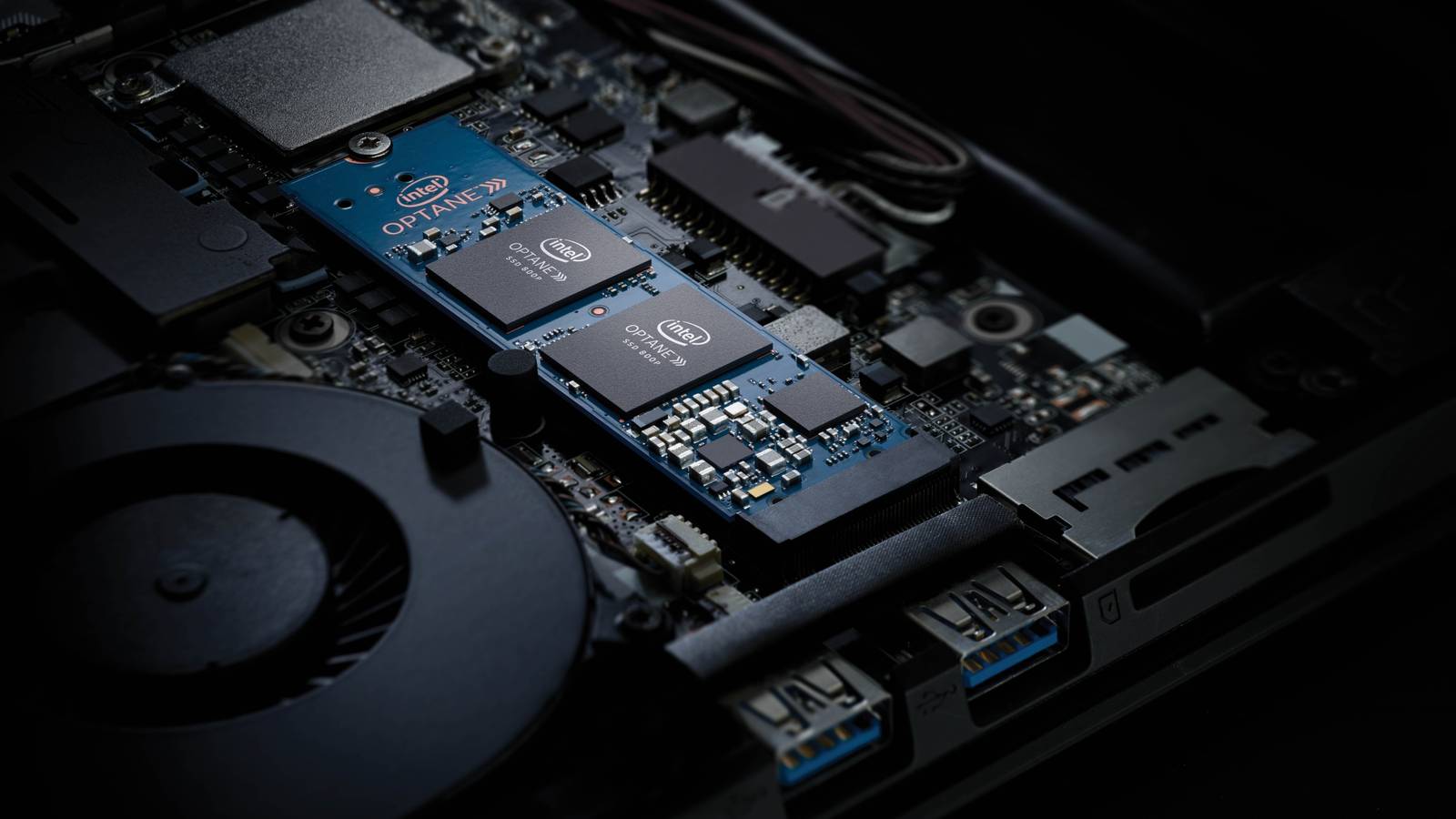
Published Oct 17, 2026, 2:30 PM EDT Ismar is a Senior Author at How-To Geek. He previously worked as a writer, editor, and general manager at a content agency before joining the team in 2023. He began his writing career in 2021 after completing a BA in English Language and Literature. Beyond How-To Geek, Ismar has contributed to Red Stag Fulfillment and Authority Hacker. He has also worked on various SEO projects to help clients improve their search visibility. Ismar has been around Windows PCs since the age of three, so friends and family naturally chose him as the resident tech support. His projects often involve tinkering, such as disassembling mechanical keyboards and gaming mice to mod his beloved gear. He also enjoys pushing hardware to the max through overclocking while staying on a reasonable budget. An avid gamer, Ismar has logged thousands of hours across various genres, including first-person shooters, RPGs, racing games, and roguelites. When he is not at his desk, he is probably exploring other people’s phones to discover their quirks and features or experimenting with the latest AI tools. In his free time, Ismar enjoys spending time with his wife, working out at the gym, playing guitar and bass, cooking gourmet meals, and traveling. Above all else, he’s a proud cat owner. Back in 2017, when NVMe SSDs were still new and incredibly expensive, Intel introduced Optane to bridge the gap by accelerating existing SATA SSDs and HDDs. Unlike conventional SSDs, Optane used 3D XPoint, a type of nonvolatile memory developed jointly by Intel and Micron. Unfortunately, Optane never quite found its place in mainstream PCs, forcing Intel to eventually give up on the technology in 2022, taking a massive financial hit in the process. But 3D XPoint was special, as it offered significantly lower latency and greater endurance than conventional NAND flash in some workloads. That's why now, four years later, homelabbers are still hunting for these increasingly rare drives because NAND has never truly replaced what Optane brought to the table. Optane drives are drastically more durable It's a huge difference Credit: Intel On paper, Intel Optane sounded like the perfect fit for a budget homelab. Instead of spending hundreds of dollars on a high-capacity NVMe drive, you could slot in a small 16GB or 32GB Optane Memory module to accelerate an existing SSD or HDD on a supported Intel system. However, Intel couldn't anticipate just how drastically the cost of NAND flash memory would fall, which is part of the reason Optane never gained the mainstream appeal Intel was hoping for. Despite this, Optane's special 3D XPoint memory technology has some real, tangible benefits that NAND can't match, and it all boils down to how the two technologies store data. NAND stores data by trapping electrical charge in memory cells, whereas 3D XPoint stores data by changing the electrical resistance of its special memory material. This difference matters because NAND flash has to go through erase cycles to erase and clean up an entire block of cells before they can store new data, which is slow and causes drive wear. In fact, the endurance gap isn't even close. An enterprise-grade SSD like the Samsung PM9A3 NVMe U.2 960GB is rated for 1.0 DWPD (Drive Writes Per Day), whereas the Intel Optane P5800X is rated for 100 DWPD. The numbers speak for themselves. Optane drives deliver significantly lower latency Heavy loads mean nothing to it Another major benefit of Optane's 3D XPoint is that it can achieve a significantly lower latency than NAND flash storage. To give you a realistic example, StorageReview tested the Intel Optane P5800X, an enterprise Optane drive, and found that latency stayed below 100 microseconds (0.100 ms) in most tests. In the 4K random-read and random-write tests, it peaked at around 1.4 million IOPS and 1.3 million IOPS, respectively. In contrast, a high-end PCIe Gen 4.0 consumer NVMe SSD like the Samsung 980 PRO achieved random-read and random-write latencies of 232 microseconds and 329 microseconds, respectively, peaking at around 545,000 IOPS and 383,000 IOPS. Based on these results, the Optane drive handled 2.6x as many random reads and 3.5x as many random writes per second while cutting latency by more than half. To be fair, I'm comparing a high-capacity, enterprise-grade Optane drive against a high-end consumer NVMe SSD. Most consumer-focused Optane Memory modules were designed primarily to act as cache rather than standalone SSDs, so they weren't intended to be used like regular NVMe drives. Still, the performance gap shows that Optane can handle more small storage operations at lower latency, even under heavy I/O loads. This might not matter much on a desktop, but for a home server, it can make a massive difference. Virtual machines, databases, and Docker containers constantly read and write small bits of data on your drive. When you have several services competing for disk usage, those delays add up to the point that your entire homelab slows down. That's where Optane can help keep the entire homelab responsive, even when you're running a heavy load in the background. Optane is especially useful in ZFS setups, where you can use it as a SLOG (Separate Log) drive to handle synchronous writes. Its low latency helps ZFS handle the writes more quickly, while its unmatched endurance ensures that you don't burn through the drive's rated lifespan in mere months. Used enterprise Optane SSDs are the ultimate homelab storage drive, but even small Optane drives are useful Each serves its purpose Now that you understand what makes Optane different from regular SSDs, it's easy to see why homelabbers have been buying up these discontinued drives for years. Unlike a NAND SSD that will wear out eventually from constant writes, the 3D XPoint memory in a large enterprise-grade Optane drive will likely be the last part to fail, making it a worthwhile investment over the long run. Even on the used market, large-capacity Optane SSDs can set you back a pretty penny, but you get what you pay for. However, you don't need to invest hundreds of dollars in a 1.6TB Optane drive to get some of its benefits. Even those smaller Optane Memory accelerator cards can be pretty useful. You can repurpose them as a cache to accelerate an existing hard drive or store your most frequently accessed data directly on the Optane drive. If it's large enough, you could even install the OS and your apps directly on the Optane drive, leaving the HDD only for bulk storage. Older homelab hardware makes Optane more accessible than you might think Intel might have given up on Optane, but its impressive combination of low latency and durability still makes it worth buying in 2026. If your home server runs on an older Intel CPU that supports Optane, there are some real, tangible benefits to investing in one of those discontinued drives that nobody wanted when they first came out.
Homelabbers are desperate to buy a 4-year-old SSD that barely exists anymore
Full Article
Original Source
Read the full article at Howtogeek →KhanList aggregates and links to publicly available news content. We do not host full articles from third-party sources. Always verify important information with original sources.