
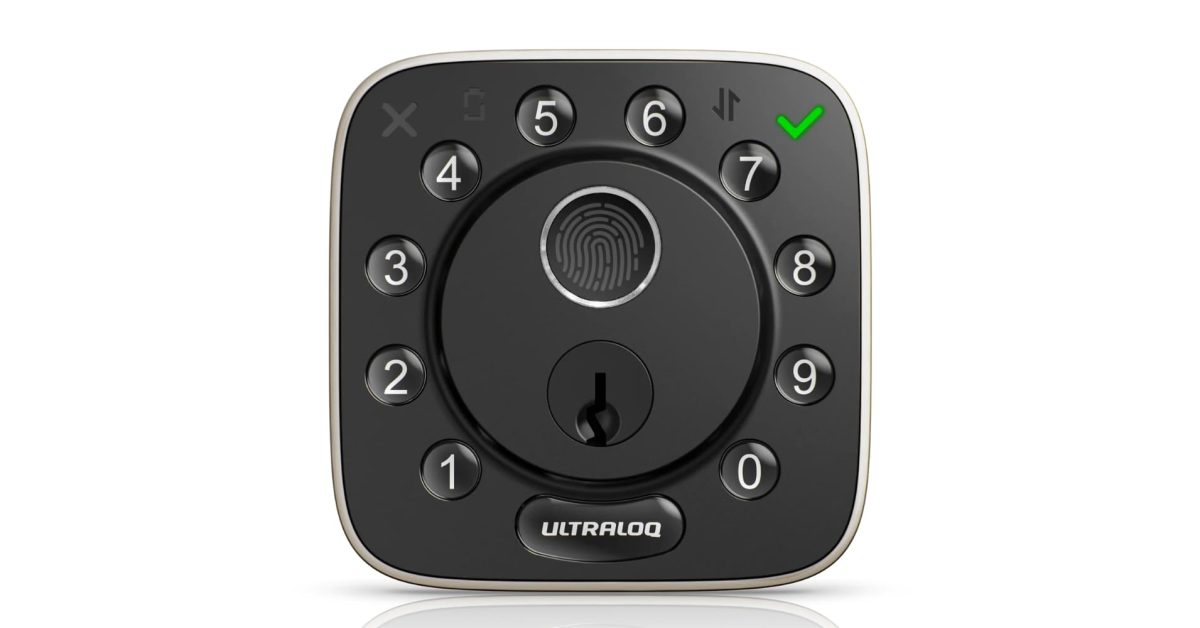
My door has had a smart lock on it for 5-6 years, and I’ve tried plenty of options. The ULTRALOQ Bolt Fingerprint is a great option for almost anyone thanks to its Apple Home integration, built-in Wi-Fi, and plenty of ways to lock and unlock your door. Whether you’re looking for fingerprint ID unlock or a simple PIN, this lock has almost everything. HomeKit Weekly is a series focused on smart home accessories, automation tips and tricks, and everything to do with Apple’s smart home framework. Apple Home support, but no Home Key ULTRALOQ calls the Bolt Fingerprint its first smart lock fully integrated into Apple Home, and that integration is the major selling point for me. To be honest, I still miss Touch ID on my iPhone. You can lock and unlock the door from the Home app or with Siri, and if you have a HomePod or Apple TV as a hub, it works in automations and remote control just like any other Apple Home accessory with scene and automation support. That said, there’s one feature still missing for me: Home Key support. The ability to simply tap your iPhone or Apple Watch to unlock the door would take this lock to the next level. It’s literally the only thing missing, but it’s not a dealbreaker. I hope ULTRALOQ considers adding this in a future model, because with Home Key, this lock could go from great to nearly perfect. The lock also works with Amazon Alexa, Google Home, SmartThings, and IFTTT, so you have flexibility regardless of your preferred smart home platform or what it might change to down the road. It runs on 2.4 GHz Wi-Fi rather than Bluetooth, so you don’t need a separate bridge for basic remote control via their app. More ways to get in than you will ever need The Bolt Fingerprint is not shy about unlock options, either. The fingerprint ID stores up to 50 fingers and up to 50 passcodes, app unlock from your phone, auto-unlock when you walk up to the door, and voice unlock through Siri, Alexa, or Google Assistant. Two physical keys are included as well, so you’re never fully locked out if the batteries are dead, etc. Not having physical keys is a non-starter for me. You can also create up to 50 custom passcodes and hand out one-time or scheduled codes to friends, guests, cleaners, etc. If you rent out a house, this alone makes it worth a look. There’s also a Lockout Mode that temporarily disables every electronic unlock method, including passcodes and app access, for anyone heading out of town who wants an extra layer of security while the house sits empty. I hadn’t considered this a feature in a smart lock, but it’s not a bad one to have. Installation and adding to Apple Home I’ve installed enough smart deadbolts over the past few years to know what I’m doing at this point. I can do it in around ten minutes, assuming I have my tools handy. There is no wiring or drilling required, assuming you are replacing a modern deadbolt. All you need is a Phillips head screwdriver, and you’ll also need to replace the strike plate on your door. Once the lock is scanned into your Apple Home environment and assigned to a room, you can control it from the Home app, or add it to automations and scenes so multiple actions trigger together, as your lights turn on the moment the door unlocks, etc. Wrap up on ULTRALOQ Bolt Fingerprint Overall, the ULTRALOQ Bolt Fingerprint is a great choice for anyone who doesn’t require Home Key support. The fingerprint unlock is likely to become your go-to option for day-to-day use. Installation is easy. I’ve been using it on my office door for a while now, as I often have laptops waiting to be deployed in boxes that I want additional security for. I love how it unlocks as I get closer, and I love the logistics of tracking who has come and gone. The fingerprint support reminds me of the good old Touch ID days. You can buy the ULTRALOQ Bolt Fingerprint from Amazon or directly from ULTRALOQ. FTC: We use income earning auto affiliate links. More.
HomeKit Weekly: ULTRALOQ’s Bolt Fingerprint has everything you’d want except Home Key
Full Article
Original Source
Read the full article at 9to5mac →KhanList aggregates and links to publicly available news content. We do not host full articles from third-party sources. Always verify important information with original sources.