
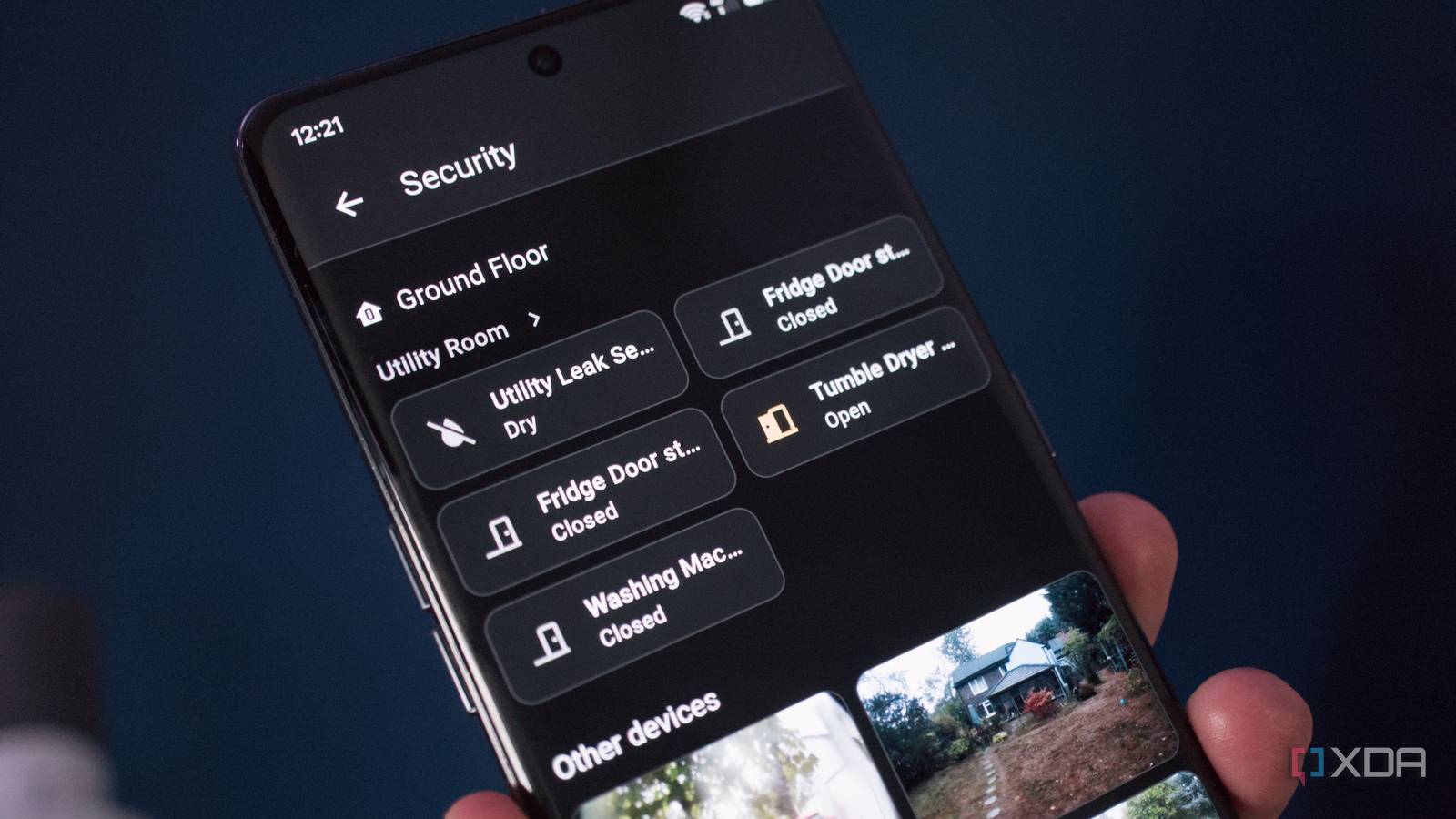
Published Aug 27, 2026, 10:00 AM EDT Richard is the PC Hardware Lead at XDA and has been covering the technology industry for almost two decades. He's been building PCs since young, and when not creating content, you can often find him inside a chassis somewhere. We've covered the most recent updates to Home Assistant, many of which focus on improving the user experience. September seems to be no different for 2026, as 2026.9 is well in development and now available on the beta branch. I've installed the release and played around with it to see what's new. The security dashboard has been altered to separate alerts worth checking out from something that could be deemed more serious. Other parts of the UI have been adjusted too in an effort to make it seamless to quickly decode all the data presented on the platform. Keeping your smart home secure Security is now front and center Credit: The integrated Home Assistant security dashboard has always been viewed as an afterthought for me. I barely use it, likely because I don't really have much connected to Home Assistant that can leverage the view. Sure, I have our Ring alarm system and Frigate NVR running, but they're fairly solid in their own right, and Ring's integration with Home Assistant is lackluster at best. Outside of redoing our entire security setup, which I plan to do, I've usually avoided the security dashboard in Home Assistant. But others have done the same for other reasons. The view itself is designed to provide a centralized view of everything connected to Home Assistant, be it door sensors, smart locks, alarm systems, and everything else. Even our new smart appliances show up with door entities read by Home Assistant and provided here. But it can prove slightly challenging to work out precisely what needs attention. The issue being it wasn't clear what's alerting you and what's simply saying "hello, this needs checking out when you have a minute." That's all changed with 2026.9, with an all-new active alerts section. It's now possible to configure each entity featured on the security dashboard, whether it will alert or warn through the UI and wider platform. Let's say you're heading into the shower and leave one of the kitchen windows open; that would be considered a warning, which can be highlighted as you head back to the living room for later closing. A smoke alarm detecting the presence of smoke and sounding off would be classed as an alert, something that requires immediate attention. Prior to this update, each entity was thrown into the same camp. Combining historical activities Find what you're looking for Credit: History and activity have been largely redesigned with new source panes on the left side. Before this latest beta, homing in on what you're searching for could take a while as it involved sifting through entities. Now, targets like floors, areas, and devices can be selected with results filtered further via domain, device class, and even integration. As Home Assistant works elsewhere after recent updates, these two areas can now let you go through rooms and groups such as hallway -> motion sensors. And, to top it all off, Home Assistant will even remember previous filters, so you don't need to reconstruct the same view each time the page is loaded. But this doesn't mean history and activity pages have lost their default behaviors, as the former will still wait for something to be selected before rendering a chart. Activity will show the full stream by default, with sources available when it's time to start narrowing things a little. Finally, if you're like me and found the activity section within Home Assistant to be a little lackluster, this has been altered so the platform not only tells you what changed, but also why. Before, you would see "light switched on" without much context outside of that. Now, with 2026.9, Home Assistant will show what caused this action to take place. This could be an automation or manual trigger, making it easy to quickly see what's causing states to change throughout the smart home. Other notable changes We've finally unlocked the Matter map Credit: If there's one feature I love within Home Assistant, it's the Zigbee network map view, allowing me to see how all the devices interconnect with one another on the mesh platform. The same couldn't be said for Matter, as the map view was never supported ... until now. If you rely on Matter as the backend for your smart home, you'll be pleased to learn that the same visual representation is now available within Home Assistant. Using the map view, you can see which Matter devices are using Thread or Wi-Fi, routers, end devices, offline, nodes, and more. And like elsewhere within the Home Assistant ecosystem, user-friendly names are used when available to keep things simple and streamlined. More controls for cards Tile cards are continuing to be worked on by the developers, and we've got some new controls in 2026.9. Light effects can now be directly exposed on the tile, allowing for shortcuts to be selected to completely change the feeling of a room. The same goes for vacuum fan speeds for robot helpers. So long as your device exposes the controls, various settings can now be adjusted on the fly without leaving the dashboard. Modbus is changing If you rely on this feature for something like a solar inverter, meter, heat pump, or some other device, the underlying architecture available to integration developers is changing. It's a little too technical to be included here since most users won't even be exposed to Modbus, let alone what it does. But it's changing with 2026.9 and for the better. Just like the rest of this update, it's all about making Home Assistant a better communicator. Home Assistant OS Windows, macOS, Linux iOS compatible Yes Android compatible Yes
Home Assistant's new alerts system separates what matters from what can wait
Full Article
Original Source
Read the full article at Xda-developers →KhanList aggregates and links to publicly available news content. We do not host full articles from third-party sources. Always verify important information with original sources.