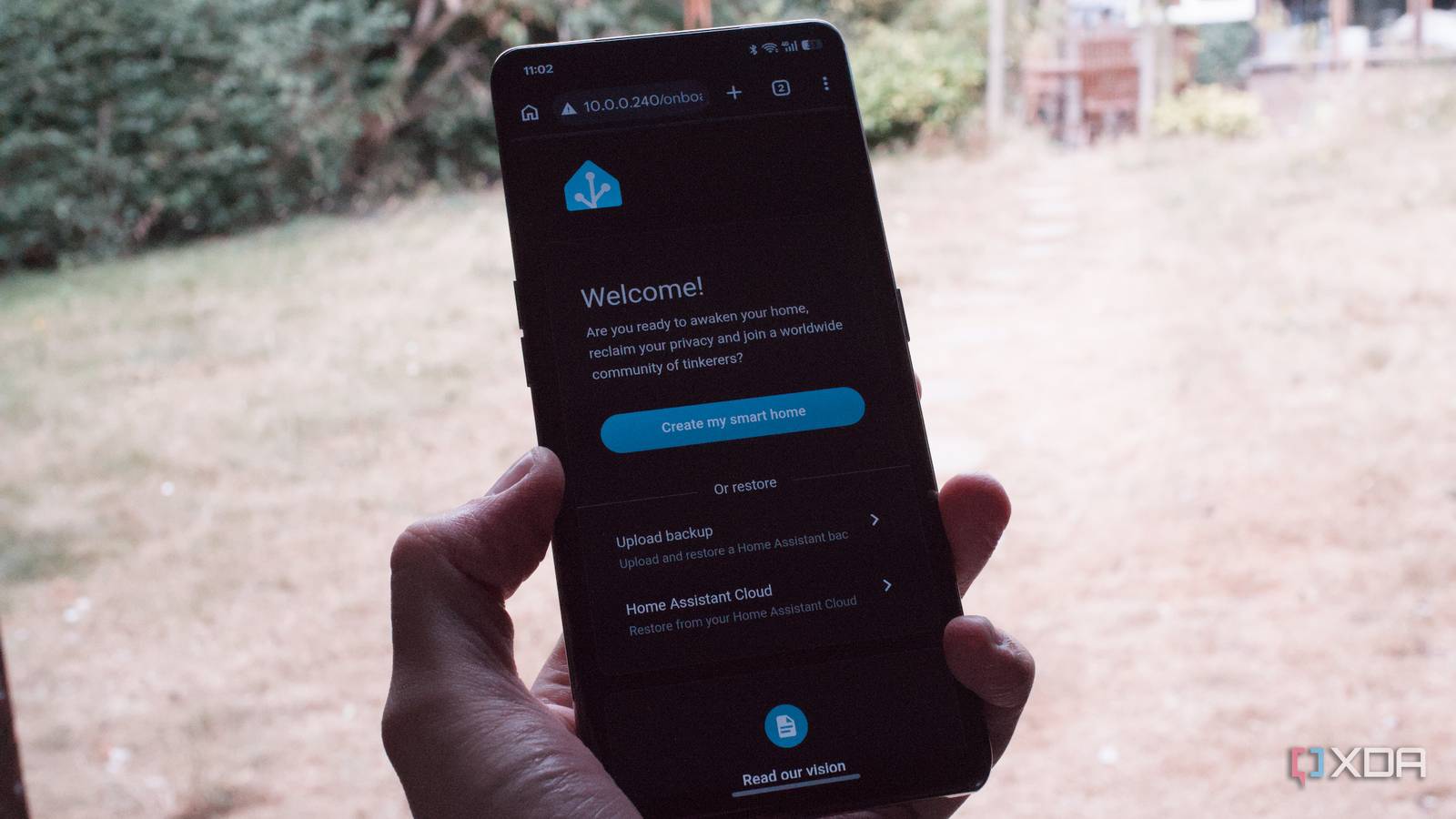
Published Aug 7, 2026, 1:30 PM EDT Richard is the PC Hardware Lead at XDA and has been covering the technology industry for almost two decades. He's been building PCs since young, and when not creating content, you can often find him inside a chassis somewhere. Home Assistant is a powerful platform that can transform your relatively dumb home into something much smarter and more reactive. Though we often rave about the platform here at XDA and it's considered flexible enough to do pretty much everything within a smart home, it can be rather daunting for someone to set up and use for the first time. The latest 2026.08 update continues addressing this with some notable improvements. Home Assistant is sometimes too powerful It can prove a little too technical for first-timers Credit: The Home Assistant development team is well aware of the shortfalls the platform has when onboarding newcomers. After installing the software as a container or virtual machine, the user then has to load the URL in a browser, which requires the port (default is 8123) appended. That's fine for me, you, and many others, but if we're to get more people using tools such as Home Assistant, it needs to be easier to use. That's precisely what the 2026.08 update addresses, and it made one of the best changes that I didn't even know I wanted. Instead of using the IP or hostname and port number, just the former is required. Let's say your router provides 192.168.1.14 to the running Home Assistant instance. Before 2026.08, you would have entered 192.168.1.14:8123 into the browser. Now, just 192.168.1.14 is all that's required. Home Assistant will simply allow the web UI to be loaded. This is great, as when setting up a bustling home lab for the first time, it can become intimidating to recall all the various port numbers each self-hosted service requires for access. Be it 8123, 30000, 5000, or some other combination of digits. I'm firmly in the camp that views adding a port number to an address as insignificant, but it's not accessible when we expect people to use friendly domain names for external services and locations. This change alone removes an unnecessary setup instruction, be it after installing Home Assistant, connecting a device to the platform, or providing access to a visitor or household member. It's worth noting that this change only affects new installations. My existing Home Assistant continued using the port, but it's a quick, easy change in the settings. Making network changes without risk No more locking oneself out of Home Assistant Prior to 2026.08, one would have to pray to the self-hosted gods that nothing goes awry when changing network-related settings in Home Assistant. One wrong move and you're suddenly locked out of the web UI. We've all been there, more times than we'd like to recall. The latest update fixes this by including a built-in recovery mechanism. Once network changes have been applied, Home Assistant will require confirmation before keeping the new configuration. If nothing is confirmed for five minutes, Home Assistant will simply revert the changes and restart. Think of it like display changes that would require confirmation before sticking around, just in case something goes wrong and the screen goes black. Something else that I noticed was switched up was mentions of anything advanced. Settings and features marked as such could be viewed as unsafe or requiring research before interactions are made. One such example is Developer Tools being renamed Tools. That makes sense, as checking states and such isn't strictly for developers. I've had plenty of times when I needed to verify an entity or template is working as intended. Tools is a much better representation of this area of Home Assistant. All of these seemingly minor alterations come together to create a more user-friendly onboarding process for someone to learn the ropes without requiring documentation. Even Home Assistant Cloud is now easier to use Home Assistant is fantastic enough as it is, but the entire platform is free to use. Nabu Casa, the company behind the smart home hub, makes money through selling products and other ventures, one being Home Assistant Cloud. This is a handy addition to the platform, providing remote access, encrypted backups, voice support, and other advanced features. It's completely optional, but it provides an easier way to make Home Assistant more capable. Managing these cloud-based features was more difficult than it needed to be for newcomers. Everything was grouped together on a single settings page. The Home Assistant Cloud area has been redesigned with a cleaner overview. But instead of simply making settings easier to use, Nabu Casa now provides a guided setup process that walks everyone through all the various settings available through the cloud subscription. Entities are easier to name and manage Every single light, sensor, switch, and other parts of the smart home all have internal names, such as light.bedroom_floor. That's perfect for automations, scripts, dashboards, and other parts of Home Assistant to reference, but it wasn't great if you wanted alternatives. While the need to change entity names hasn't really been there, especially for my smart home, I can appreciate others wanting clear and consistent naming throughout. With 2026.08, I can now decide how names are ordered. Home Assistant now allows us to use patterns that best match our individual setup, instead of light.bedroom_floor I could configure the entity with light.floor_bedroom. It's a minor change but can make a notable difference if I have other entities with similar names--I don't have too much on the bedroom floor, don't worry. Related to this is how Home Assistant handles integrations and device entries. Multiple integrations could be merged into a single device entry, which is fine if you only had a few smart home devices to connect, but things could get out of hand, especially when incorrect data is supplied due to the wrong integration being sourced. With this update, Home Assistant now separates each integration with their own device entries. It's all coming together Nabu Casa has been working hard to make Home Assistant more user-friendly as a whole, and automations have been the target of effort for some time now. More integrations have been added that can bring new devices into the fold. These include the likes of Dyson Infrared, Google Health, Midea, and llama.cpp. And most of these changes are made to improve the platform without dumbing down the home. Ready to dive in? 2026.08 is now available. Home Assistant OS Windows, macOS, Linux iOS compatible Yes Android compatible Yes
Home Assistant's latest update makes it genuinely accessible for the first time
Full Article
Original Source
Read the full article at Xda-developers →KhanList aggregates and links to publicly available news content. We do not host full articles from third-party sources. Always verify important information with original sources.