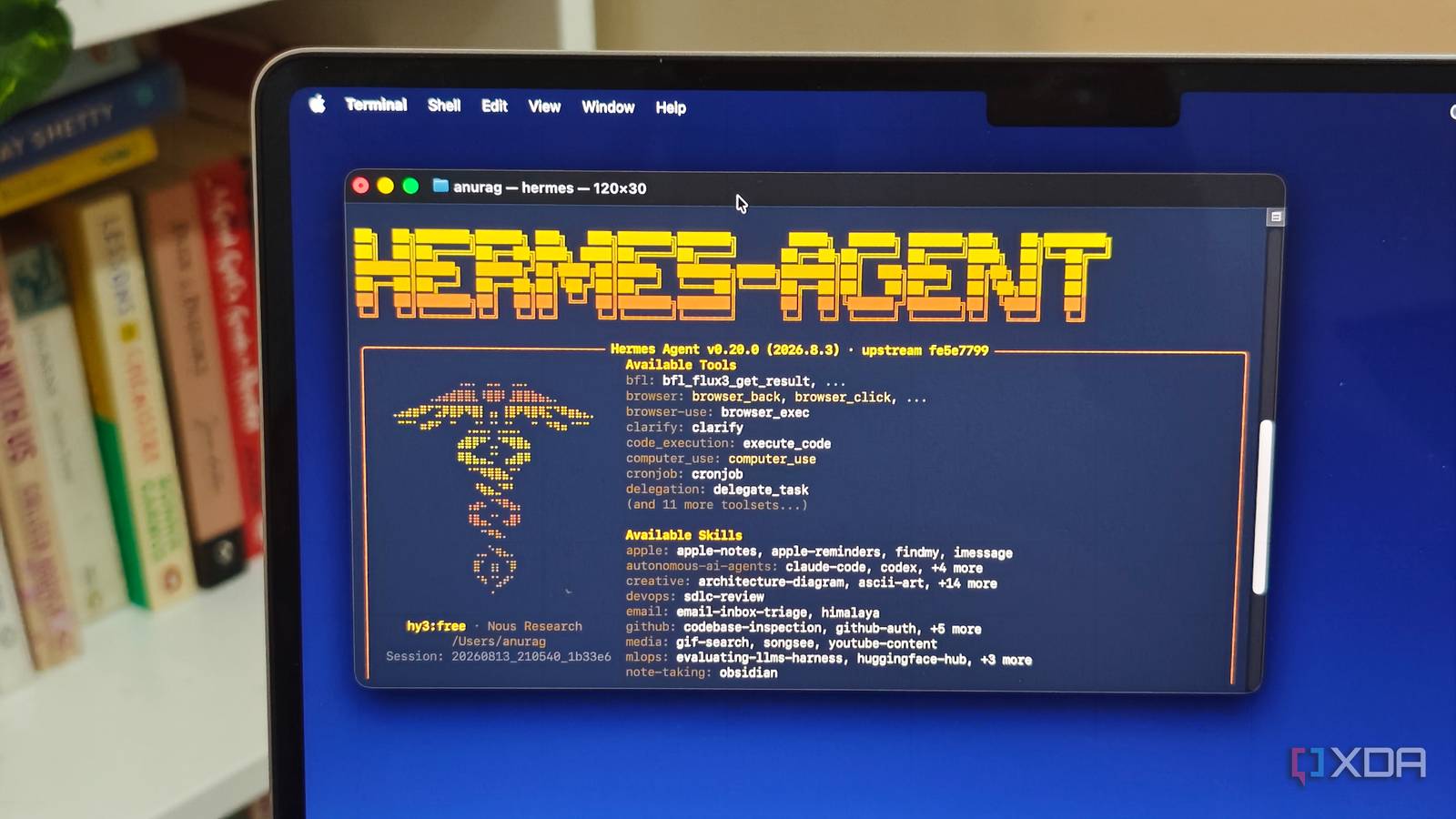
Published Aug 16, 2026, 7:30 AM EDT Anurag is an experienced journalist and author who’s been covering tech for the past 5 years, with a focus on Windows, Android, and Apple. He’s written for sites like Android Police, Neowin, Dexerto, and MakeTechEasier. Anurag’s always pumped about tech and loves getting his hands on the latest gadgets. When he's not procrastinating, you’ll probably find him catching the newest movies in theaters or scrolling through Twitter from his bed. I could ask my local LLM to write a script, troubleshoot a Docker container, or explain how to organize a folder full of files, and it would usually give me a sensible answer. That answer was also where its job ended. My local LLM could not handle an entire task on its own. I had already used cloud-based coding agents that could open files, run commands, check their work, and correct mistakes without making me pass information between the model and my terminal. Hermes Agent brought the same kind of workflow to my local model. It connects to an existing local model and gives it an agent harness with access to files, the terminal, the web, and other tools. The model can now perform each step, inspect the result, fix errors, and continue working. Hermes Agent handles the work around the model It arms your local model with the tools it needs Hermes Agent is an open-source agent framework built by Nous Research. You connect it to a model running through Ollama, LM Studio, or another compatible provider, and Hermes manages everything that happens between your prompt and the final response. The important part is its agent loop. When you give Hermes a task, the model can choose a tool, inspect the result, and decide what to do next. Hermes executes each action and feeds the output back to the model. This continues until the model finishes the task or needs more information from you. Hermes includes tools to run terminal commands, read and edit files, manage processes, search the web, and control a browser. Terminal access allows the model to run the script it creates, while file access lets it inspect the actual project instead of guessing what it contains. If a command fails, the error goes straight back to the model so it can try another approach. Hermes remains separate from the model itself. You can switch between local and cloud models without rebuilding the entire setup, while keeping the same tools and workflows. This also means you can keep using the local model you already have instead of downloading one designed specifically for Hermes. These agent features aren’t exclusive to Hermes. However, Hermes extends beyond coding with features like persistent memory across sessions, reusable skills, scheduled tasks, browser control, and more. I have also integrated it with Discord, which now serves as the interface I use to run my local LLM. It also supports Telegram, WhatsApp, Slack, and more. Setting up Hermes Agent takes a few minutes There are not a lot of things to set up here Hermes Agent has a desktop installer for Windows and macOS. You can also install the command-line version on Linux, macOS, or WSL with a single command: curl -fsSL https://hermes-agent.nousresearch.com/install.sh | bash After installing Hermes, run hermes model and select the custom endpoint option. For an Ollama server running on the same computer, enter http://localhost:11434/v1 as the URL, skip the API key, and provide the exact name of the model you have downloaded. You can check the available model names by running ollama list. The only setting that requires some attention is the context window. Hermes needs at least 64,000 tokens because its system prompt, tool definitions, and previous actions must remain available while it works. Ollama often loads models with a much smaller context window, so you may need to start it with: OLLAMA_CONTEXT_LENGTH=64000 ollama serve You can confirm the active context window with ollama ps. Your model also needs to support tool calling, or it will print tool requests as text instead of allowing Hermes to execute them. Then open the folder you want Hermes to work in and run hermes. The default local backend runs commands directly on your computer with the same permissions as your user account, so I would avoid giving it access to a folder containing anything important while testing. Hermes also supports a Docker backend if you want to keep its commands isolated. My local model now completes tasks on its own Though a lot still depends on how capable your model is Once Hermes is connected to Ollama, I can give my local model a complete job instead of guiding it through every step. I can ask it to find out why a Docker container keeps restarting, and it checks the running containers, reads the logs, inspects the Compose file, and identifies the problem. If the configuration needs a change, it edits the file, restarts the container, and checks whether it stays online. The same setup works well for smaller jobs around my home server. I can ask it to check what is consuming storage, and it scans the relevant directories and shows me the largest files and folders. I can also give it a folder full of badly named files and ask it to organize them. Hermes lets the model inspect the filenames, write a script, run a dry test, and apply the changes after I approve them. It is also useful for my Home Assistant setup. I can ask it to inspect a configuration file, find an invalid entity or indentation error, fix it, and validate the YAML. If I want to add a new automation, the model reads the existing configuration first and writes it in the same format instead of giving me a generic example that I still need to adapt. You could also use Claude Code for this Hermes is just one implementation of this. I tried building the same setup with Claude Code and had some success. You can also use Aider, OpenCode, or any other agentic tool for this. As long as you have an open model, you just need a harness.
Hermes Agent gave my local model the one thing it was missing, and it finally started finishing tasks
Full Article
Original Source
Read the full article at Xda-developers →KhanList aggregates and links to publicly available news content. We do not host full articles from third-party sources. Always verify important information with original sources.