
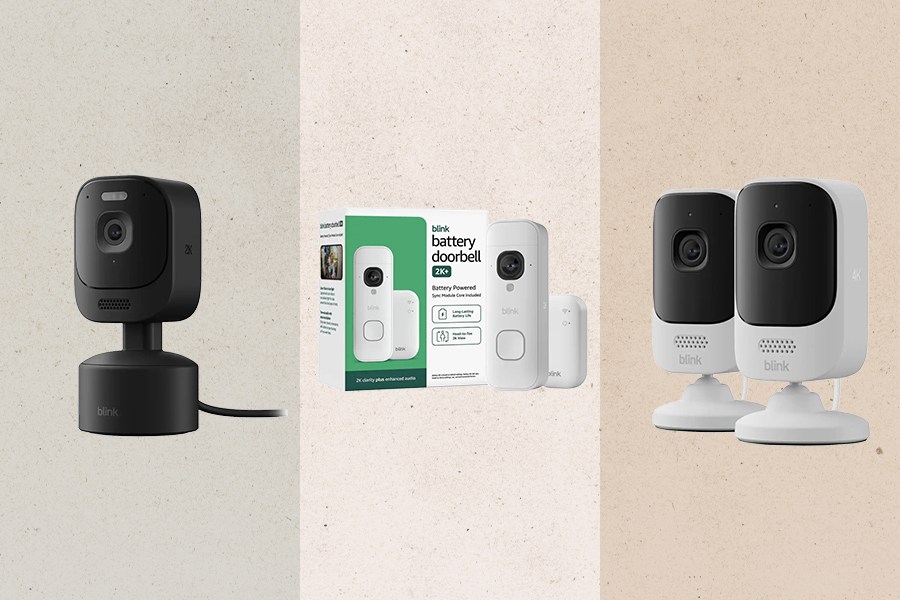
Beefing up your home’s security doesn’t need to be expensive If you purchase an independently reviewed product or service through a link on our website, Rolling Stone may receive an affiliate commission. It’s never a bad time to beef up your home security, but Blink is making a case for you to get on it ASAP. The popular smart-security brand just launched a slew of new products that offer high-tech protection at a very reasonable price tag. Shop the full collection of new Blink products at Best Buy here, or read on to see our picks for anyone looking to build out an indoor and outdoor security camera system from scratch for just $360. Blink Battery Doorbell 2K+ The first security camera we recommend is a smart doorbell. Our favorite from Blink is this battery-powered option that comes in at $80, which is less than most popular battery camera doorbells. Despite its affordable price tag, you still get premium features like sharp 2K resolution, head-to-toe field of view, and clear communication using the microphone and speakers. Blink Mini Pan-Tilt 2K+ A moving security camera is ideal for covering a large room (or multiple) without needing multiple cameras. This Blink Mini Pan-Tilt camera is a great option, letting you get a full picture of any room. It rotates 360 degrees and tilts 115 degrees, all with 2K video resolution. It also includes Blink AI technology that tells you what it’s detecting. Blink Mini 4K+ (2-pack) For further indoor coverage in more rooms, pick up this two-pack of Mini 4K+ cameras. As the name suggests, you get ultra-clear 4K resolution to ensure certainty about who or what you’re seeing. The cameras also have 10x zoom, night vision, and two-way talk to communicate with anyone in the room. Blink Sync Module XR+ To turbo-charge your Blink security system, we recommend this Sync Module XR+. It’ll extend the range of your system up to 10 times further than WiFi can handle, ensuring all your cameras (especially outdoor ones) are connected and running smoothly.
Here’s How to Set Up a Blink Security Camera System for Just $360
Full Article
Original Source
Read the full article at Rollingstone →KhanList aggregates and links to publicly available news content. We do not host full articles from third-party sources. Always verify important information with original sources.