
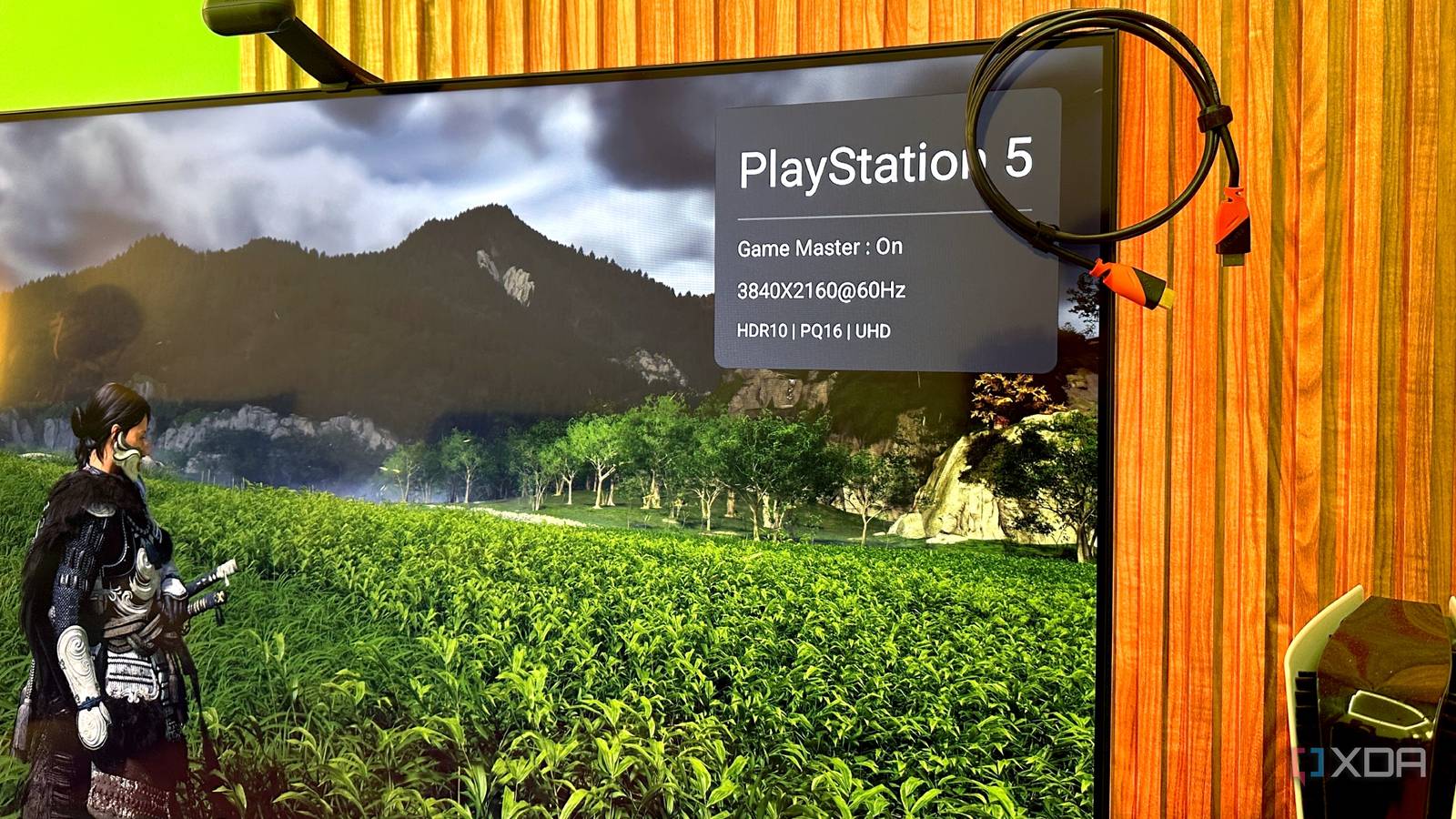
Published Sep 23, 2026, 7:00 AM EDT Gaming has been Samarveer’s greatest passion, and the Literature graduate in him takes immense joy in dissecting games for their themes, messages, and impact. Samarveer holds a deep appreciation of gaming, and considers the platform to be the most immersive and impactful across all media. He can be found engaging with gaming communities online, always ready to debate the finer points of ray tracing or itching to write an 8-page collegiate thesis on any game that impacts him emotionally. HDMI cables have a strange reputation. One day, the cable you've been using for years works perfectly. Then, seemingly out of nowhere, you start seeing tiny white sparkles, brief black screens, flickering, or the dreaded "No Signal" message. Naturally, the obvious conclusion to draw is that the cable itself has finally given up. Sometimes, it actually has, but HDMI cables don't quite "go bad" in the way most of us imagine. There isn't usually a slow decline where the picture gets progressively softer until the cable finally dies. Digital signals have a rather different way of failing, and they can make a perfectly healthy piece of hardware look like it's on its last legs. The frustrating part is that figuring out what's actually happening isn't always obvious. HDMI cables hit a wall instead of slowly fading away The "dying cable" look is actually a digital feature The first sign of a struggling HDMI cable can be rather dramatic. You might end up noticing tiny white or colored sparkles dancing across the image on the display, or you might also get black screens, flickering, audio dropouts, or even a TV that decides there is no signal. At that point, almost anyone would assume that something inside their TV or GPU had begun its march toward its demise. However, what a lot of people forget to factor in is the fact that HDMI carries digital data. It isn't as if your display receives a progressively degraded picture and tries to make the best of it. Instead, it receives data that either arrives cleanly enough to be interpreted correctly, or not at all. When the errors exceed what the connection can handle, that's when things fall apart. That is why there isn't an HDMI equivalent of an analog cable becoming gradually fuzzier. You don't normally get a picture that is 95% perfect, then 90%, then 80%. All you get is a clean image until the connection starts struggling, followed by obvious errors or a loss of the link. The one wrinkle is that the cliff isn't perfectly sharp. There's a narrow marginal zone where most of the picture survives, but errors slip through, and that's why those sparkles are useful — they act as an early warning that the signal isn't arriving as cleanly as the system expects, not just your TV's creative interpretation of snow. Your cable doesn't change, but your signal sure can An HDMI cable can become the weakest link HDMI can get particularly deceptive sometimes. The cable sitting behind your TV may have worked flawlessly for years, only to start throwing sparkles or dropping the signal after you buy a new TV and use the old cable. The same goes for a new GPU or console. The new hardware may simply be asking it to carry more data than before. A cable that handles 4K at 60Hz can be perfectly reliable until you add HDR, increase the refresh rate, or combine several of these demands. After all, HDMI 2.0 comes with a finite bandwidth ceiling, and once your signal gets close to what the cable can reliably carry, there is less margin for imperfections in the connection. To be fair, it doesn't mean that HDMI cables are indestructible, or that every failing cable is secretly fine. Cables can absolutely suffer physical damage. Repeated bending, crushed sections, damaged connectors, corrosion, or simply years of being yanked out by the cable rather than the plug can compromise signal integrity. Sometimes the cable really is the culprit. A 4K60Hz HDMI cable can be perfectly reliable until a new display comes along and demands more from it. The important distinction is that physical wear and bandwidth limits aren't the same thing. A cable doesn't need to be visibly damaged to become unreliable. Often, the thing that "killed" a cable was simply asking the exact same cable to do something it had never been particularly good at doing. When it comes to day-to-day use, sudden sparkles or a dropped signal are more often the result of a loose connection or a failed handshake than a cable that's genuinely reached its limit. Before spending anything, work through the free fixes first. Reseat both ends firmly — HDMI connectors can work loose surprisingly easily. Try another port on the TV or source. Power-cycle the source device, which can clear most HDCP and EDID handshake glitches. Stop buying HDMI cables by the marketing on the box Certification matters more than "8K" in giant letters If you're replacing an HDMI cable, the simplest approach is to buy one rated for the signal you actually need. There's no such thing as an "HDMI 2.1 cable"; cables aren't rated by spec version, they're rated by tested bandwidth. What you're actually buying is a certification tier. For anything up to HDMI 2.0's demands, that's a Premium High Speed cable, tested to 18Gbps. The certification is the point: it means the cable was verified for that performance, rather than having a "4K" or an absurd "8K" sticker slapped on the packaging. An HDMI cable might work flawlessly even if the cable is bent at a certain angle, but that doesn't mean you should keep it that way. This is also where expensive HDMI cables deserve a little skepticism. Gold-plated connectors aren't going to magically make a digital image sharper, and a cable costing ten times as much doesn't automatically carry ten times the signal. A properly certified cable that meets your requirements is what matters. If you're going beyond HDMI 2.0's bandwidth, the tier you want is Ultra High Speed, tested to 48Gbps. You don't need one because the box says "gaming" — you need one because your signal now demands it. And don't forget length. The longer the passive cable, the harder it becomes to maintain signal integrity. For unusually long runs, active or optical HDMI cables can make more sense than simply buying an increasingly expensive passive cable and hoping for the best. Ugreen High Speed HDMI cable Ugreen makes great value-for-money accessories, and this HDMI 2.1 is an excellent example of that. It’s affordable and works as advertised. In addition, you can buy it in one, two, and three-meter sizes. HDMI cables can fail, but in slower and subtler ways A flickering display can make you suspect the GPU just like a random black screen can send you digging through your display settings. A handful of sparkles can have you wondering whether your television is finally giving up — HDMI truly has a talent for making relatively ordinary signal problems look like impending hardware disasters. There are times when replacing an HDMI cable is genuinely the fix. But before blaming the most expensive component in the chain, it is worth remembering that HDMI is a surprisingly unforgiving connection. When something goes wrong, the symptoms can be considerably more dramatic than the underlying problem.
HDMI cables do go 'bad,' but not the way anyone thinks — and the symptom fools everyone
Full Article
Original Source
Read the full article at Xda-developers →KhanList aggregates and links to publicly available news content. We do not host full articles from third-party sources. Always verify important information with original sources.