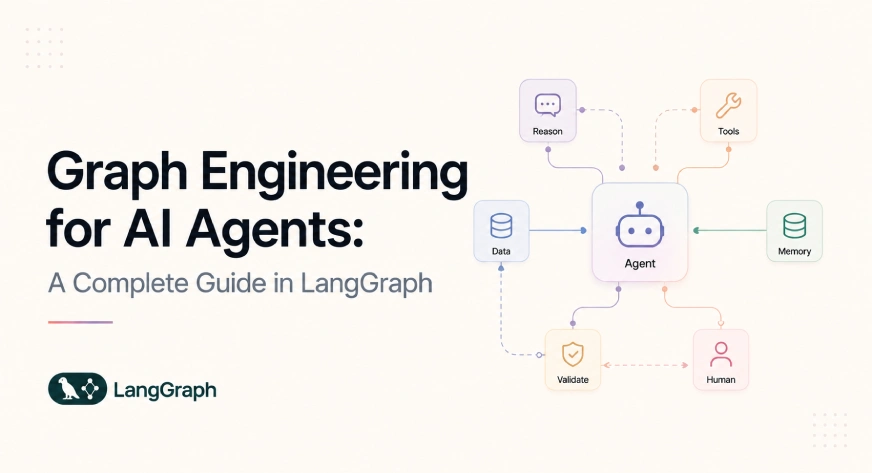
AI-agent development has progressed through overlapping phases: prompt engineering, context engineering, tool use, autonomous loops, memory systems, and multi-agent coordination. A newer focus is graph engineering, which treats AI applications as explicitly designed workflows rather than a single autonomous agent. Graph engineering defines how agents, tools, deterministic functions, validators, data sources, and humans coordinate to complete tasks. It is broader than LangGraph, GraphRAG, or knowledge graphs. In this article, we examine graph engineering from an implementation perspective and build a reliable LangGraph workflow. Table of contents What Is Graph Engineering? Core Components of Graph Engineering Important Agent Graph Patterns Hands-On: Building a Graph-Engineered Research Workflow Production Requirements That Diagrams Often Miss Framework Options Limitations Conclusion Frequently Asked Questions What Is Graph Engineering? Graph engineering is the practice of representing an AI application as an executable graph containing agents, tools, functions, policies, data systems, evaluators, and human decisions. A practical definition is: Graph engineering is the design of nodes, dependencies, state transitions, execution routes, validation gates, recovery paths, and control boundaries inside an agentic system. Consider an AI system that researches a technical topic, writes a report, verifies its claims, and sends it to a client. A single-agent implementation might look like this: Most of those transitions are hidden inside the model’s context. The model decides when to search, when enough evidence has been collected, whether the output is correct, and when the task is complete. A graph-engineered implementation makes those responsibilities explicit: Here, the graph defines which transitions are permitted. Individual agents can still reason autonomously within their nodes, but they do not control the entire system. Core Components of Graph Engineering 1. Nodes A node is a bounded unit of execution. A node may contain: An LLM call A complete tool-using agent A Python function A retrieval operation A database query An API request A policy check A test suite A human approval request A subgraph Not every node should be an AI agent. Known business rules should generally remain deterministic. An LLM is useful where semantic interpretation, generation, planning, or ambiguity is involved. For example, calculating whether an invoice exceeds an approval threshold does not require an LLM. Understanding whether an email represents a refund request may require one. 2. Edges Edges define which nodes can execute after another node. Common edge types include: Direct edges Conditional edges Parallel edges Looping edges Error edges Human-controlled edges Event-triggered edges An edge represents a dependency or control rule. For example: The routing condition may be implemented through deterministic Python logic or an LLM classifier. 3. State State is the shared record carried through the graph. It may contain: class WorkflowState(TypedDict): user_request: str task_plan: list[str] retrieved_evidence: list[str] draft: str validation_result: dict retry_count: int approval_status: str Typed state makes the inputs and outputs of nodes visible. It also reduces the need to pass a complete conversation transcript to every agent. LangGraph uses stateful graphs to combine deterministic steps with LLM-driven steps. It also provides persistence, streaming, human-in-the-loop controls, and support for long-running execution. 4. State Reducers Parallel nodes may update the same state field. Suppose three research agents return evidence simultaneously: { "evidence": ["Source A"] } { "evidence": ["Source B"] } { "evidence": ["Source C"] } The graph needs a rule for combining these updates. A reducer may append lists, merge dictionaries, select the latest value, or apply a custom conflict-resolution policy. Without a clear reducer, parallel updates can overwrite one another or create inconsistent state. 5. Routes and Guard Conditions A route determines which edge should run. A guard condition checks whether a transition is allowed. def route_after_review(state): if state["grounding_score"] ResearchState: response = model.invoke( f""" Create a concise research plan for the following topic: {state['topic']} Include the questions that must be answered and the evidence needed. """ ) return { "plan": response.content, "revision_count": 0, } def researcher_node(state: ResearchState) -> ResearchState: response = model.invoke( f""" Produce a grounded research brief for this topic: {state['topic']} Follow this plan: {state['plan']} Clearly separate verified information, assumptions, and open questions. """ ) return {"evidence": response.content} def writer_node(state: ResearchState) -> ResearchState: response = model.invoke( f""" Write a professional technical article using only the evidence below. Topic: {state['topic']} Evidence: {state['evidence']} Include an introduction, architecture explanation, implementation considerations, limitations, and conclusion. """ ) return {"draft": response.content} def evaluator_node(state: ResearchState) -> ResearchState: review = review_model.invoke( f""" Evaluate the draft against the available evidence. Evidence: {state['evidence']} Draft: {state['draft']} Check technical accuracy, grounding, completeness, and clarity. """ ) return { "evaluator_approved": review.approved, "feedback": review.feedback, } def revision_node(state: ResearchState) -> ResearchState: response = model.invoke( f""" Revise the following technical article. Draft: {state['draft']} Reviewer feedback: {state['feedback']} Preserve correct sections and fix only the identified weaknesses. """ ) return { "draft": response.content, "revision_count": state.get("revision_count", 0) + 1, } def human_review_node(state: ResearchState) -> ResearchState: decision = interrupt( { "message": "Review this article before finalization.", "draft": state["draft"], "automated_feedback": state.get("feedback", ""), "allowed_actions": ["approve", "reject"], } ) return { "human_approved": decision.get("action") == "approve", "feedback": decision.get( "feedback", state.get("feedback", ""), ), } def finalize_node(state: ResearchState) -> ResearchState: return {"human_approved": True} Define Conditional Routes def route_after_evaluation( state: ResearchState, ) -> Literal["revise", "human_review"]: if state.get("evaluator_approved"): return "human_review" if state.get("revision_count", 0) >= 2: return "human_review" return "revise" def route_after_human_review( state: ResearchState, ) -> Literal["finalize", "revise"]: if state.get("human_approved"): return "finalize" return "revise" The evaluator does not control the graph directly. It updates the state. The routing function reads that state and selects an allowed edge. The revision limit prevents an unbounded evaluator-optimizer loop. Construct the Graph builder = StateGraph(ResearchState) builder.add_node("planner", planner_node) builder.add_node("researcher", researcher_node) builder.add_node("writer", writer_node) builder.add_node("evaluator", evaluator_node) builder.add_node("revise", revision_node) builder.add_node("human_review", human_review_node) builder.add_node("finalize", finalize_node) builder.add_edge(START, "planner") builder.add_edge("planner", "researcher") builder.add_edge("researcher", "writer") builder.add_edge("writer", "evaluator") builder.add_conditional_edges( "evaluator", route_after_evaluation, { "revise": "revise", "human_review": "human_review", }, ) builder.add_edge("revise", "evaluator") builder.add_conditional_edges( "human_review", route_after_human_review, { "finalize": "finalize", "revise": "revise", }, ) builder.add_edge("finalize", END) checkpointer = InMemorySaver() graph = builder.compile(checkpointer=checkpointer) Run the Graph config = { "configurable": { "thread_id": "graph-engineering-article-001" } } result = graph.invoke( { "topic": "Graph engineering for reliable AI agents", "revision_count": 0, }, config=config, ) if "__interrupt__" in result: print("The workflow is waiting for human approval.") Resume After Approval final_state = graph.invoke( Command( resume={ "action": "approve", "feedback": "Approved for publication.", } ), config=config, ) print(final_state["draft"]) The same thread_id is required because it identifies the stored execution state. InMemorySaver is suitable for demonstration, but it loses all checkpoints when the process restarts. Production systems should use durable persistence backed by a database. Production Requirements That Diagrams Often Miss A graph that runs in a notebook is not automatically production-ready. Node Contracts Every node should define: Required inputs Produced outputs Allowed tools Timeout Retry policy Side effects Failure categories Validation rules Ownership A node that accepts arbitrary state and returns unstructured text becomes difficult to test. Idempotency A retry should not repeat an irreversible action. For example, retrying a payment node must not charge the customer twice. Use: Idempotency keys Transaction identifiers Deduplication checks Operation logs Database constraints Error Classification Not every failure should be retried. Temporary network failure -> RetryRate limit -> Wait and retryInvalid input -> Return to validationMissing permission -> EscalatePolicy violation -> StopModel formatting failure -> Repair output A generic retry loop can increase cost without fixing the underlying issue. Context Isolation Do not give every node the complete graph state. A writer may need evidence and an outline. A security reviewer may need code and deployment configuration. A publication node may need only the approved artifact and destination. Context isolation reduces token usage, accidental data exposure, and distraction from irrelevant history. Observability Trace at least: Node start and completion Selected route State fields changed Tool calls Model and prompt version Token consumption Latency Retry count Validation results Human decisions Final outcome Microsoft Agent Framework also separates dynamic agents from explicitly controlled workflows. Its workflow system supports graph-based execution, typed message routing, conditional paths, parallel processing, checkpoints, and human-in-the-loop interactions. Framework Options LangGraph Best suited for teams that need low-level control over state, routes, persistence, subgraphs, interrupts, and mixed deterministic-agentic execution. Google ADK Useful for teams building in the Google ecosystem. It supports multi-agent workflows, template-based sequential, parallel, and loop execution, and newer graph-oriented workflows. Microsoft Agent Framework Suitable for Python, .NET, and Go teams that require typed workflows, graph routing, checkpointing, human interaction, and integration with enterprise systems. Plain Python and Existing Workflow Engines A specialized agent framework may be unnecessary when most of the workflow is deterministic. Python functions, queues, databases, schedulers, and state-machine libraries can coordinate a small number of LLM-powered steps effectively. Limitations Graph engineering also introduces: Additional infrastructure More state-management complexity Higher testing requirements Synchronization challenges Increased model cost when many agents are used More difficult versioning and migrations Potential latency at parallel join points Overengineering for simple tasks A graph is useful when its structure makes the system safer, faster, easier to evaluate, or easier to maintain. It is not valuable merely because it contains more boxes. Conclusion Graph engineering is not a replacement for prompt engineering, context engineering, harness engineering, or loop engineering. It is the layer that coordinates them. Prompts control individual model calls. Context engineering controls what each model sees. Agent loops control how an agent reasons and uses tools. Graph engineering controls how multiple agents, loops, functions, validators, tools, and humans work together. The broader lesson is simple: Do not begin by asking how many agents the system needs. Begin by identifying the work, dependencies, decision boundaries, parallel opportunities, validation requirements, failure paths, and human responsibilities. The agents fill the nodes. The engineering lives in the edges. Frequently Asked Questions Is graph engineering the same as LangGraph?No. LangGraph is one framework for implementing graph-based agent workflows. Graph engineering is the broader architectural practice. Are knowledge graphs required? No. Workflow graphs can operate without a knowledge graph. A knowledge graph is useful when the system needs to represent and traverse relationships between entities. Can a graph contain loops?Yes. Revision cycles, tool-calling agents, retries, and evaluator-optimizer patterns are loops inside a larger graph. Does every node need an LLM?No. Most production graphs should combine deterministic functions, tools, policies, and selected LLM-powered nodes. Can one agent be enough?Yes. A single agent is often preferable for low-risk, open-ended tasks with a limited toolset and simple recovery requirements. Harsh Mishra is an AI/ML Engineer who spends more time talking to Large Language Models than actual humans. Passionate about GenAI, NLP, and making machines smarter (so they don’t replace him just yet). When not optimizing models, he’s probably optimizing his coffee intake. 🚀☕
Graph Engineering for AI Agents: Beyond the Single-Agent Loop
Full Article
Original Source
Read the full article at Analyticsvidhya →KhanList aggregates and links to publicly available news content. We do not host full articles from third-party sources. Always verify important information with original sources.