
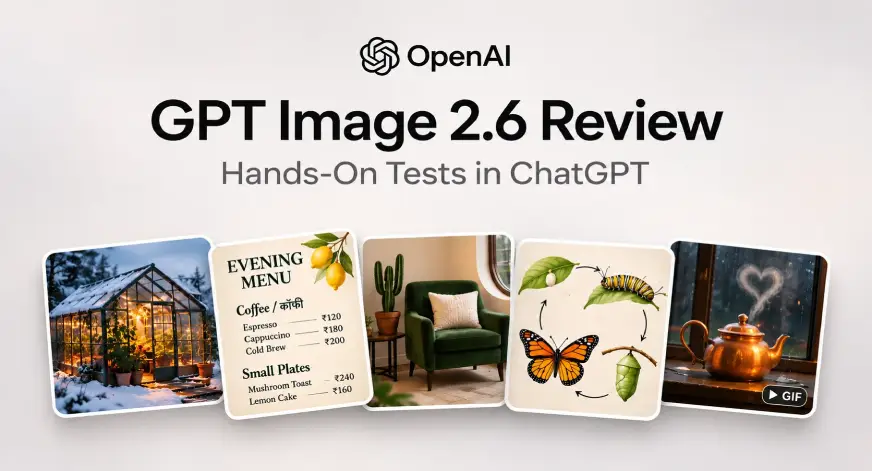
What if you could turn a rough sketch into a polished design, edit an image with a few annotations, or create an animated GIF from a single prompt? OpenAI’s new Images 2.6 promises exactly that, bringing new creative possibilities to ChatGPT, Codex, and the API. But how well does it handle the details that separate an impressive image from a usable one? To find out, I put Images 2.6 through five hands-on tests, covering generation, editing, and animation. In this article, we’ll see where it impressed, where it stumbled, and whether the results live up to the promise. Table of contentsWhat Is New in GPT Image 2.6Hands-On: Putting Image 2.6 to Test1. A Cinematic Editorial Photograph2. A Bilingual Menu from a PDF Brief3. A Markup Guided Room Photo Edit4. A Scientific Field Guide Illustration5. A Real Looping Teapot GIFConclusionFrequently Asked Questions What Is New in GPT Image 2.6 Images 2.6 adds animated GIF creation, brings ChatGPT’s existing image markup to the API, and gives developers adjustable planning complexity. If you have used the earlier GPT Image 2 release, the basic interaction remains familiar: Describe the result Attach a reference when useful Explain what must stay unchanged. OpenAI says the update generates images 50% faster. That is a launch claim; these five creative tasks were not a controlled speed comparison. Their value is in showing the output, the instructions it followed, and the details it missed. Hands-On: Putting Image 2.6 to Test 1. A Cinematic Editorial Photograph For the first test, I wanted a cover-worthy scene that depended on coherent materials and lighting. Glass, condensation, snow, plants, and warm interior light all had to coexist convincingly. Prompt Create a wide cinematic editorial photograph of a glass greenhouse on a snowy mountain ridge at blue hour. Inside, lush tropical plants glow under warm amber lights. Outside, snow rests naturally on the glass roof and a narrow stone path leads to the entrance. Show realistic condensation, convincing glass reflections, and physically coherent architecture. Exactly one copper watering can sits beside the door. Rich emerald and amber palette, restrained film grain. No people, text, logos, or watermark. Use only this brief. Keep the output anonymous: no personal names, account information, contact details, signatures, or references to any user. Generate the actual image, not a written prompt. Response: Beautiful! This test moved from atmosphere to exact copy. I uploaded a one-page PDF containing the design direction, nine menu lines, five prices, and the Hindi word कॉफी. This tests ChatGPT’s document-to-image workflow; it does not establish native PDF input support for the image model itself. The PDF Brief and Prompt Use the attached PDF as the complete design brief and exact menu copy. Generate one polished portrait menu image with an ivory background, forest-green typography, an elegant serif headline, and a small hand-painted citrus accent. Reproduce every menu line, price, punctuation mark and Hindi glyph exactly. Do not print the brief’s instructions or add other wording. Use only the attached standalone brief. Keep the output anonymous: no personal names, account information, contact details, signatures, logos, addresses or references to any user. Generate the actual menu image, not a PDF, code, or a written prompt. Exact Copy in the Uploaded PDF EVENING MENUCoffee / कॉफीEspresso — ₹120Cappuccino — ₹180Cold Brew — ₹200Small PlatesMushroom Toast — ₹240Lemon Cake — ₹160Service from 4 PM to 10 PM Response: A clear professional menu that fully satisfies all the criterias of the prompt. 3. A Markup Guided Room Photo Edit I opened a room photograph in ChatGPT’s image preview, selected Markup, and drew a red rectangle around the armchair with the Rectangle tool. The request was deliberately narrow: change its upholstery while preserving the cushion and room. Input Image: Prompt Edit the attached photograph using the red rectangle as a guide to the armchair. Change only the cream armchair’s upholstered fabric to deep forest-green velvet, including its seat, back and upholstered arms. Preserve the exact chair silhouette, seams, legs, position and size. Keep the white ribbed cushion white and unchanged. Preserve the cactus, terracotta pot, black table, oval window, foreground plant, walls, floor, lighting, shadows, composition and camera angle. Remove the markup from the finished result. Do not redesign or restyle the room. Use only this supplied photograph and brief. Keep the output anonymous: no personal names, account data, contact details, signatures, logos or references to any user. Return the actual edited photograph, not instructions or code. Edited Result A surgical edit! If we didn’t have access to the original image, it’d be hard to call this one edited. 4. A Scientific Field Guide Illustration For a different kind of precision, I asked for a natural-history plate. The task required a four-stage cycle, exact labels, specified positions, and arrows that communicated the correct sequence. Prompt Create an elegant natural-history field-guide plate showing the monarch butterfly life cycle, on warm ivory paper, with meticulous watercolor and fine ink detail. Four clearly separated stages arranged clockwise: upper left one tiny egg on the underside of a milkweed leaf; upper right a yellow-black-white striped monarch caterpillar eating milkweed; lower right a green chrysalis with delicate gold accents attached by its tip; lower left an adult orange-and-black monarch with white-dotted wing edges resting on milkweed. Thin unobtrusive clockwise arrows must connect egg to caterpillar to chrysalis to adult and back to egg. Exactly four labels: Egg, Caterpillar, Chrysalis, Adult. No other text. Show biologically plausible proportions and plant structures; avoid decorative butterflies or extra stages. Use only this standalone brief. Keep all outputs anonymous: no personal names, account data, contact details, signatures or references to any user. Generate the actual image, not a prompt or code. Response: A clean layout of the diagram that could be used to depict metamorphosis. 5. A Real Looping Teapot GIF The final test used the new motion format. I requested an actual animated GIF and explicitly ruled out a sprite sheet, static picture, or code-created substitute. Prompt Create a seamless looping animated GIF, using the new ChatGPT Images animation feature, of a small handmade copper teapot on a windowsill during gentle rain. A thin curl of steam rises, briefly forms a heart, and dissolves as another curl begins. The teapot, handle, spout, lid, camera, windowsill, and background remain fixed. Cozy amber interior light, cool blue rain outside, tactile clay-and-miniature stop-motion aesthetic. Start and end in matching states. No text, logos, people, cuts, camera movement, or flashing. Use only this standalone brief. Keep all outputs anonymous: no personal names, account information, contact details, signatures, or references to any user. Generate a real animated GIF, not a sprite sheet, static picture, written prompt, or code; do not create the animation with Python or other code. Response: A smooth looping gif that perfectly relays the intent described in the prompt! Conclusion OpenAI Images 2.6 impressed across these five tests, particularly with its creative compositions, markup-guided editing, and GIF generation. The greenhouse stood out visually, while the chair edit showed how useful precise instructions can be when modifying an existing image. However, the results weren’t flawless. Small errors in text, object boundaries, and visual accuracy still required attention. For now, Images 2.6 looks promising for both creative exploration and practical editing, provided you review the final output. Our ChatGPT Images vs Nano Banana comparison offers another perspective on how these tools perform. Frequently Asked Questions Q1. Can GPT Image 2.6 create GIFs in ChatGPT?A. Yes. This browser test produced a genuine 12-frame GIF with a 2.16-second loop. Q2. Does it reproduce every text character correctly?A. Not reliably. The menu preserved words and prices but omitted five required dash separators. Q3. Can I use the SVG feature in this browser workflow?A. SVG was documented as an API workflow and was not tested here. Studying, evaluating, and explaining AI systems for over 6 years. “𝘖𝘯𝘤𝘦 𝘮𝘦𝘯 𝘵𝘶𝘳𝘯𝘦𝘥 𝘵𝘩𝘦𝘪𝘳 𝘵𝘩𝘪𝘯𝘬𝘪𝘯𝘨 𝘰𝘷𝘦𝘳 𝘵𝘰 𝘮𝘢𝘤𝘩𝘪𝘯𝘦𝘴 𝘪𝘯 𝘵𝘩𝘦 𝘩𝘰𝘱𝘦 𝘵𝘩𝘢𝘵 𝘵𝘩𝘪𝘴 𝘸𝘰𝘶𝘭𝘥 𝘴𝘦𝘵 𝘵𝘩𝘦𝘮 𝘧𝘳𝘦𝘦. 𝘉𝘶𝘵 𝘵𝘩𝘢𝘵 𝘰𝘯𝘭𝘺 𝘱𝘦𝘳𝘮𝘪𝘵𝘵𝘦𝘥 𝘰𝘵𝘩𝘦𝘳 𝘮𝘦𝘯 𝘸𝘪𝘵𝘩 𝘮𝘢𝘤𝘩𝘪𝘯𝘦𝘴 𝘵𝘰 𝘦𝘯𝘴𝘭𝘢𝘷𝘦 𝘵𝘩𝘦𝘮.” — 𝖥𝗋𝖺𝗇𝗄 𝖧𝖾𝗋𝖻𝖾𝗋𝗍, 𝖣𝗎𝗇𝖾
GPT Image 2.6: The Best Image Generation Model Just Got an Upgrade!
Full Article
Original Source
Read the full article at Analyticsvidhya →KhanList aggregates and links to publicly available news content. We do not host full articles from third-party sources. Always verify important information with original sources.