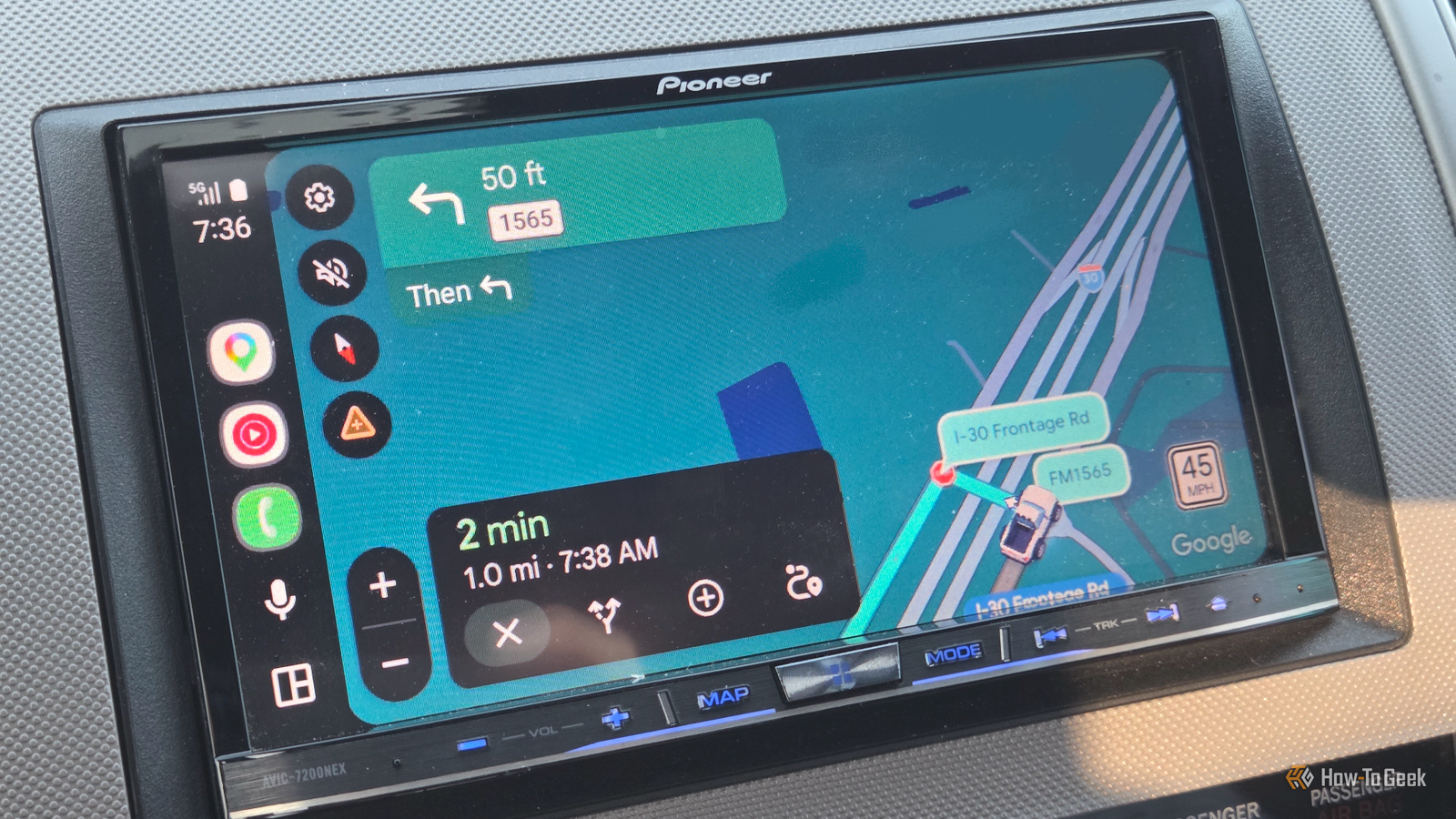
Published Aug 12, 2026, 9:00 AM EDT Cory Gunther is a senior author and Newsletter Editor at Valnet, covering cutting-edge tech, Android, and more for How-To Geek. He's covered Android, cars, and technology for over a decade. When he's not reviewing the latest gadget, you can find him off-roading in his Toyota truck, fixing said truck, or doing something outdoors with friends and family. He's covered CES, SEMA, and MWC and reviewed countless phones, TVs, speakers, EVs, e-bikes, and more. Before Valnet, Cory worked for GottaBeMobile. His writing has also appeared on SlashGear, InputMag, and AndroidCentral. He's written over 9,000 articles. Google Maps for Android Auto is slowly getting a huge upgrade, and the experience is so good that I might be ditching Waze. Some of the most frustrating Android Auto navigation problems are a thing of the past, and while Waze still has several strengths, Google Maps' new 3D Immersive View is a big deal. Earlier this year, Google announced the biggest Maps and navigation update in over a decade, and these last few weeks, it's been rolling out to more users. I'm talking about the new immersive navigation experience with 3D views that "reflect the buildings, overpasses, and terrain around you." All the building outlines, visible trees, and clear road markings just made the navigation experience better and more modern than ever. Google Maps takes the guesswork out of driving A better view and clear voice guidance I've been pretty vocal about my love for Waze, which is why I've used it over Google Maps for nearly 10 years. Waze offers excellent navigation routes and community-driven alerts about road hazards, speed traps, and more. It's pretty great, but when it comes to actually finding your destination, seeing the surrounding buildings, or spotting which road to turn onto, the navigation experience feels pretty old-school. On most apps, nothing has changed for years on end—until now. Don't get me wrong, I still absolutely love Waze and all those alerts, but I've been using Google Maps again for the last few weeks, and this update is a game-changer. I actually didn't realize I had the new immersive navigation and 3D views because I live out in the sticks. But then I drove into the Dallas-Fort Worth area "Metroplex" and used Google Maps while heading to the airport, and everything changed. Instead of following that familiar blue line, squinting at road markings, or hoping I was in the correct lane so I could make two quick turns in succession, Google Maps' immersive view took care of everything. See, the 3D immersive view says goodbye to the old, flat, boring 2D views, with true-to-life, properly sized building outlines, visible trees, and other objects along the road to help you know and understand where you are. When you're driving downtown, it's all a big guess, but Google Maps immersive view shows me building outlines that are see-through, so I can see what's behind them or which direction my next turn will be. The 3D view is incredible, with large new bubbles clearly labeling each road, and tree markers and other nearby items, like a park or statue, are also marked. Everything is bold, visible, and in your face. I'm no longer just following a blue line. Instead, I have a complete understanding of where I am on my route, what's coming next, and nearby structures to help me know exactly where to turn. Credit: Google It's hard to explain until you try it, but once you do, you'll have more confidence than ever while navigating somewhere new. More importantly, it's not just about what you see, but what you hear. Google Maps now has better voice guidance, too. Instead of saying, "In one mile, turn left on Inwood Rd," you'll hear something like, "Go past this exit and in one mile, turn left on Inwood Rd." When you combine those voice steps with improved visuals showing your turn (like Inwood Rd) next to a Shell gas station, you instantly have a clear visual in your head and on the screen. I love it. Waze now feels old and outdated But I'll still use it for long trips Credit: Joe Fedewa / How-To Geek In contrast, Waze now feels ancient and outdated, with the same cartoonish user interface and a boring blue line you'll be glancing at as you try to guess which turn is next. Now that I see what Google is doing with Maps, I pray the company eventually brings it to Waze, because they own both. Don't get me wrong, I'm still a big Waze fan, and I'll likely continue using it for longer road trips where it could save me measurable amounts of time and help me spot police ahead. The community of users is invaluable, but now I'm torn because I absolutely love the new immersive 3D view in Google Maps. For now, when I'm heading to a restaurant downtown, driving to an airport, or traveling somewhere new, I'll be using Google Maps for all the reasons outlined above. Immersive View just can't be beat and made the experience easier than ever. Then, for some of those longer trips, Waze might still be my go-to. Drive with confidence All of this is to say that the new Google Maps 3D Immersive View in Android Auto is fantastic, and it's enough that I'll be using it again instead of simply relying on Waze. The amount of confidence, clear guidance, building outlines, and other markings make the entire driving experience easier, safer, and far less stressful. In closing, the updated Google Maps is still slowly rolling out to more users, reaching Android Auto head units and iOS devices or CarPlay, and will expand to more regions in the coming weeks and months.
Google Maps’ new 3D Immersive View is so good I’m ditching Waze
Full Article
Original Source
Read the full article at Howtogeek →KhanList aggregates and links to publicly available news content. We do not host full articles from third-party sources. Always verify important information with original sources.