
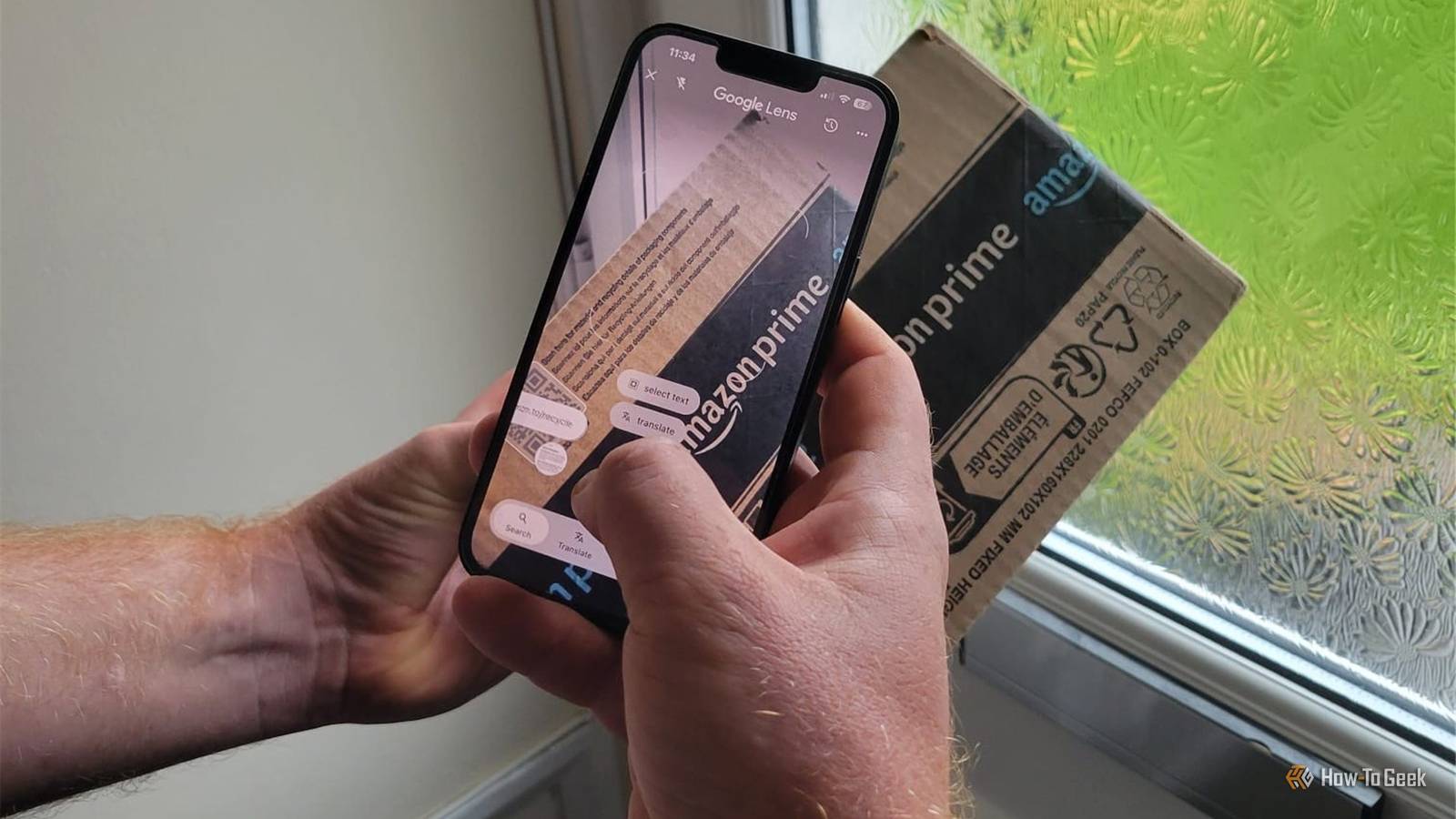
Published Oct 20, 2026, 7:01 PM EDT Tony Phillips is an experienced Microsoft Office user with a dual-honors degree in Linguistics and Hispanic Studies. Prior to starting with How-to Geek in January 2024, he worked as a document producer, data manager, and content creator for over ten years, and loves making spreadsheets and documents in his spare time. Tony is also an academic proofreader, experienced in reading, editing, and formatting over 3 million words of personal statements, resumes, reference letters, research proposals, and dissertations. Before joining How-To Geek, Tony formatted and wrote documents for legal firms, including contracts, Wills, and Powers of Attorney. Tony is obsessed with Microsoft Office! He will find any reason to create a spreadsheet, exploring ways to add complex formulas and discover new ways to make data tick. He also takes pride in producing Word documents that look the part. He has worked as a data manager in a secondary school in the UK and has years of experience in the classroom with Microsoft PowerPoint. He loves to encounter problems in Microsoft Office and use his expertise and legal-level training to find solutions. Outside of the Microsoft world, Tony is a keen dog owner and lover, football fan, astrophotographer, gardener, and golfer. I'm generally pretty good at coming up with the right words to find what I need on Google. But every now and then, I run into a question where I don't quite know the right vocabulary to type into a search bar, or where it would take a paragraph to explain what I'm looking for. That's usually when I realize I've been staring at a problem for 20 minutes that I could solve in two if I just pointed my camera at it. Here are five times Google Lens came to my rescue. Google Lens solved a house-selling mystery Yes, I'm worrying about cavity-wall insulation now This might not sound like the most exciting thing I've ever done with Google Lens, but I'm selling my house, and apparently, worrying about what's inside your walls is part of the midlife experience. Where I live (UK), having spray foam insulation can make selling a property considerably more difficult (I won't bore you with the details). So, naturally, I wanted to work out exactly what insulation I had. After spending a while Googling without finding a clear answer, I tried photographing my insulation certificate and running it through Lens. It picked out the relevant logos and wording to help me interpret the thing and confirmed that my property had standard cavity-wall insulation rather than the spray foam I was worried about. It might not be the flashiest use of visual search, but when a tool helps you get to the bottom of a question with potentially serious financial consequences, you appreciate it. Google Lens isn't just for naming garden visitors or random objects; it can also help with the unglamorous business of being a homeowner. My plants needed more than identification My greenhouse has a new consultant It's common knowledge that Google Lens can identify plants, but I've found it useful for much more than putting names to leaves. With winter approaching, I've spent hours in the garden figuring out how to look after my plants through the colder months, including how much to water them, whether to cut them back, and where to position them in my greenhouse. Searching for each answer individually would have taken even longer (and I would have lost patience and ended up with a very dirty screen!). The trick is to give Lens some context. I photographed a plant alongside its information tag, then showed it my greenhouse setup. Instead of giving me generic overwintering advice, it recommended exactly where to put the plant, including which shelf to use and how far into the greenhouse it should go. I've also used Lens to figure out how to feed hanging baskets with a mix of winter flowers and an evergreen hebe, which have different nutritional needs. It suggested feeding them every three weeks to balance those needs. I hadn't expected a tool best known for identifying things to turn me into Martha Stewart, but being able to show it my actual plants and growing space made the advice much more practical. Google Lens settled my composting confusion Shiny paper had me stumped In my house, October is the month when cardboard and brown paper seem to multiply, as we have three birthdays to celebrate. With all the boxes and packaging piling up, I've been sorting what I can compost and what needs to go in the recycling bin. One thing that had always confused me was shiny kraft paper. I'd assumed the smooth finish meant it had been treated with something that made it unsuitable for composting, so I asked Google Lens to investigate. Lens explained that the smooth surface can result from pressing the paper against a heated metal drum to flatten its fibers, rather than necessarily applying a coating. I then asked about the brown packing paper that comes with Amazon deliveries, which Lens also said was suitable for composting. It suggested that the black printing ink is typically water- or soy-based, so it shouldn't necessarily rule out the paper. Shipping labels were a different story: when I showed Lens one of those, it confirmed my suspicion that it was thermal paper and advised against composting it. Once I'd removed the things Lens had flagged, I showed it the remaining pile and asked it to check that. Instead of searching separately for each type of packaging, I could sort through the birthday aftermath with a little help from Google Lens. Two mystery aircraft, identified My sister gave me a challenge My sister knows I'm interested in aircraft, particularly military ones, so when she spotted two while visiting Poland, she sent me photos. Despite my interest, I couldn't identify either aircraft myself, so I turned to Google Lens. It identified one as a Mil Mi-8 helicopter and the other as an Airbus (CASA) C-295M transport aircraft. Instead of describing unfamiliar aircraft in a Google search and hoping I used the right terminology, I could simply show Lens the photographs and ask it to identify what I was looking at. I didn't need to know the names or models beforehand to get a useful starting point. This is where Lens beats flight-tracking apps. Those are handy for identifying aircraft currently in the air, but they won't necessarily help with a photo someone sent you or a plane parked on a runway. Lens only needs the picture. I wasn't taking chances with this spider When eight legs look suspicious I spotted a spider tucked into the corner of a window frame, and something about it looked different from the usual eight-legged visitors I get in the house. But rather than guess, I took a photo and asked Google Lens to identify it. The answer was a false widow spider. Most spiders you're unfortunate enough to come across in the UK are harmless, and bites are uncommon. False widows are a notable exception because they can bite, although their bites are generally not serious. Naturally, I wanted to know what I was dealing with before deciding how to handle it. The window-frame corner made things a little awkward, so I followed up with questions about how to deal with the spider in that particular spot. Lens saw the setup and helped me figure out the steps to take without having to get too close. A faster first step These days, when I can't work out what to type into Google, I open Lens first. It isn't always right, and I still verify results when it matters, as I did when I Googled the false widow it identified and the insulation details it gave me—and both checked out. But whether it's an obscure question or an everyday one, like what a laundry symbol means or what's written on an appliance label, a photo often gets me there much faster than a search ever would.
Google Lens solved 5 oddly specific problems that would have taken me ages to Google
Full Article
Original Source
Read the full article at Howtogeek →KhanList aggregates and links to publicly available news content. We do not host full articles from third-party sources. Always verify important information with original sources.