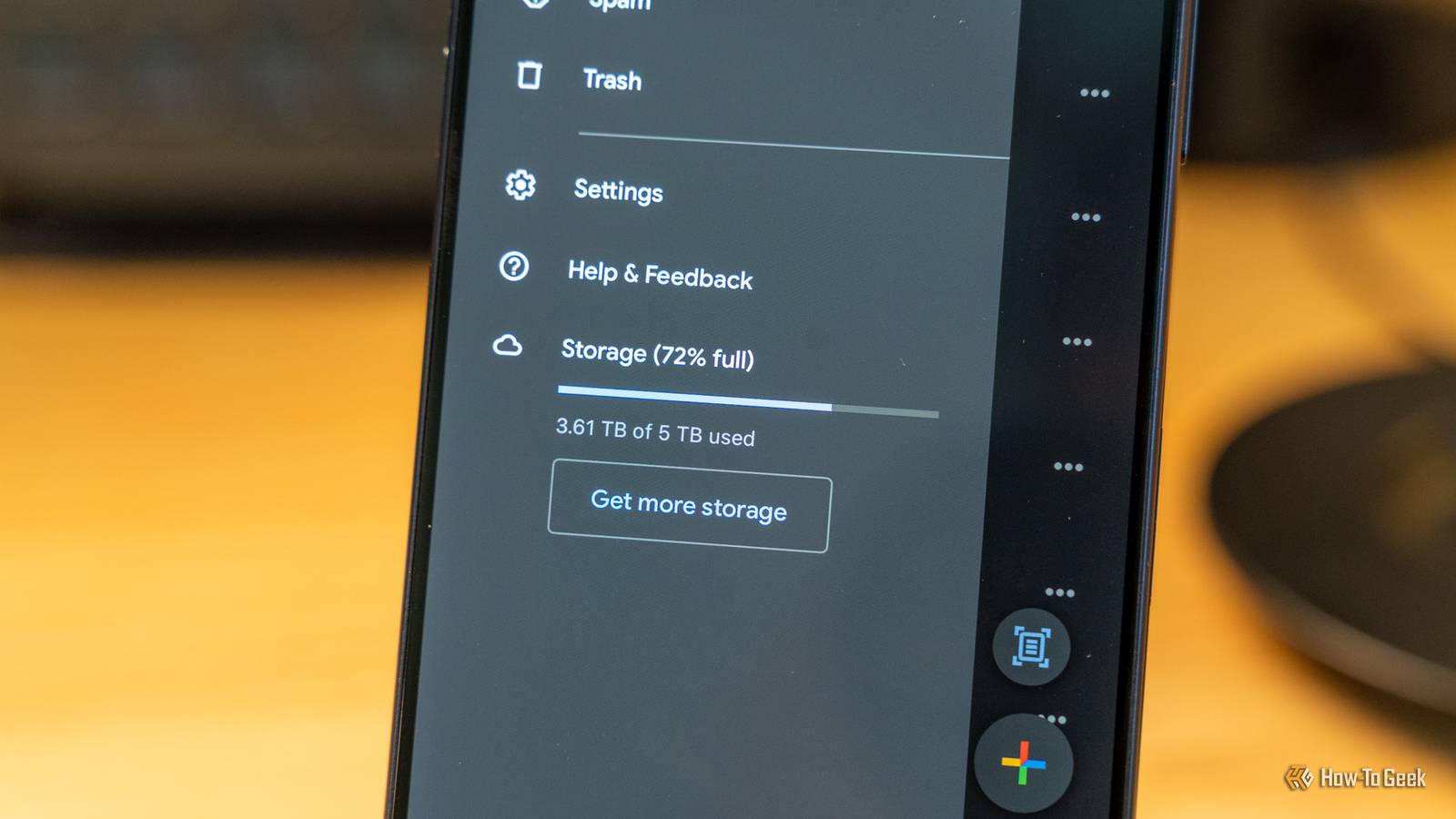
Published Jul 31, 2026, 9:45 AM EDT Former radio and TV guy (I Heart Radio and PBS). Now a writer, researcher, and musician who writes about the absurdity of our modern world and other offbeat topics. Specializes in weird music, the old web, retro video games and tech, and researching strange, yet interesting things. His work has appeared in Vice, Tedium, Star Trek.com, Today I Found Out, Typebar, SyFy Wire, and How To Geek. Currently working on a variety of music, web, and writing projects. Visit him on the web at https://djbuckfreelance.neocities.org/. Major changes are coming to Google account storage for Android users. Stuff that has historically not counted toward your storage allotment soo will—it could put a damper on your data management. Here's some background info on the changes and what you can do to adapt. Your contacts and archives will now count toward your Drive storage A few days ago, I received a Policy Update email from Google. It outlines some new storage policies and discusses new ways to control Android backups. The most significant point mentioned in the first part of the email covers an unexpected storage change. Per Google: Effective in 45 days, all data included in your Android device backups will begin counting toward your Google Account storage limit. With the new policy update, stuff that never counted toward storage limits suddenly will. All those SMS messages you archived over the past few years, and your entire Contacts list, will now be part of your Google Drive storage. The Google account I still use will now have less available space It gives me another reason to ditch Google wherever possible Credit: Bertel King / How-To Geek One thing to consider about these changes is that most users will be minimally affected, since Google's own figures put the number at about 40–80 MB per account. Regardless, the new policy means your Android backup data is still going to count toward the storage limit in your Google Account. Heavy users might notice it more than others. Some folks might not even notice. In my case, my extra data will only take up .09GB of space, which doesn't make much of a dent in my storage. So why does it matter at all? Well, to begin with, this is not what I signed up for. I get that companies can just change the rules whenever they please, but it just speaks to an ongoing issue with software/services becoming worse for users over time (a trend I feel strongly about). The major changes come from unexpected places The new stuff being stored in Drive is interesting Aside from Contacts and SMS archives, the changes also affect stuff like app data and call history. Credit: David J. Buck / How-To Geek Some things don't change at all. Your Google Photos storage has always counted toward the Drive balance, for instance. But it matters because everything is shared. You're not getting additional space to make up for this, and it's not going to a different storage area. It's eating up your existing Google Drive space. If you're using backup and sync to save all of your photos, for example, one of your backups might push you over the limit and, guess what? No more data, no more backups. That could potentially be a problem for photographers and anyone who takes a lot of photos or video (then backs them up to Drive). That could be as benign as losing a couple of photos or as awful as (worst case scenario) losing a bunch of backups when you replace a device. Google is providing ways to adjust You just have to look for them Credit: David J. Buck/How-To Geek According to Google, there will be new toggles to help you choose what gets backed up (individual apps and file types). I haven't seen these appear yet on my Google account, but Google says they're coming. I'll keep checking back until they arrive. For my SMS conversations, I plan to use an app from the Google Play Store called SMS Backup and Restore that should help me save the ones I want to keep without the need to "archive" them on my devices. You can set backups to go to Google Drive (which kind of defeats the purpose here), OneDrive, or Dropbox. I use Dropbox. They'll all be available in a clean XML file on my personal backups. I'll do something similar with email, saving only the ones I choose to keep and permanently purging the rest. Credit: David J. Buck / How-To Geek I get too many emails, anyway. In the meantime, I went through my contacts list to purge any contacts I no longer use and created a backup file for offline storage. I also started sorting through my Drive and Photos to start selectively removing items. I backed them up to a hard drive and Rsync instead. In the future, I could use a mix of Syncthing and my own personal storage to back up photos and documents. That way, I'm keeping things out of Google's ecosystem entirely. I've already dropped Gmail and Docs for the most part, preferring Proton Mail and Obsidian/Obsidian alternatives instead. Check your data numbers and decide on your own course of action You can check your memory usage by going to Settings > Google > Manage storage. From there, it's worth taking a few minutes to decide if you need to change your settings (once they become available). As for me, I'm going to be continuing my path of seeking Google alternatives and backing up my own data locally whenever possible. Google Drive/One OS Windows, ChromeOS, macOS, Linux, iOS, iPadOS, Android Brand Google
Google just made your Android contacts count against your Drive quota—here's the fix
Full Article
Original Source
Read the full article at Howtogeek →KhanList aggregates and links to publicly available news content. We do not host full articles from third-party sources. Always verify important information with original sources.