
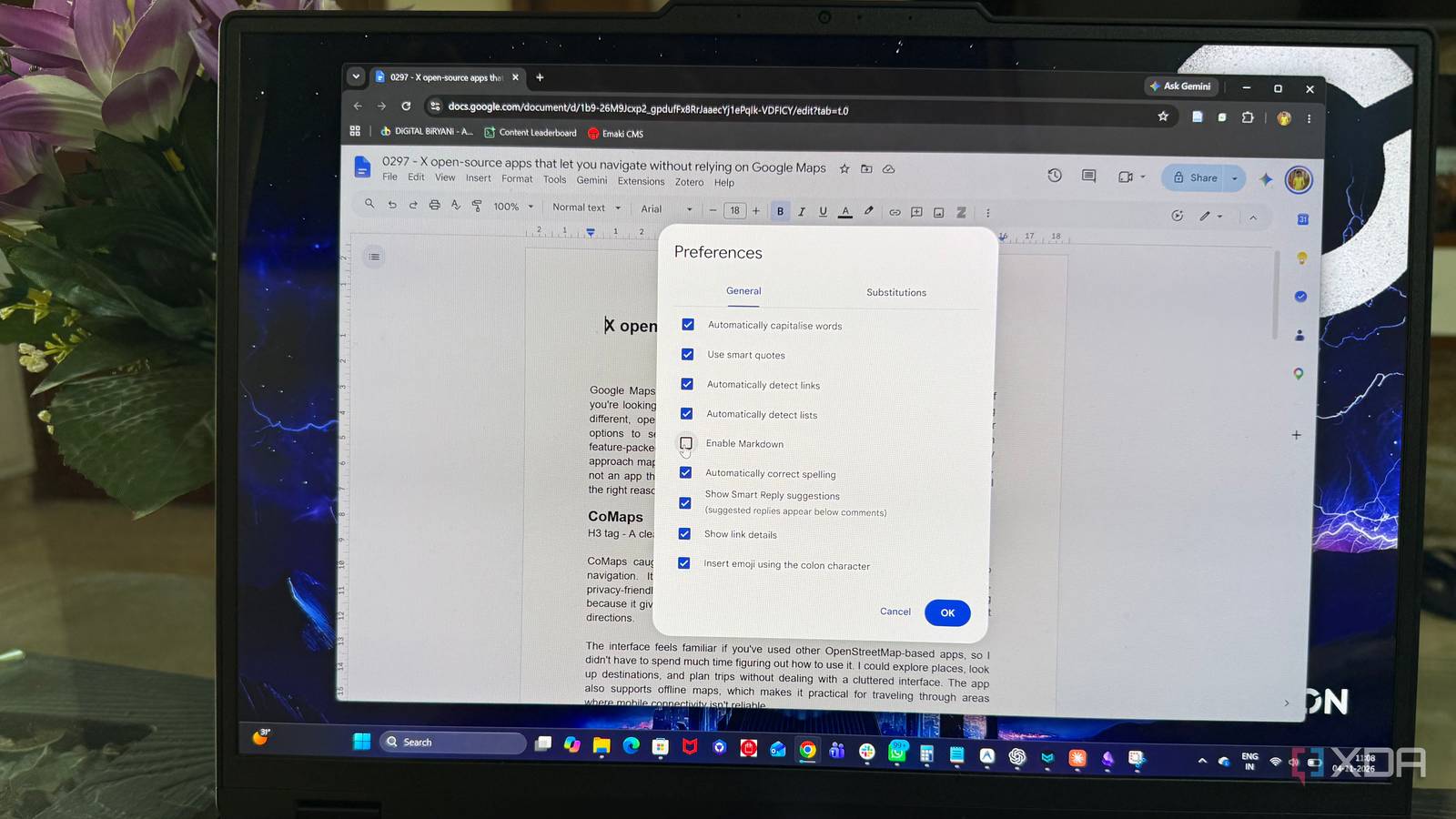
Published Nov 6, 2026, 6:00 AM EST Beginning his professional journey in the tech industry in 2018, Yash spent over three years as a Software Engineer. After that, he shifted his focus to empowering readers through informative and engaging content on his tech blog – DiGiTAL BiRYANi. He has also published tech articles for MakeTechEasier. He loves to explore new tech gadgets and platforms. When he is not writing, you’ll find him exploring food. He is known as Digital Chef Yash among his readers because of his love for Technology and Food. From school and university assignments to professional projects, Google Docs has always been my go-to tool for collaboration. As I built my career in writing, I grew to prefer Markdown for drafting and organizing articles. However, Google Docs remained the common ground for sharing drafts, reviewing feedback, and working with editors. Since it was the tool everyone around me used, I continued relying on it for collaboration. While Google Docs already offered limited Markdown support, its latest update caught my attention because it allows users to edit native Markdown files directly. It makes it easier to combine my preferred writing format with the collaboration features I depend on. I decided to give it a try and see how well it works. Google Docs can now edit actual Markdown files Filled the biggest productivity gap Before native Markdown support, Google Docs offered limited ways to work with Markdown files. You could import a .md file, but it had to be converted into Google Docs format before editing. This often affected the original formatting and structure, making it less convenient to work with Markdown documents. The latest update takes things a step further. Google Docs now supports opening and editing .md and .markdown files directly from Google Drive without converting them into regular Google documents. The process is simple: upload a Markdown file, double-click it, and Docs opens it in Markdown mode. A small .md label next to the document title indicates that the original file format is being preserved. Drive's preview option is another useful addition. Rather than displaying raw Markdown syntax, it renders the document with properly formatted headings, links, and tables. This makes it easier to check how the content is structured before opening the file for editing. However, editing a Markdown natively means you don't get the full suite of formatting tools you'd get with a typical document format in Docs. Google points out that smart chips may become plain text or links, while HTML formatting is converted to plain text. Font colors, highlights, and text alignment are also removed. These limitations are worth keeping in mind, particularly when working with documents that contain more than basic Markdown formatting. Collaboration is where Google Docs stands out Markdown meets Google Docs convenience One of the biggest advantages of Google Docs is its collaboration features, and native Markdown support brings that convenience to .md files as well. Markdown files now support sharing, real-time collaboration, and comments, making it easier for multiple people to work on the same document. I could seamlessly share and collaborate on Markdown docs just like regular documents in Google Docs. Version history adds another layer of convenience, allowing editors to revisit earlier changes without keeping multiple copies of a file. I tested this by uploading a .md file from my Obsidian workspace to Google Drive, making a few edits in Google Docs, and then checking its version history. I could see the original file and its original date, which made it easy to track the changes made after uploading it. I even tested voice typing with a Markdown file and found that it worked just like it does in a regular Google Docs document. However, the editing still required a keyboard touch. To format the text written by voice typing, I need to use Markdown syntax manually. I'm not a regular user of the voice typing feature, so this was not an issue for me. Dedicated Markdown editors still have an advantage More control for Markdown-focused writers Google Docs' native Markdown support doesn't make dedicated Markdown tools obsolete. Applications such as Typora, MarkText, etc. focus on the writing experience, offering features like live previews, themes, and distraction-free editing. Plus, tools like Obsidian and Logseq go considerably further. They're personal knowledge management systems (PKMS) built around Markdown, not just text editors. Obsidian's community plugin ecosystem lets users add task management, automation, publishing, and other workflows. Backlinks, graph views, and daily notes help connect information and build a personal knowledge base. Logseq offers its own approach through an outline-based workflow, linked references, and graph-based organization. These are capabilities that go beyond editing a Markdown document. Google Docs is useful when I need to work on a file with other people, but it isn't designed to replace an entire personal knowledge management system. Who should completely switch to Google Docs If you write in Markdown, or paste in LLM output, and mostly need to share drafts, collect comments, and track versions, Docs now works as a primary writing space. If you rely on backlinks, plugins, or a local-first workflow, keep Obsidian or Logseq and use Docs for the handoff. Either way, a Markdown file no longer has to be converted before an editor sees it.
Google Docs now handles Markdown natively, so I can write without switching between tools
Full Article
Original Source
Read the full article at Xda-developers →KhanList aggregates and links to publicly available news content. We do not host full articles from third-party sources. Always verify important information with original sources.