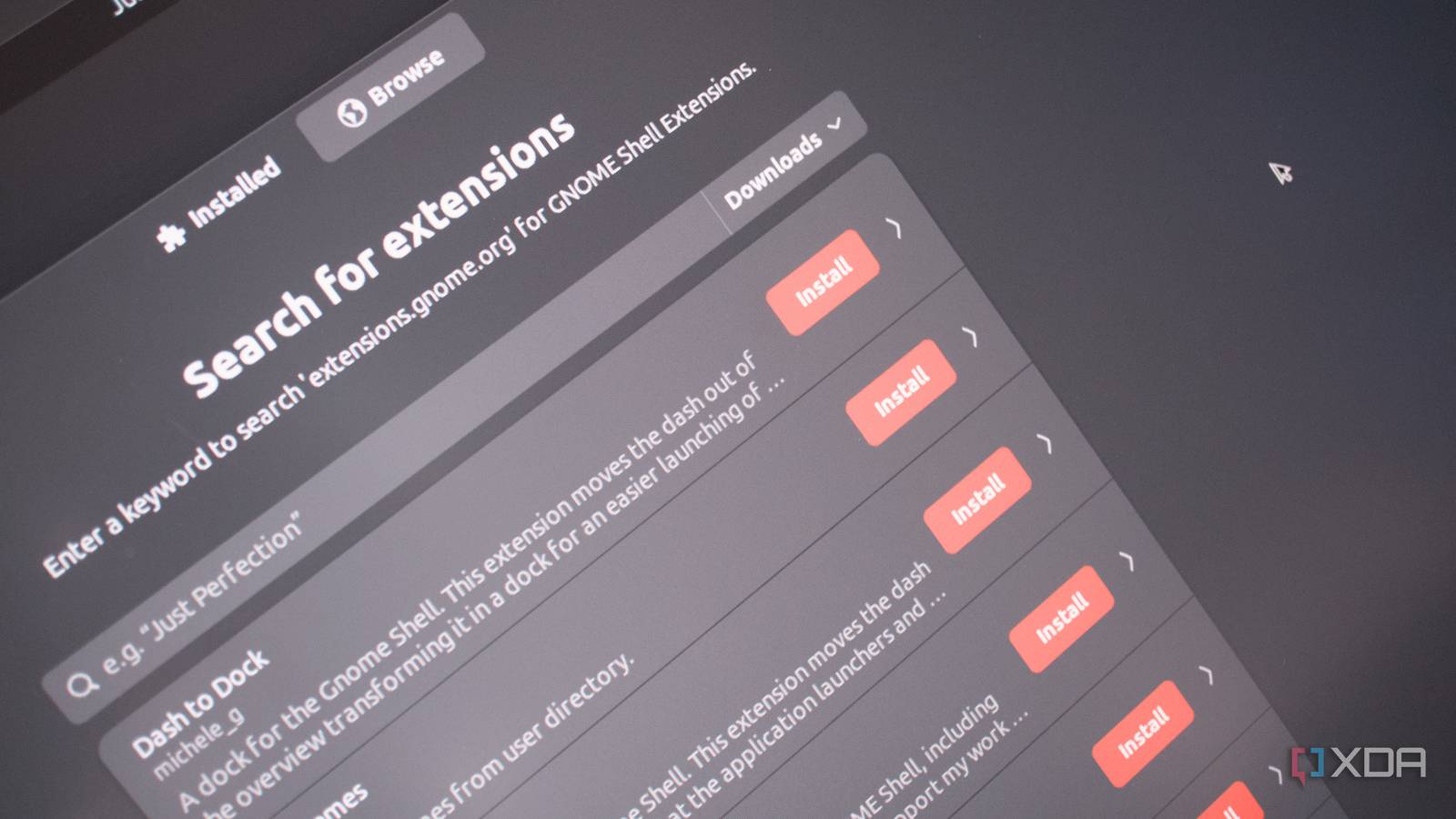
Published Aug 2, 2026, 9:00 AM EDT Richard is the PC Hardware Lead at XDA and has been covering the technology industry for almost two decades. He's been building PCs since young, and when not creating content, you can often find him inside a chassis somewhere. I've used GNOME for years, both before and after the retirement of the wonderful Unity on Ubuntu. It's a solid desktop environment (DE), offering an almost macOS-style experience on Linux. It's often recommended as the DE for those moving from macOS and Windows, and is frequently promoted on distro homepages. It's also incredibly streamlined, sometimes too much so, often requiring users to install GNOME extensions. Some are great, but others may feel fragile and only provide the illusion of customization. It's why I've hopped between other DEs and eventually settled with KDE. GNOME is excellent for beginners It's arguably the most beginner-friendly DE around There's a reason why Ubuntu's primary release is based around GNOME and why Canonical returned to the DE after it shut down the in-house Unity development. It's incredibly user-friendly. Think Apple's onboarding process and how everything is designed to stay out of the way, unless you absolutely need to interact with a specific element of the desktop experience. Some would argue macOS is a little too restrictive, which is precisely how Apple designed and maintains the OS. GNOME is a little similar in that regard. The DE is configured in such a way that it almost discourages you from customizing it. That's not to say there's a giant pop-up window with an alert on it not to customize GNOME, else risk damaging the underlying Linux system, but it doesn't really provide many options out of the box. Take GNOME Tweaks, for instance. It is not an extension, but it says a lot about GNOME’s defaults that so many users install a separate tool just to expose settings they expect to find built in. This app alone lets you quickly customize the appearance of windows, titlebars, fonts, input devices, and even startup applications. It's actually really neat, and one I always installed. But GNOME's minimalism can start to grate on users who prefer some degree of customization. Enthusiasts and power users prefer options—not necessarily the most features to play around with, but at least an easier means to do so. Granted, GNOME works precisely as the developers of GNOME intend, which works well for those who don't want Windows or macOS running on Linux. They want the simplicity of GNOME. But this is when it can feel a little too restrictive. COSMIC is another highly recommended DE, and it is slightly more feature-packed than GNOME. The reason we feel as though GNOME is too simplistic at times is due to the lack of support for various often-requested features. Window layouts, advanced tiling support, app categories within the launcher, and essentially everything GNOME Tweaks allows one to carry out after installing the app. The DE clearly targets beginners to the platform, so one would also assume at least some measures would be in place to cater to the need to make GNOME feel a little more personable, right? GNOME extensions are not the answer At least not in their current state Not everyone wants a basic desktop environment that just rolls out a basic panel, app launcher, and essentially nothing more. But that's the beauty of the Linux platform. Not only are there countless distros with different combinations of parts, but there are different DEs that can usually be swapped out within the same installation. The Linux distro Arch Linux even allows one to choose a DE during installation. The worst part about relying on GNOME extensions is that they sit in an awkward middle ground: encouraged by the ecosystem, distributed through GNOME’s extension site, but still mostly third-party code that can break when GNOME Shell changes. Extensions can frequently cause GNOME stability issues across updates, especially with major distro upgrades. When installing a new GNOME extension, you're using new JavaScript code to inject new code into the system, potentially overwriting existing features. That's where things can go wrong when something tries to act but was designed for an older version of GNOME or the underlying distro OS. This can cause issues to occur, even the shell becoming unstable depending on severity and the extensions being used. It's almost like updating a heavily modded game installation. For those with years of Linux experience, this is nothing more than a minor inconvenience, and there are easy workarounds for anyone versed in how the command line interface (CLI) works. But a crashing desktop environment could spell disaster for beginners who may be following old social threads or asking an LLM for support. But what if your extensions are behaving as they should? Could they still break? Absolutely, especially if the developers are no longer updating them. GNOME will cease to support extensions that don't comply with new DE changes. KDE does it better Providing proper API access to developers A fine example of a DE getting extensions and scripting right is KDE. This DE uses an API to get the job done via the KWin window manager. There are strict rules in place, and everything is standardized in how interactions are made with the window manager. There are also different tiers of customization. This can be achieved through widgets or full-blown themes, completely transforming the entire OS with a click of the button. But it's easy to dive in and make subtle changes yourself without installing a thing. I understand this different approach is what makes it possible to have GNOME and KDE, but it's still noteworthy. KDE hasn't solved Linux OS extensions, but it does expose more customization as first-class settings, widgets, themes, and KWin scripts, so users need fewer shell-altering add-ons for altering common desktop behavior. The beauty of choice on Linux That's what makes Linux such a compelling platform for desktop and laptop PCs. It's so versatile. Two machines running the same underlying kernel can look and perform vastly differently, depending on all the rest of the parts. KDE and GNOME aren't really polar opposites, but they have fundamental differences that make both DEs unique enough to attract large followings. I made the switch from GNOME to KDE to enjoy something slightly less simplistic without going overboard with Hyprland and a full-blown tiling system. And that's what's so great about Linux: there's a distro and DE combination for almost everyone.
GNOME's extension problem is worse than you think, and it's why I switched to KDE
Full Article
Original Source
Read the full article at Xda-developers →KhanList aggregates and links to publicly available news content. We do not host full articles from third-party sources. Always verify important information with original sources.