
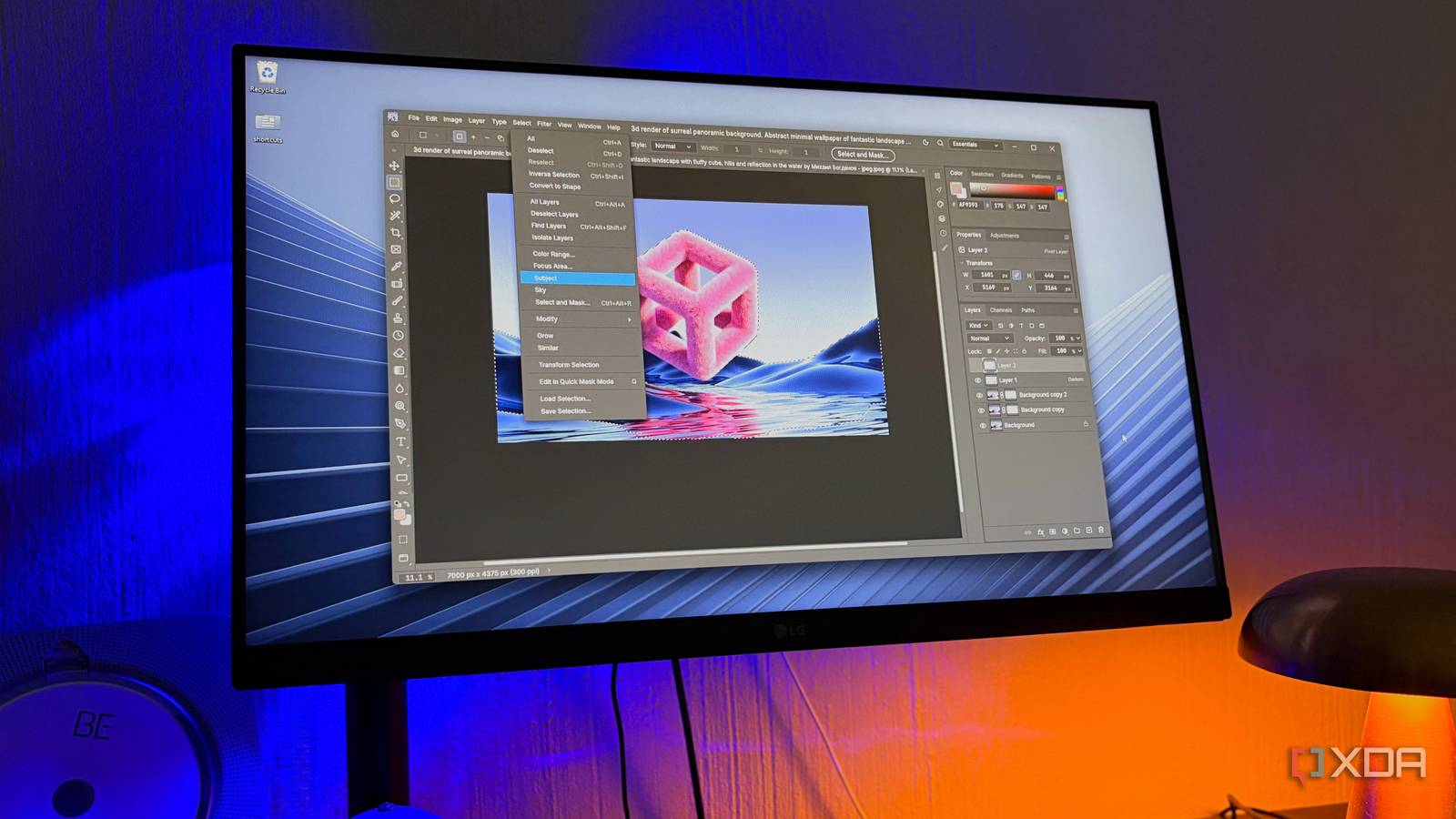
Published Oct 26, 2026, 2:00 PM EDT Nolen began their writing career in 2019, with three years dedicated to editing the Creative section at MakeUseOf. Their expertise lies at the crossroads of technology and creativity, covering areas like photography, video editing, and graphic design. Outside of work, you'll often find Nolen diving into a good book, writing their own stories, or playing video games. Sign in to your XDA account GIMP has always been the default answer for those who wanted an open-source Photoshop alternative. Finding free alternatives is easy, but GIMP has always dominated the open-source image editing space. There's Krita, but it's more of an art tool than an image editing app. PhotoDemon comes close to a non-GIMP Photoshop alternative, but it does lack some advanced functions. There's also the option to try and skin GIMP to look like Photoshop, but customization only goes so far. So, users were pretty much stuck with GIMP or closed-source. Then, just a few weeks ago, a major drop happened in the creative space; someone vibe-coded the entire Adobe suite, made it free, and made it open-source. It's been all over my feed, so of course I had to try it out. And I must say, this is the closest anything has come to Photoshop, open-source or not. PhotoCraft showed up out of nowhere And it's just one app in a suite that's going after Adobe's entire lineup PhotoCraft comes from ArtCraft, a studio run by developer Brandon Thomas, who used to be the CEO of storyteller.ai. This app is the free and open-source answer to Photoshop, but it's just one of what he calls Crafting Apps, and the lineup has grown to 13 at the time of writing. It's going after Lightroom, Premiere, Illustrator, and even Figma, Word, and Excel. Based on what Thomas has posted on Reddit, much of this started with how painful it was to cancel his own Adobe subscription, which, yeah…totally relate. I've been charged cancellation fees more than once myself, which was the primary reason I cut ties with the company and have been so keen on hunting down alternatives. A free Adobe suite is not even the main headline; how this ArtCraft suite was made is what got everyone buzzing. Thomas built the apps with Claude Opus 5.5 doing most of the coding, though he's been quick to point out that he has 15 years of software engineering backing him up, so this wasn't a case of someone just typing wishes into a prompt box - Thomas knows what he's doing. PhotoCraft's first commit landed on September 30th, and the repo is already at over 70k stars right now. It's a clean-room rebuild, meaning it was written from public specs and from watching how Photoshop behaves, without touching any of Adobe's code or assets. This is what keeps it on the right side of copyright law, at least as far as anyone can tell. Copying Photoshop's look this closely is a separate question, but Adobe hasn't said anything about it so far. It's free and open-source under two licenses at once: MIT and Apache 2.0, so devs reusing the code can follow whichever suits them. And everything also runs locally without an account. I grabbed the standalone Windows installer from GitHub for PhotoCraft and skipped the suite's launcher for now (because I'd just spend my whole week tinkering and not actually get any work done), and there are Mac and Linux builds too. The team is upfront that it's early alpha, and their own estimate puts it at roughly 45% ready for real professional work. Long before generative fill, this is what people paid Adobe for Selections are where Photoshop earned its reputation, years before generative fill showed up, so that's the first thing I checked. Everything sits where it does in Adobe's app, down to the flyouts and the shortcut letters, which meant finding tools like Object Selection or Quick Selection was second nature. Even the Select menu matches, with Subject, Sky, and Color Range in the same place, and presets like Skin Tones. The smart tools are where it gets interesting. In Photoshop, Select Subject and the Object Selection tool run on models Adobe trained, and you can even choose whether that happens on your computer or on Adobe's servers (though the cloud one gives more detailed results). PhotoCraft's versions also do the tracing for you, and everything stays on your machine, but there's no AI behind them at all. The app doesn't have any machine learning built in yet because it's still a work in progress and on the roadmap. So it relies on older image-analysis maths that works out where your subject ends from things like contrast and edges. There are, however, some community updates that allow for local AI integration and experimentation. For a lot of images, that's actually fine. I gave it one of my favorite images to test tools on, a stock image of a pink fuzzy 3D cube against a contrasting background with fluid shapes - it gives me different outlines, colors, and textures to play with. Select Subject found the shape straight away, though it left a few little stray islands in the fur along the top edges. Cleaning those up was quick with Quick Selection, holding Alt to subtract like you would in Photoshop. It's a smidge slow, and the team actually admits that, so they're aiming for a tenth of a second on a 24-megapixel photo. Of course, Select and Mask are also there, and clicking it opens a dialog that's literally called Refine Edge, the older tool Photoshop swapped out for its Select and Mask workspace back in CC 2015.5, and which now only shows up if you hold Shift. I haven't used Photoshop long enough to remember it, but some might find it nostalgic. Inside it you'll find bits like the Onion Skin view with its opacity slider, F to cycle through the views, the Refine Edge Brush on R, Smart Radius, and sliders for smoothing, feathering, and pushing the edge in or out. Decontaminate Colors is in there for cleaning up color fringing, and you can send the result out as a selection, a mask, or even a new document. What you lose is the full workspace, so you can't build the selection from inside it the way Photoshop lets you, and there's no Refine Hair button either, which my pink cube probably needed most. Stacking edits the way a Photoshop brain expects Where my old Photoshop habits carried straight over, and where they didn't Most of your time spent in Photoshop is after the cutout when you pile on the adjustments until it looks finished - this is a VFX habit I never dropped, at least. PhotoCraft has 16 adjustment layers, though the ones I primarily reach for are just Levels and Color Balance, and they all behave like the ones in Photoshop. Your original pixels never get touched, so you can mask or switch any of them off later. It even loads LUT files for Color Lookup, which I didn't actually count on being there. Filters follow suit. There are more than 70 of them, and every filter dialog previews live on the canvas. The Blur Gallery has the full set from Photoshop, so Tilt-Shift, Iris, Field, Spin and Path are included, and Tilt-Shift uses the same draggable pins and lines Photoshop does. Big blurs are quick too, and the team says a radius-180 Gaussian blur finishes in under a second on a 3.6-megapixel image. The Add Noise feature actually has something Photoshop doesn't: it has a Random button so you can reroll the grain until it looks right, which I think is a fun little nugget to add. Where it lags is matching Photoshop's exact output. When it re-renders smart filters from a Photoshop file, the result lines up with Photoshop's on only 5 of the team's 30 test files, and there are no Neural Filters at all. But there are Layer styles, and the full set is there, including Bevel & Emboss and the glows, and they work live on type. They also open from PSDs looking how they did in Photoshop. Your old projects aren't left stranded And that includes the GIMP ones File support is pretty wide with PhotoCraft. Besides PSDs, it opens Krita and Paint.NET files and even Affinity documents, though those are read-only. GIMP's XCF files open with their groups, masks and blend modes intact, all the way back to GIMP 1.x, but PhotoCraft can't save back to XCF, and GIMP 3's non-destructive effects get dropped. OpenRaster works both ways, so that's your route back into GIMP. PSDs have one catch, which is that Photoshop doesn't reliably accept the ones PhotoCraft saves yet - this is actually no biggie if the whole point is to replace Photoshop with PhotoCraft, or if you've already left the Creative Cloud. Even Preferences are a mirror of Photoshop's categories, down to a Scratch Disks page. Some of it is placeholder for now as it's still being developed. PhotoCraft is alpha, but already impressive There's something funny about a Photoshop clone built mostly by AI shipping without a single generative feature. The team still has to decide which open models to use, and whether they'd run locally. Meanwhile it's gone from version 0.2 to 0.10 in about three weeks, and Thomas reckons near-full parity is months away rather than years. I must say, I haven't been this excited about a creative project since the Affinity suite became free last year and shook the editing space, plus, we finally have a comprehensive GIMP alternative. PhotoCraft
GIMP finally has an open-source rival that competes on its level — and it actually feels like Photoshop
Full Article
Original Source
Read the full article at Xda-developers →KhanList aggregates and links to publicly available news content. We do not host full articles from third-party sources. Always verify important information with original sources.