
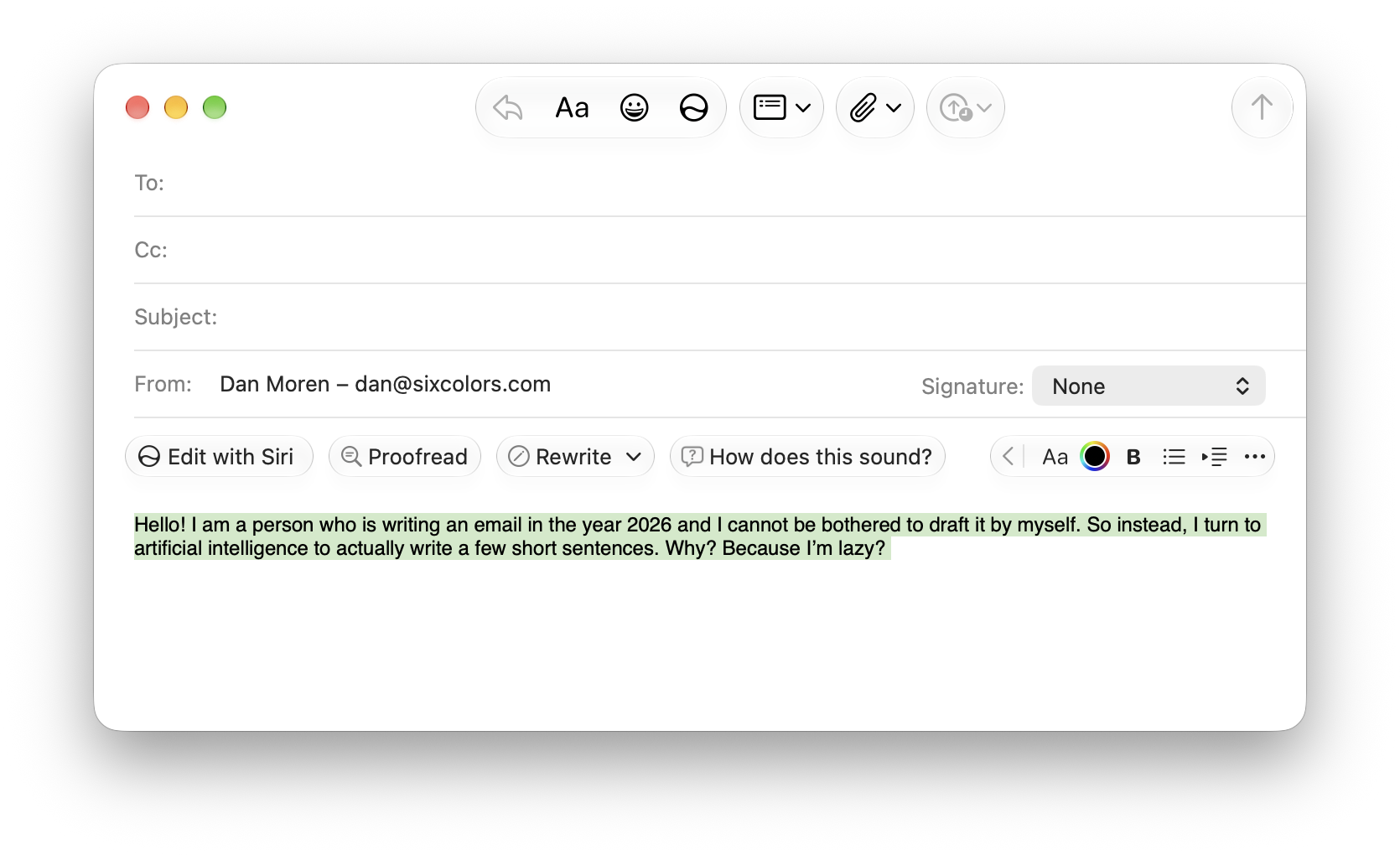
There I was, drafting an email reply in macOS 27.2.1, when I was greeted by this fresh hell: I’ve been on record since the 27 releases as saying that I find Siri’s writing tools across the platform updates to be unnecessarily aggressive, and they certainly haven’t gotten less so. Look, I’m a professional writer. I do not need help writing a three-sentence email. If there are people who find these features useful, have at! But I would love the ability to dispatch them with extreme prejudice, and I can find no options anywhere in Mail to say “begone with you!” But all hope is not lost. After complaining on Mastodon1, Andrew Kemp offered this suggestion: Post by @ajwk@mastodon.social View on Mastodon Lo and behold, yes! If you open up System Settings and go to Screen Time > Content & Privacy, then turn on the Content & Privacy switch, you can then go into the Siri sub-menu and turn off Writing Assistance. (You can also disable other Siri options in here, such as Broad World Knowledge, Image Creation, and Realistic Images, all of which probably make more sense for the parental controls for which Screen Time is designed.) I had to close and re-open my draft message, but when I did, it was back to just the formatting bar. Phew. I don’t love having to turn to Screen Time for this feature any more than I like the idea of using accessibility features for aesthetic alterations to the OS, but any port in a storm, I suppose. I know we’re in the era of “shove AI into everything!” but I have generally appreciated Apple’s more conservative stance here. I just wish they would give us more granular options for turning off the parts of these features we don’t want that doesn’t require parenting ourselves. [Dan Moren is the East Coast Bureau Chief of Six Colors, as well as an author, podcaster, and two-time Jeopardy! champion. You can find him on Mastodon at @dmoren@zeppelin.flights or reach him by email at dan@sixcolors.com. His next novel, the sci-fi adventure Eternity's Tomb, will be released in November 2026.] If you appreciate articles like this one, support us by becoming a Six Colors subscriber. Subscribers get access to an exclusive podcast, members-only stories, and a special community.
Get rid of Siri AI’s aggressive writing controls in Mail
Full Article
Original Source
Read the full article at Sixcolors →KhanList aggregates and links to publicly available news content. We do not host full articles from third-party sources. Always verify important information with original sources.