
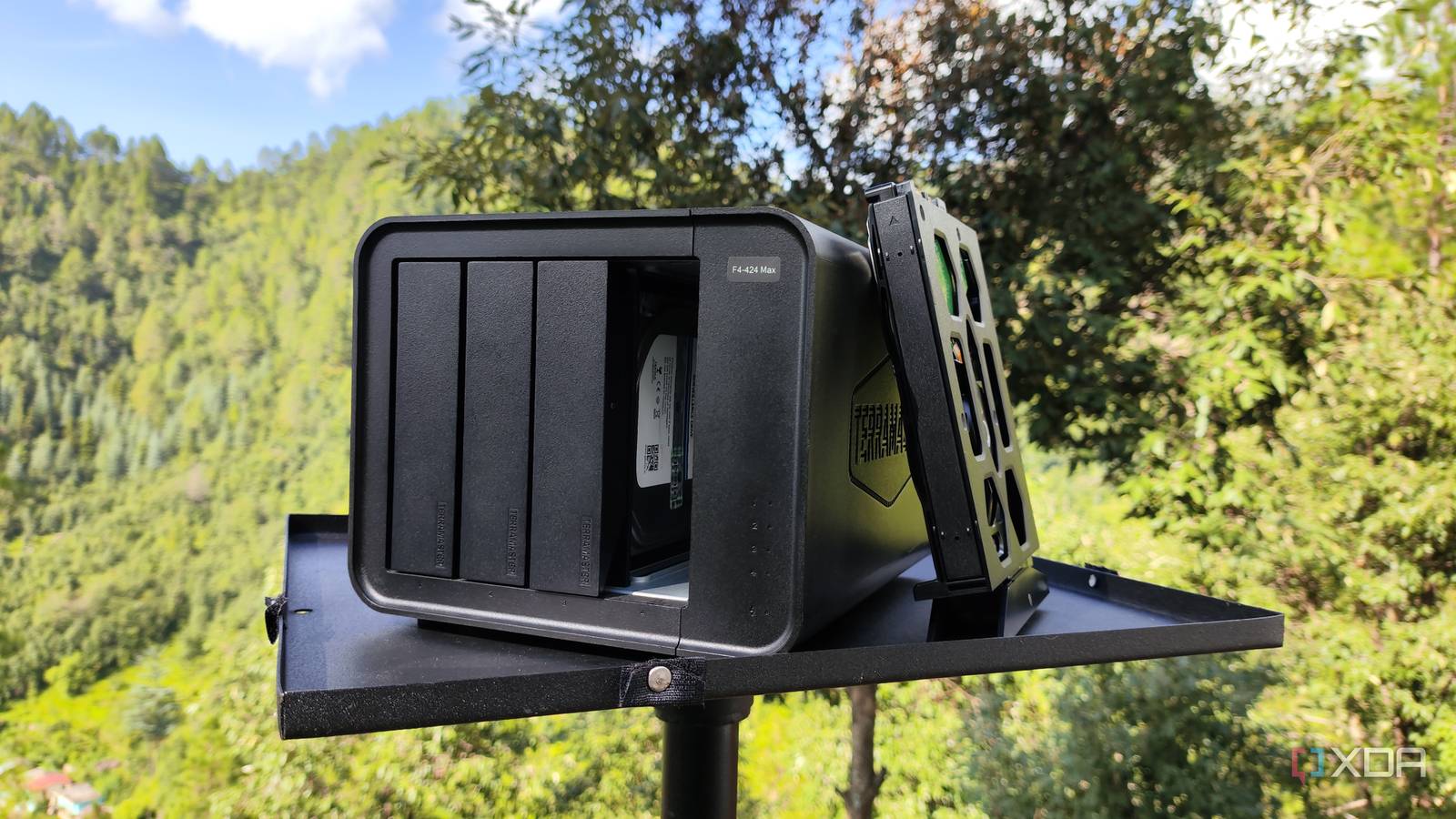
Published Sep 24, 2026, 7:30 AM EDT Ayush Pande is a PC hardware and gaming writer. When he's not working on a new article, you can find him with his head stuck inside a PC or tinkering with a server operating system. Besides computing, his interests include spending hours in long RPGs, yelling at his friends in co-op games, and practicing guitar. Ever since I used my aged GTX 1080 to build a local AI hosting workstation last year, I’ve benchmarked LLM inference tasks across all sorts of hardware, ranging from gaming systems to tiny single-board computers and outdated mobile phones. As you’d expect, devices with NPUs and VRAM-laden graphics cards work best with my local LLMs, and with the right tweaks, can even drive bulky MoE models. That said, I’ve encountered quite a lot of setups that mesh well with my AI workloads, even though they technically possess weak hardware. My Network-Attached Storage is one such device that I initially wrote off as too underpowered for LLM tasks. But once I reworked my inference tasks and set up the right automations, my NAS became an essential part of my self-hosting arsenal. The lighter Gemma 4 models can run on practically any hardware All while bringing solid reasoning capabilities to the table When you think about sub-9B models, you’d typically imagine edge LLMs with extremely low reasoning capabilities. Having dealt with hallucinated content generated by 0.5B-4B models in a Pi agent harness experiment this summer, I’d say you’re not too far off the mark. That said, the Gemma 4 lineup is an exception to this notion. Despite their small footprint, Gemma-4-E2B and Gemma-4-E4B possess surprisingly large knowledge bases, and it’s all thanks to their unique architecture. On paper, Gemma-4-E2B has a total of 5.1B parameters, while its E4B counterpart bumps that number up to 8B. However, the effective parameters (as in, the ones used for the actual computation tasks) are 2.3B for Gemma-4-E2B and 4.5B for Gemma-4-E4B. The extra parameters are stored in dedicated token embedding tables (called Per-Layer Embeddings), and these help out in quick lookups and simple transformations. As such, both LLMs can access larger knowledge bases without requiring the same amount of RAM/VRAM real estate as models of comparable reasoning prowess. Both models also support vision capabilities, making them terrific for analyzing images and camera footage. That’s pretty much how my Raspberry Pi 5 can achieve 5.8-6.5 tokens per second on Gemma-4-E2B, while my i5‐1235U NAS manages to hit over 10.5 t/s when using this LLM for simple inference tasks. I’ve experimented with Gemma-4-E4B on my NAS as well, which runs a bit slower at 4-5 t/s. Clearly, that’s too slow for active inference tasks, where I’d toss a prompt at a front-end and expect immediate responses. So, I began tweaking my workloads instead… The slower speed of my NAS made me tweak my LLM workloads Rather than expecting instant results, I now leave my inference tasks running overnight Since I’ve already got a Qwen3.6-35B-A3B instance running on my RTX 3080 Ti (via MoE offloading) at my beck and call for my coding apps and instant inference tasks, I decided to dedicate the Gemma 4 models running on my NAS for productivity apps that can use these LLMs to unlock additional functionality. Take my Paperless-ngx pipeline, for example. Or rather, the Paperless-GPT and Paperless AI companion services that can run LLM-heavy tasks on this document organization app. Unlike my Perplexica searches, where I want my locally-bound clankers to generate responses immediately, I can let my Paperless-GPT OCR scans and Paperless AI tagging tasks run in the background. The types of documents I typically archive on Paperless-ngx are bills, academic records, financial reports, and invoices that I may need to check out months later instead of analyzing them right after I’m done uploading them. The same holds true for the webpages, PDF documents, and YouTube videos that I want my LLMs to summarize and auto-tag when I’m done adding them to Karakeep. Since I use this container to archive media that I can peruse later, I don’t really mind if the Gemma-4-E2B model chugging along at 10 t/s takes a few minutes to process. Likewise, I often toss random ideas into my Blinko container, and by the time I’m free to analyze them, the ultralight Gemma 4 instance running on my NAS is done tagging them. My NAS also houses the embedding models I use alongside my main LLMs So far, I’ve only highlighted the Gemma 4 LLMs running on my storage server, but there are two other NAS-powered models that play a crucial role in my home lab. Specifically, I host nomic-embed-text-v1.5 and nomic-embed-vision-v1.5 on my NAS, which are embedding models that aid the bulky MoE models running on my RTX 3080 Ti. For the uninitiated, these embedding models convert typical text documents and images into vector mappings, allowing apps with retrieval-augmented generation capabilities to use them to add more context to my inference tasks. For example, my Open Notebook container uses the numerical vectors generated by nomic-embed-text-v1.5 to retrieve my research notes that closely match my queries before feeding them into MoE models, further reducing the chances of my LLMs hallucinating.
Gemma 4 runs fine on my laptop, but putting it on my NAS is what changed how I use it
Full Article
Original Source
Read the full article at Xda-developers →KhanList aggregates and links to publicly available news content. We do not host full articles from third-party sources. Always verify important information with original sources.