
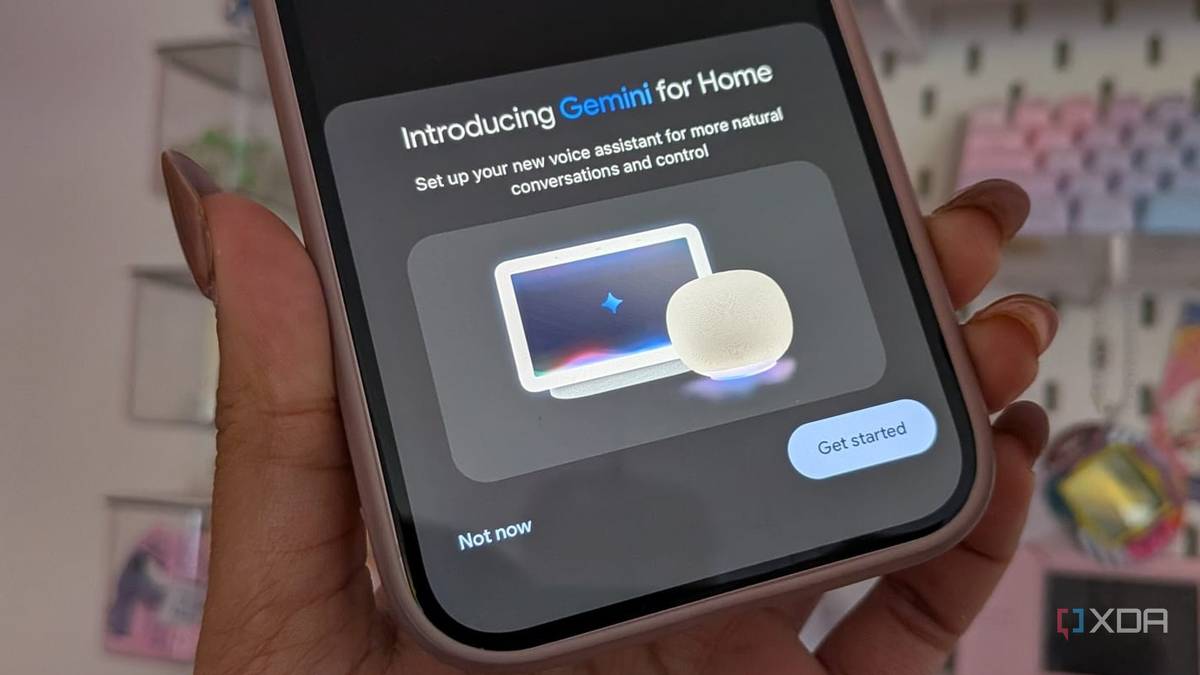
Published Nov 14, 2026, 1:00 PM EST Jasmine is Software and PC Hardware Author at XDA with years of tech reporting experience ranging from AI chatbots right down to gaming hardware, she's covered just about everything. Whether it's breaking news about the latest AMD NPUs or creating video tutorials on social media platforms, Jasmine has contributed to the world of AI and tech in a variety of ways including interviewing the CEO of Razer, AMD's Director of Product Marketing and the VP of Lenovo. Passionate about gaming and PC technology, she has built countless computers, keyboards and other peripherals - knowing them inside and out. Google's transition of smart voice architecture from rule-based intent parsing in the form of Google Assistant to its LLM, Gemini, promised conversational context and natural language understanding. But basic high-frequency smart home tasks, like toggling specific light entities, adjusting thermostat set points, or triggering custom routines, require deterministic precision rather than natural language creativity. So I shifted from relying on cloud infrastructure like the Google Home platform altogether to a local self-hosted automation engine, my choice being Home Assistant, to retain complete data privacy, eliminate internet dependency, and achieve lower latency. Gemini was the final straw for me Google Home had to be replaced, and local was the best alternative It feels like Gemini absolutely degraded Google Home execution, and my day-to-day usage began to suffer when I was issuing commands with precise target parameters. Asking Google to switch on kitchen light number two resulted in it switching on all of my kitchen lights, essentially making generic high-level calls, and the worst part is that the voice client was reporting success. This is such a big contrast from the legacy Google Assistant engine, which reliably mapped structured speech patterns to specific device traits via Google Smart Home API integrations. I've also found that a lot of my custom Google Home automations and routines linked to explicit phrase triggers frequently fail or misfire post the Gemini migration. Relinking third-party device accounts or rebuilding routines in the Google Home app doesn't resolve any core entity-mapping regressions caused by Gemini. While Google Assistant was already reliant on the cloud, it does feel like the bottleneck has gotten significantly worse. Every voice request requires audio digitizing, cloud streaming, Gemini model inference, tool payload formatting, and round-trip execution to third-party cloud APIs. Since switching to Gemini, I've had far more "Sorry, I couldn't reach X device" messages, phantom success confirmations, and even execution delays over 8 seconds while I stand in utter darkness waiting for my lights to switch on. Home Assistant's architecture beat out Gemini I can finally rely on my smart home When making the switchover to a local smart home, it felt like the absolute clear winner when comparing the architectures. Google Home or Gemini relies on device registration via vendor-specific cloud-to-cloud OAuth account linking. Google Home does support Matter and Thread devices, but many of the integrations are cloud-based. Home Assistant, on the other hand, maintains an internal state machine, interfacing directly over local protocols such as Zigbee, Z-Wave, Matter, Thread, or even local Wi-Fi APIs like ESPHome, bypassing these cloud servers entirely. When it comes to intent recognition pipelines, Google Home passes audio streams to Google's servers, where Gemini processes text and attempts to map intent to exposed smart home API schema tools. This is what introduces a lot of latency compared to the Home Assistant voice architecture, which uses a modular pipeline consisting of local wake word detection, speech-to-text, intent parsing, and text-to-speech running entirely on local hardware if you set it up to do so. Reliability is also a major factor. Because Google Home is network-dependent, any internet outages or upstream vendor API outages can cause total failure. However, Home Assistant runs locally on hardware within your four walls, like a mini PC or Home Assistant Green, ensuring faster response times than cloud-based alternatives and operating independently of internet access. How to migrate to Home Assistant You need to ensure you have the right hardware Unfortunately, migrating to Home Assistant isn't easy, but for me the benefits significantly outweighed the setup-process downside. First, set up the hardware and operating system. You can deploy Home Assistant OS on bare metal hardware, like an Intel N100 mini PC or dedicated Home Assistant hardware, to avoid virtualization overhead and provide direct USB access for any wireless coordinators. This process can be daunting but Home Assistant lays out step-by-step directions in the installation guide. Next, you have to integrate dedicated Zigbee/Thread USB dongles to create an offline local mesh network. You can then unlink proprietary cloud bridges between your smart home devices and replace them with Zigbee, Z-Wave, or Matter end devices directly to Home Assistant, depending on compatibility. This generally means you'll be repairing your devices, and sometimes you might have to replace them, as some Wi-Fi and proprietary devices don't offer compatibility with local architectures. Once you have all of your devices set up within Home Assistant OS, you can rebuild your routines with granular automations. You can convert basic Google Home "if this, then that" routines into Home Assistant YAML/UI automations featuring multi-condition triggers, state checks, numerical threshold gates, and templated actions. It does feel like Home Assistant gives you so much more freedom and control when it comes to the automations themselves, and you can implement local backup systems to prevent any data loss. If you do want to replace your Google Nest speakers with local voice satellites, then you can switch them out for dedicated local voice hardware (like an ESP32-S3 box running ESPHome Voice Assistant firmware) or, by utilizing local hybrid pipelines, you can set up Home Assistant Assist with localized intent schemas so voice triggers map deterministically to explicit entity IDs. Assist's built-in intent matching is deterministic, meaning it only understands sentence patterns it has templates for. It feels less flexible with natural phrasing than Gemini, but this is the trade-off I was willing to make. I don't need an LLM in control of my smart home Local control is the best way forward Moving voice control from the Gemini-era Google Home over to Home Assistant was the best decision I made because it demonstrates that, while LLMs excel at open-ended creative tasks, core smart home infrastructure demands deterministic accuracy, low latency, and strict local control. While it may seem intimidating, self-hosting a local voice-processing stack powered by Home Assistant eliminates cloud reliance and keeps your home responsive regardless of remote servers.
Gemini made my Google Home worse at the basics, so I moved my voice control to Home Assistant
Full Article
Original Source
Read the full article at Xda-developers →KhanList aggregates and links to publicly available news content. We do not host full articles from third-party sources. Always verify important information with original sources.