
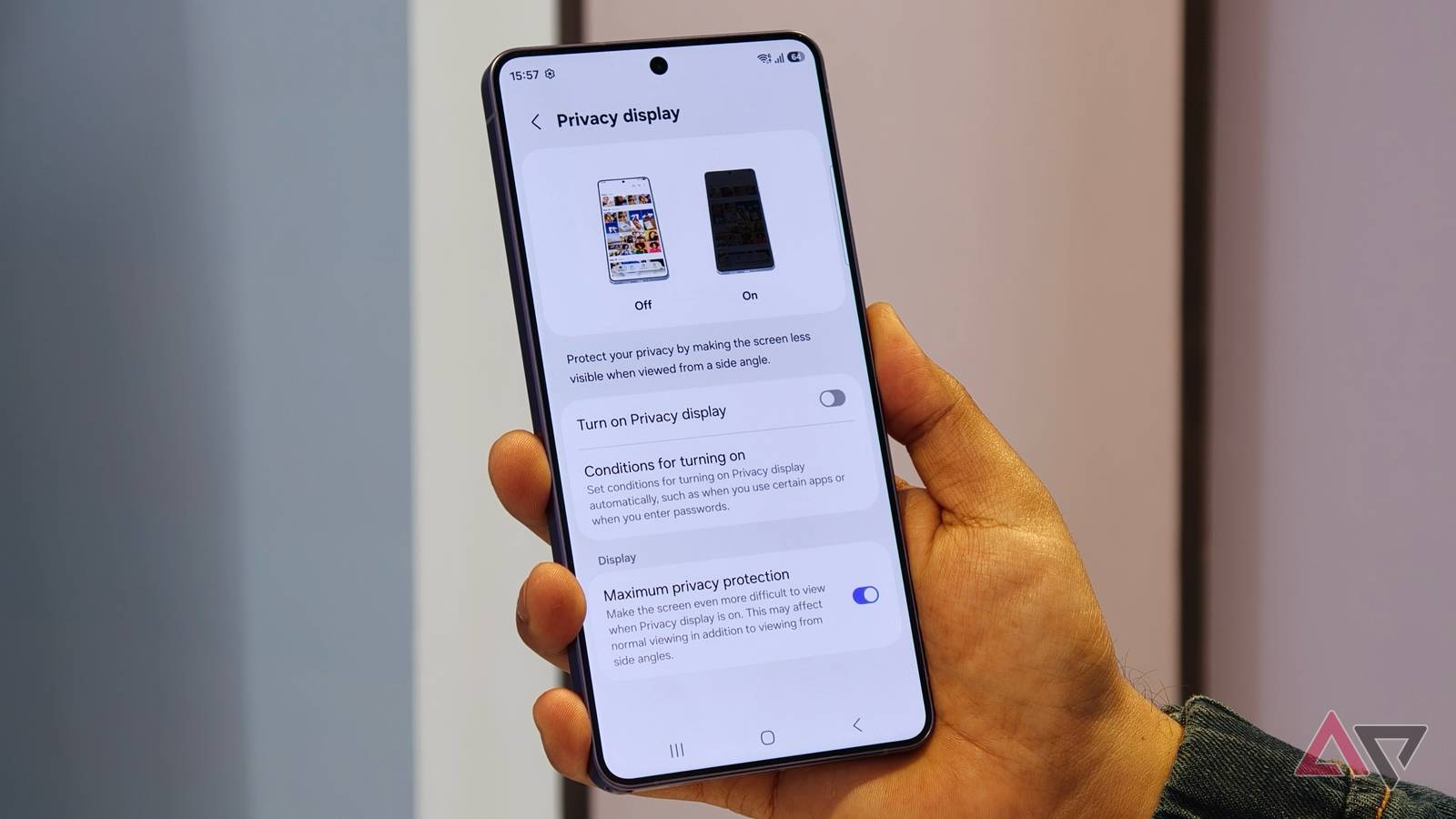
Published Nov 18, 2026, 2:12 PM EST Sanuj is a freelance tech journalist with over six years of experience covering smartphones, wearables, and consumer technology. He currently writes for Android Police, Tom's Guide, Android Central, Android Authority, and Pocket-lint. He has previously contributed to publications like Pocketnow and MakeUseOf. Since the start of 2025 alone, he has tested over 30 smartphones. He has also attended major global trade shows including MWC (2024, 2025, 2026) and IFA (2024, 2025), along with launch events hosted by Google, Samsung, and other leading Android brands. When he's not writing about tech, you'll find him sipping a cup of chai, scrolling Twitter, and reading updates about his favorite football club, Chelsea FC. Feel free to reach out to him via email at sanujb6 [at] gmail [dot] com. Sign in to your Android Police account Samsung finally released the first One UI 9.5 beta for the Galaxy S26 series this week, and while the update brings plenty of new features, there's one specific upgrade that makes the Galaxy S26 Ultra's Privacy Display even better. Samsung launched the Galaxy S26 Ultra earlier this year with an upgraded display. For those unaware, Samsung introduced a new Privacy Display tech that physically controls the pixels to prevent people from viewing the screen from the sides. This means you no longer need a separate privacy screen protector to keep your screen hidden from onlookers. Samsung also introduced several software features to accompany it. For example, Privacy Display can automatically hide sensitive notifications or your PIN, pattern, and password. You can also configure it to activate for specific apps. Samsung is making Privacy Display more useful However, with One UI 9.5, Samsung is making Privacy Display even more customizable. As spotted by Android Authority, you can now configure Privacy Display to activate not just when you launch an app, but also when you access specific privacy-sensitive features within that app. For example, you might be comfortable using the Gallery app in public without Privacy Display enabled, but you may want some extra privacy when opening a private album. With One UI 9.5, you can configure Privacy Display to activate automatically when you open a private album in Gallery. The same functionality also works with Secret Mode in Samsung Internet and locked notes in Samsung Notes. Privacy Display can also kick in when you use the new native App Lock feature introduced with One UI 9.5. One UI 9 already allowed Privacy Display to activate only for the portion of the screen showing a notification pop-up. But with One UI 9.5, Samsung is extending this functionality to the notification panel and recent apps previews as well. For apps you've configured to automatically activate Privacy Display, sensitive information in these areas can now be hidden without enabling the feature across the entire screen. These are some of the improvements Samsung has introduced to the Galaxy S26 Ultra's Privacy Display with One UI 9.5. Of course, the company could add even more functionality before the stable release arrives next year, likely alongside the Galaxy S27 series. On that note, Samsung is also expected to bring Privacy Display not just to the Galaxy S27 Ultra but also to the new Galaxy S27 Pro model launching alongside it.
Galaxy S26 Ultra's Privacy Display gets a big upgrade with One UI 9.5
Full Article
Original Source
Read the full article at Androidpolice →KhanList aggregates and links to publicly available news content. We do not host full articles from third-party sources. Always verify important information with original sources.