
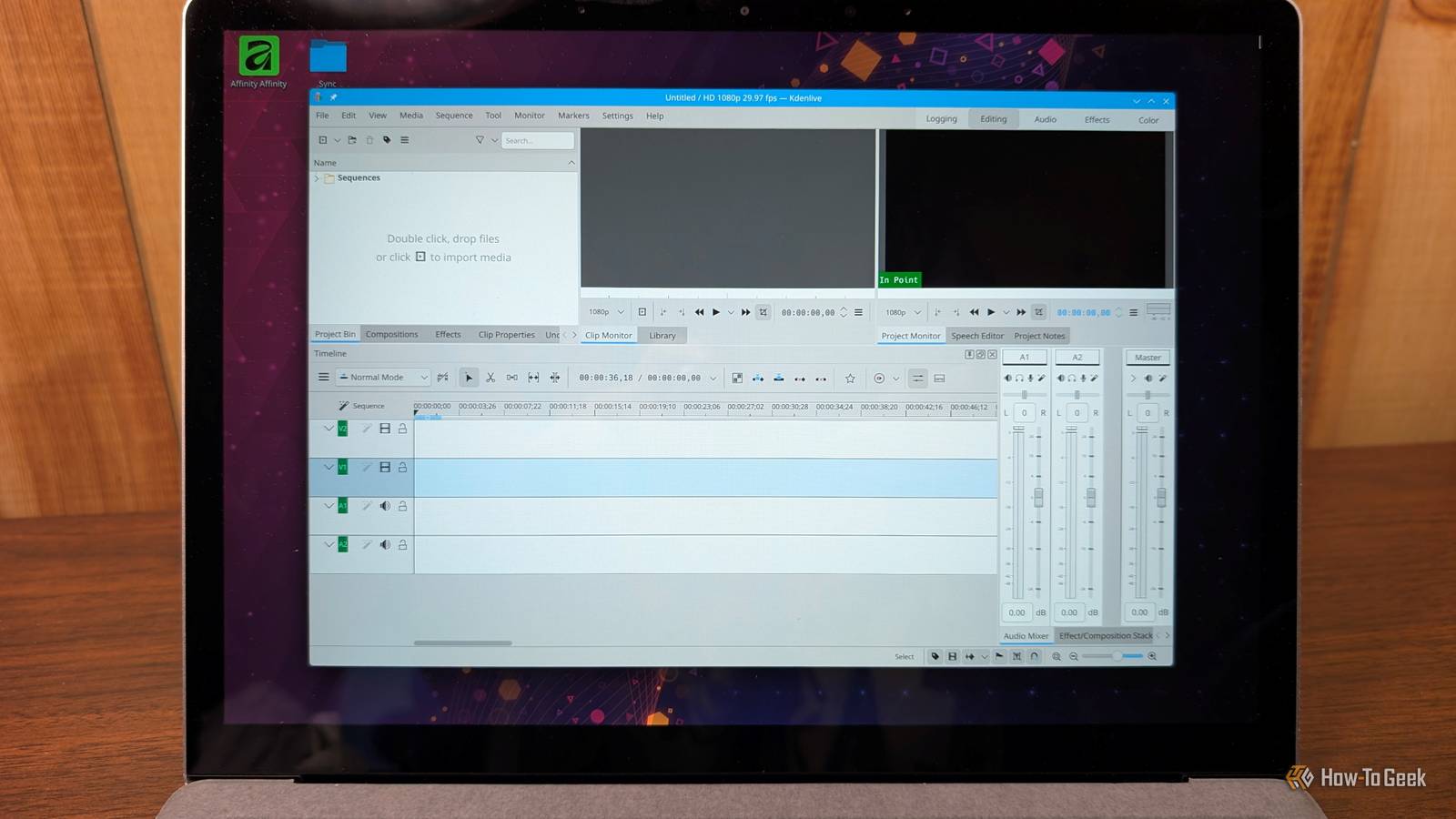
Published Sep 25, 2026, 7:00 AM EDT Nick Lewis is an editor at How-To Geek. He has been using computers for 20 years --- tinkering with everything from the UI to the Windows registry to device firmware. Before How-To Geek, he used Python and C++ as a freelance programmer. In college, Nick made extensive use of Fortran while pursuing a physics degree. Nick's love of tinkering with computers extends beyond work. He has been running video game servers from home for more than 10 years using Windows, Ubuntu, or Raspberry Pi OS. He also uses Proxmox to self-host a variety of services, including a Jellyfin Media Server, an Airsonic music server, a handful of game servers, NextCloud, and two Windows virtual machines. He enjoys DIY projects, especially if they involve technology. He regularly repairs and repurposes old computers and hardware for whatever new project is at hand. He has designed crossovers for homemade speakers all the way from the basic design to the PCB. Nick enjoys the outdoors. When he isn't working on a computer or DIY project, he is most likely to be found camping, backpacking, or canoeing. For a long time, if you needed to do any video editing, it felt like you only had two real options: pay for software or settle for a free but incomplete replacement. Adobe's move to a subscription model has only aggravated the problem; Premiere now costs you at least $20 per month, usually more. If you have subscription fatigue, you should try out Kdenlive instead. If you've spent any time with Adobe Premiere, Kdenlive's tools and workflows will feel very similar. Kdenlive is one of the best free video editors It's KDE-backed and open source Kdenlive is a free and open-source video editing program. There is no Pro tier stuck behind a paywall with a few tantalizing features pushing you to upgrade. It isn't a one-person hobby project either. It is fully supported by the KDE Community. You get a professional bug tracker, translations in dozens of languages, and a small but dedicated team. The FOSS nature of the app also shops up in your work. Project files are plain XML, which ensures your projects aren't locked up in some proprietary format. Kdenlive's AI features are "open-source" too. They rely on open-weight models that run locally on your machine, so there aren't any concerns about a subscription or data security. But an open-source app that isn't good may as well not exist; thankfully, Kdenlive's tools are top-notch. A comprehensive open-source toolset Kdenlive, despite the incredible price tag—$0—isn't some stripped-down editor; it has tools that cover pretty much the entire process. The most impressive set of tools are the AI tools. Kdenlive can use SAM2 (a Meta AI model) to track a specific object in a scene, allowing you to color grade just that object or remove the background. If you need captioning, you can leverage on-device AI to automatically generate the first pass. The more mundane tools you need daily are present too. The timeline can handle as many video and audio tracks as you might need, supports nested sequences, and has a multicam tool. It also lets you use proxy clips to prevent 4K footage from bogging down your PC. It also has the standard audio and color grading tools. Considering that the entire thing is free and open-source, it is hard to argue with what you get. Kdenlive has a familiar workflow It isn't a Premiere clone, but your habits will carry over If you're looking to get away from Premiere Pro (which is what originally motivated me to try Kdenlive), you'll find that Kdenlive's default layout is very familiar. The Project Bin is the Project Panel, the Clip Monitor is the Source monitor, and the Effect Stack has the Effect Controls. Actually using those tools to edit will also feel similar. You set your in and out points in the Clip Monitor, then insert or overwrite in the timeline. Navigation is basically the same. Every shortcut can be changed, and you can literally import your Premiere hotkeys. This means you don't have to memorize an entirely new set of hotkeys either. Switching to Kdenlive from Premiere was pretty painless, and the learning curve was significantly smaller than picking up DaVinci Resolve for the first time. Kdenlive's has a few limitations It's capable, but it isn't a drop-in replacement in some setups Despite all the good, there are some important limits. The big one is that some things, like Effects, are functionally CPU-limited. If you stack a bunch of effects together on 4K footage, you're going to notice the performance hit. Additionally, the color tools are good, but they don't replace the tools you'll find in DaVinci Resolve, which are superb. Support for 10 and 12-bit color depth is on the roadmap for Kdenlive, but they're not here yet. Finally, the AI tools require a one-time setup to download models and a Python environment, which takes a few minutes and a few gigabytes of space. Additionally, the ecosystem of third-party plugins is significantly smaller than Adobe's, so you'll be relying more on the built-in tools than on external assets. Alternatively, it is completely feasible to vibe-code your own plugin if you need or want a specific function that doesn't exist yet. Given how capable local, open-weight AI models have become, you could conceivably add a huge range of free AI tools to Kdenlive that way. Kdenlive has become my go-to editor on every PC Kdenlive offers all of the tools I'll ever need for video editing without a huge learning hurdle, all without a subscription or even an account. That makes it a great fit for any hobbyist, student, or beginner that doesn't want to cough up a few hundred dollars per year on premium software. To get started, you can download the app as a Flatpak, Appimage, or from your distro's repo on Linux. If you're using Windows or macOS, you can download the installer from the Kdenlive website instead.
FOSS app of the week: Kdenlive unlocks professional video editing without a subscription
Full Article
Original Source
Read the full article at Howtogeek →KhanList aggregates and links to publicly available news content. We do not host full articles from third-party sources. Always verify important information with original sources.