
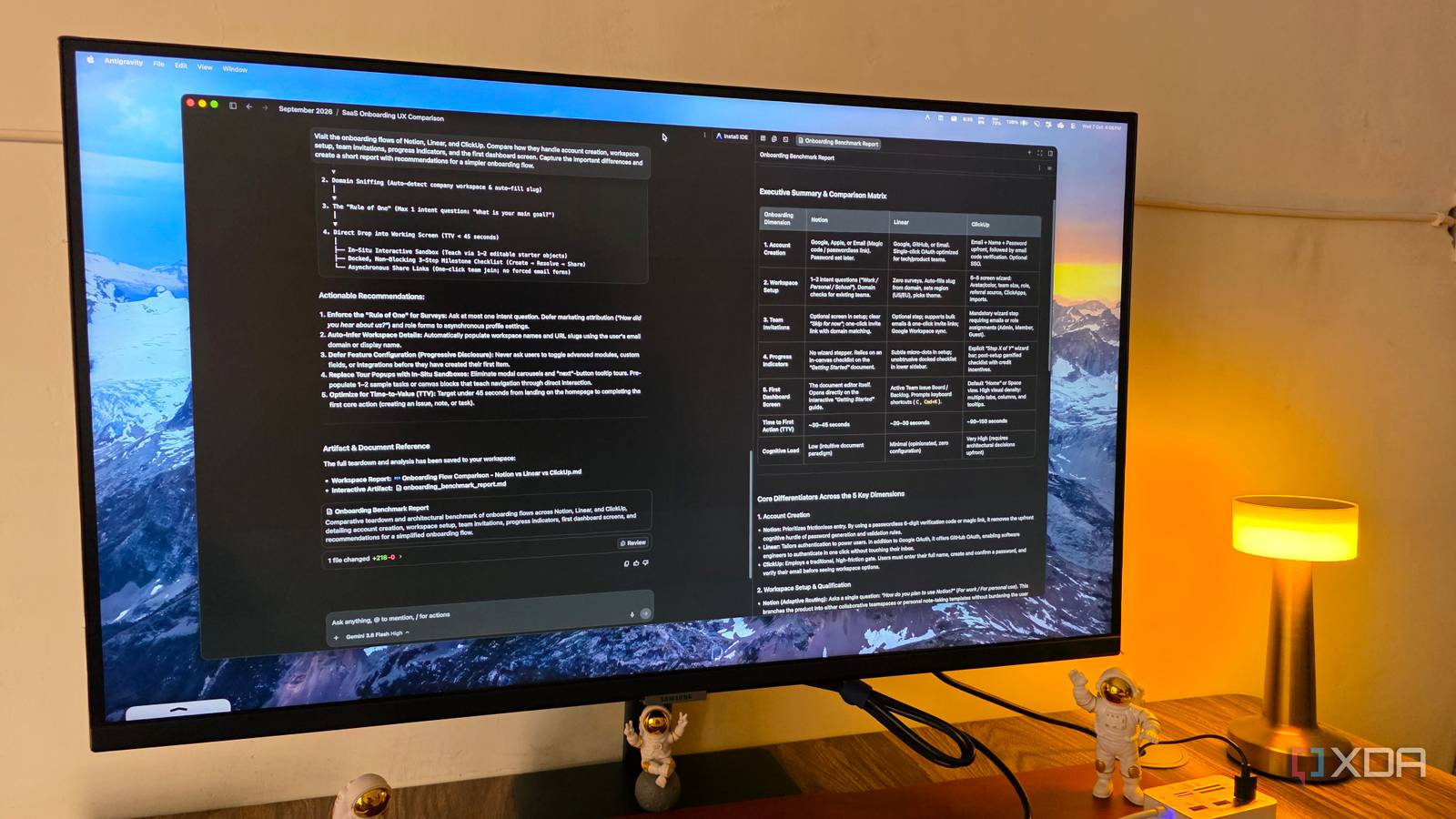
Published Oct 7, 2026, 12:31 PM EDT Parth, a seasoned tech writer, wields the keyboard (or pen) with finesse to unravel the intricacies of both Windows and Mac operating systems. He has covered evergreen content on mobile devices and computers for multiple publications over the last six years. You can find his work on AndroidPolice, GuidingTech and TechWiser. Whether it’s demystifying system updates, deciphering error codes, or exploring hidden features, Parth’s prose guides readers through the binary maze. When not immersed in tech jargon, you’ll find him sipping chai, pondering the next software review, and occasionally indulging in a friendly debate about mechanical keyboards. When I first started using Google Antigravity, I treated it exactly as you would expect: as another AI-powered coding tool. And to be fair, it is very good at that. But after spending more time with it, I realized I was barely scratching the surface. Antigravity can be surprisingly useful even when I am not writing a single line of code. I started experimenting with it for other parts of my workflow, from handling repetitive tasks to helping me work through random ideas. Some of these uses ended up being more practical than I anticipated. Design a mockup without opening Figma I turn ideas into client-ready mockups One of the most practical ways I use Google Antigravity outside coding is for creating quick website mockups. This is especially useful when I have a client idea in front of me but don’t want to spend hours in Figma before I even know whether they like the direction. For example, I used it for a jewelry manufacturer called Sonu Jewels. I gave Antigravity a simple brief describing the business, the kind of audience it targets, and the premium look I wanted. I asked for an elegant homepage with all the relevant details and even specified things like whitespace, gold accents, refined typography, and a luxury feel. From there, Antigravity turned that rough brief into something I could actually preview in the browser. That gave me a much better starting point for a client discussion than sending over a few references or trying to explain the layout verbally. In my case, Antigravity created a quick HTML page about the website with relevant assets and used only 2% of the 5-hour limit. Once the client approves the general direction, I can worry about the real development work later. I make Antigravity interview me first I let Antigravity question my ideas One thing I really like about Antigravity is that I don’t always need to arrive with a perfectly written prompt. If I only have a rough idea, I can start with /grill-me and let Antigravity interview me before it does anything. It asks the kind of questions I might otherwise forget to think about, which makes the final result much closer to what I actually had in mind. For example, I wanted to create a simple expense-tracking app for freelancers. My initial idea was vague: I wanted somewhere to track income, recurring expenses, invoices, and monthly profit. Instead of spending time writing a huge specification, I asked Antigravity to grill me about the project. It started by asking about the target user, the information I wanted on the dashboard, whether invoices need status tracking, how expenses should be categorized, which architecture I want to use, and more. I like this workflow because it feels less like prompting an AI and more like working through an idea with a product designer. I can start with something half-baked, let Antigravity challenge the idea, review its plan, and only then move toward an actual app or website mockup. I use the Schedule command for recurring busywork Schedule the boring work away The schedule command is one of those Antigravity features that makes much more sense once I stop looking at it as a coding tool. Instead of manually running the same instruction every few days, I can turn it into a recurring task and let Antigravity handle it on a schedule. A simple example is my weekly article planning. I keep a folder of high-performing spreadsheets and research notes, and schedule Antigravity to review it every Monday. I can ask it to find ideas I haven’t touched recently, group similar topics, flag obvious duplicates, and create a fresh Markdown file with a shortlist of promising topics for the week. I like /schedule because it turns Antigravity from something I have to remember to open into something that can take care of repetitive work on its own. I let it browse websites for me Let Antigravity browse for answers I also use Antigravity’s browser when I am planning a new website or app and want to understand how similar products handle a specific feature. That keeps the research closely tied to development without requiring me to start coding immediately. For example, say I am building a client dashboard for a small SaaS product, and I am not sure how the onboarding flow should work. Instead of manually opening several competing products, clicking through their signup pages, taking screenshots, and writing notes, I can ask Antigravity to do the research for me. I might give it something like: Visit the onboarding flows of Notion, Linear, and ClickUp. Compare how they handle account creation, workspace setup, team invitations, progress indicators, and the first dashboard screen. Capture the important differences and create a short report with recommendations for a simpler onboarding flow. Antigravity does the heavy lifting for me. I can then use that research while creating the actual mockup or implementation plan. There is more to Antigravity than code Google Antigravity became much more interesting to me once I stopped thinking of it purely as a place to write code. I now use it to shape ideas, prepare mockups, automate repetitive work, research real products, and plan projects before development even starts. You don’t have to copy my exact examples either. The better approach is to look at the repetitive or messy parts of your own workflow and see where Antigravity can take over. Google Antigravity Google Antigravity is an AI-powered IDE that rivals VS Code and Cursor.
Forget coding, 4 unique ways I use Google Antigravity to get the best out of it
Full Article
Original Source
Read the full article at Xda-developers →KhanList aggregates and links to publicly available news content. We do not host full articles from third-party sources. Always verify important information with original sources.