
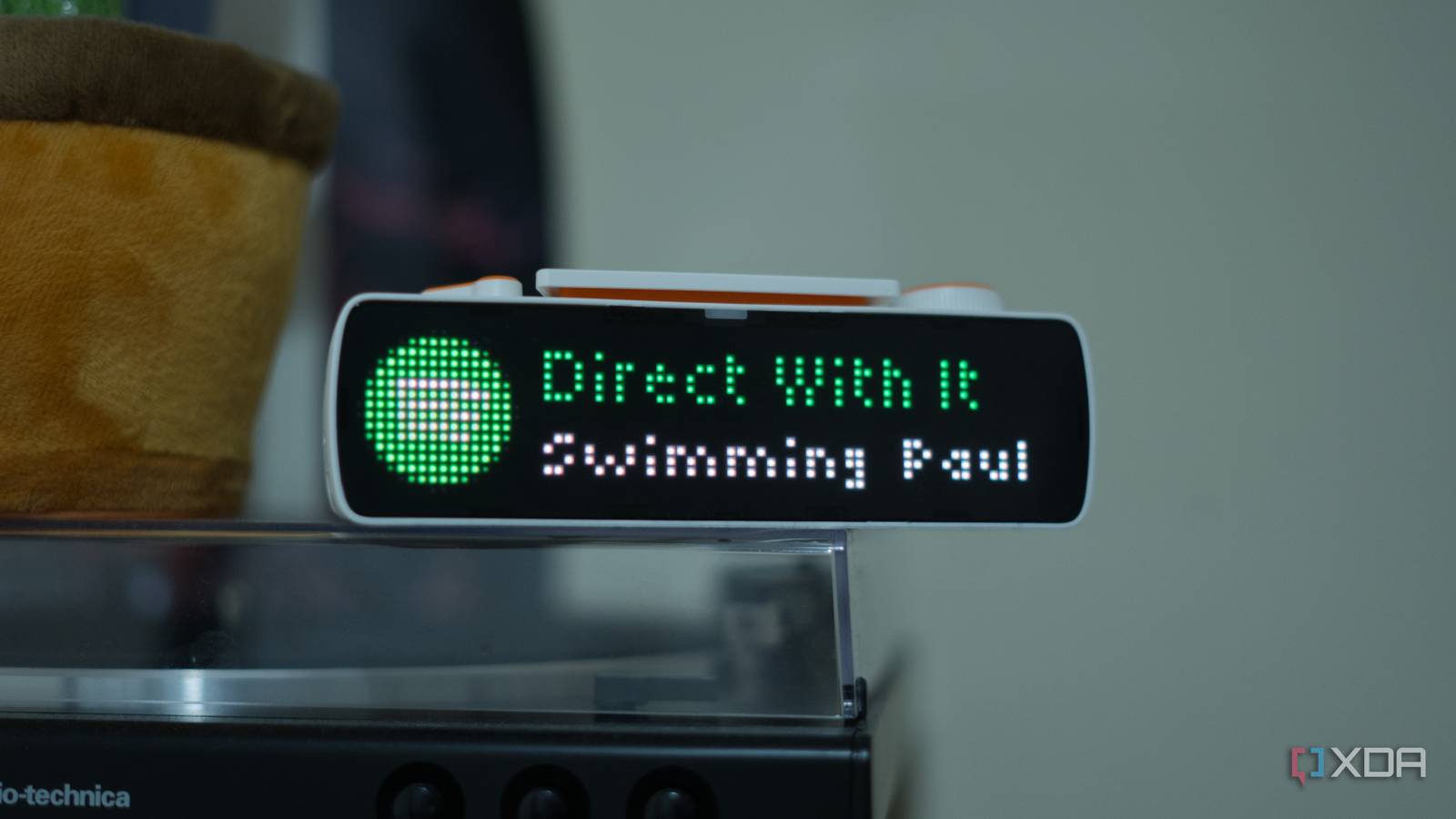
Published Nov 25, 2026, 7:48 AM EST I’m Adam Conway, an Irish technology fanatic with a BSc in Computer Science and I'm XDA’s Lead Technical Editor. My Bachelor’s thesis was conducted on the viability of benchmarking the non-functional elements of Android apps and smartphones such as performance, and I’ve been working in the tech industry in some way or another since 2017. In my spare time, you’ll probably find me playing Counter-Strike or VALORANT, and you can reach out to me at adam@xda-developers.com, on Twitter as @AdamConwayIE, on Instagram as AdamConwayIE, or u/AdamConwayIE on Reddit. Earlier this month, Flipper Devices announced that the Busy Bar could now run JavaScript apps on-device, though the app catalog was still a few weeks out. Now it's here, and rather than having to track down a .tgz file and upload it through the Bar's local web interface, you can now use the official Apps Catalog to download apps. The App Catalog for the Busy Bar is a free, browsable collection of apps built by both the Busy team and the community. Currently, it's a rather small curated set of applications, with just 50 to choose from. Only two, Clock and Weather, are official apps, and a few of the more interesting ones also need a companion program running on your computer. As for security, the way apps are accepted into the catalog is pretty interesting, and it deals with the biggest problem with sideloading. The catalog has 50 apps across 10 categories Credit: Flipper Devices There are 10 categories in the official App Catalog: Productivity Clock & Time Info & Feeds Social Dev & Monitoring Music Art Games Smart Home Utilities Every listing contains screenshots of what the app looks like on the 72x16 front display, along with a description, changelog, source code, and developer details. Downloading apps uses your browser, and you install them on the Bar over USB or Wi-Fi. Every app is completely free. For launch, there are a few hand-picked apps to get you started. These include: Claude Code Sessions: Show active Claude Code sessions with approve and deny permission prompts Tasks for Notion: Browse Notion pages and tick off to-do items iCal Calendar: View calendars from Outlook, Google, iCloud, Proton, or anything else with an iCal link Dino Run: Chrome's offline dinosaur game, running on the Busy Bar As mentioned, some apps need companion tools running on your computer, too. For example, Net Traffic and Host Load can show your computer's network throughput and CPU and RAM usage respectively, with Host Load's installer setting up Glances to share those stats over your network. Claude Code Sessions works the same way, as it installs a Claude Code plugin and a local server that passes events to the Bar. If you install one of these apps from the catalog, the Bar will tell you to run the setup command on your computer first. It's very early days as well, and a lot of the catalog comes from a small group of prolific developers. I noticed that four of the seven apps that Flipper highlighted (iCal, Net Traffic, Host Load, and Claude Code Sessions) were all written by a single developer. Flipper builds every app from the submitted source code A human still makes the final call Credit: Flipper Devices If a developer wants to publish an app, they first open a pull request on the catalog's public GitHub repository with a manifest file. That manifest points at a public GitHub repository and an exact commit, along with the app's category, descriptions, and screenshots. Flipper then builds the app itself from that commit, without network access or secrets, and without running any of the developer's own build scripts. Download packages are built from that exact commit, approved by a moderator. Apps also have to use an open-source license, with the source code needing to stay public while the app is listed. Automated checks, run before a moderator looks at the app, cover format, building, and size limits, and then a code scanner and "AI checks that we run on Anthropic's models" review the code, text, and images. Those AI checks flag things for moderators to look at, with the final call being made by a human. Right now, Flipper says that the review process usually takes one to two business days, and developers must also disclose whether their app was written without AI, partly with AI, or entirely by AI. Building with AI isn't a problem in its own right, as the company has been pushing documentation that will assist workflows using Claude Code, Codex, and Cursor. There's no explicit guarantee that an app is completely, 100% safe, and apps are not "official" in any sense of the word. This is how most app stores work, and it's still a big step up from downloading random files online. If a firmware update breaks an app, it'll be marked unsupported until the developer fixes it, and apps removed from the catalog will stay on your Busy Bar until you remove it. You don't need a Busy Bar to build an app The emulator is still in beta If you're a developer who wants to try building something, Flipper has released a Busy Bar emulator for macOS and Windows. It runs JavaScript apps without the hardware, and you can submit screenshots taken from it, too. It's still a beta, but it works pretty well in my testing. Firmware has improved when it comes to apps since tehy were first introduced as well. Version 1.4.1, available now, gives each app its own storage and a shared settings menu. One limitation flagged by developers was that the Bar's fetch function only spoke HTTP/1.0, which some services reject outright. Flipper has since fixed that issue with support for HTTP/1.1, though that's coming in the 1.5 release and isn't available just yet. To celebrate the launch of the app catalog, Flipper Devices has announced a competition that runs until December 7. Prizes include Busy Bar devices and accessories, and developers who have an app accepted will also receive a discount code for a Busy Bar, even if they don't win a prize. Entry is open to residents of the United States, Canada, the United Kingdom, Australia, and the EU.
Flipper’s Busy Bar now has an app catalog, and every app in it is open source
Full Article
Original Source
Read the full article at Xda-developers →KhanList aggregates and links to publicly available news content. We do not host full articles from third-party sources. Always verify important information with original sources.