
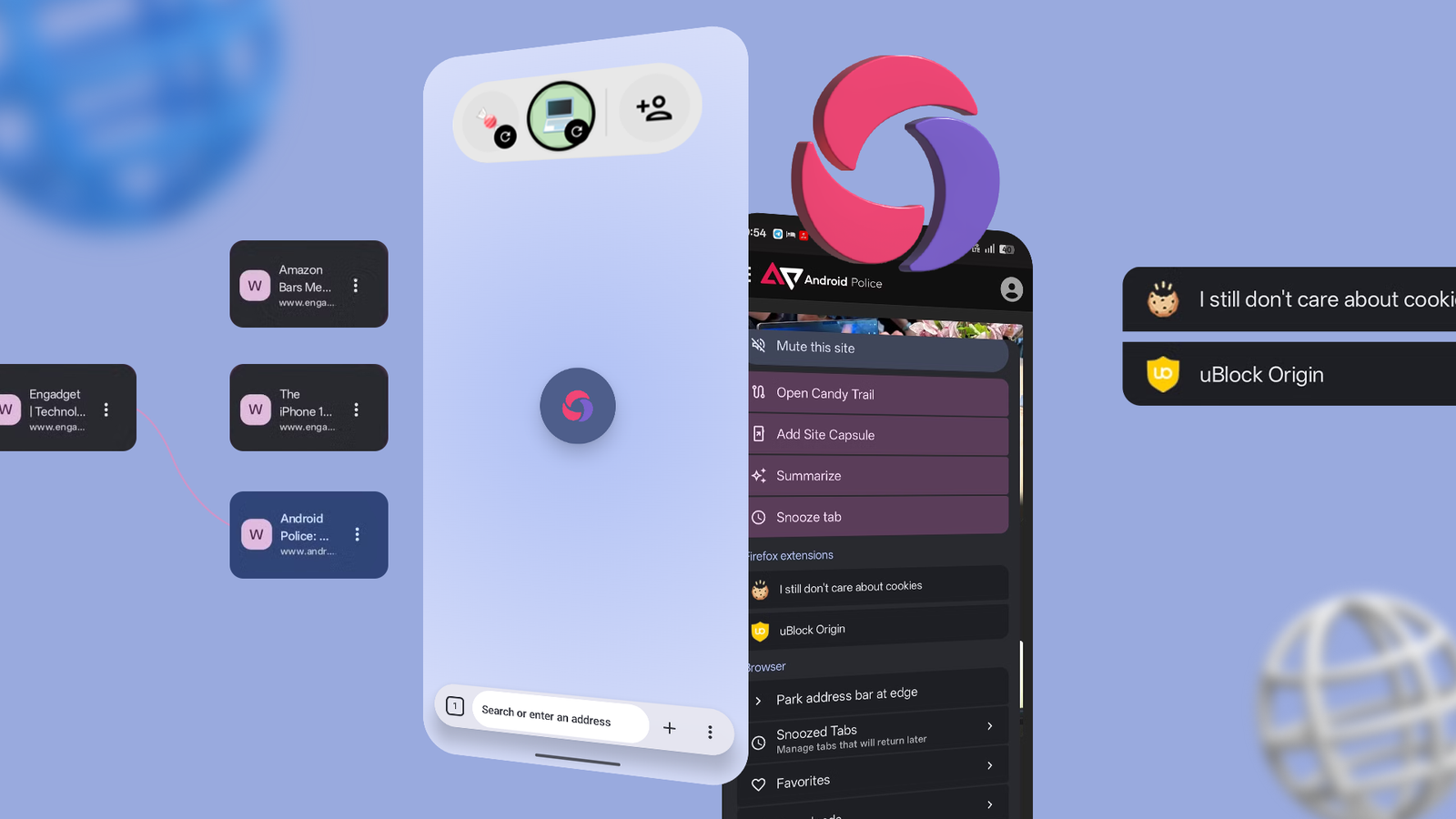
Published Sep 23, 2026, 6:00 AM EDT Dhruv Bhutani has covered the Android ecosystem since 2010, with a focus on smartphones, connected devices, and home networking. His reporting is informed by hands-on experience reviewing hundreds of smartphones and testing a wide range of smart home and audio products over more than a decade. He has attended Mobile World Congress eight times since 2011 and IFA Berlin five times, alongside regular coverage of launch events and industry briefings from companies including Google, Xiaomi, Oppo, and Qualcomm. This on-ground access and long-term exposure to product cycles inform how he evaluates hardware, software direction, and ecosystem shifts. First-Hand Experience Reviewed and tested hundreds of smartphones since 2009 Tested smart home, audio, and connected devices across multiple categories Attended Mobile World Congress (8 times, first in 2011) Attended IFA Berlin (5 times) Covered industry events including Qualcomm Summit and launch events from Google, Xiaomi, Oppo, and Vivo Career History CNET — Freelance Editor May 2024 – Present Android Police — Freelance Editor July 2023 – Present Android Authority — Contributor November 2022 – Present Android Authority — Editor January 2019 – October 2022 FoneArena — Editor February 2010 – January 2018 PhoneReport.info — International Correspondent February 2010 – May 2011 Nokia Mobile Talk — Writer June 2009 – October 2009 For most of us, Android's built-in Chrome browser is the default. That makes sense. It comes built in, does a reasonably good job rendering even complex websites, and has the features you'd need. When I need something else like extensions, I turn to Firefox. On my iPhone, well, Safari remains my go-to for its clean interface. However, no single browser combines these three tentpoles in one package. That's where Candy Browser steps in. I discovered this browser on Reddit. The browser is open source and uses Firefox's GeckoView by default, which means it's compatible with all Firefox extensions. However, unlike other browsers where you can't switch rendering engines, this one lets you switch to Android's WebView if you run into rendering issues on your favorite websites. Add an interface inspired by Safari and optimized for a small-screen experience, and you have the makings of a solid browser experience. Firefox extensions without giving up the compatibility of Chrome Switch to WebView when you run into compatibility issues For most users installing Candy Browser, compatibility with Firefox's extensions will be the biggest upsell. Browser extensions on mobile have never been a great experience. I spend most of my day at a computer; I'm spoiled by the breadth of extensions I use. From extensions that block ads to others that skip sponsored sections on YouTube, and media streaming extensions. I've been looking for a similarly seamless experience on my smartphone. Candy Browser offers that by using GeckoView, the same browser engine framework as Firefox. This means it can run Mozilla-signed extensions in the browser. Think about things like running uBlock Origin without running into any restrictions. That's a big upgrade over Chrome. I do a lot of my research on my phone, and many websites tend to go overboard with advertising. I'm not opposed to ads on the web, but there's a thin line between overbearing and manageable. uBlock Origin helps me get a bit more control over my browsing experience. Candy Browser takes a well-balanced approach towards integrating extensions into the experience. Extension controls, popups, and settings are integrated into Candy's interface instead of being a separate thing. Similarly, the tab switcher and navigation UI take significant inspiration from Safari, rather than being a reskinned Firefox. These small and large changes add up to give you a much-improved browsing experience. Some websites work better with Chrome. My word processing app performs better in Chrome than Firefox. Candy Browser makes it a cinch to swap the rendering agent to Chrome when I need to check analytics or make an edit to an article from my phone. It's great. However, you can't use extensions when switching to WebView, as those are a function of Firefox's GeckoView. Still, the rest of the enhancements continue to work as normal. Candy Browser makes browsing a lot less cluttered Better tab controls and privacy One reason I keep coming back to Candy Browser over Chrome is the interface. I don't like how Chrome looks. It's a clunky experience with too much happening during a simple task like browsing. Candy Browser pares back the visual overload. Between the floating browser interface, edge-to-edge pages, and gesture-based navigation, there's a lot to like. I can switch tabs from the address bar and move to a visual tab overview without reaching for small buttons. Even the tab layouts have plenty of visual options, including a grid, list, and an old-school Coverflow-style view. We've covered the interface and extensions, but Candy Browser offers more under the hood. Take Link Peek, for example. If I'm reading an article with an embedded link, I don't need to open it. I can long-press it and view the link in a temporary preview instead of turning it into a tab. The same works for external links. I also like the granular approach to tabs. You get a range of options like persistent and pinned tabs, as well as tab groups similar to desktop Chrome. Additionally, Candy Browser gives you insights into the page you're browsing. From privacy permissions and visibility into things like requests made by the browser for access to the camera and microphone to handling your history and favorites completely offline, there's a lot to like here if you value your privacy. Candy Browser is a solid choice for everyday reading and research Candy Browser isn't ready to replace Chrome or Firefox for everything. If you regularly depend on shared bookmarks or tab synchronization, it won't cut it for you just yet, though the devs are working on those features. However, Chrome's compatibility, Firefox's extension support, and a mobile interface that is easy to use make it the browser I use most, and I know I'll stick with it for the long run. Candy Browser Candy Browser is an open-source Android browser that combines Firefox extension support, Safari-inspired design and Chrome's compatibility.
Firefox, Safari and Chrome have the features I want; this Android browser combines them all
Full Article
Original Source
Read the full article at Androidpolice →KhanList aggregates and links to publicly available news content. We do not host full articles from third-party sources. Always verify important information with original sources.