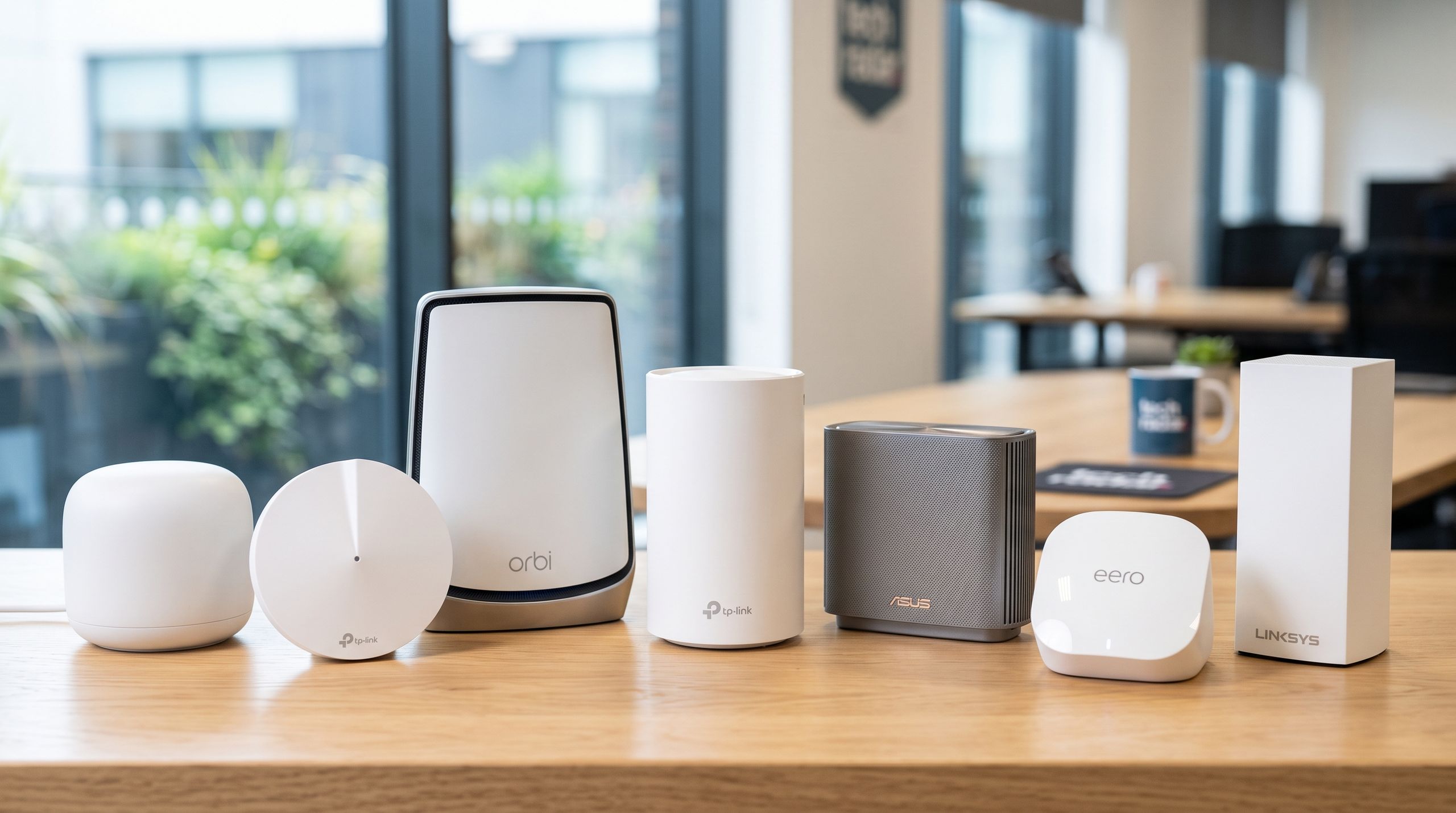
Anyone who has dealt with spotty Wi-Fi knows that a fast NBN plan doesn’t mean your Wi-Fi will work equally well in every room.The connection might work well in the living room near the router but be frustratingly slow upstairs or at the other end of your house, especially in homes with thick walls or concrete floors.That’s where a mesh Wi-Fi system can help, as it improves coverage by using several connected units around your home instead of relying on a single router.This guide explains how mesh Wi-Fi works, how it connects to NBN services and whether your home needs it.If you want to read more about the best mesh systems we have tested, take a look at our guide to the best mesh Wi-Fi systems in Australia.What is mesh Wi-Fi and how does it work?A mesh system consists of a main router and one or more extra units, usually called nodes or satellites.Mesh nodes usually communicate with each other over Wi-Fi, which can make the system easier to set up. The mesh system can’t increase the speed of your NBN plan, but it can help more of that speed reach your devices.The advantage of a mesh system is that each node uses the same network name and password. This means your devices can automatically connect to a nearby node as you move between rooms, helping them maintain a more reliable connection around your home.Since mesh systems connect to each other wirelessly, there’s no need to run extra Ethernet cabling through your house. If you already have Ethernet ports, though, you can connect the nodes to them for more consistent performance. (Image credit: Google)What can mesh Wi-Fi fix?Mesh systems are most useful when internet speeds over Wi-Fi are good near the router but drop in other parts of your home. If your home still has slow or weak areas, you can add another node to extend the coverage.This can extend coverage across multiple storeys, into a garage and through obstacles that can weaken Wi-Fi, such as double-brick walls and concrete floors.It won’t fix every internet problem, though. A mesh system can’t increase the speed of your NBN plan, repair a faulty connection or fix congestion on your provider’s network. It may also struggle if the nodes are too far apart or positioned where their signal is blocked.There’s a simple test to see if a mesh system can help your connection. Head to speedtest.net and run one test beside your router, then repeat it in the problem area using the same device.If there’s a large difference in the results, your Wi-Fi coverage may be the issue. Poor results in both locations are more likely to point to a problem with your internet service, router or connected device.Does mesh Wi-Fi work with the NBN? (Image credit: Generated with Adobe Firefly AI / NBN Co)Mesh Wi-Fi works with the main NBN connection types, but setup depends on the equipment installed in your home.With Fibre to the Premises (FTTP), Hybrid Fibre Coaxial (HFC), Fibre to the Curb (FTTC) and Fixed Wireless, the main mesh unit usually connects to the NBN connection box using an Ethernet cable.It can often replace the Wi-Fi router supplied by your provider. You may need to enter provider-specific settings first, but this is usually handled through an easy-to-use setup app or wizard.Fibre to the Node (FTTN) and Fibre to the Building (FTTB) connections are different because they require a compatible VDSL2 modem to handle the connection over the existing copper line. A mesh router can’t normally replace that modem, but it can connect to the modem or modem-router and then handle Wi-Fi across your home.If you’re unsure, your provider can confirm the best setup for your connection. Some providers offer mesh Wi-Fi systems when you sign up, and our guide to the best NBN providers in Australia can help you compare your options.Do you actually need mesh Wi-Fi?A mesh system makes the most sense when one router can’t cover all parts of your home reliably. That often includes multi-storey homes, double-brick houses, converted garages or even a backyard granny flat.You probably don’t need a mesh setup if you live in a compact unit or apartment and already get reliable Wi-Fi in every room. Repositioning your router, upgrading an older model or connecting key devices by Ethernet may solve the problem much more cheaply.A basic Wi-Fi extender can be cheaper when you only need to improve one small weak area. A mesh system costs more, but it is usually easier to manage when you have several problem areas.How many mesh nodes do you need? (Image credit: TP-Link)The right number of nodes depends more on layout and building materials than floor area alone. A two-node system is a sensible starting point for a smaller townhouse or single-storey home, while a larger or multi-storey property may need three or more.More nodes aren’t automatically better. Too many can leave several units covering the same area.Too few can also cause problems because each node needs a reliable connection to the main router or another unit. A node placed deep inside a dead zone may have too little signal to connect properly.Placing your main router or mesh node in an open position is usually best, but the exact spot tends to depend on where your internet connection enters your home. The goal is to place the next node a bit over halfway towards the problem area.A higher, open position is often better. Keep nodes off the floor and away from closed-off areas or cluttered shelves, and avoid placing them directly beside large appliances or behind thick internal walls.For a home office, converted garage or granny flat, Ethernet backhaul may be more reliable where cabling is available. Start with fewer nodes and add another if coverage remains patchy.Is Wi-Fi 7 worth it over Wi-Fi 6?Wi-Fi 6 is enough for many Australian homes, particularly when the main goal is improving coverage rather than reaching the highest possible speeds.Wi-Fi 6E adds the less congested 6GHz band for compatible devices, though its shorter range makes node placement particularly important. Wi-Fi 7 is more useful for newer devices, very fast NBN plans or demanding local-network use.The newest standard isn’t always the best value. Check how many units are included, whether you can expand the system later, the speed of its Ethernet ports, wired backhaul support and whether parental controls or security features require a subscription. (Image credit: The Register)Mesh Wi-Fi FAQsDoes mesh Wi-Fi make your internet faster?Mesh can improve the speeds devices receive in weak coverage areas, but it can’t make your NBN plan faster. For faster plan options, see our guide to the best NBN plans.Is mesh Wi-Fi better than an extender?Mesh is usually easier to manage across several rooms and keeps one network around your home. An extender can still be the cheaper option for one small weak spot.Does mesh Wi-Fi replace your NBN modem?Sometimes. FTTP, HFC and FTTC users may be able to connect a mesh router to the NBN connection box, though provider settings or a bundled phone service can affect the setup. FTTN and FTTB services still need a compatible modem. If you’re unsure, ask your provider.Is a Wi-Fi 7 mesh system worth it?Wi-Fi 7 makes more sense for newer devices, very fast NBN plans and demanding local-network use. Wi-Fi 6 is still perfectly fine for many households and usually costs less.Is mesh Wi-Fi worth it?Mesh Wi-Fi is worth considering when one router leaves several parts of your home with weak or unreliable coverage. It won’t improve the NBN connection itself, but it can distribute that connection more consistently around your home, particularly if it is large or multi-storey. If you only have one small weak spot, repositioning your router or using an extender may be cheaper.Useful guides and extra infoBest mesh Wi-Fi systems in AustraliaBest NBN plans in AustraliaBest NBN provider in AustraliaFastest NBN plans in AustraliaBest NBN 1000 plansBest NBN 2000 plans
Fast NBN, but slow Wi-Fi? It might be time for a mesh system upgrade
Full Article
Original Source
Read the full article at Techradar →KhanList aggregates and links to publicly available news content. We do not host full articles from third-party sources. Always verify important information with original sources.