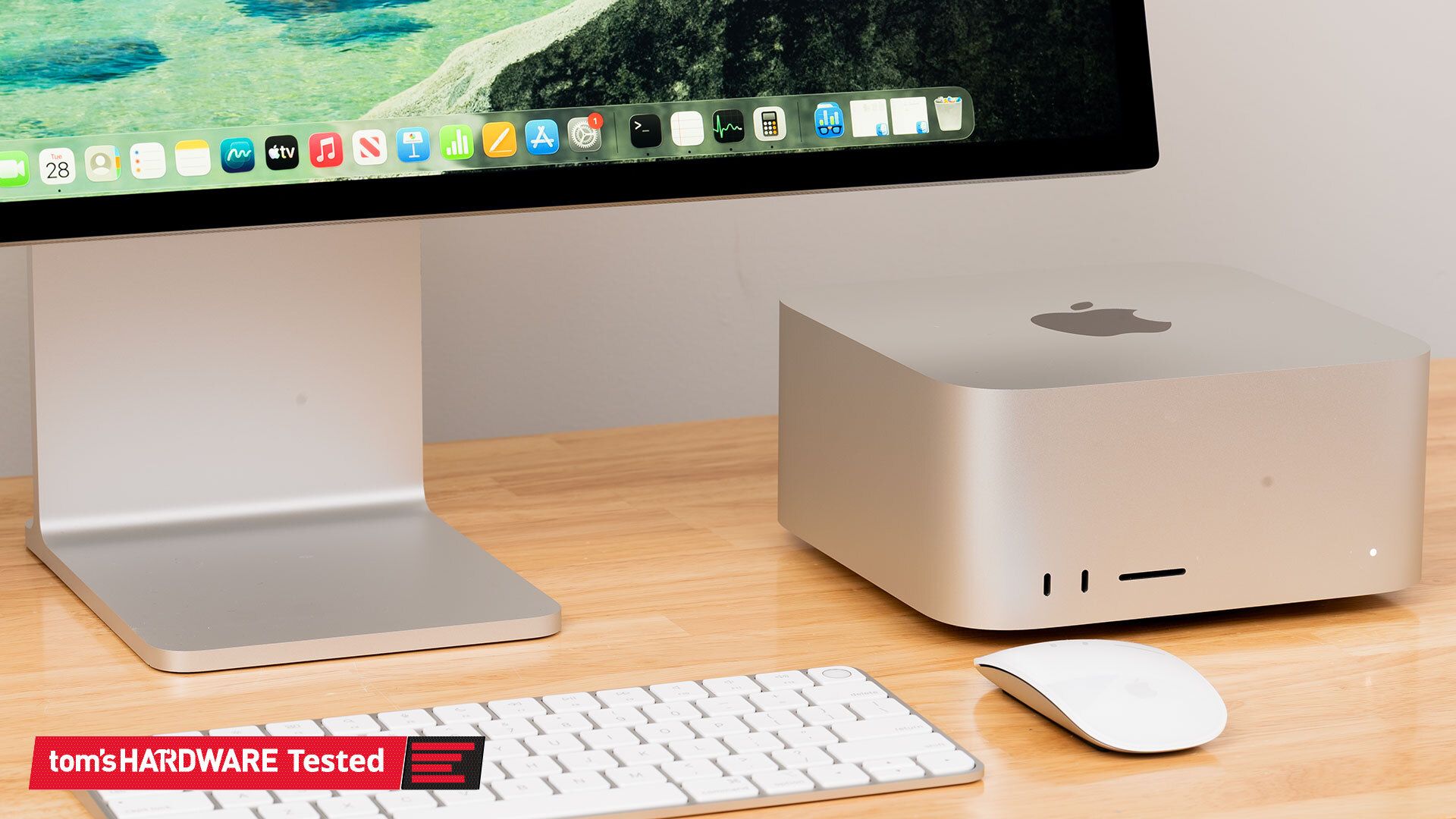
(Image credit: Tom's Hardware) Page 1 of 4: Mac Studio and M4 Max Our local AI explorations in 2026 have so far focused on two main platforms: Nvidia’s GB10, as seen in the DGX Spark and Dell Pro Max with GB10, and AMD’s Ryzen AI Max+ 395, aka Strix Halo, as seen in the Corsair AI Workstation 300 and the Ryzen AI Halo. We’ve generally favored GB10 systems for these kinds of local AI development sandboxes. Their solid all-around performance and broad AI software compatibility make them easy to love, even if raw LLM inference throughput isn’t that high.But Apple’s Mac Studio is another compelling option for local AI trailblazers who want systems with large unified memory pools, powerful GPUs, and high memory bandwidth to enable faster tokens-per-second throughput than either GB10 or Strix Halo can provide. And until someone builds another unified memory SoC with a memory bus as wide as what Apple uses for its Max and Ultra chips, Apple Silicon is, in fact, the only game in town for more memory bandwidth from a chip of this design.Why focus so much on memory bandwidth for local LLM performance to begin with? To keep it very short, the decode phase of LLM inference is virtually always sequential. Every output token (starting with the first one generated as part of the prefill process) has to be run through every layer in a model in order to generate the next token, and so all the active model weights in a layer have to be streamed to the GPU from its memory as the token makes its way through each one.Because the amount of computation required for each individual token at each layer is tiny, the speed of the entire decode process basically becomes dependent on how fast those model weights can be streamed in from GPU memory. That makes systems with large memory pools (for holding large models) and high memory bandwidth (for streaming those model weights to the GPU) appealing, and Apple Silicon is the only platform that lets you have both characteristics at a (relatively) reasonable cost.Apple’s last Mac Studio refresh was in March 2025 and marked the introduction of two versions of the system. The higher-end version uses the M3 Ultra SoC with 819GB/s of memory bandwidth across both the 28-CPU-core, 60-GPU-core mode and the 32-CPU-core, 80-GPU-core model.The M4 Max version of the Mac Studio encompasses two versions with greater divergence in specs than just core counts. The base M4 Max includes a 14-core CPU (10 performance cores and four efficiency cores) with 410GB/s of memory bandwidth, and it can be upgraded to a 16-core CPU (12 performance cores and four efficiency cores) with 546GB/s of memory bandwidth.We reviewed both of these systems at launch, but Apple generously lent us another M4 Max with the 16-core CPU, 40-core GPU, and 128GB of memory for LLM-specific tests. At the time, the price of that system was $3,699 or so, close to the DGX Spark’s $3,999 list price.Get Tom's Hardware's best news and in-depth reviews, straight to your inbox.But as the RAMpocalypse has rolled on, the Mac Studio has become more limited in its configuration options and harder to find in stock. The M4 Max version we tested now tops out at 64GB of RAM, and lead times for that system are over two months out. Regardless, it’s the most comparable system that Apple has for the DGX Spark and GB10 platform more generally, at least back when dollar-for-dollar meant something in this market.Before we get into performance results, we wanted to dig into the nitty-gritty of the M4 Max’s 40-core GPU, but Apple doesn’t share much (if any) detailed architectural information on its GPUs, including the number of shader ALUs that make up each GPU core, so it’s hard to directly compare the M4 Max to GB10 or the Radeon 8060S in the Ryzen AI Max+ 395. Swipe to scroll horizontally Header Cell - Column 0 Nvidia GB10 AMD Ryzen AI Max+ 395 Apple M4 Max (16-core CPU, 40-core GPU) Available at B&H - $4,999 Amazon - $3,649.99B&H - $6,793.60 B&H - $8,499 CPU performance cores 10 16 12 CPU efficiency cores 10 Row 2 - Cell 2 4 GPU cores/SM/CU count 48 40 40 Shader ALUs 6,144 2,560 5,120 (?) GPU clock ~2450 MHz (typical) 2900 MHz ??? Unified memory 128GB LPDDR5X-8533 128GB LPDDR5X-8000 128GB LPDDR5X-8533(?) Memory bus width 256 bit 256 bit 512-bit(?) Memory bandwidth (GB/s) 273 256 546 The Radeon 8060S on board Strix Halo has 40 RDNA 3.5 compute units, each with 64 shader ALUs for a total of 2,560. AMD clocks the 8060S high, at 2900MHz, to achieve its roughly 14.8 TFLOPS of peak FP32 vector math.Meanwhile, GB10 has 48 Blackwell SMs with 128 shader ALUs each for 6,144 total CUDA cores, and it too clocks relatively high, at 2450MHz in our testing. It offers a whopping theoretical 30 TFLOPS of FP32 vector compute.Way back in the day when Apple first revealed the M1 GPU, however, the company disclosed that each core encompassed 128 execution units. Assuming that the same organization has carried through to current Apple GPUs, the 40-core M4 Max GPU would have 5,120 execution units or shader ALUs. That provides an idea of the scale of the GPU, at least, though without knowing clock speeds, we’re hesitant to speculate further about peak FLOPS or other theoretical performance measures.Apple also only provides raw memory bandwidth figures for the M4 Max, but we can do some back-of-the-napkin math to surmise that the chip likely uses LPDDR5X-8533 on a 512-bit bus to achieve its 546 GB/s of rated memory bandwidth, twice as wide as both GB10 and Strix Halo. The lower-end M4 Max likely uses LPDDR5X-6400. In turn, the M3 Ultra likely uses a 768-bit-wide bus with LPDDR5X-8533 across both of its variants. (Image credit: Tom's Hardware)We covered the design of the Mac Studio in detail in our initial review, but it’s worth a quick tour to re-familiarize yourself with it. The top and sides of the system are largely featureless, save for an inlaid black Apple logo up top. The front panel has two 10Gbps USB Type-C ports and a UHS-II SD card reader. (Image credit: Tom's Hardware)The Studio’s thermal design uses a clever intake system that draws in air from vents around the system’s circular foot before exhausting it through a vent at the back of the chassis. (Image credit: Tom's Hardware)The M4 Max Studio we tested has a whopping four Thunderbolt 5 ports on its back panel with support for data rates up to 120Gbps. Although we’re not testing it today, you can enable RDMA over Thunderbolt 5 for low-latency clustering of Mac Studios using utilities like Exo. These ports also support Thunderbolt displays or DisplayPort 2.1 Alt Mode.This system also has two USB 3 ports running at 5Gbps, 10Gb Ethernet, an HDMI 2.1 port, and a headphone jack, so it’s got all the connectivity you could practically want out of a compact desktop in 2026.With those basics out of the way, let’s get to testing. Current page: Mac Studio and M4 Max Next Page LLM inference performance As the Senior Analyst, Graphics at Tom's Hardware, Jeff Kampman covers everything that has to do with graphics cards, gaming performance, and more. From integrated graphics processors to discrete graphics cards to the hyperscale installations powering our AI future, if it's got a GPU in it, Jeff is on it.
Exploring Apple Silicon’s local AI performance with the Mac Studio and M4 Max — M4 Max beats GB10 and Strix Halo in decode throughput, but memory bandwidth isn't everything
Full Article
Original Source
Read the full article at Tomshardware →KhanList aggregates and links to publicly available news content. We do not host full articles from third-party sources. Always verify important information with original sources.