
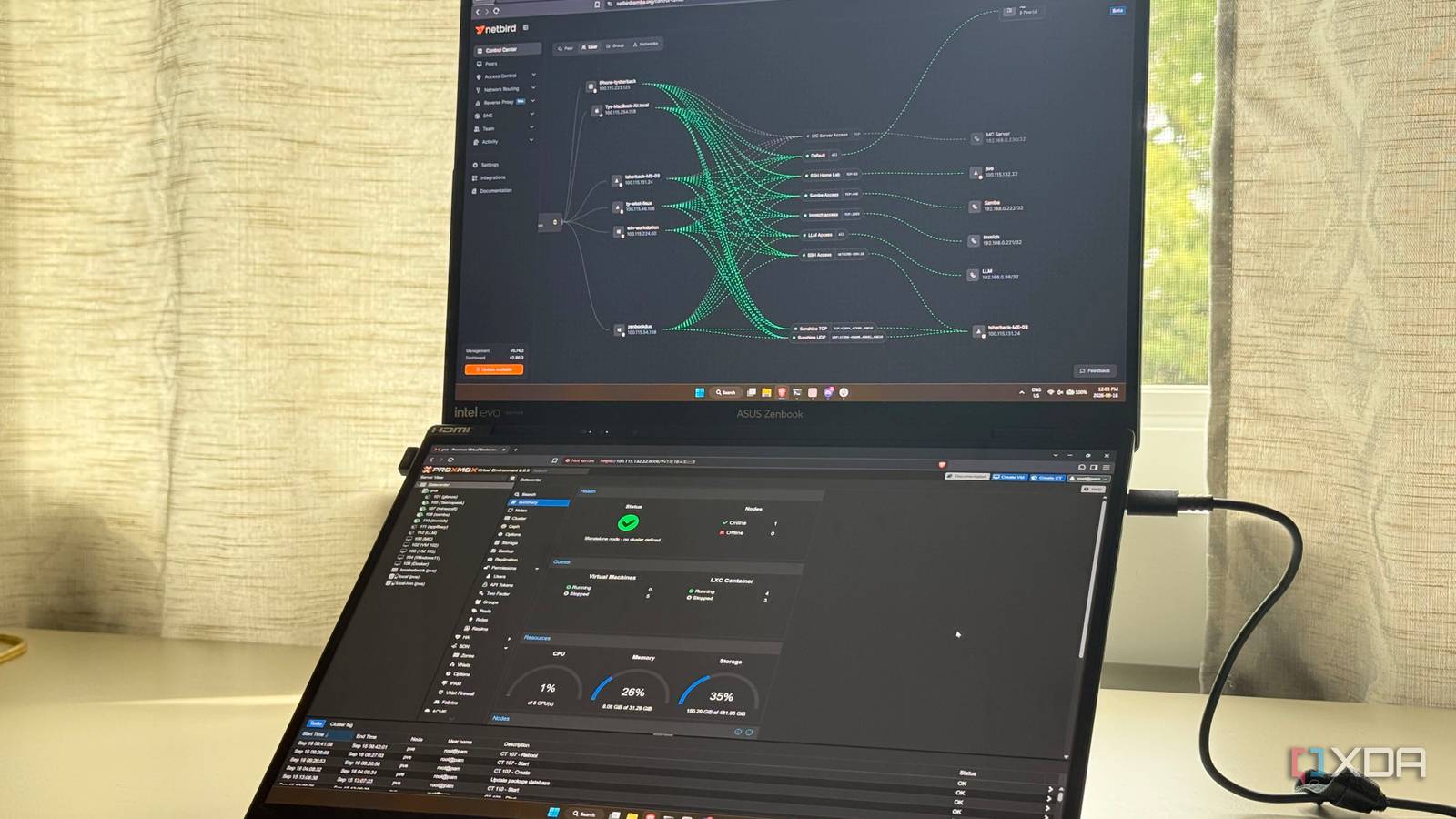
Published Sep 25, 2026, 8:00 AM EDT His love of PCs and their components was born out of trying to squeeze every ounce of performance out of the family computer. Tinkering with his own build at age 10 turned into building PCs for friends and family, fostering a passion that would ultimately take shape as a career path. Besides being the first call for tech support for those close to him, Ty is a computer science student, with his focus being cloud computing and networking. He also competed in semi-pro Counter-Strike for 8 years, making him intimately familiar with everything to do with peripherals. When you self-host services for yourself, things are a lot simpler. When you start handing access to friends and family, that's when the messages start flowing in: the photos app doesn't load, the movie is buffering too much, or someone needs the IP address and password for "the server" again. The fix is usually trivial but it's part of an uncomfortable truth about home servers: they only work because one person keeps them working, and most of the time, everyone else is just along for the ride. That's why everything my family touches on my home server has to pass a single test: can they use it without asking me for help? I don't mean set it up themselves, and I don't mean fix it when it breaks. I just mean open it, use it, and get on with their day. If the answer is anything other than "yes", there's work to be done. The best self-hosted apps are the ones that feel natural to use already No learning required The easiest services to pass the test are the ones that look like something my family already knows, and there's really no better example of this than Immich. Immich is a self-hosted photo library that resembles Google Photos in many ways. It has photo backups and background sync, a scrolling timeline, memories from years past, and shared albums. Partner sharing allows for photos to show up in another person's timeline, which covers most photo sharing needs between family and friends. Jellyfin covers the streaming roll, housing more than half of my family's media consumption. It has official clients for Android TV and Fire TV, Roku, LG TVs, Android, and iOS, so it runs on whatever screen is already in the room. Once someone is signed in, it's a grid of shows and movies, and a play button, and nobody needs a tutorial for that. Open WebUI is the local LLM front-end for my family, and while it's definitely not the first choice over ChatGPT, Claude, Perplexity, Gemini, or another cloud model, they've found it useful for quick summarizations of documents or questions that might be a bit sensitive. The pattern between all of these is that I'm not really required to teach anyone software. I just point them to the app to install, log them in, and they know the rest. If they have to think about the network, I've failed Remote access should be seamless These apps are fantastic at home, on the home Wi-Fi, but if access disappears the moment anyone leaves the house, I haven't really done my job. Even having to spout "turn the VPN on first" is too much for me. The solution is still a VPN in some cases, but I'll come back to that. Everything on my network runs through NetBird. I self-host the control plane on a VPS, and there are no port forwards at home since I'm behind CGNAT. NetBird's built-in reverse proxy gives each family-facing service a normal HTTPS address on my own domain, with certificates handled automatically. Requests hit the proxy and travel through an encrypted NetBird tunnel to the machine running the service, which never needs a public IP or an open port. At the application level, the Immich app can point at more than one address, with one of those being the external access proxy URL, and the other being the local IP address. You can set when Immich uses each one in the app, and that's a really key feature that saves a ton of headaches. That HTTPS layer also does quiet work for Open WebUI, because browsers only let you install a web app to your home screen from a secure connection. Now, for browsing photos in the web app, all you need is an account and the address, but I don't have my Immich instance exposed, even with NetBird's built-in reverse proxy authentication. A really strong password on top of Immich's authentication is probably good enough, but if I want to make the experience truly seamless, I have to add each user as a peer, and have their VPN activate whenever they're not home connected to the Wi-Fi. Thankfully, this is quite easy with NetBird's app, as it is with most other VPN apps these days. This also allows them to access anything else on the server that they need when they're not home, and that way, I can set those addresses to "NetBird-Only Access" in the dashboard. My file sharing scheme still doesn't pass the test Samba doesn't operate like this Samba fails a strict reading of the test. Mapping a network drive means picking a drive letter, typing a path nobody intuitively understands, and entering credentials. No one in my house would do that unprompted, and it's not nearly as intuitive to use as something like Google Drive. With that said, it is a one-time cost, because Windows can reconnect a mapped drive every time you sign in and remember the credentials. After that, the share is just another drive in File Explorer, and nobody has to think about it again—until someone wants access from another device. The other services sort themselves out with logins on other devices, but if the VPN is required for said service, that will cause a text message support ticket to get made. The fact is, it's unavoidable sometimes One of the constant struggles of self-hosting is being the administrator for everything. When you subscribe to Google's storage plan or Netflix, they deal with every aspect of the experience, for better and for worse. And that's what you pay for. My family understands that things can break occasionally, and that's unavoidable, but once you choose the right services, get set up with the right apps and remote access, it really can be just as seamless as a paid first-party service.
Everything on my home server has to pass one test: can my family use it without me
Full Article
Original Source
Read the full article at Xda-developers →KhanList aggregates and links to publicly available news content. We do not host full articles from third-party sources. Always verify important information with original sources.