
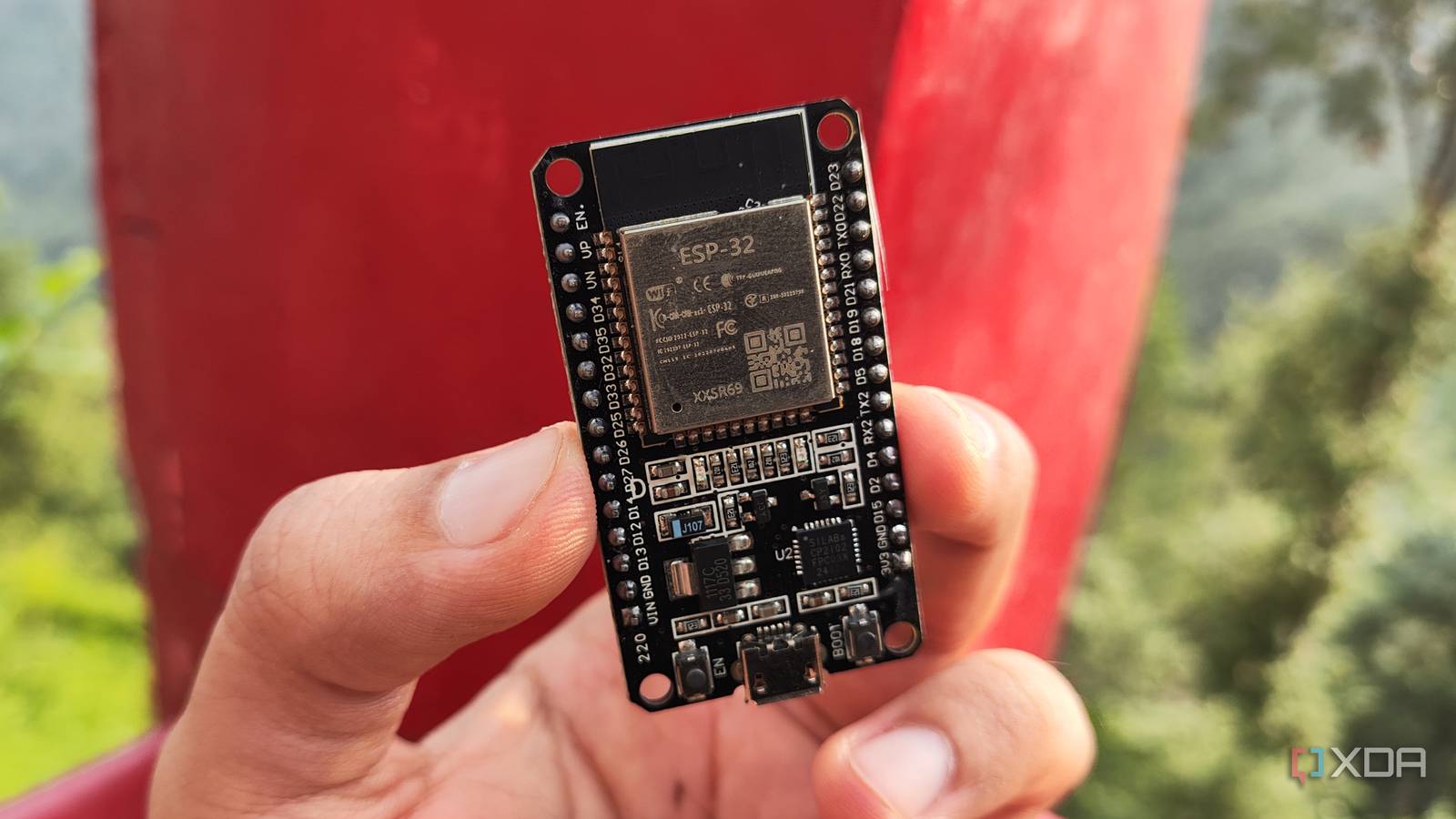
Published Sep 9, 2026, 11:00 AM EDT After a 7-year corporate stint, Tanveer found his love for writing and tech too much to resist. An MBA in Marketing and the owner of a PC building business, he writes on PC hardware, technology, and Windows. When not scouring the web for ideas, he can be found building PCs, watching anime, or playing Smash Karts on his RTX 3080 (sigh). Most ESP32 boards have a dual-core Xtensa processor under the hood, but you've probably only used a single core in all of your projects. That's not abnormal behavior; the second core is right there, sitting idle most of the time. You're essentially using only half the silicon you paid for. The second core is responsible for handling background activity on the board while the primary core runs your code. However, it's possible to make use of the second core if you want to. For projects that can leverage the additional processing power, it's worth considering. Everything just works, so you don't notice the second core It's always working behind the scenes The reason most people don't ever think about the second core on their ESP32 is that it remains in the background. The two Xtensa cores, labeled Core 0 and Core 1, are identical in hardware capability but different in their roles. Core 1, called the APP_CPU (Application CPU), is the one running your setup() and loop() routines in Arduino IDE, whereas Core 0, the PRO_CPU (Protocol CPU), handles the Wi-Fi and Bluetooth activity, among other things. You can even confirm this by calling xPortGetCoreID() inside loop(), and printing the result. You'll see it report "1" for every sketch and project you run on your ESP32. Core 0 isn't exactly unused, since it's responsible for running the Wi-Fi and Bluetooth stack, but it mostly sits idle when your code runs on Core 1. The latter is well-equipped to handle most sketches and projects, so you don't feel anything is off. But you might be missing out on more than you think The right project can encounter a bottleneck Running your main code on Core 1 is fine most of the time, but you're losing real power by not leveraging the second core. In projects that combine slow operations such as Bluetooth transfers, display refreshes, and network calls, which could block something that needs to run frequently, using a single core can become a bottleneck. Suppose your code is reading an I2C sensor and streaming data over Bluetooth in the same loop. Core 1 will have to wait on one blocking operation before it can start the next one, capping the maximum performance. Everything is running serially on a single core, wasting the potential of the second one. That said, you can bind a particular task to a specific core using the xTaskCreatePinnedToCore() function. By explicitly assigning a task to Core 0, you're ensuring effective parallel processing, making full use of your ESP32's silicon. You can keep your primary sensor reads, display updates, and control logic on Core 1, while the delay-tolerant activity like SD writes and non-blocking network calls are reserved for Core 0. You're trading a bottleneck for some complexity But handling it is simple enough There's a real caveat to explicity assigning tasks to specific cores. If you bind a task to, say, Core 0 without accounting for thread-safety across cores, it can lead to a reboot if the watchdog timer detects the underlying system tasks being starved of CPU time. The fix is small yet non-negotiable. You need to use vTaskDelay() to hand control back to the scheduler periodically, preventing the Wi-Fi/Bluetooth stack from being deprived of CPU resources. Any task you bind to Core 0 needs to yield periodically, even if the delay is just 1ms. As long as the task isn't hogging the core, it can safely co-exist with the wireless stack. These safety mechanisms, such as mutexes and queues, are design considerations that tackle the inherent complexity of using both the cores for your project code. Using your ESP32's full power is possible once you know the drill You've probably been using only the Application CPU of your ESP32 all this time, ignoring the other core completely. Well, once you know how to assign specific tasks to the Protocol CPU and put safety mechanisms in place, you can leverage all the silicon you paid for. Not every project needs both cores, so it depends on your judgment to pick the ones that can truly benefit from multi-core processing. Brand AITRIP Connectivity Features UART, USB
Every ESP32 program you've written has been ignoring half the chip
Full Article
Original Source
Read the full article at Xda-developers →KhanList aggregates and links to publicly available news content. We do not host full articles from third-party sources. Always verify important information with original sources.