
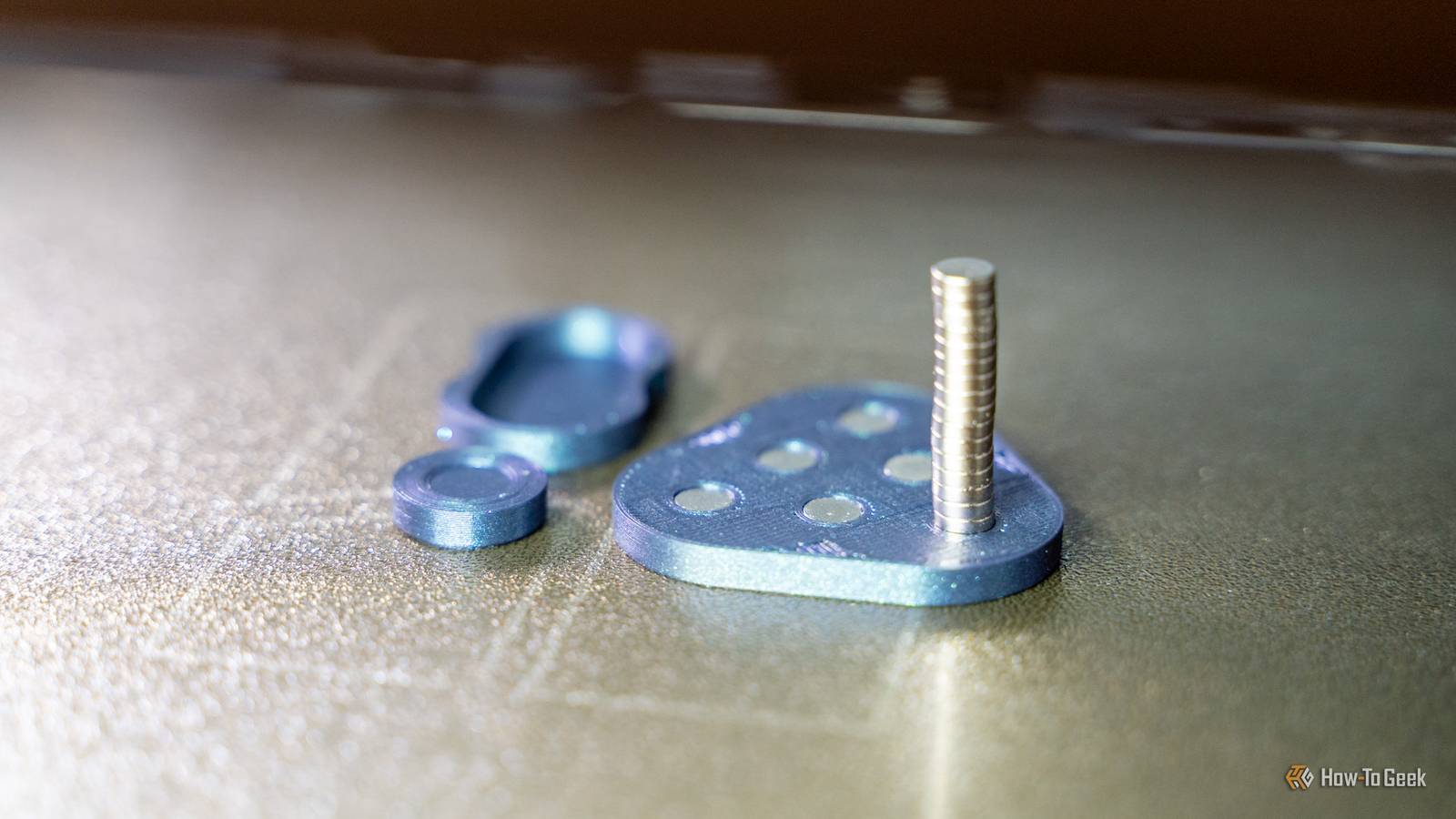
Published Aug 18, 2026, 9:45 AM EDT Patrick Campanale has been in the tech space for well over a decade, specializing in PC/gaming news and reviews, as well as maker-focused products to build small businesses. With a start in technology back in 2010 surrounding the Palm/webOS ecosystem, Patrick spent his formative years developing mobile applications as well as blogging for various publications, eventually leading to starting his own website in 2014. After running a technology blog for a few years, he stepped out of that role and into the world of high-end custom PC manufacturing and building, with a focus on YouTube video production and overclocking. Then, six years ago, Patrick joined the 9to5Toys team as an editor/writer/reviewer with over 14,000 articles being published there there, ranging from deals and roundups to in-depth reviews on the latest technology, video games, 3D printers, and more. In his free time, Patrick loves to create projects from wood using various robots and methods, including leveraging the technologies of CNCs and lasers. If Patrick isn't working on a computer or playing video games, he's likely in his 2-car garage workshop creating something unique. In addition to all this, Patrick is also a youth pastor at his local church where he feels God has called him to serve, and he loves every minute of it. I've been 3D printing for over half a decade and have never embedded a magnet mid-3D-print, so I figured it was time to take the plunge and do it. After my first test with a pre-made model, I even decided to create my own model, and it came out better than I expected. Embedding magnets in a 3D print has a few upfront requirements Finding the right model to use can be tricky I have been wanting to try embedding magnets in a 3D print for quite some time. It feels like a rite of passage for 3D printing that I've just never done. However, I also wanted to do it with what I had on hand. I currently only have 6x2mm and 10x2.75mm magnets at the house. I know magnets are cheap, but I'm resourceful and didn't want to have to make yet another Amazon purchase. So, I set out to find a model that would let me embed my 6x2mm magnets mid-print, and it wasn't easy. However, I did eventually find one, and it's a fidget, which is fun in and of itself. Also, once I was able to successfully embed the magnets in this pre-made print, it gave me the confidence to create my own 3D-printed model to try it in. It's actually easier than I thought I expected to mess it up my first time, and I didn't Credit: Patrick Campanale / How-To Geek After downloading the model and setting it up, I was instantly tripped up in Bambu Studio. I've never done pause layers before, so this was also something new. To me, the pause was happening one layer too late. However, that's not the case. You see, the pause happens at the start of a layer, not the end. So, you need to set the pause on the layer that will cover the magnets, not the final one before the one that covers the magnets. Thankfully, I found this out before doing my first print so I didn't mess up there. I also thought that I might move the print when I went to install the magnets mid-print, but that didn't happen, either. I use a textured PEI bed on all my printers, and that definitely came in handy, I think. The prints stuck well to the bed, and I was able to just insert the magnet and move on to the next hole. Really, I went into this project with a lot of worries, and none of them came true. But that doesn't mean that every time will be that way. One thing to watch out for when embedding magnets in a 3D print Your hotend and extruder are magnetic, after all Credit: Patrick Campanale / How-To Geek One of the biggest things I was worried about with embedding magnets mid-3D-print was that the magnet would come out of the hole and stick to the hotend and just ruin the print. That's partially why I started with a quick and cheap print as my first test of this method. The thing is, that's still absolutely a possibility. The holes for the magnet need to be slightly larger than the magnet itself to account for inconsistencies in the 3D print itself and the magnet. However, if that measurement is too big, then the magnet simply won't be held in at all for the print, and it could absolutely become attached to the nozzle or hotend. I'm now designing my own 3D prints with embedded magnets It's easier than I thought, too Credit: Patrick Campanale / How-To Geek After 3D printing the pre-designed print, I decided to give designing my own a try. So, I fired up Shapr3D and designed a simple coaster/magnet. It's a 4-inch square that has four 10x2.75mm magnets embedded in it. The design only took me a few minutes to whip together, and I made the holes for the magnets slightly oversized at 10.2mm by 2.85mm. This gives just enough wiggle room that the magnet can fit in there, but holds it snug enough so it doesn't come flying out at the hotend as it passes. I printed the model on three of my Bambu Lab 3D printers—P1S, P2S, X2D. There was a varying level of tightness on each one, so I would probably shrink it to 10.1mm from 10.2mm in a future variation, though none of the magnets came out when it was finishing the prints. I plan to use these magnet blanks with my UV printer, but you could easily design something that could be 3D printed on the face with a multi-color printer. Either way, this was a great first design for me to play with and I'm glad I not only attempted embedding magnets mid-3D-print with a pre-made design, but I'm very happy I made my own model, too. Sometimes the best solution is to just try something, even if you're scared One of the main reasons why I haven't embedded a magnet in a 3D print until now was that I was scared of the "what-ifs." Even though the worst thing that could happen is a single print is ruined, I still let that hold me back. I'm glad that I'm over that hump now, and I plan to embed magnets in many more 3D prints from now on.
Embedding magnets in 3D prints is easier than I thought—I should have tried it years ago
Full Article
Original Source
Read the full article at Howtogeek →KhanList aggregates and links to publicly available news content. We do not host full articles from third-party sources. Always verify important information with original sources.