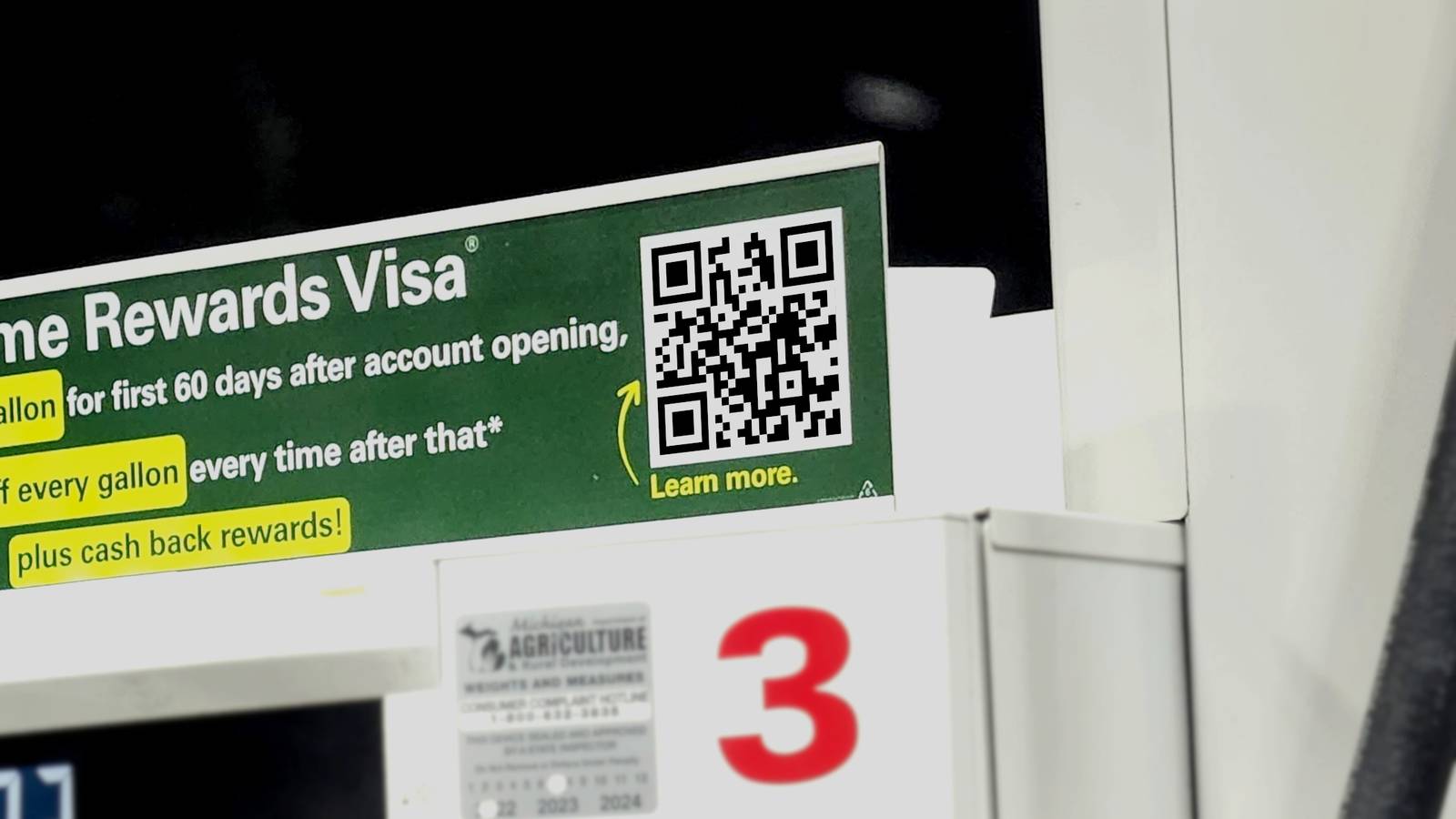
Published Jul 27, 2026, 11:30 AM EDT Aggy is a veteran writer and editor in the technology and gaming space. Having served as a Managing Editor for high-traffic digital publications, alongside being an editor and consultant for over a dozen sites. Aggy's published work spans a wide and respected array of tech and gaming outlets, including WePC, Screen Rant, How-To Geek, Android Police, PC Invasion, and Try Hard Guides. Beyond editorial work, Aggy's direct experience in the tech sphere extends to app development. Aggy has published two games under Tales and is always eager to learn and do more. He also likes working on computers and researching in his spare time. He knows about Windows, Linux, Audio, Video, and much more. QR codes are one of those things that became so normal so fast that most people stopped thinking about them entirely. You see a square, you point your phone at it, and you go wherever it sends you. That's normally how it works. That automatic trust is exactly what makes them worth understanding better. That blind trust is a big issue, and you need to break the habit. QR codes became normal before anyone thought about security The QR code is everywhere now; I've seen them on restaurant tables, parking meters, and storefronts. While it seems pretty new, it was actually invented in the 90s by a Toyota subsidiary. It was made to keep track of car parts on a factory floor because regular barcodes weren't cutting it. Bar Codes could only hold about twenty characters of data, and you had to hold the scanner just right to get them to read. As factories got busier, workers had to scan multiple barcodes on a single part, which was slow and annoying. The solution was a two-dimensional grid that could hold over a hundred times as much data, with a pattern in the corners that let scanners read it from any angle. What was strange was that, instead of keeping this proprietary, the team decided it shouldn't be owned anywhere. QR codes were made as an open, royalty-free standard instead of locking them down with patents, which is a big reason it spread so quickly through global supply chains. Getting from factory floors to everyday life took a while. Smartphones eventually added built-in QR scanning, but COVID-19 is what really pushed them into the mainstream. Almost overnight, businesses needed a way for people to interact without touching things, and QR codes were the obvious free answer. Restaurant menus, payment apps, event tickets, and transit passes were all moved over, and it was easy to do. While this helped everyday life, it made them look safer than they are. The trouble is that a QR code, unlike a web link you can hover over and inspect, tells you nothing about where it's going to take you until you've already scanned it. Scammers use QR codes because you can't read them with your eyes Fake stickers and redirect links make it easy to trick people Credit: Bertel King / How-To Geek Quishing is a blend of QR code and phishing. Someone with bad intentions just takes advantage of others with a QR code and a thoughtless scan. You can preview a link by hovering over it, but you can't read a QR code with your eyes. You have no idea where it's going to take you until you're already there. Attackers know you can't read the code, so they try to rush you into scanning it. It's the same idea as a weblink, an email warning that your multi-factor authentication is about to expire, or that you need to confirm details to claim a holiday bonus. The goal is to make you act fast and skip the part where you stop to think. It's way too easy to pull off, too. Criminals can print out fake QR code stickers and paste them directly over legitimate ones on parking meters, EV charging stations, restaurant tables, and transit posters. You scan it because it looks like it belongs there, and that assumption is exactly what they're counting on. The codes can also show up digitally. Fraud QR codes get embedded in emails, usually tucked inside a PDF dressed up as an HR notice or an unpaid invoice. They use an image instead of a regular link because email filters usually scan text for bad URLs, not pictures. So sometimes QR codes slip right through. Once you scan, you don't go straight to the malicious site. Instead, the code kicks off a chain of redirects, often starting with a completely legitimate service like a Google link, AWS, or Cloudflare. Since that first stop is a trusted service, security tools usually let it right through. Along the way, attackers may throw up a fake CAPTCHA or add a brief delay, which is enough to confuse automated security crawlers trying to follow the trail. The end of that redirect chain usually leads to a fake login page that looks identical to the real thing. It might mimic Microsoft 365, your bank, or a delivery service you actually use. AI tools have made building these replicas much easier, and spotting the difference on a small phone screen is genuinely hard. A few quick checks will protect you from fake codes You can avoid getting scammed The first thing to do is actually look at the code before you scan it. Check for raised edges, crooked alignment, a different paper texture, or a sticker that covers surrounding text. If something looks off, skip it entirely and use the official app or a physical card reader instead. If the code looks fine physically, your phone's camera does some of the work for you. Most modern smartphones will show you a URL preview before actually opening anything, and you should always read it. Look for red flags like an HTTP address instead of HTTPS, a brand name that's slightly misspelled, a weird domain extension, or a shortened URL that hides where it's actually taking you. If anything looks suspicious, close the camera and go to the organization's website manually through your browser. You should also be wary of what happens right after a scan. If a page immediately tries to get you to download an app or a file, that's a big red flag. If a scanned page asks for login credentials without an obvious reason, close it. Even with all of that, sometimes a bad link slips through, which is why having a backup layer of protection matters. Setting up multi-factor authentication on your important accounts means that even if someone gets your password through a fake login page, they still can't get in without the second verification step. Just be careful, not avoidant None of this means QR codes are something to avoid completely. They're useful, they're everywhere, and most of the ones you encounter are exactly what they appear to be. Taking two extra seconds to check for a sticker or read the link preview before opening it is all it really takes. Samsung Galaxy S26 Ultra Brand Samsung SoC Snapdragon 8 Elite Gen 5 Get the new Galaxy S26 Ultra with AI smarts and an all-new privacy display. It's big, powerful, packed with AI, and you'll love the S-Pen stylus. Display 6.9-inch Dynamic Super AMOLED 2X RAM 12 or 16 GB Storage 256GB, 512GB, or 1TB Battery 5,000 mAh Operating System Android Front camera 12MP f/2.2 Rear camera 200MP f/1.4 main, 50MP f/1.9 ultrawide, 10MP f/2.4 telephoto, 50MP f/2.9 telephoto Dimensions 163.6 x 78.1 x 7.9 mm (6.44 x 3.07 x 0.31 in) Colors Violet, Sky Blue, Black, White, Silver Shadow, Pink Gold Weight 214g Charge speed 60W wired Super Fast Charging, 25W wireless Stylus S-Pen
Don't scan any QR codes until you learn to spot this dangerous scam
Full Article
Original Source
Read the full article at Howtogeek →KhanList aggregates and links to publicly available news content. We do not host full articles from third-party sources. Always verify important information with original sources.