
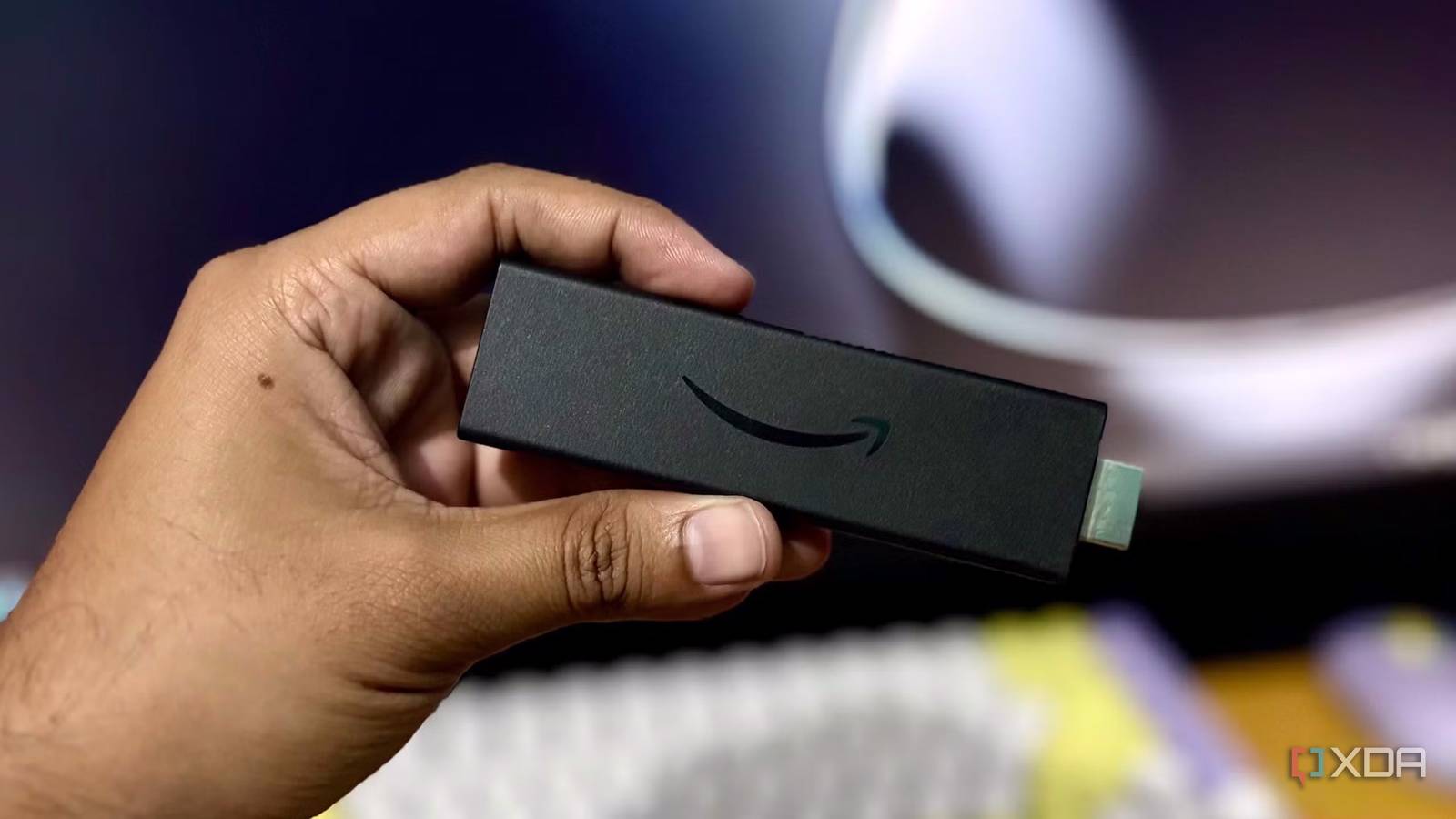
Published Aug 9, 2026, 11:30 AM EDT Based in rural Minnesota, Brian Burgess worked in IT for 10 years before finding his passion for writing about consumer technology. Brian earned his degree in computer and network technology in 2000. He held various IT positions, including help desk support, router installations for IBM, database administration, and other associate network administration roles. He's been a personal technology journalist for 18 years and has written thousands of articles about Microsoft products and services, Android, iOS, streaming, and more. He has written for notable tech sites including XDA, InformationWeek, How-To Geek, Byte, groovyPost, and others. When he is away from the keyboard, you will hear him playing guitar, working outdoors, and watching Star Trek. Amazon is confusing customers by running two operating systems on its Fire TV Sticks in parallel. Two of the newer sticks still run traditional Fire OS. However, the Fire TV Select 4K is powered by Vega OS, which isn't self-hosted or media enthusiast-friendly. It doesn't include Kodi or Jellyfin in the app store, and the apps can't be sideloaded. Vega OS is a locked-down and limited OS that offers a trimmed version of the Fire TV experience. It only offers around 3,000 apps, and Jellyfin and Kodi aren't among them. A bad bargain for Kodi and Jellyfin users It's a cheap stick with a limited store and sideloading lockout The new Vega OS on Fire TV Select only offers a limited number of apps through Amazon's curated store. That limits what can be done with the streaming stick. Amazon says it's locking it down due to security concerns and that it wants tighter control over what can be installed on the streaming device. Traditional Fire OS Sticks (which are still available to buy) can run hundreds of thousands of apps if you sideload Android APKs on Fire TV. When I search for either the Kodi or Jellyfin client, I get suggestions for shoddy apps that won't do what I want them to do with my media. Or worse yet, it brings up results for unrelated apps like the ridiculous Silk web browser. Jellyfin is absent with no workaround No APK for manual installs The new Fire TV sticks don't have a Jellyfin client built for Vega OS. Sideloading is blocked, and there is no way to manually install the APK like you can with other Android apps on sticks with traditional Fire OS. Amazon isn't strictly denying Jellyfin's entrance into the store, but its developers haven't created one that adheres to the new store's rule set. The Jellyfin self-hosted media project is part of a smaller open-source community. The client's code would be rewritten from the ground up to meet the stricter rules in place for the new Linux-based Vega app store. Whether Jellyfin developers create a client specific for Vega remains to be seen. Also, until clever hackers find a way to bypass Vega's limitations, there isn't an option to sideload the app. I checked for other alternative Jellyfin clients, like Moonfin, Wholphin, and Jellyflix — those aren't available either. Kodi is dead on Vega OS It simply doesn't run If you are a fan of the Kodi platform for consuming local media, stay away from the new Fire TV Select stick. Vega OS is actually not a version of Android. It's Amazon's proprietary version of a Linux-based system so that the company can reduce piracy and malware concerns from so-called "unvetted" apps. It also wants full control over what it can monetize on the device. Kodi has a more interesting story with Amazon. It was banned from the app store since 2015 due to privacy and security concerns over some of its third-party add-ons. Still, it's possible to install by sideloading it via developer options on traditional Fire OS. However, since sideloading is completely disabled at the hardware level on Amazon's proprietary Linux-based Vega devices, it leaves Kodi (or Jellyfin clients) on the device dead in the water. The Astra workaround A third-party alternative A developer wrote on Reddit that they built an alternative Jellyfin client called Astra that's available in the app store on new Vega OS-powered Fire TV devices. It also works with Emby servers. I gave it a try, and it does a decent job of seeing the media on my Jellyfin server. It provides basic playback; there aren't many customization options, and it felt too slow and clunky compared to other clients. However, in a pinch, it will work and at least allows you to watch your Jellyfin content on the Fire TV Stick Select. Plex is an option If you want a stripped-down client While Kodi and Jellyfin are nonstarters, it is worth mentioning that Plex is available on the Vega OS stick. However, Plex worked with the rules of Amazon's new app store on Vega OS to meet requirements to allow its app. That said, the current version is quite limited and only supports H.264 video and AAC audio at low bitrates unless transcoding is implemented on the server end. Plex is a commercial platform with an ongoing relationship with Amazon. It's considered a conventional streaming client that meets the app store rules on Vega. Amazon can also monetize it; if piracy is a concern, a user can easily run pirated media through their Plex server to the client on the new Fire TV Stick. Avoid Vega OS if you want freedom Vega OS on new Fire TV Select 4K sticks is limited and doesn't include what self-hosted media enthusiasts need to consume their local media. It's not just that — sideloading is completely locked down, so users are currently unable to manually load any Android APKs. For instance, on Fire OS I always sideload Projectivy for a better launcher experience. It gets rid of the Fire TV homescreen nonsense. However, that can't be added either. If you want personalization and customization options, stay away from the Fire TV Select or other new Fire TV devices that run Vega OS.
Don't buy the new Fire TV Stick if you actually plan to use Jellyfin or Kodi
Full Article
Original Source
Read the full article at Xda-developers →KhanList aggregates and links to publicly available news content. We do not host full articles from third-party sources. Always verify important information with original sources.