
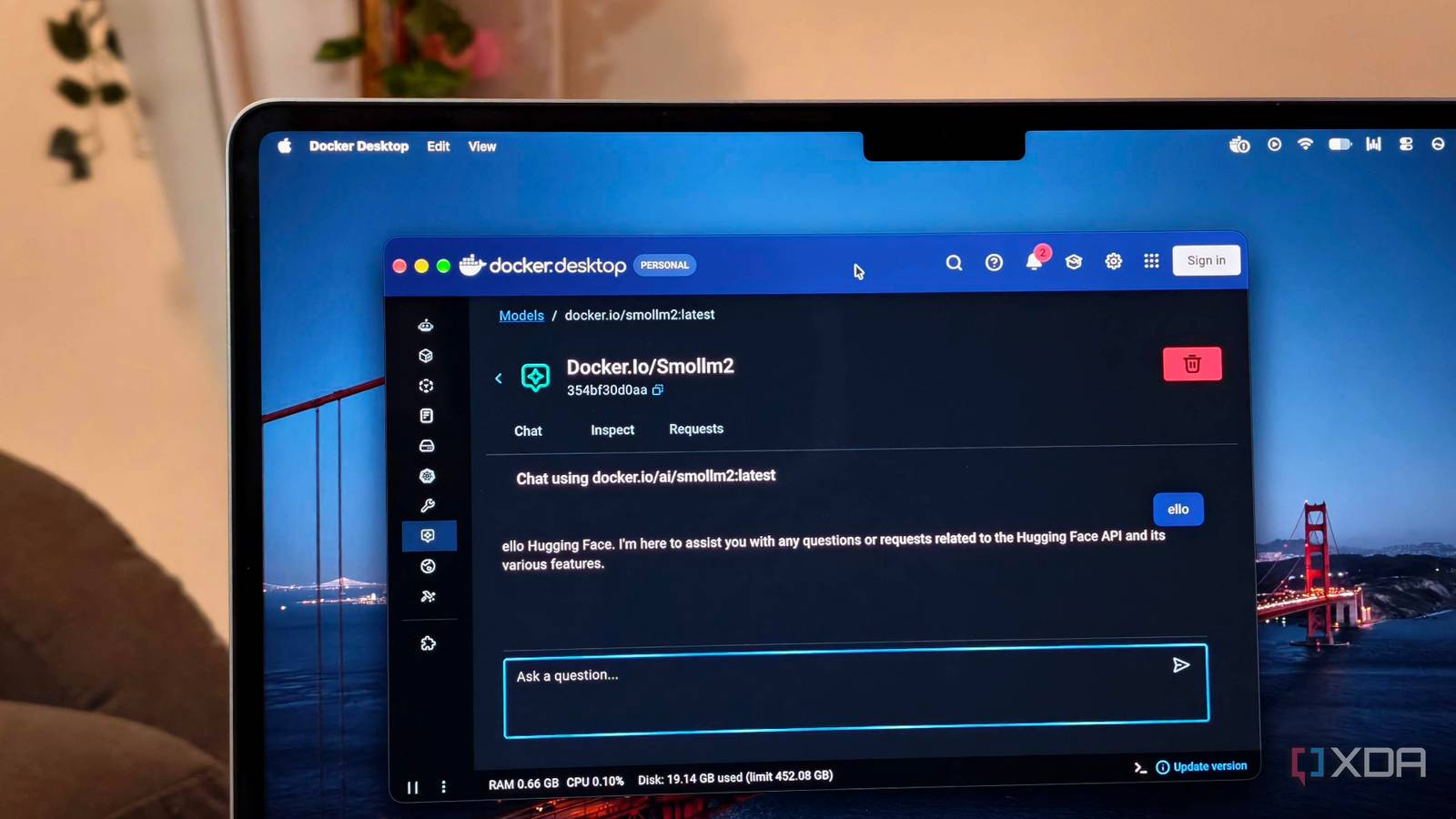
Published Aug 29, 2026, 7:31 AM EDT Anurag is an experienced journalist and author who’s been covering tech for the past 5 years, with a focus on Windows, Android, and Apple. He’s written for sites like Android Police, Neowin, Dexerto, and MakeTechEasier. Anurag’s always pumped about tech and loves getting his hands on the latest gadgets. When he's not procrastinating, you’ll probably find him catching the newest movies in theaters or scrolling through Twitter from his bed. Sign in to your XDA account I have used both Ollama and LM Studio to run local models, and neither is particularly difficult to set up. But if you actually want to integrate local LLMs into working systems, you'll find Ollama just a little cumbersome. As your stack grows, your AI setup will become hard to maintain and even harder to rebuild. I faced this recently and started exploring options. I now run my models through Docker Model Runner and keep the rest of the setup in a Docker Compose file. The file defines how the services connect and where they store data. If something breaks, I run one command, and Docker recreates it. Mind you, the whole process takes about four minutes. Docker Model Runner replaces the Ollama setup It does a lot better job at running local models Ollama is still one of the easiest ways to run a local model. LM Studio makes the process even more approachable by putting most of the controls inside a desktop interface. But the real champ is Docker Model Runner. It's built into Docker Desktop and uses the same Docker CLI I already use for my containers. The models are distributed as OCI artifacts, which is the same standard Docker uses to package and move other artifacts. Docker Model Runner handles the inference engine underneath and exposes the model through an API. It supports OpenAI-compatible endpoints, so most applications can connect without custom integration. There is also an Ollama-compatible API for tools already designed around Ollama. The main advantage of using Docker is that the model now belongs to the same environment as everything using it. You can use Docker Compose to declare the model as a dependency alongside the application. When I start the project, Docker knows which model it needs and how the other services should reach it. Your entire AI setup can live in one Compose file Compose file has everything you need to rebuild the setup Docker Compose is what makes this setup worth using. My Compose file declares the model and connects it to the chat interface. It also tells Docker which ports to expose and where the application should store its data. I keep the Compose file with a small .env file for settings I might want to change later. I add the actual application data into a named volume. That's important because containers are disposable. Docker can delete and recreate them without touching the volume where the interface keeps my conversations and preferences. There isn’t much inside the Compose file. It contains enough information to reproduce the stack without turning my local AI setup into another project that needs constant maintenance. Once the model is already available locally, the rest is little more than a Docker command. services: open-webui: image: ghcr.io/open-webui/open-webui:v0.11.0 restart: unless-stopped ports: - "127.0.0.1:3000:8080" environment: OLLAMA_BASE_URL: http://host.docker.internal:12434 WEBUI_AUTH: "true" DEFAULT_MODELS: ai/qwen2.5-coder extra_hosts: - "host.docker.internal:host-gateway" volumes: - open-webui-data:/app/backend/data models: - local-model models: local-model: model: ai/qwen2.5-coder context_size: 8192 volumes: open-webui-data: The models block tells Docker Model Runner to provision Qwen 2.5 Coder with an 8,192-token context window. I can replace that model reference with another supported model without changing the rest of the stack. Open WebUI reaches Model Runner through its Ollama-compatible API. I have pinned Open WebUI to a specific version instead of using the main tag. This prevents an unexpected update from changing the interface the next time I recreate the container. The named volume at the bottom stores Open WebUI’s data. Containers are temporary, so anything saved only inside one disappears when you delete that container. Rebuilding the stack takes about four minutes More if you are moving to a different drive As I mentioned earlier, rebuilding the whole stack takes less than four minutes if you are using Docker to run the local models. I have removed the running stack plenty of times and recreated it entirely from the Compose file. With one command, you can have Open WebUI working again with your conversations and settings intact. The model connection also returns without requiring any manual configuration. More than saving time, it gives you an accurate setup every time. If you have to rebuild an Ollama setup, you'll need to remember decisions made months earlier. If you miss something, the new installation will behave differently from the old one. Of course, the four-minute result assumes that the model is already downloaded. Docker Model Runner keeps it in its local cache, so rebuilding the surrounding stack doesn't require another multi-gigabyte download. If you want to move the whole setup to a new computer, it'll take much longer since you'll need to download the models again, but the Compose file will recreate the same configuration quickly once the required files are available. You'll also need to back up the Open WebUI data before moving it to another drive. Other runtimes worth trying While Docker Model Runner is a solid alternative to Ollama and LM Studio, you can explore other options. I’ve had success with BaseRT, and llama.cpp has also proved its worth. You don’t have to stick to the most well-known inference tools.
Docker turned my AI setup into something I can rebuild in four minutes
Full Article
Original Source
Read the full article at Xda-developers →KhanList aggregates and links to publicly available news content. We do not host full articles from third-party sources. Always verify important information with original sources.