
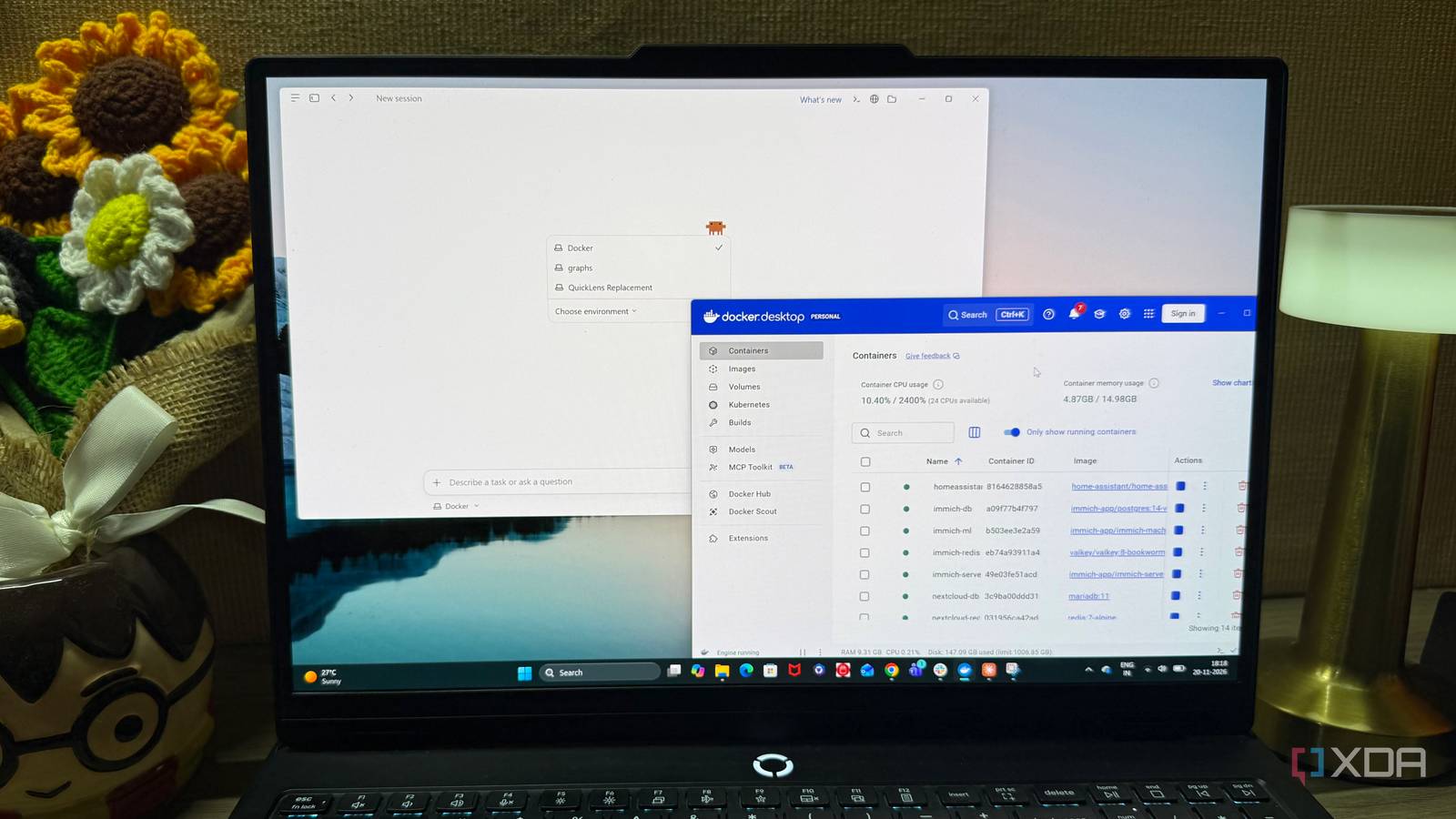
Published Nov 22, 2026, 7:00 PM EST Beginning his professional journey in the tech industry in 2018, Yash spent over three years as a Software Engineer. After that, he shifted his focus to empowering readers through informative and engaging content on his tech blog – DiGiTAL BiRYANi. He has also published tech articles for MakeTechEasier. He loves to explore new tech gadgets and platforms. When he is not writing, you’ll find him exploring food. He is known as Digital Chef Yash among his readers because of his love for Technology and Food. I enjoy experimenting with self-hosted applications, but I don't want to spend all my free time maintaining them. I have other work and projects to focus on, so I'd rather spend my time exploring new tools than figuring out why an existing container has stopped working. Docker makes running these applications possible, but when something goes wrong, troubleshooting can quickly become time-consuming. That's why I decided to bring Claude Code into my workflow and see whether it could help make Docker troubleshooting less time-consuming. Docker troubleshooting can take more time than expected The tricky part is figuring out what's actually broken Running a few Docker containers is easy enough, but understanding how everything works together takes a little more effort. Some self-hosted applications rely on multiple containers, databases, background services, and shared volumes. Each has its own responsibilities, but they also depend on one another. So when something goes wrong, figuring out which component is responsible isn't always easy. The hardest part is often knowing where to start. A container might repeatedly restart, application logs might show unfamiliar errors, or a service might stop working because of an incorrect configuration. Going through different settings and logs can take quite some time before the actual cause becomes clear. It gets even more tedious when troubleshooting involves switching between projects, especially ones whose configurations haven't been touched in a while. I gave Claude Code access to my Docker environment Setting up Claude Code to work with my existing containers I already had Claude Code Desktop and Docker Desktop installed on my Windows PC, so getting started was fairly straightforward. After opening Claude Code Desktop, I created a new Local environment and selected my Work Tools folder as the source directory. This folder contains the Docker Compose files for my self-hosted applications, giving Claude Code access to the configurations behind those deployments. To check whether everything was connected properly, I started with a simple question: "What containers are currently running?" Claude Code checked my Docker environment and returned a list of running containers, along with their names and associated ports. This provided a quick overview of what was active without having to inspect each deployment individually. Since these were applications I already relied on, I was careful not to let the session make any changes. Claude Code could inspect the setup and retrieve information, but I didn't ask it to modify Compose files, restart containers, or change any existing deployments. Claude Code catches a Docker issue I’m not even looking for It makes Docker troubleshooting less intimidating While checking my running containers, Claude Code picked up on something I hadn't specifically asked it to look for. My Paperless-ngx stack had four containers, but the webserver container was repeatedly crashing and restarting. The other three appeared to be running normally, while the webserver's restart loop prevented me from accessing the Paperless-ngx web interface. That gave me something specific to investigate. Instead of manually digging through the logs, I asked Claude Code to investigate why the Paperless-ngx webserver container kept restarting. It examined the webserver's logs and traced the startup failure to a missing PAPERLESS_SECRET_KEY. Claude Code also explained why this was happening. Paperless-ngx v3 made a unique secret key mandatory, and the application refuses to start if PAPERLESS_SECRET_KEY is missing or still set to the default change-me value. That explains the restart loop: the webserver fails during startup, and Docker keeps trying to restart it. The useful part was that I didn't have to interpret the error messages and figure out which configuration to check myself. Claude Code connected the container's restart behavior to a specific configuration issue and explained why it was preventing the application from starting. Instead of spending time investigating different possibilities, I finally had a clear place to start. Claude Code has earned a place in my productivity toolkit This experiment showed me that Claude Code can be useful for more than writing and reviewing code. Having it inspect an existing Docker environment, examine logs, and explain configuration issues makes troubleshooting much more manageable. Of course, its recommendations still need review before making changes, particularly when those changes involve running services or persistent data. Handing over complete control of a self-hosted environment to an AI assistant isn't something I'd consider. But as a troubleshooting companion, Claude Code makes maintaining these applications less tedious and leaves more time for the part of self-hosting I actually enjoy: experimenting with new tools. Claude is an AI assistant and LLM developed by Anthropic. Docker Docker Desktop is a one-click-install application for your Mac, Linux, or Windows environment that lets you build, share, and run containerized applications and microservices. It provides a straightforward GUI (Graphical User Interface) that lets you manage your containers, applications, and images directly from your machine.
Docker troubleshooting got easier once I handed the logs to Claude Code
Full Article
Original Source
Read the full article at Xda-developers →KhanList aggregates and links to publicly available news content. We do not host full articles from third-party sources. Always verify important information with original sources.