
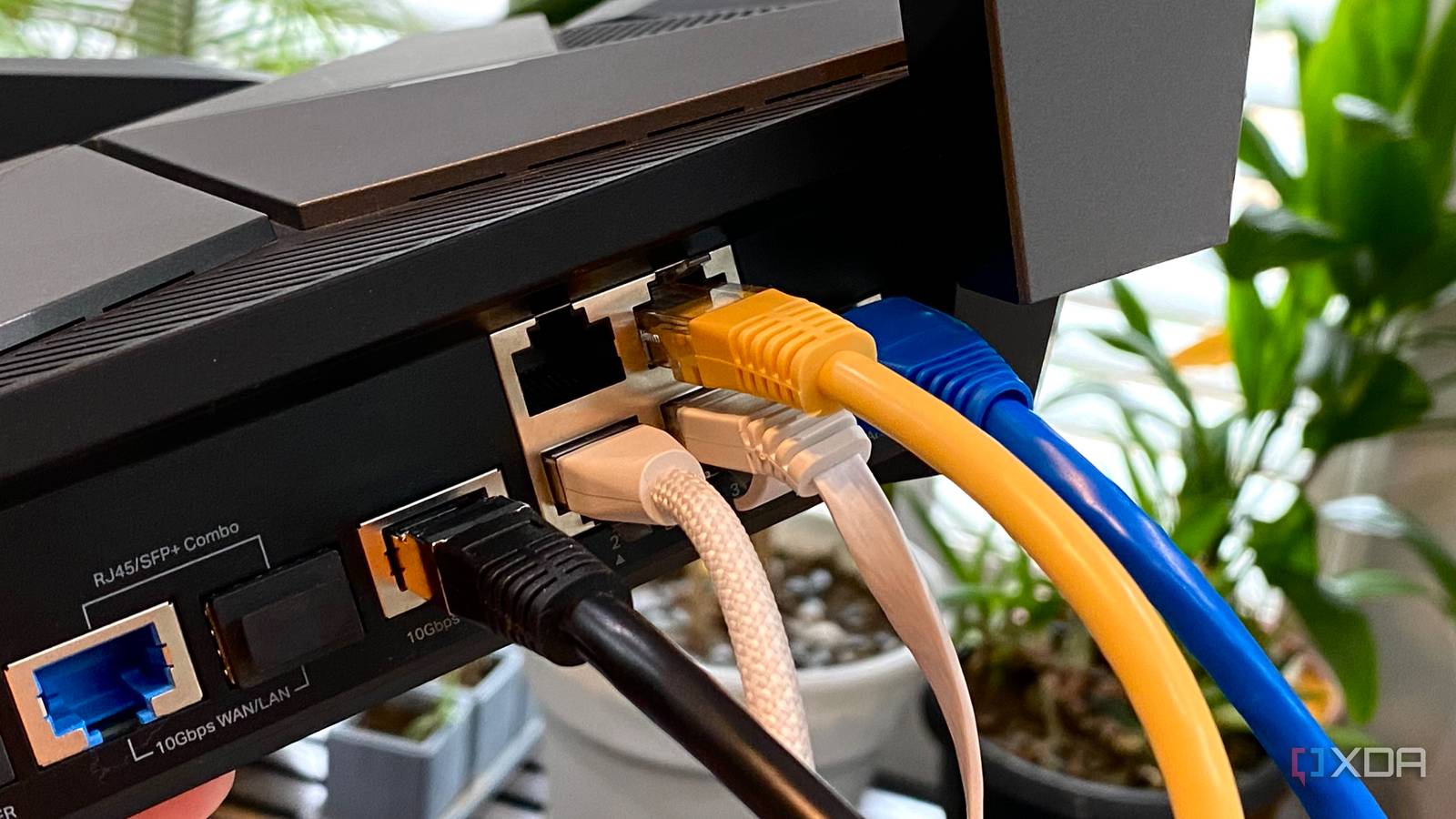
Updated Sep 4, 2026, 6:15 AM EDT Maker, meme-r, and unabashed geek, Joe has been writing about technology since starting his career in 2018 at KnowTechie. He's covered everything from Apple to apps and crowdfunding and loves getting to the bottom of complicated topics. In that time, he's also written for SlashGear and numerous corporate clients before finding his home at XDA in the spring of 2023. He was the kid who took apart every toy to see how it worked, even if it didn't exactly go back together afterward. That's given him a solid background for explaining how complex systems work together, and he promises he's gotten better at the putting things back together stage since then. Dealing with slow, laggy home Internet is the pits, and it can happen to any home network, from Multi-Gig capable connections to DSL. Even my home network slows down sometimes, and I've got 10GbE for some sections of it. But it's not all about straight-line speeds, with the general responsiveness and reliability of your network being key to a good internet experience. Those things aren't always easy to measure, but simple, quick fixes can get your slow network back to its best. 5 Not putting your router in a central position The place where your ISP installed your Internet drop is rarely the best place for optimal Wi-Fi No matter which W-Fi router you have, there's one simple troubleshooting step that should be done before even thinking about upgrades. That's to reposition your router to a more central area in your home, and move it to roughly chest height. That might be tricky depending on where the ISP put your internet hookup, but it's well worth the extra effort on your part. Okay, maybe two steps, because rebooting your router regularly is a good way to keep your network running smoothly. Also, check for firmware updates if your router isn't new enough to automatically handle that. New wireless protocols like Wi-Fi 8 are aimed at increasing the stability of your connection, but those routers and access points are some ways away from hitting the market. Plus, they're bound to cost an arm and leg when they finally hit the shelves. But adding a long cable to move your Wi-Fi router from the outside wall the ISP put it on, to somewhere closer to the center of your space will give all your devices a better chance of stable Wi-Fi. 4 Sticking with your ISP's DNS servers Every (milli)second counts when you're talking about smooth browsing Your browsing experience is also controlled by the Domain Name Service (DNS), which is often used by your ISP to limit what you can see, or using your DNS query data to sell targeted advertising. Even if they're not doing this (but they probably are), self-hosting a DNS server comes with other benefits, including being able to use local domain names to address your NAS and self-hosted services, ad-blocking at the DNS level, and encrypting your DNS queries for privacy. It's not guaranteed that it will improve your speeds, but it will remove any ISP shenanigans from the equation when set up correctly with DNS-over-TLS, or over-HTTPS, or over-QUIC for encrypting your requests so they can't be read in transit. 3 Interference from too many devices Especially when you don't have QoS enabled on your router Despite consumer routers supporting dozens of devices, it's not uncommon to experience slowdowns when you have too many clients trying to hog bandwidth from your router. On a Wi-Fi network alone, you've got typical laptops, consoles, mobiles, and tablets competing for the fixed data capacity, and one untimely update across multiple systems is all it takes for your Internet speeds to plummet. And that's before you include the congestion created by smart gizmos communicating over Bluetooth and other wireless protocols. Putting bandwidth caps on devices that download GBs of data can give the other systems in your LAN some breathing room. Most consumer routers ship with Quality-of-Service, which allocates a share of their overall bandwidth to high-priority devices. It doesn't really increase the max Internet speed for your local network, but enabling it can help optimize the bandwidth for essential devices. At the same time, I wouldn't advise going too overboard with QoS or bandwidth caps, or you'll end up with painfully slow Internet speeds on your daily drivers. Likewise, if you have too many IoT devices at 2.4GHz, moving your everyday systems to 5GHz can prevent slowdowns caused by interference. 2 Relying on poorly-placed wireless repeaters A mesh network is always better for larger households Mercusys mesh wifi system changed my life after I struggled with a WiFi extender for so long. Switching gears to the hardware side of things, Wi-Fi repeaters may sound nifty for large homes, where you'd get signal drops if you’re too far away from the central router. Unfortunately, their budget-friendly price comes at a massive disadvantage in the form of halved throughput. You see, basic repeaters rely on a single radio chip to receive packets from the router and transmit them to the client devices in a dead zone. Since Wi-Fi can't send and receive packets at the same time, using a cheap wireless repeater can slash the throughput by half. If your repeater creates a new SSID, it can cause your devices to accidentally cling to it, even when they're in range of the central router. Switching to a mesh setup can fix this problem entirely. Sure, they can be a tad expensive, but if you've got multiple deadzones or want to provide network connectivity over a large zone, it's better to rely on a mesh setup, ideally one with a wired backup to the main router. 1 Using damaged cables or having weak Wi-Fi signals Networking equipment needs maintenance, just like everything else Even if you have the fastest networking setup in the world, a broken cable is all it takes to throttle your Internet speeds. I've had copper twisted-pair CAT cable break from tight bends, or from touching sharp edges or the tiny nails on carpet stays, and while fiber is generally quite tough, it can also break from pressure or a tight bend radius. If your internet comes in via coax, it could be physically damaged, or be picking up interference from nearby devices. Check all physical connections for damage, and it's always worth having a few spare cables on hand to test with (or invest in a cable tester). Wi-Fi signal issues can be harder to pinpoint, but generally they're either caused by being too far from the broadcaster, interference from nearby routers, devices, and your home's walls, or hardware that's not able to keep up anymore. That last point is more likely if your router is older, as they're not built for longevity. The Internet is a necessity for most households. Don't let yours be slowed by simple mistakes You don't need an overkill home network setup or prosumer hardware to keep your home internet running smoothly. Most simple mistakes can be fixed with simple troubleshooting, and you'll be back at your expected speeds in no time. It's generally a better idea to upgrade your router before thinking about moving to a higher tier on your internet plan, as newer routers have better features overall, and you might not notice the increased ISP plan without it.
Discover the top 5 networking errors slowing your home internet
Full Article
Original Source
Read the full article at Xda-developers →KhanList aggregates and links to publicly available news content. We do not host full articles from third-party sources. Always verify important information with original sources.