
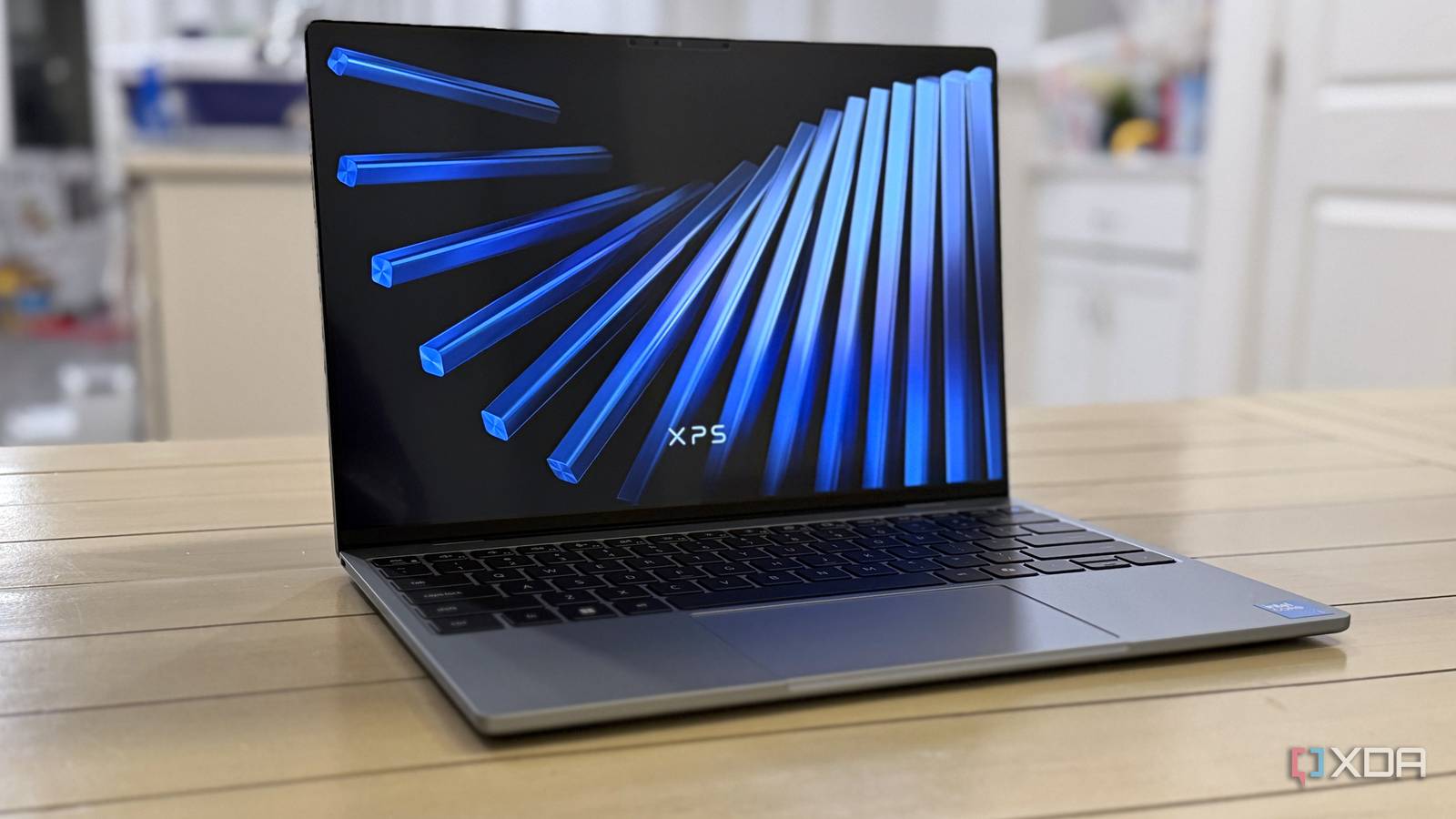
Published Aug 24, 2026, 9:00 AM EDT Also, when did Dell decide the XPS name goes on budget hardware? Choosing a budget-friendly laptop isn't fun at the best of times, and the current state of component pricing makes it even worse. Usually, it means a plastic chassis and whatever leftover display panels the OEM could find in a dusty warehouse. Apple's solution was to put an iPhone chip into the MacBook Neo, and now we've got a challenger from Dell in the XPS 13. While it's not the smoothest experience, the XPS 13 is usable and doesn't fall into the usual traps of budget devices. The 120 Hz, 1440p display is crisp and bright and has touch capabilities; the chiclet-style keyboard is well-spaced, and the touchpad is fine, really. Oh, and it's inside a fully metal chassis, and the XPS branding does some serious work making it seem even more premium than it really is. About this review: Dell sent XDA the XPS 13 (2026) used in this review and had no input into its contents. Dell XPS 13 (2026) 8.5/10 CPU Intel Core 5 320 GPU Intel Graphics Display type IPS Display (Size, Resolution) 13.4-inch, Touch, 2.5K, 30-120Hz, 500 nits The Dell XPS 13 is the savior of the budget laptop class, or at least of what's considered budget in 2026. It's a sharme that it only has 8GB of RAM RAM 8 GB or 16 GB of LPDDR5x Storage 512 GB NVMe Battery 52 Wh 3-cell Charge speed 65W Ports 2x USB-C 10 Gbps with DP alt mode and PD Operating System Windows 11 Webcam 2MP FHD + IR Cellular connectivity No Wi-Fi connectivity Wi-Fi 7 Bluetooth Bluetooth 6 Form factor Clamshell Dimensions 11.69 x 7.9 x 0.5 inches (296.9 x 200.66 x 12.7 mm) Weight 2.2 lbs (1 kg) Speakers Quad (2W x 2 main, 2W x 2 tweeter) Colors Storm, Sky Pen compatibility No Price $699 ($599 student pricing) Pros & Cons Gorgeous slim design Usable keyboard and touchpad Great display 8GB of RAM is limiting Upgrading to 16GB of RAM costs $200 Only two USB-C ports Price, specs, and availability of the XPS 13 The Dell XPS 13 (2026) is shipping now, starting from $700 with 512 GB of SSD storage and 8 GB of RAM, or $600 if you qualify for the education pricing. All models currently have the Wildcat Lake Core 5 320 CPU, but Dell plans to release Panther Lake versions with the Core Ultra 7 355 in the coming months. That will likely add another few hundred to the MSRP, but will make for a more capable machine. Dell XPS 13 (2026) CPU Intel Core 5 320 GPU Intel Graphics Display type IPS Display (Size, Resolution) 13.4-inch, Touch, 2.5K, 30-120Hz, 500 nits RAM 8 GB or 16 GB of LPDDR5x Storage 512 GB NVMe Battery 52 Wh 3-cell Charge speed 65W Ports 2x USB-C 10 Gbps with DP alt mode and PD Operating System Windows 11 Webcam 2MP FHD + IR Cellular connectivity No Wi-Fi connectivity Wi-Fi 7 Bluetooth Bluetooth 6 Form factor Clamshell Dimensions 11.69 x 7.9 x 0.5 inches (296.9 x 200.66 x 12.7 mm) Weight 2.2 lbs (1 kg) Speakers Quad (2W x 2 main, 2W x 2 tweeter) Colors Storm, Sky Pen compatibility No Price $699 ($599 student pricing) What I liked about the XPS 13 This is a budget device that doesn't feel like one The XPS branding isn't one you'd expect to see on a budget device, and Dell has taken great pains to make sure it doesn't look like one. The metal chassis is slim and well-styled; the screen is bright and color-accurate with almost no bezels, and the overall feel is that of a premium device. The keyboard goes back to the chiclet-style keys of five years ago, but that's okay because I don't like typing on the zero-grid keys that the other XPS models come with, and I'm not sure who does. The spacing is good, and I could touch-type for the most part. The touchpad is small and sometimes unresponsive to double-taps, but that could be due to the input device or the laptop's lower-spec hardware. The display almost covers the P3 gamut as advertised, with 99% tested, with fairly accurate gamma tracking. At 454 nits peak brightness, it's already brighter than many laptops I've tested in the last year. The 120 Hz refresh rate is a little misleading because it drops to 30 Hz when idling, and the iGPU isn't powerful enough to take advantage of 120 Hz while gaming. But overall, this is a good screen, and better than I expected to find. Performance is pretty good considering the RAM limitations The Core Series 3 CPU in the XPS 13 is here for a long time, not a good one. Okay, that's slightly harsh, as it's fine for web browsing, working on spreadsheets or other documents, and watching videos. Videos, in particular, are a highlight, as the 2.5K display is responsive and colorful. One big caveat: this isn't a laptop for gaming. Or for video editing, rendering, or transcoding. Or anything that requires more than displaying an image on your screen and playing videos, basically. The Intel Core 5 320 is a graphical potato, and no amount of upscaling or in-game settings will change that. Dell XPS 13 (Intel Core 5 320) Dell 14S (Intel Core Ultra 7 355) Asus Zenbook A16 (Snapdragon X2 Elite Extreme X2E-94-100) Asus Zenbook 14 (Core Ultra 9 285H) Dell XPS 14 (2026) (Intel Core Ultra X7-358H) HP EliteBook Ultra (Snapdragon X Elite X1E-78-100) PCMark 10 (AC / battery (best perf) / battery (balanced) 5,946 / 5,718 / 4,871 7,464 / 7,921 / 7,063 - / -/ - 7,480 / 7,134 / 6,255 8,980 / 9,561 / 8,313 ----- Geekbench 6 (single / multi) 2,370 / 7,240 2,720 / 11,318 3,521 / 22,978 2,807 / 15,390 2,835 / 16,358 2,392 / 13,266 Cinebench 2024 (single / multi) - / - 177 / 577 146 / 1,490 125 / 746 123 / 806 101 / 826 3DMark (Time Spy / Wild Life / Night Raid) 1,589 / 9,181 / 16,537 3,194 / 21,267 / 29,409 4,516 / 38,708 / 50,653 4,401 / - / 31,322 6,136 / 33,695 / 37,886 1,793 / --/ 24,654 CrossMark (Overall) 1,324 1,969 2,091 2,032 1,905 1,007 And even with that smaller 52 Wh battery, the Dell XPS 13 lasted 16 hours and 40 minutes in our video playback test, which runs a looped series of videos at 200 nits brightness. That's 70% brightness in Windows 11 on this particular laptop, which is plenty for work. The low-power Wildcat Lake CPU is pretty efficient, all told, so this is a decent first laptop or YouTube-watching machine for your parents or grandparents to use. What's not so good about the XPS 13 You'll wish you could download more RAM Windows 11 has gotten better at not needing obscene amounts of RAM, but let's face it, 8 GB is not enough in 2026 on any device. It's barely enough for phones and tablets, and laptops should start with 16 GB. Just booting into Windows uses most of the available resources, and opening Edge and a few other programs soon uses up the rest. I'm not sure whether it's the Wildcat Lake CPU, the limited RAM, or a combination of the two, but there were times when I tried to do more than two things at once and the system locked up. That required a hard shutdown to fix, as nothing was responsive. If I kept things simple, like browsing the web or running benchmarks, then things were much more manageable, and if you keep the constraints in mind, this can be a pretty good device. Sure, there's no headphone jack; you only get two USB-C ports, and the touchpad isn't going to win any awards. But for what you do get for the price, I can't complain too loudly when the next best options cost 50% more. Should you buy the Dell XPS 13 (2026)? You should buy the Dell XPS 13 if: You want an inexpensive Windows laptop for web browsing and basic tasks You value portability You don't want to compromise on looks You should NOT buy the Dell XPS 13 if: You need a more powerful CPU You want OLED You need more storage or RAM than what is on offer The Dell XPS 13 nails the value proposition out of the gate, with acceptable trade-offs to get to this price point. Okay, except for one. Putting 8 GB of RAM in any laptop won't cut it in the long run, and I'd recommend getting the 16 GB option. If you do that, you'll get a slim, stylish, and fairly competent device that should last for years. It's directly competing with the MacBook Neo, and for Windows users, there is no other viable option at this price. I just wish Dell hadn't put the XPS name on it; it feels weird to see the premium branding used for a budget device. Dell XPS 13 (2026) 8.5/10 CPU Intel Core 5 320 GPU Intel Graphics Display type IPS Display (Size, Resolution) 13.4-inch, Touch, 2.5K, 30-120Hz, 500 nits The Dell XPS 13 is a budget laptop that doesn't look like one. RAM 8 GB or 16 GB of LPDDR5x Storage 512 GB NVMe Battery 52 Wh 3-cell Charge speed 65W Ports 2x USB-C 10 Gbps with DP alt mode and PD Operating System Windows 11 Webcam 2MP FHD + IR Cellular connectivity No Wi-Fi connectivity Wi-Fi 7 Bluetooth Bluetooth 6 Form factor Clamshell Dimensions 11.69 x 7.9 x 0.5 inches (296.9 x 200.66 x 12.7 mm) Weight 2.2 lbs (1 kg) Speakers Quad (2W x 2 main, 2W x 2 tweeter) Colors Storm, Sky Pen compatibility No Price $699 ($599 student pricing)
Dell's XPS 13 is the laptop I'd recommend, except for this one problem
Full Article
Original Source
Read the full article at Xda-developers →KhanList aggregates and links to publicly available news content. We do not host full articles from third-party sources. Always verify important information with original sources.