
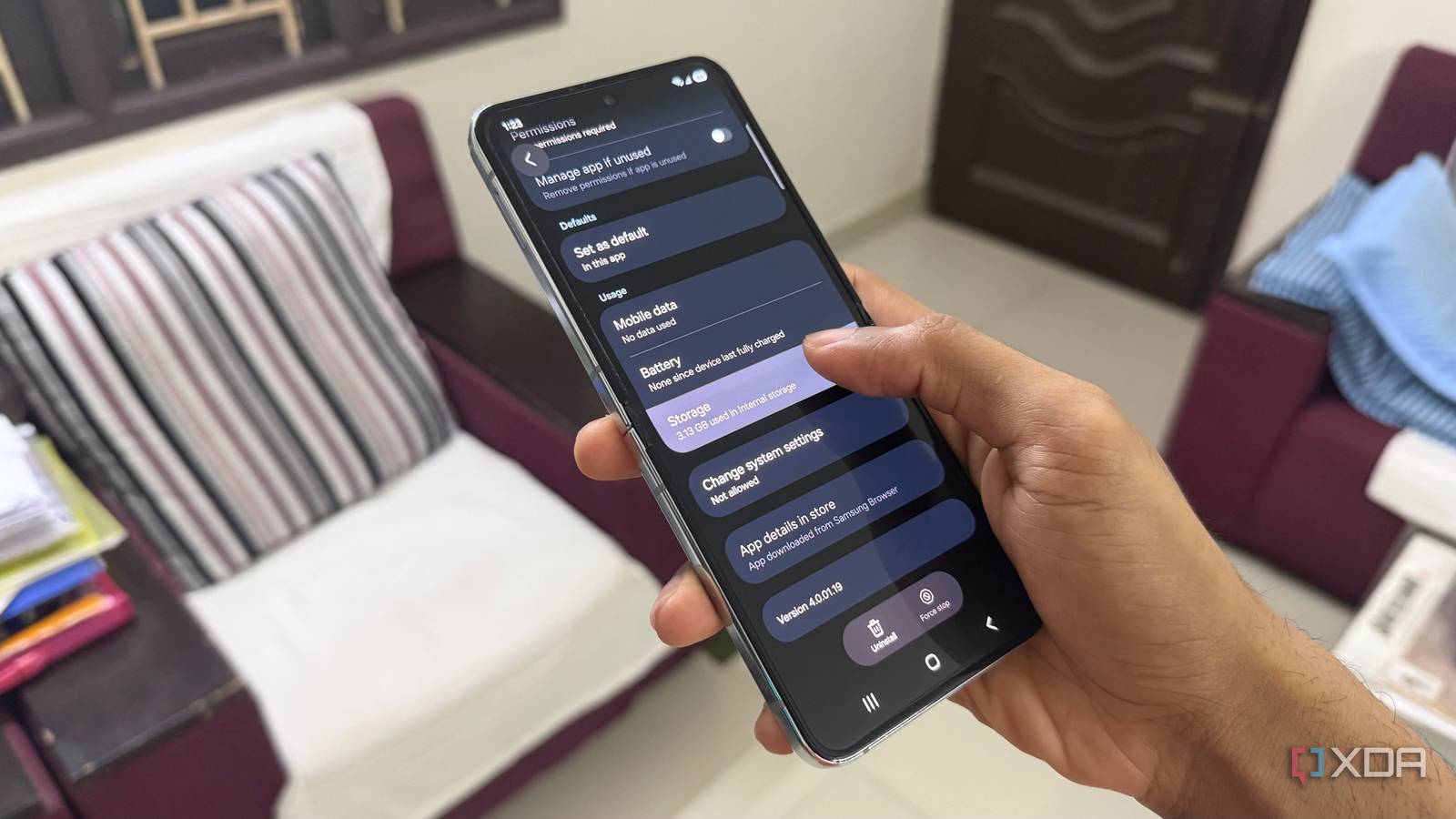
Published Aug 12, 2026, 5:30 PM EDT Hamlin has been in the tech field for over nine years. Since 2017, his work has appeared on MakeUseOf, Android Police, OSXDaily, Beebom, and more. He served as the Senior Editor at Valnet's MakeUseOf for over two years before joining XDA. He uses a high-end gaming rig for desktop use and a MacBook for traveling, but dislikes some of the quirks of macOS. You're more likely to catch him at the gym or on a flight than anywhere else. Recently, I've been doing everything I can to reduce background processes, unnecessary Samsung apps, and One UI features to make my Galaxy Z Flip 5 feel faster and last a bit longer. After all, I've been using it for about three years now, so it definitely doesn't feel as snappy as it did on day one. Things like disabling RAM Plus and animations helped, but once I was done tweaking One UI, I started looking for what else I could clean up. That's when I decided to go through my storage and came across Samsung Language Core. Unlike most other Samsung apps that I removed one by one, Samsung Language Core wasn't something I even knew was installed on my phone. You won't find it in your app drawer, but once you spot it in your list of apps, it's hard to overlook that it's taking up roughly 3GB of space. That immediately made me wonder what it's actually for, and it turns out it's part of Galaxy AI's on-device language processing. Since I barely used Galaxy AI outside of generative photo editing, I figured I wouldn't be missing out on much. Samsung Language Core isn't just 3GB of bloat But that doesn't matter if I don't use the features that rely on it It's easy to dismiss Samsung Language Core since it has "language" in its name, but it actually has nothing to do with the language packs you'll see under Settings -> General management -> Language packs. Those are separate downloads for features like Live Translate and Interpreter, whereas Samsung Language Core handles on-device language processing for Galaxy AI features like Writing Assist in Samsung Keyboard and AI-generated summaries in Samsung Health. I know a lot of people use Galaxy AI these days, but that doesn't automatically mean you need to keep Samsung Language Core around. I've never really used Writing Assist, except for the one time Samsung first rolled out Galaxy AI and I wanted to see what it could do. And as for Samsung Health, it's one of the first apps I always uninstall from my phone. When I do use Galaxy AI, it's mostly to remove objects or people from photos using Generative Edit. So while Samsung Language Core isn't bloat, I definitely wasn't using it enough to justify letting it take up 3GB of space. You can't straight up delete Samsung Language Core But uninstalling updates almost does the same thing You won't even find Samsung Language Core in your list of apps unless you filter it to show system apps first. And because it's a system app, you can't uninstall or even disable it like you normally would. At first, I thought I'd have to resort to ADB to get rid of it, but thankfully there's an easier workaround. All you need to do is uninstall updates, which will roll it back to the factory version and free up 3GB of space on your phone. To do this, go to Settings -> Apps -> Filter and sort -> Show system apps, and then search for and tap Samsung Language Core. Then, tap the three dots in the top-right corner and choose Uninstall updates. Samsung Language Core will continue to appear in your list of system apps, but its storage footprint will be almost non-existent. The next time you try out Writing Assist, you'll be prompted to download Samsung's offline language model again, so you know you're not permanently giving up the feature either. I didn't give up anything by doing this Everything I actually use still works like before For me, it wasn't just about freeing up more space. When I looked up Samsung Language Core on Reddit, I learned that it was causing battery drain for some users. Since I was already trying to squeeze as much battery life as possible out of my three-year-old phone, that gave me another reason to get rid of it. Now that I've freed up that space, I don't think I'm missing out on the Galaxy AI features that matter to me. Even if I ever wanted to use Writing Assist, I can still use it online instead of keeping the offline language model installed on my phone. You'll only be forced to download Samsung's offline language model if you've enabled on-device processing in Settings -> Galaxy AI -> Process data only on device. I don't have that enabled anyway, so I'm not really giving anything up by leaving Language Core at its factory version. Generative Edit, on the other hand, still works exactly the same, and I haven't noticed anything else missing from One UI either. There's no point keeping features you don't use I don't think many of you would be comfortable removing Samsung Language Core from your phone, especially since it's associated with Galaxy AI. But as long as you're sure you don't use the specific features that rely on that on-device language processing, you're not missing out on anything or breaking Galaxy AI just by removing its updates. Even if you're not sure you'll need them later, re-downloading those files is pretty straightforward, since One UI will prompt you to do so when you try to use a feature that requires them. Until then, I'd rather allocate that 3GB to apps that actually matter to me every day.
Deleting this hidden Samsung system app freed up 3GB of space on my phone
Full Article
Original Source
Read the full article at Xda-developers →KhanList aggregates and links to publicly available news content. We do not host full articles from third-party sources. Always verify important information with original sources.